Text imported from data sources behaving strangely and not allowing for resize of text frame



-
I have a bunch of data in a csv file that I would like to import and use for a canvas data grid export.
The use case here is printing a bunch of stickers with different phrases on them.I made a super simple proof of concept showing what I'm trying to achieve:
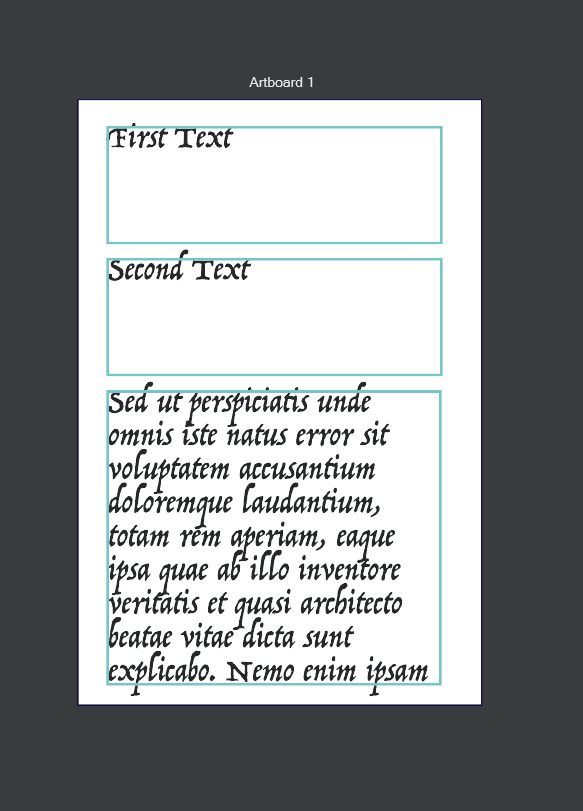
Two single lines of text, and a paragraph of text. This example is with manually entered data. I put a stroke around the text areas simply to show their bounds.
Upon adding my data source and choosing to apply the style to the objects individually, the following happens:

- It changes my font and font size
- It removes the fill on the text and instead uses the stroke style from the text area
- It moves the text areas over
- It changes the dimensions of the text area so that it will fit the imported text.

If I then change the font/font size on these newly imported text areas, they work properly with the Canvas Data Grid, with one notable exception:
If I try to resize the text area containing the long paragraph of text, it scales the text, instead of changing the boundaries of the text area as expected.

I can't seem to find any way to prevent the text frame from transforming it's content.
The options in the Appearance window show this:

Is this a bug? Am I misunderstanding how to import text for a Canvas Data Grid?
-
@LoginError When i open your attached file, happens the same i reporter earlier today. VS becomes laggy. It also happened with a imported text file with format.
-
@LoginError Do not select "Transform with Frame" and "Transform with Groups".
0_1765774824717_wrap text.vstyler -
@LoginError There are some issues here, I opened a bug and will try to find out more.
-
The bottom text object (the selected one on the screenshot), is a text frame that flows inside a text shape.
The text shape is stretched (this can be removed with Effects -> Remove All Shape Effects), and the text for the text shape is sources from the data file.
The text frame is visible and can be removed in the Appearance panel
In VS it is possible to use a text shape as a text frame shape.
-
Okay, that sort of makes sense to me. It is applying the shape of the text to the text frame instead of setting the text in it.
I can see how this is possible, because vectorstyler is very flexible in the way things are arranged and almost everything can be nested inside anything else. This also explains why it is very laggy when resizing, since I'm not just resizing a text frame, I'm resizing a complicated object that is the bounds for a text frame.But it seems strange that this would be the default behaviour when applying a text data source to a text frame.
So I guess my question is, if I have a text data source and I would like to set the contents of a text frame from it, how would I do that?
-
I did figure out a workflow to get what I was looking for.
Drag the text from the Data Sources panel onto the canvas to create shape text.
From the menu Text->Convert to Frame Text
And then unselect Text->Frame Text-> "Transform with Frame" and "Transform with Groups" as @Li-Xiao said earlier.Then I can style this text frame as I would like and repeat it with Canvas Data Grid.
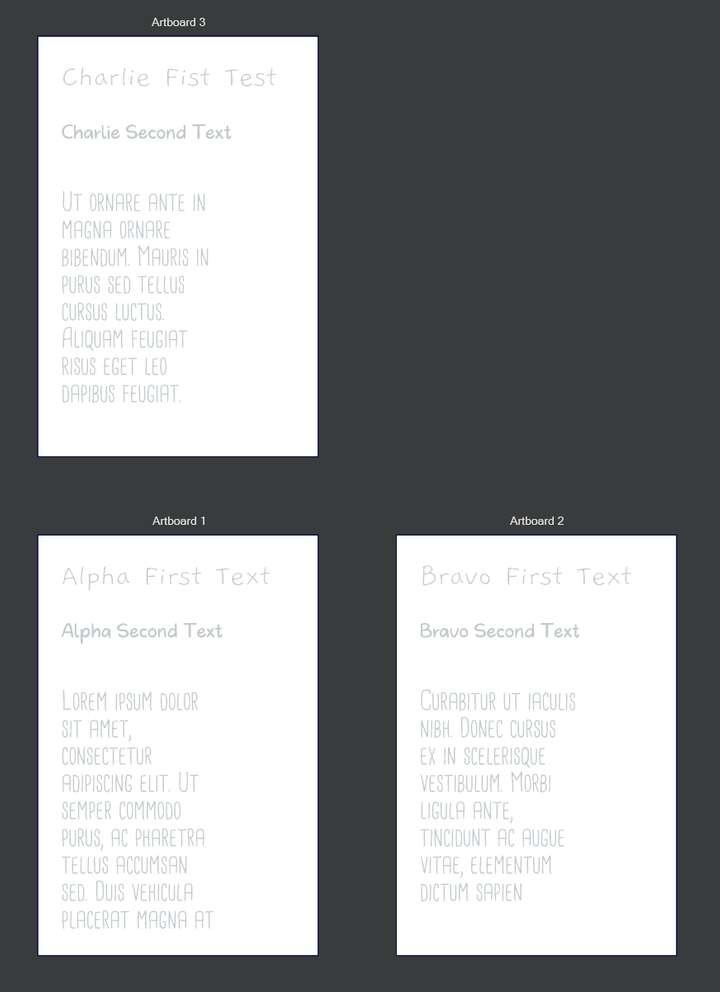
I'm still working on how to export all of the artboards into a combined PDF, but at least I have a good foundation to work from. Thanks for the help.
-
@LoginError said in Text imported from data sources behaving strangely and not allowing for resize of text frame:
I'm still working on how to export all of the artboards into a combined PDF
In he Export view, select "Current Canvas" or "All Artboards" for the "Source" field
-
@VectorStyler There are some unexpected behaviours showing up when trying to export like this, but I will make a separate bug report post and proof and concept for that later.

