Cannot position the starting XY of page grid
-
I thought I was doing something wrong but even so why cannot I just select the starting XY of the grid based on the artboard? I don't understand the logic here.
-
@pilkafa The grid is aligned to the bottom-left corner of the artboard
-
Thanks for the clarification! Just realising even the transform XY is pinned to bottom left. It's a bit odd to shape things from the bottom left to bottom though. Is there any reason why bottom left? generally it's the top left. Can I change the alignment of everything to top left?
-
@pilkafa You can set the coordinate direction in the Document Options -> Options -> Top-Down Coordinates.
The default coordinate system in VectorStyler is the Cartesian coordinate system as used in math:(https://en.wikipedia.org/wiki/Cartesian_coordinate_system)
This is also the coordinate system in Postscript and PDF
-
Thank you very much for clarifying! I knew there was a logical reason. Thanks for the link as well - it's going to be a nice friday night read

However, I'm still seeing grids follow the bottom down alignment. The like you've said the document top down did aligned the coordinates to top but the grids are still based on bottom left. So are the objects too.
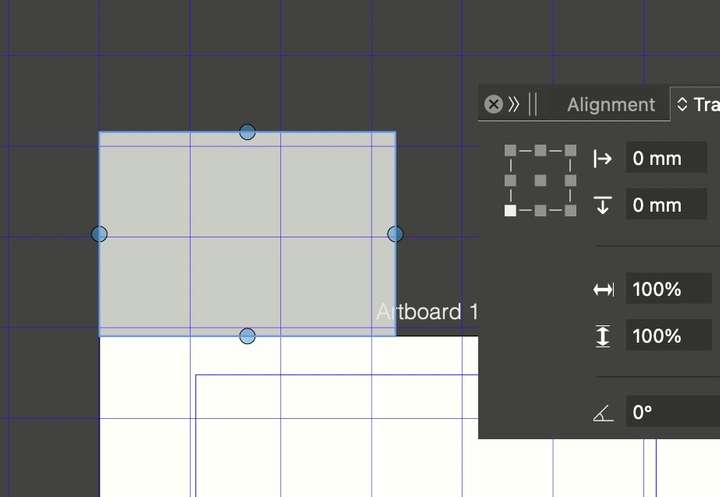
-
@pilkafa said in Cannot position the starting XY of page grid:
However, I'm still seeing grids follow the bottom down alignment
This might be a bug, I will try to fix it as soon as possible
