Copying & Pasting Text Paragraph Causes Style Loss
-
Hi:
iMac
Retina 4K, 21.5-inch, 2017 (Intel)
Processor: 3.6 GHz Quad-Core Intel Core i7
Graphics: Radeon Pro 560 4 GB
macOS: Ventura 13.7.8
Hardware acceleration: On Metal
US - English
VectorStyler 1.3.008Problem: Copying & Pasting Text Paragraph Causes Style Loss
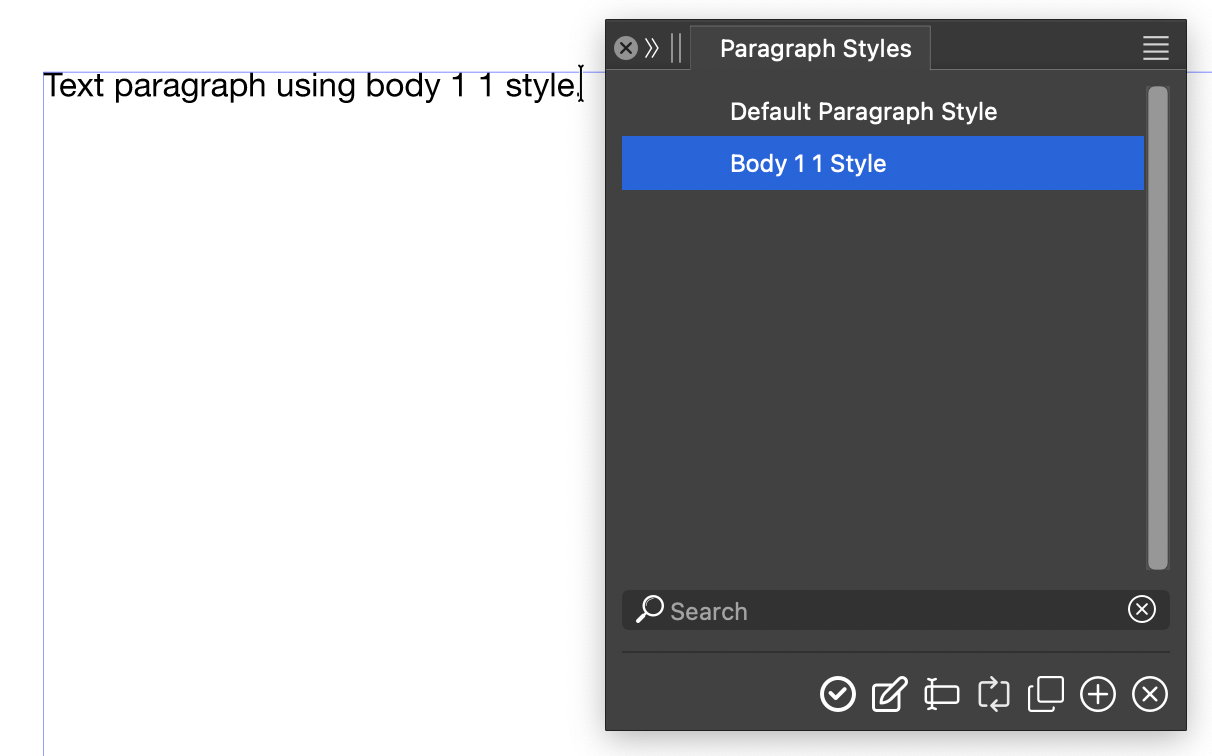
In the test document I created a paragraph style body 1 1 style. I applied it to the text frame and typed a text line. At this point the paragraph style associated with this text is highlighted in the Paragraph Styles Panel as expected (Screenshot 1).
If you copy (CMD-C) and paste (CMD-V) that text paragraph below the existing text paragraph the associated text style is lost. Neither text paragraph is now associated with body 1 1 style and the paragraph style is not highlighted in the Paragraph Styles Panel (Screenshot 2).
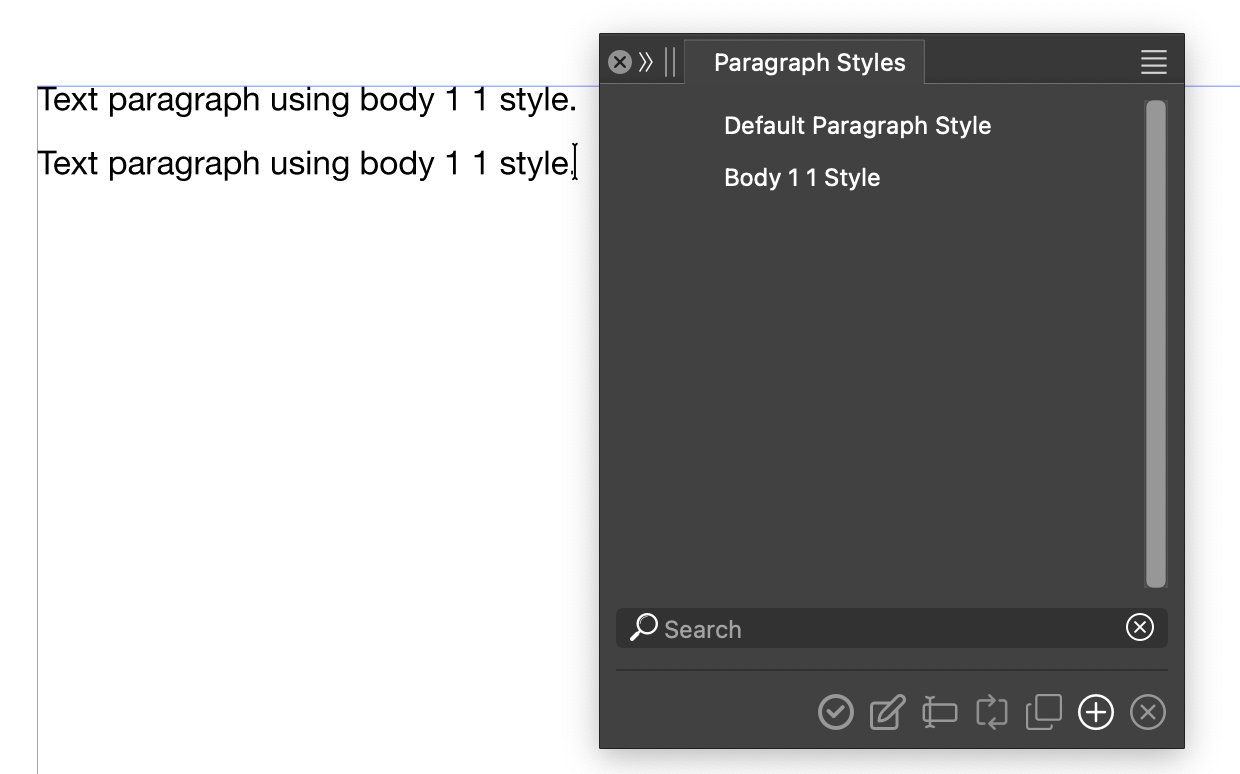
If you would edit the body 1 1 style any change will not update these existing text paragraphs.
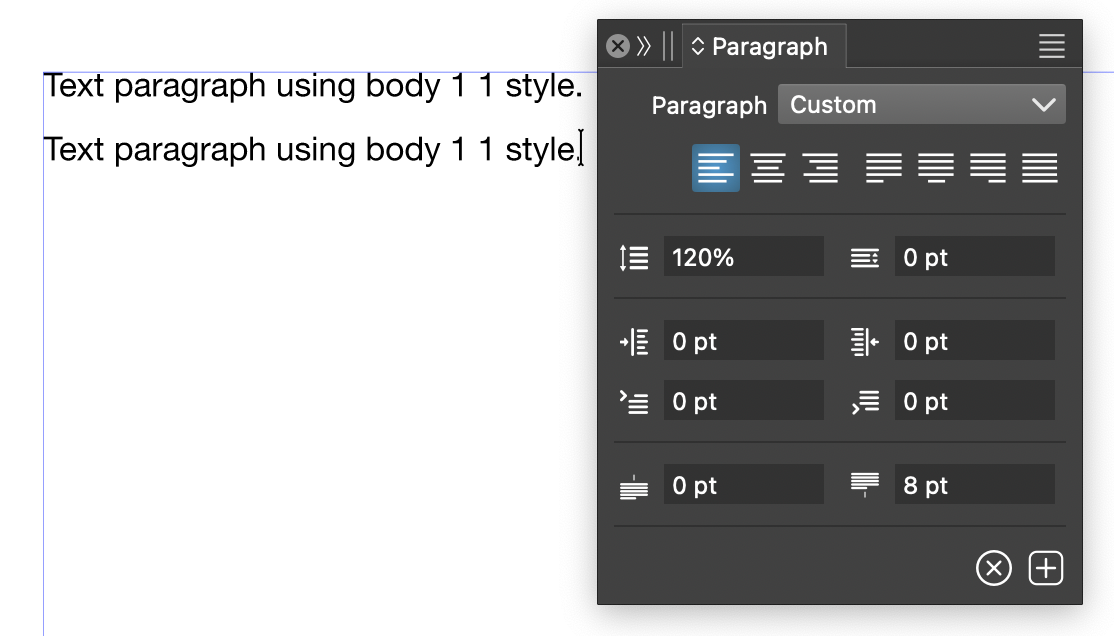
Looking at the Paragraph Panel the style shown for these text paragraphs is now named custom not body 1 1 (Screenshot 3).
Attachment: Test Document.zip
Regards,
MWK