Way to create a multi color gradient from colors of a color palette
-
Way to create a multi color gradient from colors of a color palette.
Made a few suggestions related to the creation of multi-colored gradients.
@ericp suggested an additional idea that turned out to already exist in Vectorstyler.Here the Link:
https://www.vectorstyler.com/forum/topic/5687/alternative-ideas-for-gradient-creation/8I'm posting this idea here again so that other users can find it too.
Note:
Colors in a color palette can be selected this way
hold Ctrl (Win) and select colors in any order.Hold Shift key (Win) to select a bunch of colors in
the direction of a line.The Selectet colors can be dropped via drag and drop
onto a selected object with a Gradient.
.
.
.
Here the Steps for other Users:
.
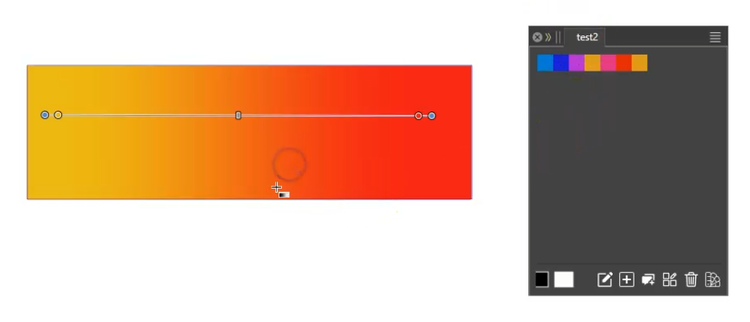
Create or select an object with a gradient.
.
.
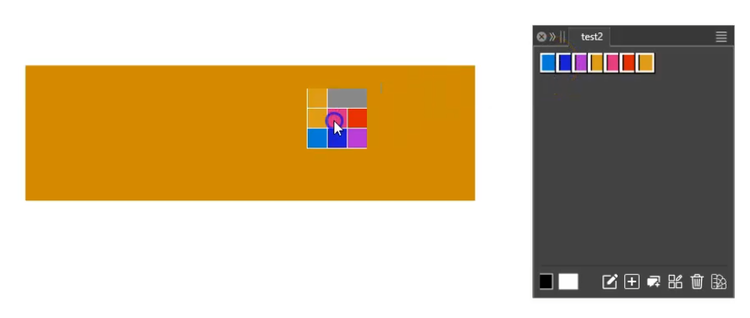
Select the colors in a color palette while holding
down the Shift or Ctrl key (Windows).Drag the selected colors from the color palette onto the object
with the gradient. The object's fill will change to
a solid color.
.
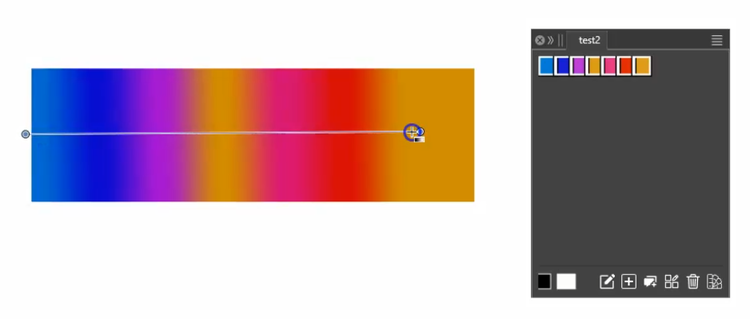
.Now, drag the gradient again with the Gradient Tool, and
the gradient will now display the colors you selected.
-
S Subpath referenced this topic on
-
S Subpath referenced this topic on