Appearance Panel: Stroke dropdown menu does not appear
-
This is another weird one.
Windows 10. VectorStyler 1.3.011
When I click the little gear on any stroke in the Appearance panel, nothing happens. The dropdown menu which should let me change the stroke's properties does not appear.
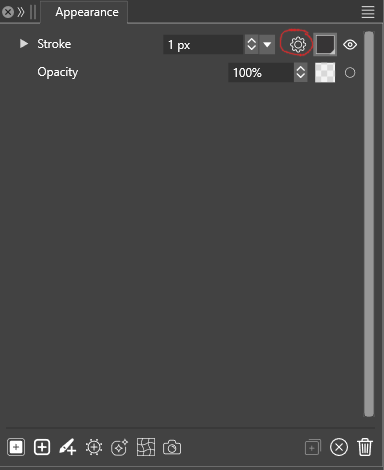
This has been an ongoing issue for a while now, although the dropdown did work previously. I don't remember what the last version of VectorStyler that worked for me but it was sometime in 2025. Maybe this is a regression in 1.3?
I have been working around it by changing the stroke through the Properties window, although that has its own shortcomings.
I assumed that this was somehow due to my workspace, document or configuration settings. But this behavior persists even when I have reset the settings and workspace to defaults and created a new document. Likewise for both Software and OpenCL compute engines.
All other dropdown menus in the program appear to work correctly.
-
@LoginError It is a bug, can be replicated here also, it happens on Windows only (works on Mac). Will be fixed as soon as possible

