Buggy Behavior in Colors Palette Panel + Undo
-
Hello, just wanted to bring a heads up to what appears to be a bug in version
1.3.018.I recently discovered global colors, which is itself an extremely useful feature. I decided to start using it across my current project, as it was exactly what I needed for characters that needed consistent colors across the hierarchy.
Unfortunately I've found the palette very difficult to work with.
- When I create a color, selecting it in any way applies the color wholesale even to layers I do not have selected.
- Something gets messed up in how it pushes to the Undo/Redo stack, also, because pressing Ctrl-Z often skips over the layers it applied the color to and goes to previous steps (though this is not consistent). I often end up needing to remove the color manually and set it back to the original global color I had set.
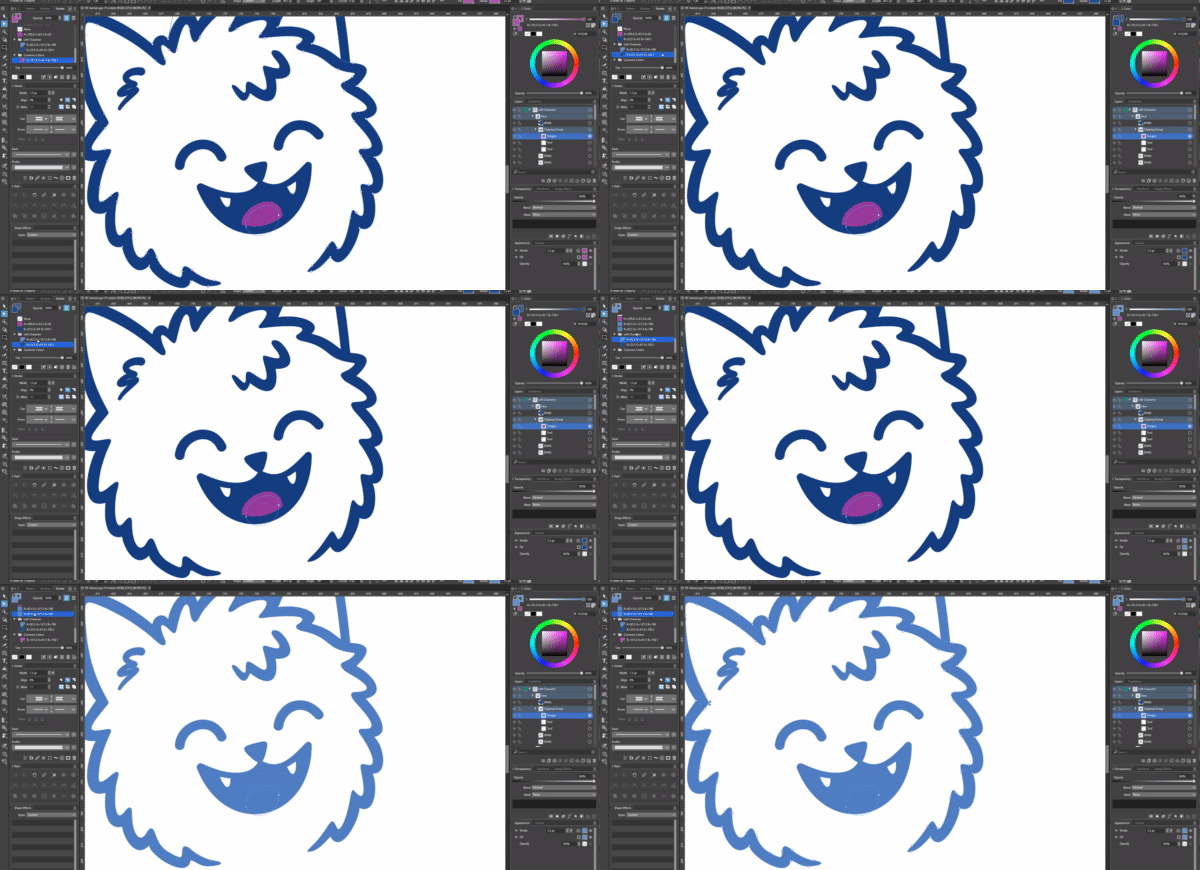
In testing, when I tried to create a new color, clicking on it overrode my already-created global colors on any objects that used them.
I've included a shot of the bug in action. Note that I have a single layer selected, the one I wanted to color (the tongue).
If this is not a bug and I'm using this wrong somehow, then I'm happy to correct whatever I'm missing. It is a very useful feature that I'd absolutely want to incorporate in future projects.
-
@DreamS If the color is applied while nothing is selected then it is a bug.
Please send me a file to csraba at vectorstyler.com where this kind of issue occurs.
Also: the screenshot is too small to see, but it would be good to know what other panels are open.
You can save your workspace with the icon at the end of the context panel row, and send that to me also so I can replicate the full thing
-
Sorry for the long delay - I will get the files to you when I can with a reference to this. Thank you for your patience.
