VectorStyler
    • Categories
    • Unread
    • Recent
    • Tags
    • Popular
    • Register
    • Login

    Copy /paste issues ..win 10
    Scheduled Pinned Locked Moved Resolved Issues
    9 Posts 3 Posters 10.2k Views 1 Watching
    Loading More Posts
    • Oldest to Newest
    • Newest to Oldest
    • Most Votes
    Reply
    • Reply as topic
    Log in to reply
    This topic has been deleted. Only users with topic management privileges can see it.
    • G Offline
      gentlecl
      last edited by

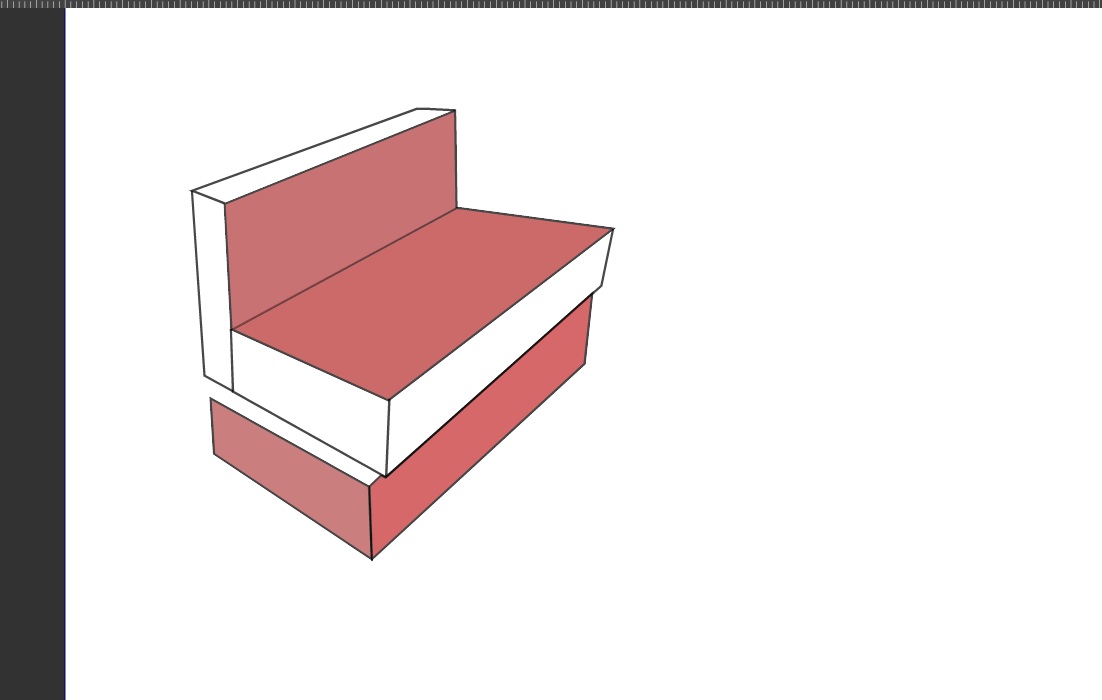
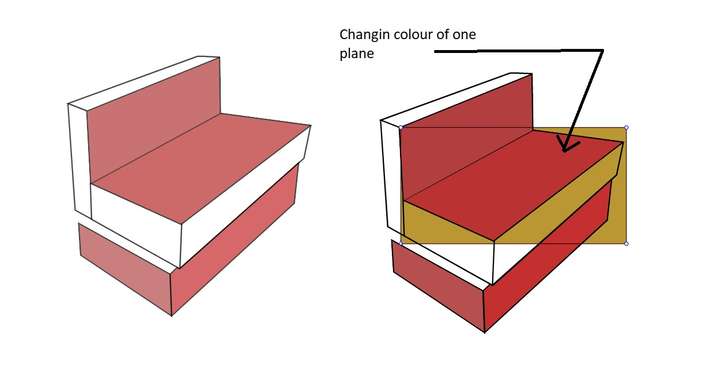
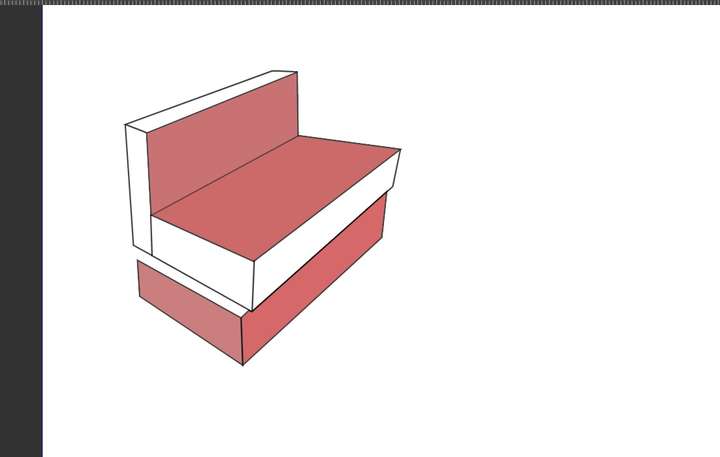
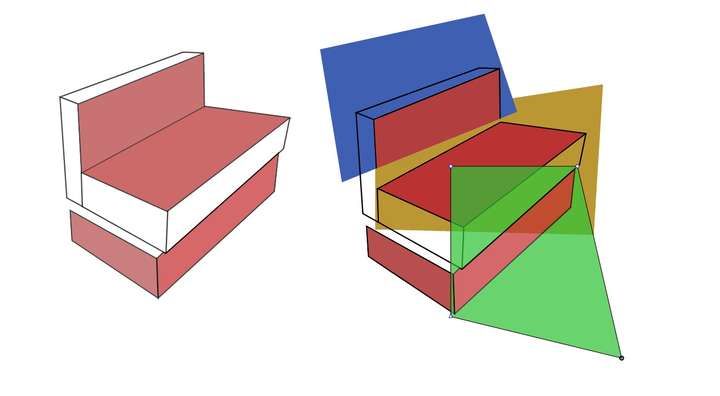
      Firstscreesnhot shows original , just straight lines +fill
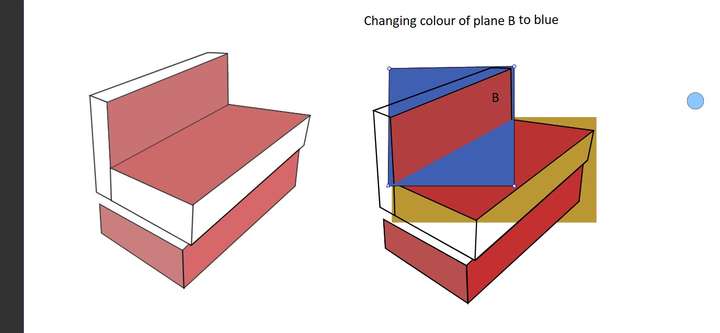
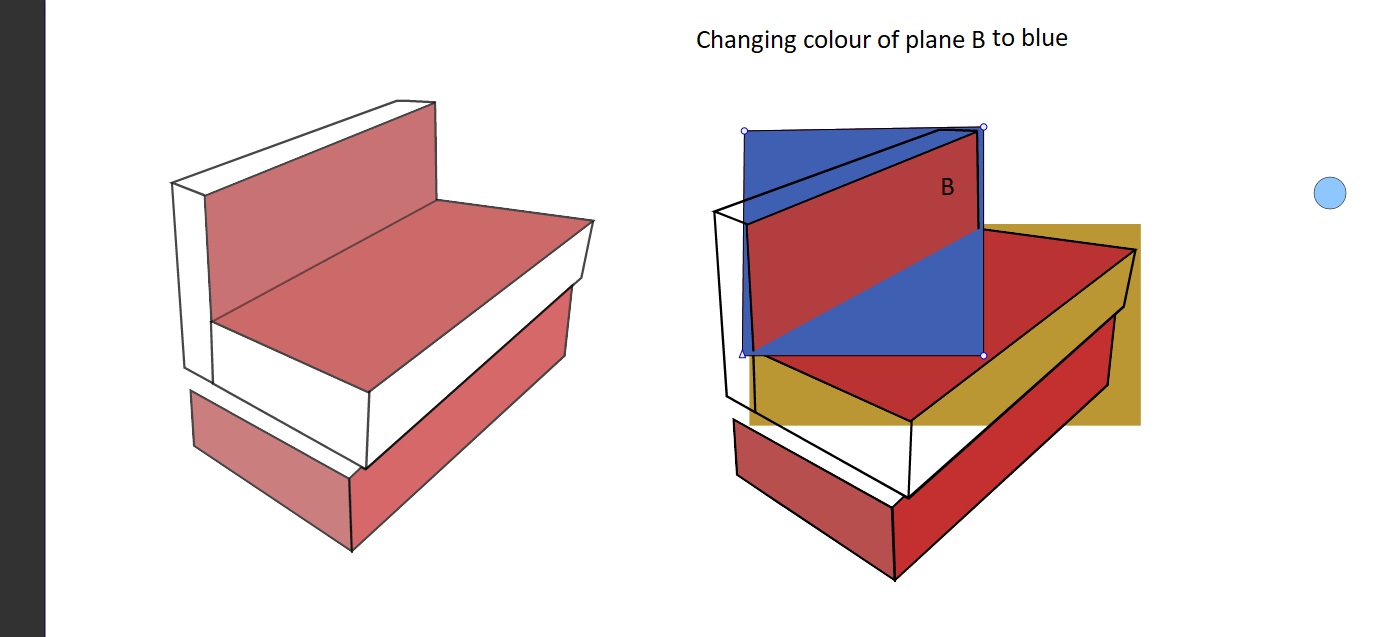
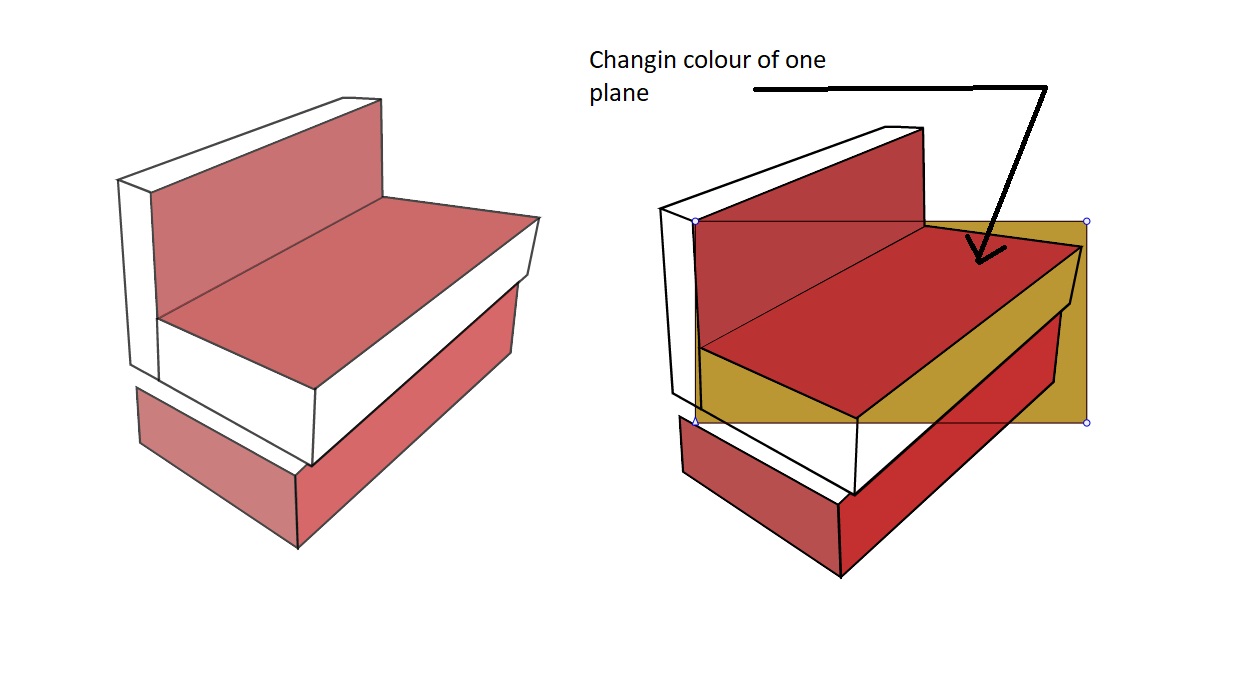
      The copied instances look darker and when recoloured are totally messed up ,
      Again , there is container surrounding the planes ..
      0_1629043574775_1.jpg 0_1629043588549_3.jpg 0_1629043610135_4.jpg

      G VectorStylerV 4 Replies Last reply Reply Quote 0
      • G Offline
        gentlecl @gentlecl
        last edited by gentlecl

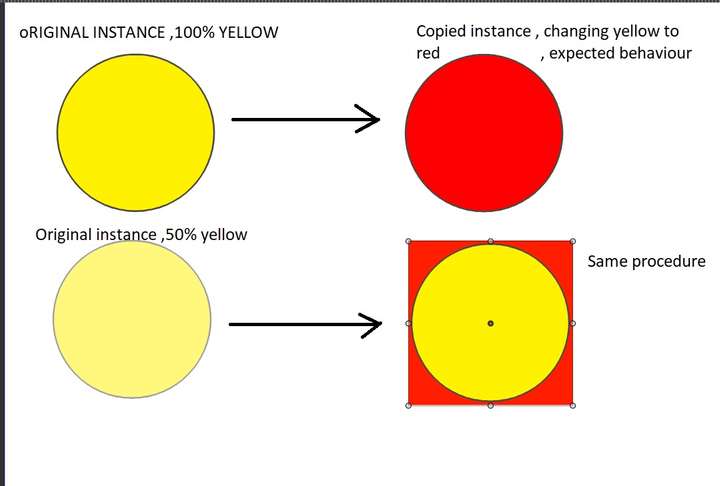
        It seems that copied instances automatically have masks applied if the original instance has some opacity , everyhting in the picture that is NOT red is an effort to recolour the planes 0_1629043733285_a.jpg
        0_1629044677724_ccc.jpg

        1 Reply Last reply Reply Quote 0
        • G Offline
          gentlecl
          last edited by gentlecl

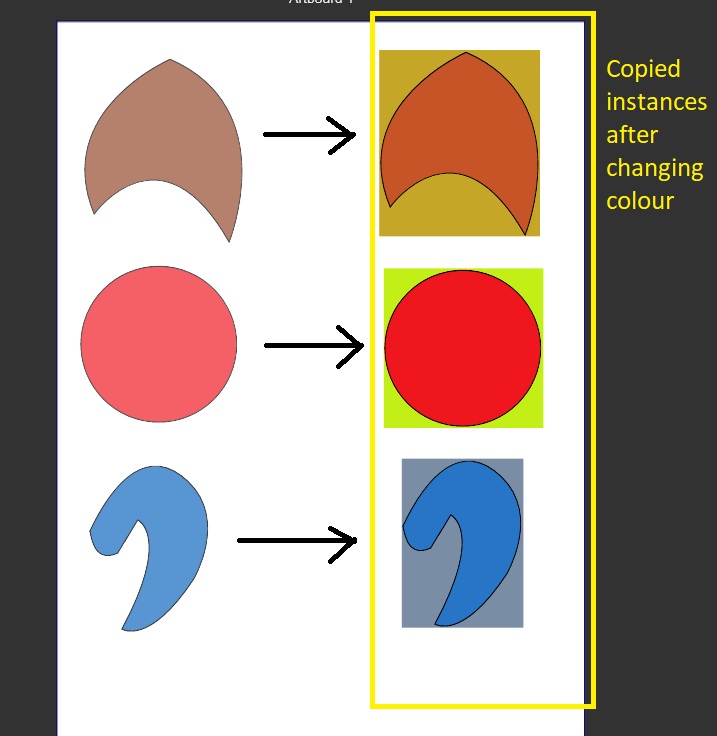
          No one else having these issues on win 10 ?
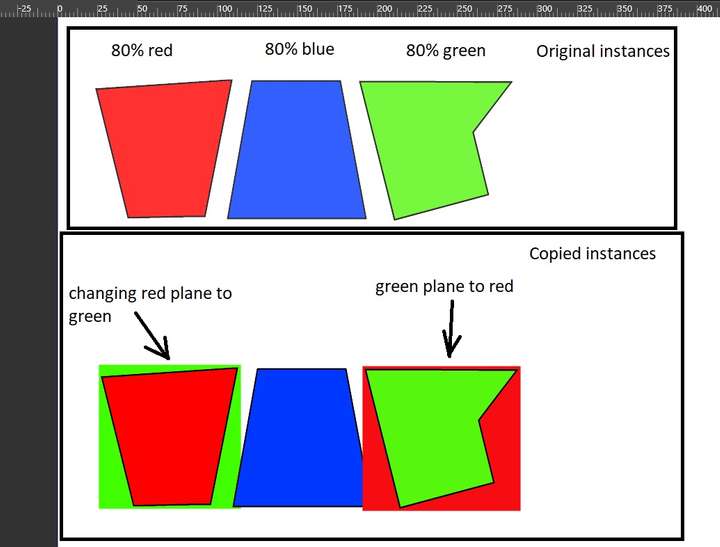
          first try it with a random shape using the line tool etc..some opacity on the fill
          Then copy paste and try to change the colour of the pasted object
          This only occurs if the original instance has a certain transparancy
          0_1629062035370_1.jpg
          0_1629063030220_1.jpg

          b77B 1 Reply Last reply Reply Quote 0
          • b77B Offline
            b77 @gentlecl
            last edited by

            @gentlecl Can you write the graphics card model?

            Also: is this glitch still happening if you switch the 'Compute Engine' and the 'Document Display Mode' to 'Software? (See Preferences > Performance).

            MacBook Pro (Intel) running Monterey 12.6.4

            G 1 Reply Last reply Reply Quote 0
            • G Offline
              gentlecl @b77
              last edited by gentlecl

              @b77 said in Copy /paste issues ..win 10:

              @gentlecl Can you write the graphics card model?

              Also: is this glitch still happening if you switch the 'Compute Engine' and the 'Document Display Mode' to 'Software? (See Preferences > Performance).
              The graphics card is an ancient amd radeon hd5700 , and yes no matter if software or cl is selected , same issue
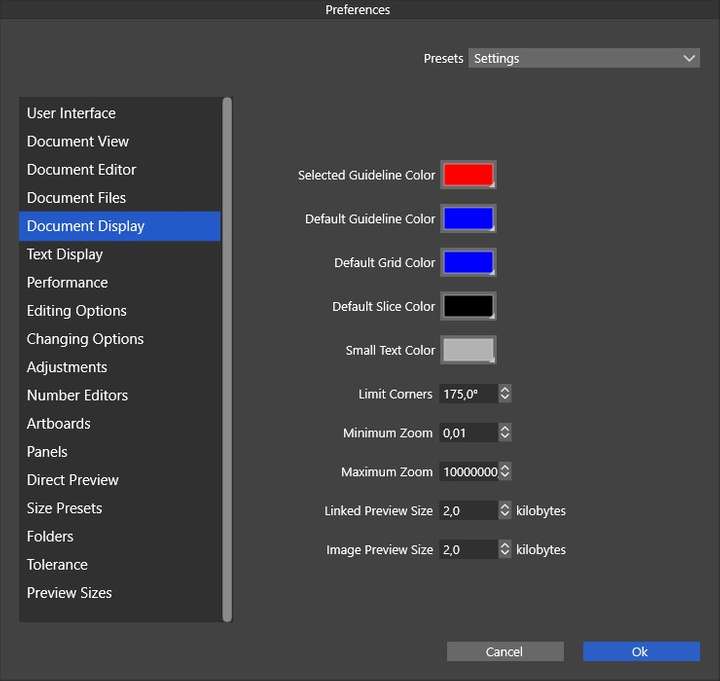
              The only option for software mode computation is under performance
              Document display mode has no such settings 0_1629070728141_1.jpg
              b77B 1 Reply Last reply Reply Quote 0
              • b77B Offline
                b77 @gentlecl
                last edited by

                @gentlecl Go to Preferences > Performance, and there you will find both ''Compute Engine' and the 'Document Display Mode'.

                MacBook Pro (Intel) running Monterey 12.6.4

                1 Reply Last reply Reply Quote 0
                • VectorStylerV Offline
                  VectorStyler @gentlecl
                  last edited by

                  @gentlecl An example file with these copy pasted graphics (both the original and the pasted ones) would help to replicate the issue.
                  If possible, please send to the email address given earlier. Thanks!

                  1 Reply Last reply Reply Quote 0
                  • VectorStylerV Offline
                    VectorStyler @gentlecl
                    last edited by

                    @gentlecl It looks like on Windows, the copy / paste is converting the vectors to images. This happens if the vectors contain image effects, but the image clipping or color should not change (it is a bug).
                    Also, if both copied and pasted in VS, it should have a vector version.
                    Added a bug to the backlog on this one.

                    1 Reply Last reply Reply Quote 0
                    • VectorStylerV Offline
                      VectorStyler @gentlecl
                      last edited by

                      @gentlecl Windows copy paste issues were fixed in build 1.0.046

                      1 Reply Last reply Reply Quote 0
                      • First post
                        Last post