LCH Gradients appear broken
-
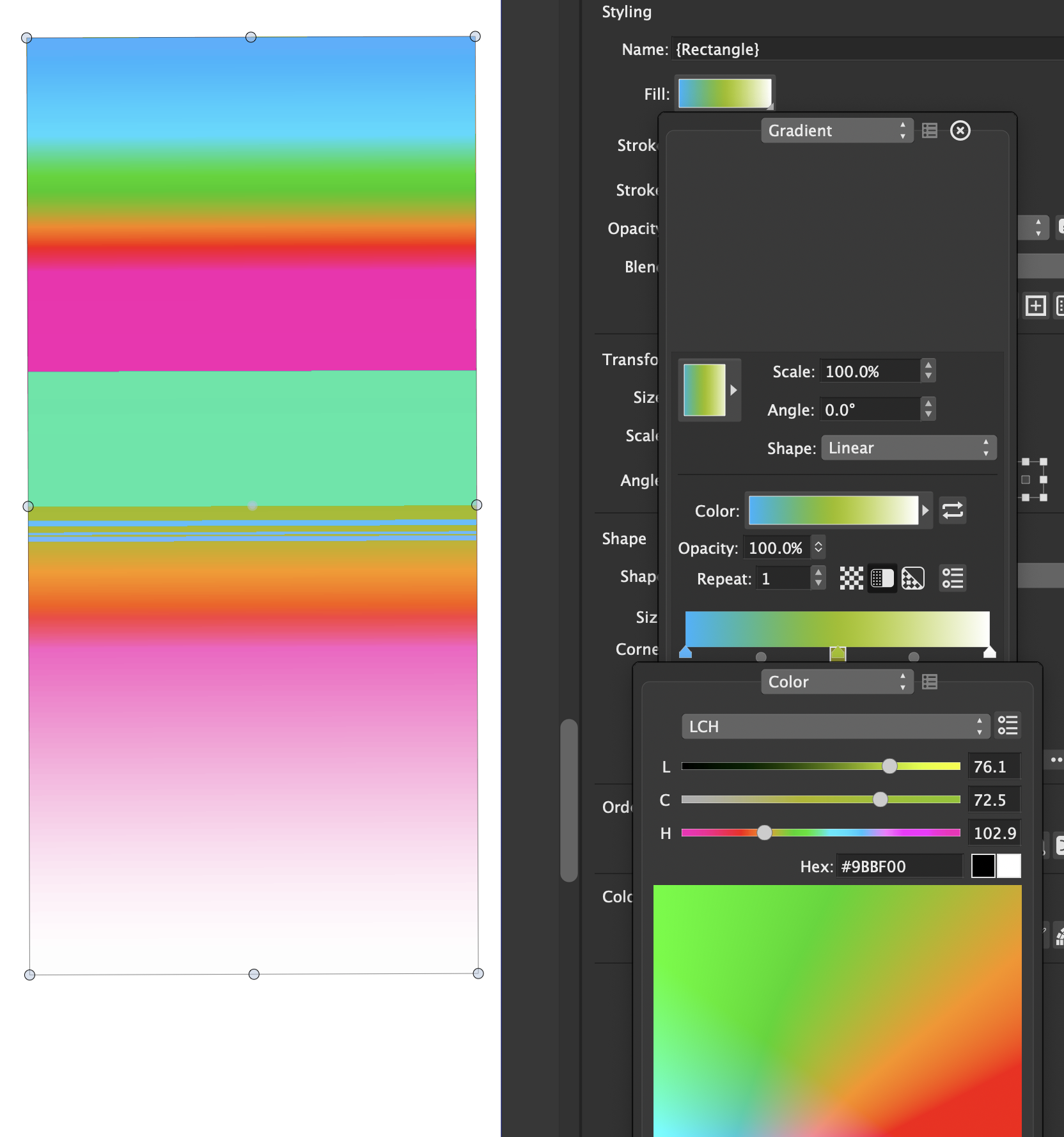
After creating an LCH color based document, any object with a gradient file (created with LCH colors) has a completely unexpected color gradient that does not match the preview in the color editor.
-
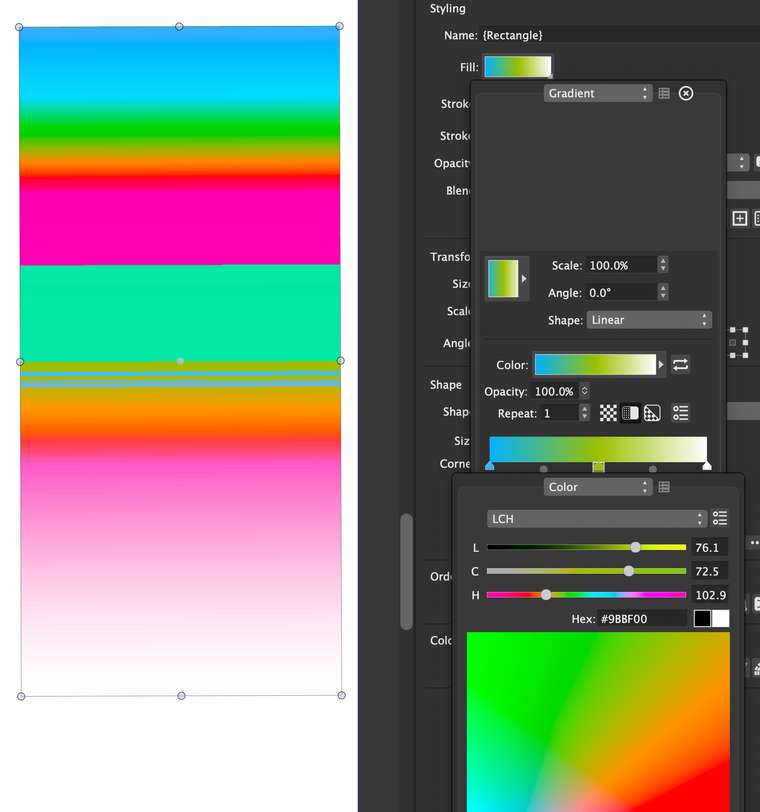
This seems to be a bug when rendering the document (in LCH space).
Added to the bug list. -
Hi,
The new build of the VectorStyler beta should fix this issue.
-
I suppose it's better in v153, but maye I just don't understand LCH color like I thought.

Here's what I see when trying to edit LCH color gradations. The addition or change of a color almost always is creating a "rainbow" of unexpected colors. -
About the LCH space:
- LCH is a device independent space (similar to Lab, but better controls)
- components are Luminosity, Chroma, Hue.
- the Hue component is circular (like in HSB, or other Hue based spaces).
- the benefit of LCH is to define colors independently of specific calibration. RGB and CMYK are device dependent (screen and ink), while LAB and LCH are device independent.
When transitioning colors in LCH, the H component rotates around the Hue circle.
this rotation is either clockwise or counter-clockwise (gradient color editor view).
as it rotates around the Hue circle (for example from a larger to a smaller value), it may result in a rainbow, depending on the Hue selection.It is possible to get the same gradient transitions in an LCH document as in an RGB one, by selecting the color mode of the gradient. Click on the right arrow next to the Color: preview. This opens the gradient color view. There in the Color Mode: field you can select the color mode used for the gradient (Default is the document color mode).
Hope this helps

