Subcategories

  • These features and ideas have been implemented in VS as suggested

    180 Topics
    1k Posts
    VectorStylerV
    @Ayo said in About the Snap feature: Wouldn't it be better to change "Snap to Visible Only" to "Snap to View Extend Only" or shorter "Snap to Viewport Only" or even shorter "Snap to View Only" ? There is a big chance of confusion with the term 'visible' which is mainly linked to the layer system. I added this to the backlog.
  • Smart Transform

    5
    1 Votes
    5 Posts
    4k Views
    DanielD
    Ah! Brilliant. Thanks @VectorStyler!
  • User defined Color for Shape Builder

    9
    1 Votes
    9 Posts
    6k Views
    S
    @Boldline said in User defined Color for Shape Builder: @Subpath I understand what you are suggesting. It would make sense to me if the setting is where you were suggesting it be - in the shape builder panel and not in the overall setting since it seems pretty busy there I agree, the Shape Builder panel would be the most logical place for me too for such a setting
  • Print Interface Optimization

    4
    1
    1 Votes
    4 Posts
    3k Views
    VectorStylerV
    @monsterfox I will try to find a better layout for this.
  • Please replicate FreeHand Find & Replace function in VS

    4
    2
    3 Votes
    4 Posts
    3k Views
    DanielD
    No rush. Take your time. I'd rather you implement it correctly than rush out something that is broken and buggy. We already have affinity for that. By the way, this has been a pending request to Affinity since, wait for it, 2015. That's ten years. Hopefully you don't need a decade.
  • Feature request for drawing mirrored straight lines

    18
    1
    1 Votes
    18 Posts
    12k Views
    ?
    Still my go to program for layout work. Eats Publisher and InDesign for breakfast in terms of speed. The only VECTOR program with multi page table that's not InDesign or Quark Express.
  • Additional function for extend tool

    2
    1 Votes
    2 Posts
    2k Views
    VectorStylerV
    @Boldline The extending part of the tool can only work for open shapes, so you have to open the path first (with the Node tool).
  • "Hide Bleed" Option and exporting Bleeds through PNG, JPG, etc

    5
    1 Votes
    5 Posts
    4k Views
    VectorStylerV
    @debraspicher said in "Hide Bleed" Option and exporting Bleeds through PNG, JPG, etc: The ability to add Crop, Registration marks, etc to an exported image would also very greatly appreciated. I have to add them back in by printing in another program (like Affinity) that supports them. I will try to add this for 1.3
  • New effect

    3
    3
    1 Votes
    3 Posts
    3k Views
    DanielD
    Look-up Xara, which has had this for many years, and is highly useful. Inkscape/Corel took much of it's UI-UX from Xara. Xara was on the verge of going Open Source. At least for Linux. Until it reneged. Double-clicking the transform origin point converts circle to square, or rectangle to ellipse, and vice versa. Double-clicking the corner node (Xara has additional corner nodes within the bounding box for all objects) transforms the shape into hexagon. And you can use the dedicated polygon tool to change this in any way. It is highly efficient. I'm going to catalogue all the possible improvements over the next few months and post in the forum. Hopefully, @VectorStyler, you'll find some ideas you've not considered.
  • Little Lock or little right click Menu for Lock and Unlock a Bitmap

    3
    1
    1 Votes
    3 Posts
    3k Views
    S
    @VectorStyler I know I can customize the right-click menu, but my post was about a standard solution, not a custom one.
  • Liquify Tool needs much better smoothing

    4
    5
    1 Votes
    4 Posts
    3k Views
    VectorStylerV
    @Subpath I opened a bug on this. The default settings must produce better results.
  • DWG / DXF support for technical/architecture renderings

    9
    0 Votes
    9 Posts
    11k Views
    VectorStylerV
    @Pipouille said in DWG / DXF support for technical/architecture renderings: looking forward for this implementation It is in the backlog for 1.3, both DWG and DXF
  • Spiro Path Tool

    4
    2 Votes
    4 Posts
    4k Views
    H
    @VectorStyler Thanks, that would definitely be great
  • A kind of "for each" for Shape Effects

    10
    1
    2 Votes
    10 Posts
    7k Views
    L
    @VectorStyler a shape effect that tiles other shape effects. That might be feasible. 0_1740240086701_Circular Bump.vstyler
  • Global edit

    2
    2 Votes
    2 Posts
    2k Views
    VectorStylerV
    @Boldline Interesting, it is like repeating the same action on other objects, selected based on some criteria.
  • Snapping Panel via Context Panel — Fly out menu?

    4
    1 Votes
    4 Posts
    3k Views
    VectorStylerV
    @debraspicher said in Snapping Panel via Context Panel — Fly out menu?: Moving the Snapping panel dismisses the preexisting one. (That's possibly a bug?) This is not a bug, as there is only one snapping panel, plus the fly-out, so when the fly-out is detached it will be one panel. I will try to find the issues with the panel position.
  • Returning user. Requesting portable version of the software.

    3
    0 Votes
    3 Posts
    3k Views
    ?
    @VectorStyler: By portable, I mean, no-install use. Not just using across multiple platforms. At the moment, I create portable versions by installing within a sandbox, and copying the contents out. But this isn't viable, as I have to do this for every single update. Sandboxed version also does not function properly some times. I want a portable version of the software. Much like PhotoLine. Thanks for the updates on tablet support. I will get back to you once I have tested it out thoroughly. Regards!
  • Add a recently used option to Opening palettes

    2
    1
    2 Votes
    2 Posts
    3k Views
    VectorStylerV
    @Boldline I added this to the backlog.
  • Miss the name too of the last selected palette in colorizer

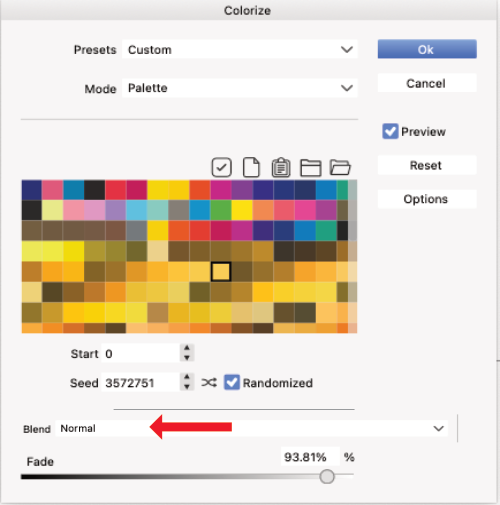
    2
    1
    1 Votes
    2 Posts
    2k Views
    VectorStylerV
    @Subpath I added this to the backlog.
  • VectorStyler with Apple Magic Mouse

    3
    1 Votes
    3 Posts
    3k Views
    J
    @VectorStyler Thanks for the latest update and addressing also the panel dragging/snapping issue, even though I'm not sure I can feel it's much better now. Have a look at this short demo that shows how the panels often fail to open or completely snap out of their proper places. Initially it seems to be working just fine when I switch between different panels, but then what you can see from 7-8 seconds onwards happens A LOT on my machine. This makes the app feel very unstable. https://youtu.be/71WNQL7gnD4
  • Some room for improvend with Colorize > Palette

    2
    2
    2 Votes
    2 Posts
    2k Views
    VectorStylerV
    @Subpath I added this to the backlog.