Type 1 (PostScript) fonts in font lists
-
@vectoradmin said in Type 1 (PostScript) fonts in font lists:
open a bug on these issues (and on Type 1 kerning access from AFM files)
Thanks, but note that the issue with metric based kerning applies probably also PS flavor OpenTypes (which might basically of course still use .AFM based kerning pairs...)
-
@Arde The font issues have been fixed in the new build.
(old) Type 1 (PFB) fonts can only be used correctly when added with the internal font manager of VS (i.e. will not show up in the system). if the afm file is also copied into macOS /Fonts folder then it should work.
(new) Type 1 (OTF) fonts do not require AFM files. These are opentype fonts with the glyph shapes stored in Adobe format.
The kerning handling has been fixed for these fonts. -
@vectoradmin said in Type 1 (PostScript) fonts in font lists:
(old) Type 1 (PFB) fonts can only be used correctly when added with the internal font manager of VS (i.e. will not show up in the system). if the afm file is also copied into macOS /Fonts folder then it should work.
I have tried to add them using the VS internal font manager, both by indicatiing the folder location (home > Library > Fonts), or trying to pick individual Type 1 files, but none of the Type 1 files work correctly on my system (BigSur 11.1 and M1 version of VS).
I even placed the original AFM files from Adobe in the same folder but it does not help. These fonts are from Adobe FontFolio 8.
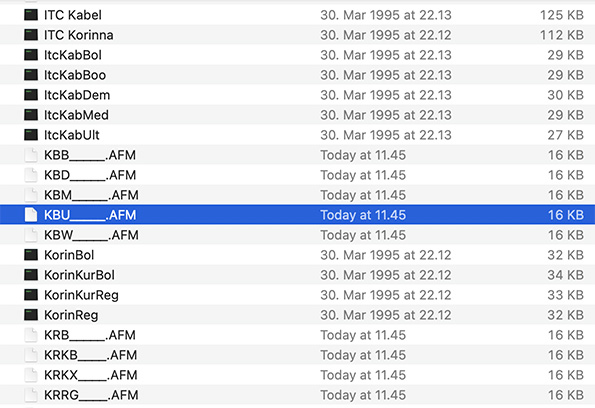
They have been installed with Font Book and as said still work without problems with Adobe Photoshop 2021, QuarkXPress 2018 and Affinity apps (where they are only partially supported and do not support metrics based kerning).On Adobe, Quark and system kerning with Type 1 works just fine (and does not require AFM files):
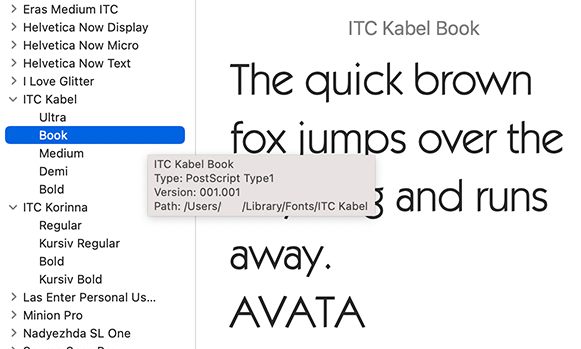
On Windows Type 1 fonts seem to work ok with VS, including kerning, so I have them in Windows\Fonts and they operate just fine (no need to use VS Font Manager on Windows).
This is not a big issue but I think it would be a good competitive value if you could have full support for Type 1 as there are still people who have old PS fonts installed on their computers.
-
@vectoradmin said in Type 1 (PostScript) fonts in font lists:
(new) Type 1 (OTF) fonts do not require AFM files. These are opentype fonts with the glyph shapes stored in Adobe format.
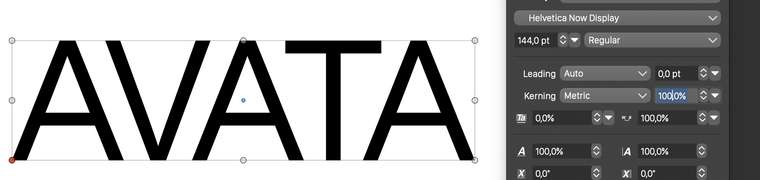
The kerning handling has been fixed for these fonts.I could not get metrics based kerning working with Helvetica Now fonts which I have in PostScript OpenType flavor. I have the latest RC installed. I tested this on macOS Big Sur 11.1 (and M1 version of the app).
-
@Arde This is how it looks for me: https://recordit.co/FsboJMPPGw
-
@Arde the previous case was with Helvetica Now Text font.
Here is the screenshot with Helvetica Now Display Regular.(the fonts were installed into macos, not with VS font manager).
-
@vectoradmin said in Type 1 (PostScript) fonts in font lists:
@Arde the previous case was with Helvetica Now Text font.
Here is the screenshot with Helvetica Now Display Regular.
(the fonts were installed into macos, not with VS font manager).This happens with any of the 48 fonts belonging to Helvetica Now family (it consist of Display, Text and Micro basic families and then several weights in straight and italic style from each). Here is a comparison of using the same font in VectorStyler and Affinity Publisher:
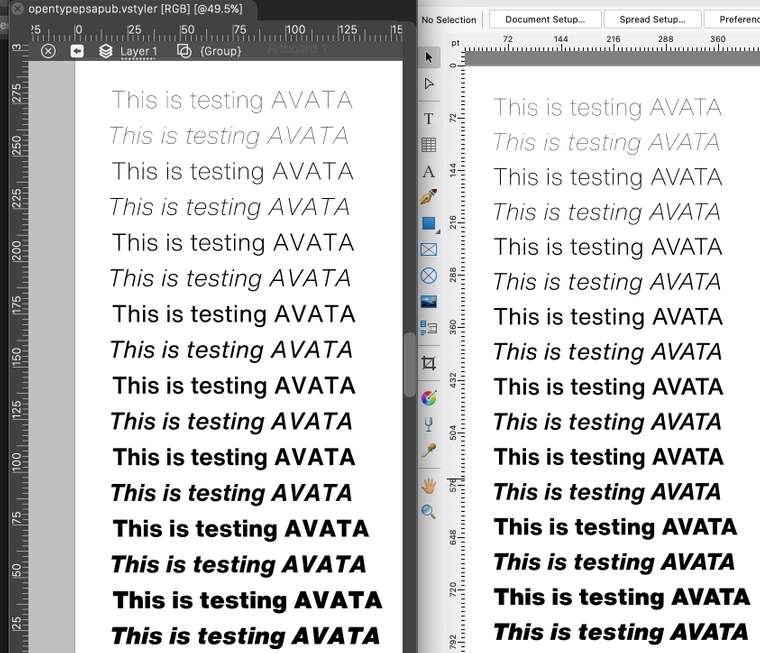
In addition, when I export this page to PDF, I get a completely empty page, yet all fonts are embedded (I'll send it in email for your examination).
Can you confirm that you get metric kerning with the PS flavor (and not TrueType flavor) of this font on Big Sur 11.1 M1 version of VectorStyler? (The font comes probably in both flavors and it may be that the error only happens with the PS flavor...)
-
@Arde Looks like I have the TrueType flavor of this font, downloaded from the link provided earlier.
-
@Arde The issue with kerning was identified. Fix will be in the next build.
-
@vectoradmin The new build fixes the OpenType metric use issues.
