VectorStyler
    • Categories
    • Unread
    • Recent
    • Tags
    • Popular
    • Register
    • Login

    Incorrect selection in Layers Panel when grouping objects
    Scheduled Pinned Locked Moved VectorStyler 1.1 Bugs
    2 Posts 2 Posters 3.2k Views 2 Watching
    Loading More Posts
    • Oldest to Newest
    • Newest to Oldest
    • Most Votes
    Reply
    • Reply as topic
    Log in to reply
    This topic has been deleted. Only users with topic management privileges can see it.
    • P Offline
      pentool
      last edited by pentool

      1. In the Layers Panel menu select Panel Options
      2. In the Panel Options dialog check "Hilite Selected" and "Select Hilited". Close the dialog.
      3. Draw a couple of objects (about 5-6). Not critical, just simple rectangles will do.
      4. In the Layers Panel, around the middle, select 2 of the rectangles.
      5. Group them
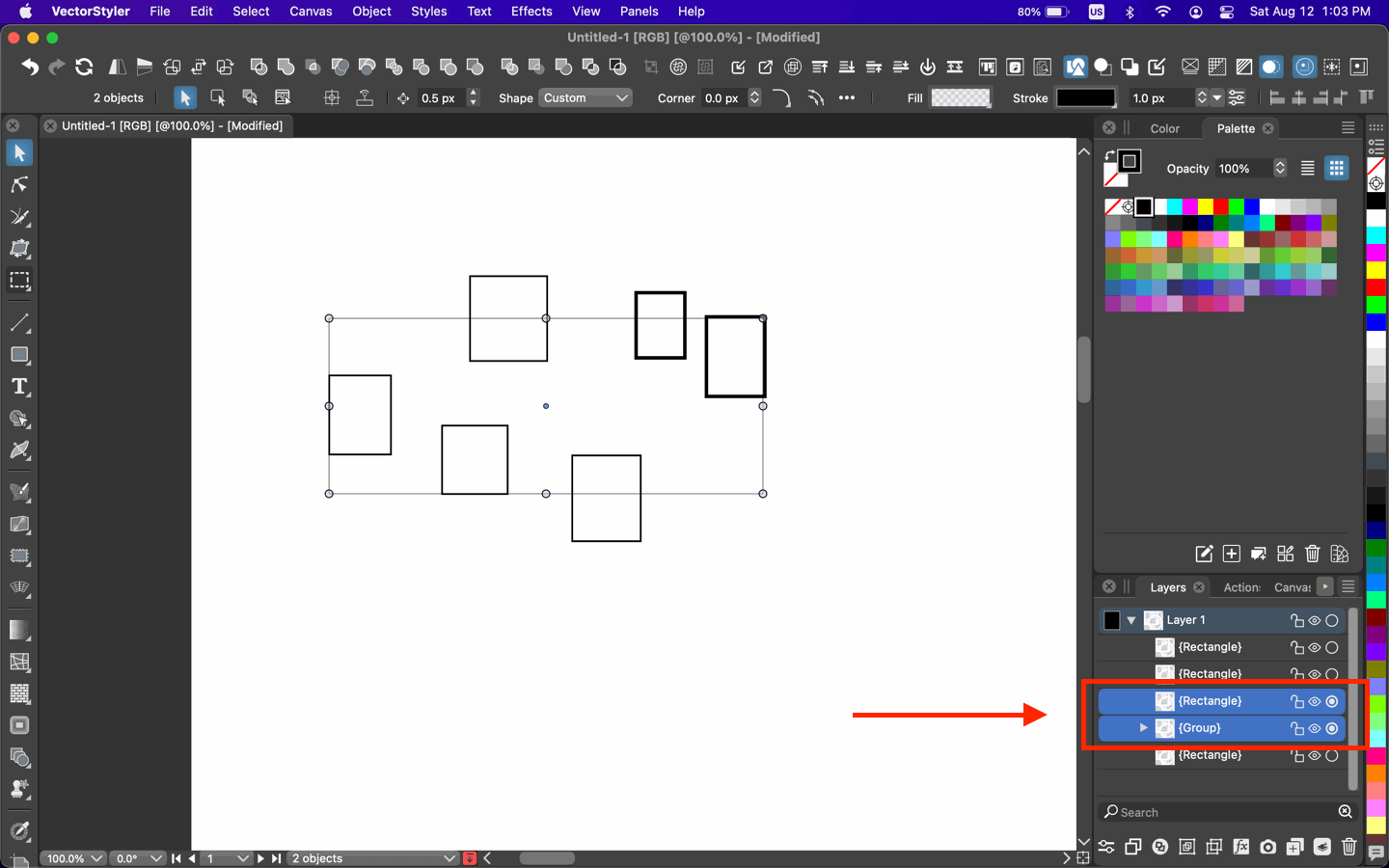
      6. Notice the newly created Group + an extra object above it is hilited. Only the group should be hilited.
      0_1691838296302_Screen Shot 2023-08-12 at 1.03.01 PM.png

      VS 1.1.099

      MacBook Pro 13" early 2015 8G | Intel Iris Graphics 6100 1536 MB | macOS Monterey 12.7.6

      VectorStylerV 1 Reply Last reply Reply Quote 1
      • VectorStylerV Offline
        VectorStyler @pentool
        last edited by

        @pentool Added this to the backlog/

        1 Reply Last reply Reply Quote 0
        • First post
          Last post
