VectorStyler
    • Categories
    • Unread
    • Recent
    • Tags
    • Popular
    • Register
    • Login

    Recolor woes

    Scheduled Pinned Locked Moved Bugs in VectorStyler
    26 Posts 4 Posters 30.6k Views 3 Watching
    Loading More Posts
    • Oldest to Newest
    • Newest to Oldest
    • Most Votes
    Reply
    • Reply as topic
    Log in to reply
    This topic has been deleted. Only users with topic management privileges can see it.
    • syllieS Offline
      syllie
      last edited by

      As you know I have been experimenting a bit with recolor, using various ways to achieve this.

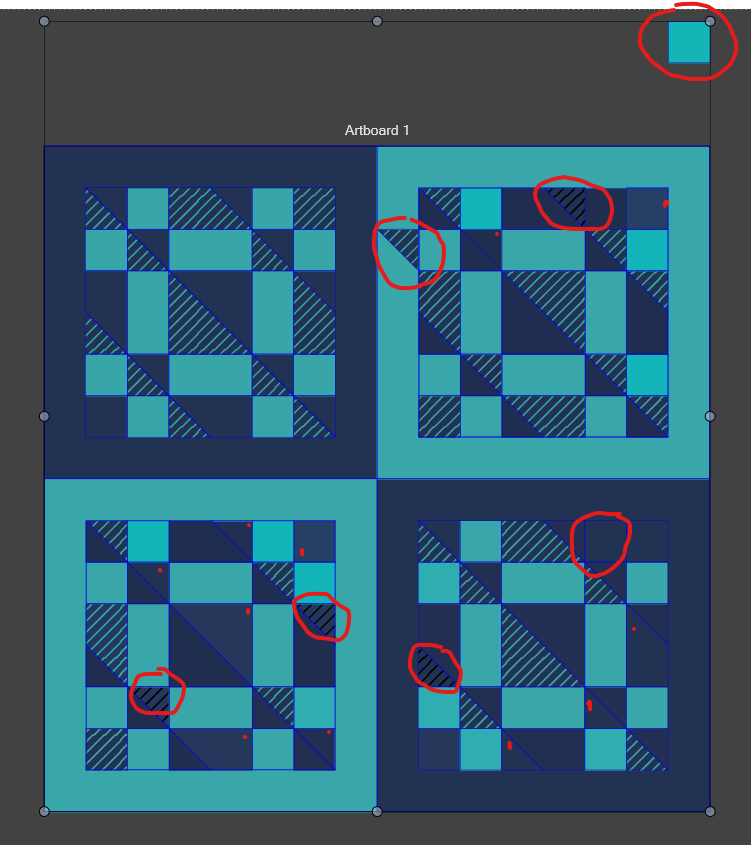
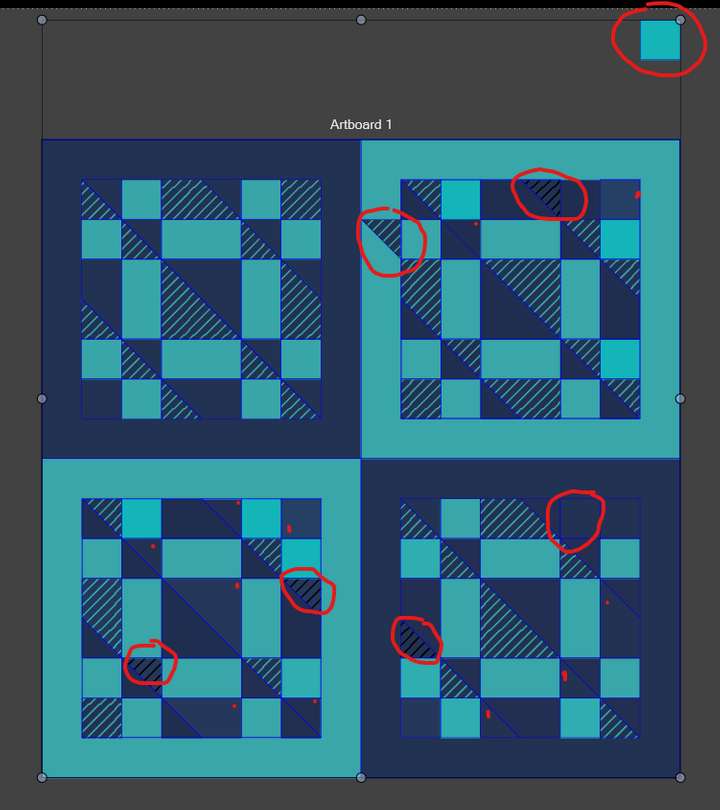
      I ran into quite some problems, especially where colour swaps seemed to happen randomly, and where undo resulted in a greater chaos.

      The design used is quite simple and I did not need to use these tools to achieve my goals as making clones of the tiles, and selecting by fill in this simple duo-tone design is way faster.

      Here is a video of the issues I ran into with Effects > Replace Color > Color from Palette : https://go.screenpal.com/watch/cTVOiBnfUi3

      I also had issues with Replace Color > Replace Color where undo was not always returning to previous state, and even where I opened the dialog and it changed to 'Color Harmony' and pressing cancel changed my design still. Sometimes even with part of my design being moved from their location, or new colours not existing in my palette were introduced.
      0_1738228146204_38cd6653-1aec-403c-b38d-f6f894247bc1-image.png

      I am not sure if this has to do with designs being grouped or not, but I also tried in ungrouped state and things still randomly changed.

      Windows 10 Pro | 22H2

      VectorStylerV 1 Reply Last reply Reply Quote 1
      • VectorStylerV Offline
        VectorStyler @syllie
        last edited by

        @syllie Send me that file by email to csraba at vectorstyler.com I will try to replicate the error.

        syllieS 1 Reply Last reply Reply Quote 0
        • syllieS Offline
          syllie @VectorStyler
          last edited by

          @VectorStyler said in Recolor woes:

          csraba at vectorstyler.com

          Sent.

          Windows 10 Pro | 22H2

          1 Reply Last reply Reply Quote 1
          • syllieS Offline
            syllie
            last edited by

            Apparently I made a recording of this test too. I thought it had failed but I found it sitting in my account. Sorry for the length, it was my rudimentary attempt to show all objects in the file were ungrouped, and that there were no other colours than the few shown. As the filter shows more colours than there should be, I cancelled, and then partial recolour happened anyways and the pattern broke. Just skip a bit to the end (1:15).
            https://go.screenpal.com/watch/cTne6pnfMev

            And the next set of issues. This is with Replace Colors > Replace Colors. Sometimes it simply does not work at all. In this file I have groups. It picks up the 4 colors that are used in the palette. I set the output to exact, and preview on. But it does nothing. And at other times it does. In this case, changing them with Replace Colors > Color from Palette works fine.
            https://go.screenpal.com/watch/cTne6wnfMVy

            And a request: I have been recolouring with Replace Colors > Color from Palette as that mostly works. But the panel closes after accepting the change. Can it stay open? I want to run through some options and ideally I would change the colour set, export the resulting artboard, and tinker with the next colour set (rinse, repeat). Reopening the panel is tedious.

            Windows 10 Pro | 22H2

            VectorStylerV 1 Reply Last reply Reply Quote 1
            • VectorStylerV Offline
              VectorStyler @syllie
              last edited by

              @syllie said in Recolor woes:

              I will try to replicate and fix these issues.

              But the panel closes after accepting the change. Can it stay open?

              These are "modal" views, and when confirmed, they close. There should be a "Preview" checkbox.

              syllieS 1 Reply Last reply Reply Quote 0
              • syllieS Offline
                syllie @VectorStyler
                last edited by

                @VectorStyler said in Recolor woes:

                There should be a "Preview" checkbox.

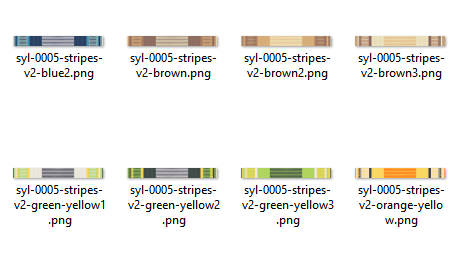
                Yes there is. But then, after I have saved my new colour choice, I want to work on the next, export, and work on the next, next, next... (and yes I understand the difference between dialog and modal.. I wish it was a modal).
                0_1738582026230_44be4c7d-c610-4f86-a480-4168f4cd1a5f-image.png

                Windows 10 Pro | 22H2

                VectorStylerV 1 Reply Last reply Reply Quote 1
                • VectorStylerV Offline
                  VectorStyler @syllie
                  last edited by

                  @syllie There is a plan to improve this in 1.3, not much can be done earlier.

                  Are you saving "presets" of the recoloring filter?

                  M syllieS 2 Replies Last reply Reply Quote 0
                  • M Offline
                    monsterfox @VectorStyler
                    last edited by

                    @VectorStyler By the way, when can version 1.3 be released?

                    VectorStylerV 1 Reply Last reply Reply Quote 1
                    • VectorStylerV Offline
                      VectorStyler @monsterfox
                      last edited by

                      @monsterfox said in Recolor woes:

                      @VectorStyler By the way, when can version 1.3 be released?

                      No official date yet, but it will be sometimes this year (maybe after the summer).
                      I will try to solve some of the language issue first, and there are still a number of bugs.

                      1 Reply Last reply Reply Quote 1
                      • syllieS Offline
                        syllie @VectorStyler
                        last edited by

                        @VectorStyler said in Recolor woes:

                        Are you saving "presets" of the recoloring filter?

                        No. I just reopen the dialog and it retains my last used settings. Which is the starting point for the next combination. So I try a few iterations of browns (earlier range of colours of the palette) with randomization, and then move the index up to a next group of 4 (as there are 4 colours in this design), the blues, the greens, and so on ending with the yellows. It also means that ordering of the palette in a way that more attractive (harmonious) combinations can be found is useful. Remember that for my purpose I stay within a limited palette of selected colours.

                        Windows 10 Pro | 22H2

                        VectorStylerV 2 Replies Last reply Reply Quote 1
                        • VectorStylerV Offline
                          VectorStyler @syllie
                          last edited by

                          @syllie I understand, you just need to be able to change selection without closing the dialog.

                          1 Reply Last reply Reply Quote 1
                          • VectorStylerV Offline
                            VectorStyler @syllie
                            last edited by

                            @syllie The recolor view has been improved, it is still a dialog but it should behave better with the patterns.

                            syllieS 1 Reply Last reply Reply Quote 1
                            • syllieS Offline
                              syllie @VectorStyler
                              last edited by

                              @VectorStyler The issues with Replace Color > Color from Palette seem resolved. Still testing through but the files that were misbehaving before now get recoloured as expected. And cancel is indeed understood as cancel. Very happy with that!

                              Tiny inconvenience: if you click repeatedly on the 'Starting' counter, it occasionally skips numbers. https://go.screenpal.com/watch/cTnljynhrb5

                              Windows 10 Pro | 22H2

                              S 1 Reply Last reply Reply Quote 1
                              • S Offline
                                Subpath @syllie
                                last edited by

                                @syllie

                                Numbers changing is also possible and works
                                better on the left side of Number fields

                                Set your mouse pointer upon the "Starting" Text
                                press left mouse button and move the mouse
                                up or down. That should also change the numbers
                                and is more precise.

                                Win 11
                                CPU: AMD Ryzen 5 9600X, 6-core.
                                GPU: Nvidia Geforce RTX 5070.

                                syllieS 1 Reply Last reply Reply Quote 0
                                • S Offline
                                  Subpath
                                  last edited by Subpath

                                  @VectorStyler

                                  That number skipping by using that little arrows
                                  is often the case, which make them more or less useless.

                                  I often use the drag Mouse methode on the left side
                                  because of that.

                                  Win 11
                                  CPU: AMD Ryzen 5 9600X, 6-core.
                                  GPU: Nvidia Geforce RTX 5070.

                                  VectorStylerV 1 Reply Last reply Reply Quote 1
                                  • VectorStylerV Offline
                                    VectorStyler @Subpath
                                    last edited by

                                    @Subpath I will find a solution for this.

                                    1 Reply Last reply Reply Quote 1
                                    • syllieS Offline
                                      syllie @Subpath
                                      last edited by

                                      @Subpath Thanks for your input, and also the follow up with the other counters where you noticed skipping. For my case I just want increments +1/-1 and pressing the up or down arrow is faster and should be more precise than holding down a mouse button and dragging. Happy it is on the list to look into 🙂

                                      Windows 10 Pro | 22H2

                                      S 1 Reply Last reply Reply Quote 1
                                      • S Offline
                                        Subpath @syllie
                                        last edited by Subpath

                                        @syllie

                                        Yes, there are different ways to change numbers.
                                        I prefer to work with just the mouse and find using the
                                        arrow keys is indeed helpful but not particularly comfortable
                                        for me, as as a right-handed person you have to leave the
                                        mouse to do so.

                                        @VectorStyler
                                        Using the mouse wheel works pretty precisely too. Unfortunately
                                        not in all fields and not always in the same way. The steps are not
                                        always the same (sometimes 1, sometimes 0.1 or more random)
                                        .
                                        .
                                        It would be nice if changing a Value in a Number field
                                        would work similar in all Number fields.

                                        for me that includes also

                                        up = 1

                                        Shift + up = 10 Steps

                                        Control + up = 0.1

                                        down = -1

                                        Shift + up = -10 Steps

                                        Control + up = - 0.1

                                        Win 11
                                        CPU: AMD Ryzen 5 9600X, 6-core.
                                        GPU: Nvidia Geforce RTX 5070.

                                        VectorStylerV 1 Reply Last reply Reply Quote 2
                                        • VectorStylerV Offline
                                          VectorStyler @Subpath
                                          last edited by

                                          @Subpath said in Recolor woes:

                                          Unfortunately not in all fields and not always in the same way.

                                          I will try to replicate.

                                          S 1 Reply Last reply Reply Quote 0
                                          • S Offline
                                            Subpath @VectorStyler
                                            last edited by Subpath

                                            @VectorStyler

                                            I did a Test in the Transform Panel (Object >Transform > Tranform)
                                            OK, i realize that this may be a case by using the Mouse wheel.
                                            Using the Arrow keys work fine.

                                            will record a video later

                                            Win 11
                                            CPU: AMD Ryzen 5 9600X, 6-core.
                                            GPU: Nvidia Geforce RTX 5070.

                                            1 Reply Last reply Reply Quote 1
                                            • First post
                                              Last post
