VectorStyler
    • Categories
    • Unread
    • Recent
    • Tags
    • Popular
    • Register
    • Login

    Issue with Contour

    Scheduled Pinned Locked Moved Bugs in VectorStyler
    14 Posts 3 Posters 9.2k Views 3 Watching
    Loading More Posts
    • Oldest to Newest
    • Newest to Oldest
    • Most Votes
    Reply
    • Reply as topic
    Log in to reply
    This topic has been deleted. Only users with topic management privileges can see it.
    • VectorStylerV Offline
      VectorStyler @B-Vs-V
      last edited by

      @B-Vs-V Looks similar to the other error, I will try to replicate this.

      B 1 Reply Last reply Reply Quote 0
      • B Offline
        B-Vs-V @VectorStyler
        last edited by

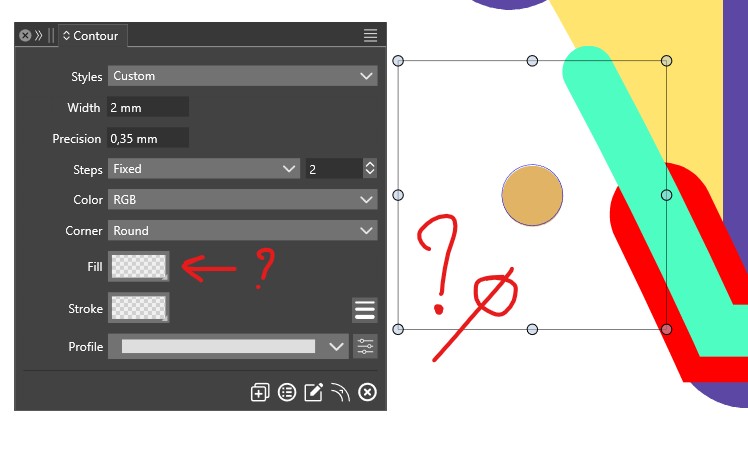
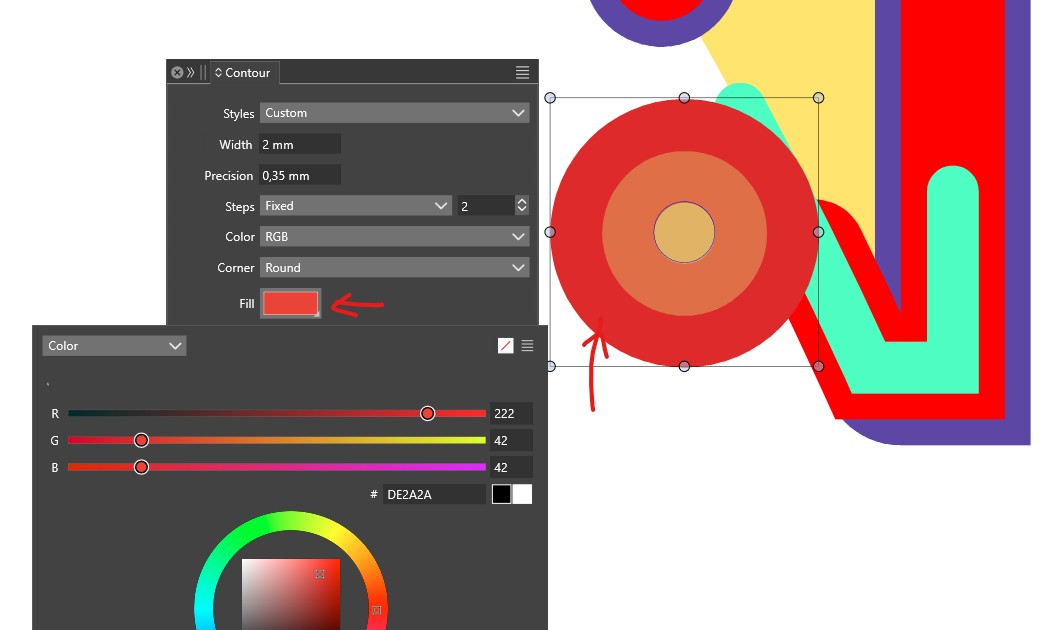
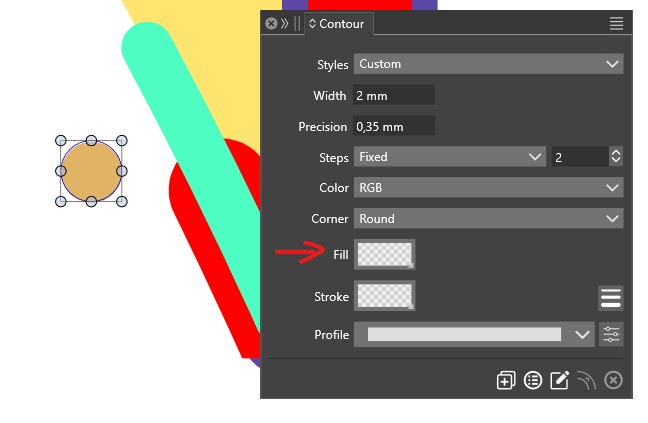
        @VectorStyler the Contour tool is buggy too: it is difficult to stabilize aany design ::
        0_1744736290430_b.jpg

        W11 Pro 25H2 - 12th Gen Intel(R) i7-12700K 3.61 GHz - RAM 64 Go - NVIDIA GF GTX 4070 Ti - Intuos - Dell UP3216Q / Eizo ColorEdge
        W11 Pro 25H2 - 12th Gen Intel(R) i7-12700KF 3.60 GHz -RAM 64 Go - NVIDIA GF GTX 3080 - IntuosPro- ProArt PA329C

        VectorStylerV 1 Reply Last reply Reply Quote 1
        • VectorStylerV Offline
          VectorStyler @B-Vs-V
          last edited by

          @B-Vs-V I need the file for this contour example.

          B 1 Reply Last reply Reply Quote 0
          • VectorStylerV Offline
            VectorStyler @B-Vs-V
            last edited by

            @B-Vs-V One thing to test: backup and remove those workspace/settings files from the resources folder (without VS running) and check if these issues occur with the default state.

            B 1 Reply Last reply Reply Quote 0
            • B Offline
              B-Vs-V @VectorStyler
              last edited by

              @VectorStyler have uninstalled VS, deleted the resources and reinstalled the last VS v. ... precisely the same various issues ☹

              W11 Pro 25H2 - 12th Gen Intel(R) i7-12700K 3.61 GHz - RAM 64 Go - NVIDIA GF GTX 4070 Ti - Intuos - Dell UP3216Q / Eizo ColorEdge
              W11 Pro 25H2 - 12th Gen Intel(R) i7-12700KF 3.60 GHz -RAM 64 Go - NVIDIA GF GTX 3080 - IntuosPro- ProArt PA329C

              1 Reply Last reply Reply Quote 1
              • B Offline
                B-Vs-V @VectorStyler
                last edited by B-Vs-V

                @VectorStyler I've already sent you the file. You just have to draw a shape and use the contour tool and/or the contour panel ☺

                W11 Pro 25H2 - 12th Gen Intel(R) i7-12700K 3.61 GHz - RAM 64 Go - NVIDIA GF GTX 4070 Ti - Intuos - Dell UP3216Q / Eizo ColorEdge
                W11 Pro 25H2 - 12th Gen Intel(R) i7-12700KF 3.60 GHz -RAM 64 Go - NVIDIA GF GTX 3080 - IntuosPro- ProArt PA329C

                VectorStylerV 1 Reply Last reply Reply Quote 1
                • VectorStylerV Offline
                  VectorStyler @B-Vs-V
                  last edited by

                  @B-Vs-V I replicated both of these issues (contour and stroke color).

                  The problem is with the UI scaling causing the color/fill popups to apply the color at the wrong moment.

                  As a workaround, set the UI scaling factor in Settings back to 100% for now.

                  (I know, this is a weird bug, but nevertheless it is a bug).

                  B 1 Reply Last reply Reply Quote 0
                  • B Offline
                    B-Vs-V @VectorStyler
                    last edited by B-Vs-V

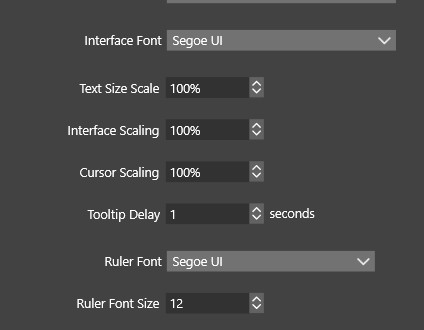
                    @VectorStyler Well, is it this ?:

                    0_1744787193653_b.jpg

                    I don't think I ever modified this UI scaling & the newly reinstalled VS presents the same bugs (?)

                    W11 Pro 25H2 - 12th Gen Intel(R) i7-12700K 3.61 GHz - RAM 64 Go - NVIDIA GF GTX 4070 Ti - Intuos - Dell UP3216Q / Eizo ColorEdge
                    W11 Pro 25H2 - 12th Gen Intel(R) i7-12700KF 3.60 GHz -RAM 64 Go - NVIDIA GF GTX 3080 - IntuosPro- ProArt PA329C

                    VectorStylerV 2 Replies Last reply Reply Quote 0
                    • VectorStylerV Offline
                      VectorStyler @B-Vs-V
                      last edited by

                      @B-Vs-V It was 98% in the settings file you sent.

                      B 1 Reply Last reply Reply Quote 0
                      • VectorStylerV Offline
                        VectorStyler @B-Vs-V
                        last edited by

                        @B-Vs-V The display scaling from Windows might cause the same event, fix will be in the next build.

                        1 Reply Last reply Reply Quote 1
                        • B Offline
                          B-Vs-V @VectorStyler
                          last edited by

                          @VectorStyler ok, then I did it by accident & never noticed. Indeed I did adjust a display scaling in W11.

                          W11 Pro 25H2 - 12th Gen Intel(R) i7-12700K 3.61 GHz - RAM 64 Go - NVIDIA GF GTX 4070 Ti - Intuos - Dell UP3216Q / Eizo ColorEdge
                          W11 Pro 25H2 - 12th Gen Intel(R) i7-12700KF 3.60 GHz -RAM 64 Go - NVIDIA GF GTX 3080 - IntuosPro- ProArt PA329C

                          1 Reply Last reply Reply Quote 0
                          • J Offline
                            Jono
                            last edited by Jono

                            Thanks also from me for fixing this.

                            I've also noted that when text and interface scaling is set, for example to 110%, the contour stroke or fill colour selector pop-out panel increases size each time you select it until it is enormous!

                            Mac mini (M1, 2020) | Tahoe 26.1 | Wacom Cintiq 16 (1920 x 1080 px)

                            1 Reply Last reply Reply Quote 1
                            • B Offline
                              B-Vs-V
                              last edited by

                              Since I don't want to change the W display scaling, I have to wait for the fix to proceed further...

                              W11 Pro 25H2 - 12th Gen Intel(R) i7-12700K 3.61 GHz - RAM 64 Go - NVIDIA GF GTX 4070 Ti - Intuos - Dell UP3216Q / Eizo ColorEdge
                              W11 Pro 25H2 - 12th Gen Intel(R) i7-12700KF 3.60 GHz -RAM 64 Go - NVIDIA GF GTX 3080 - IntuosPro- ProArt PA329C

                              1 Reply Last reply Reply Quote 1
                              • First post
                                Last post