VectorStyler
    • Categories
    • Unread
    • Recent
    • Tags
    • Popular
    • Register
    • Login

    Trim effect expands the objects : VS1.3
    Scheduled Pinned Locked Moved Bugs in VectorStyler
    4 Posts 3 Posters 698 Views 3 Watching
    Loading More Posts
    • Oldest to Newest
    • Newest to Oldest
    • Most Votes
    Reply
    • Reply as topic
    Log in to reply
    This topic has been deleted. Only users with topic management privileges can see it.
    • K Offline
      Kumr
      last edited by Kumr

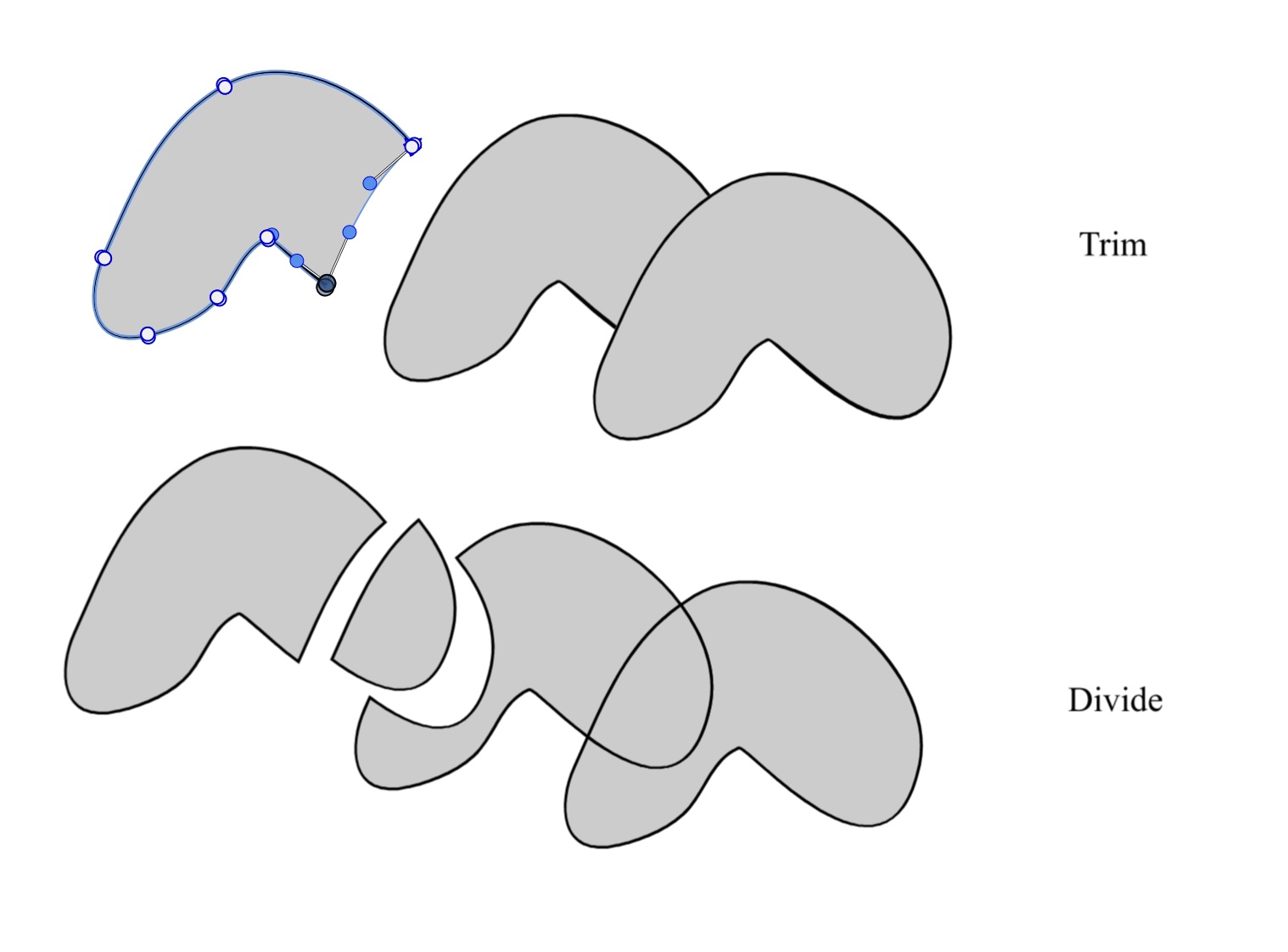
      Trim path effect on objects is not working properly; paths are expanding and cut off. Divide effect is working fine though.

      0_1764150456814_bollenw.jpg

      M1 MacBook Air, 16GB, macOS Sonoma 14.4.1

      VectorStylerV 1 Reply Last reply Reply Quote 0
      • E Offline
        EricP
        last edited by

        @Kumr there is a setting for this but it is quite hidden in Path panel > Shape Combine Options (would be better in preferences)

        0_1764151961808_bfdddd23-bf3f-4cce-a324-66a6718ae71e-image.png

        Select the shape combine operation (here Trim) and uncheck expand All
        0_1764152005490_fca1360c-04b9-4a45-9d4d-2dd38fa1f424-image.png

        0_1764152061622_3a40183b-9a95-408b-ac73-a92babf52bd3-image.png

        K 1 Reply Last reply Reply Quote 1
        • VectorStylerV Offline
          VectorStyler @Kumr
          last edited by

          @Kumr I think that is what trim should do. Cut the top object(s) from the ones below

          1 Reply Last reply Reply Quote 0
          • K Offline
            Kumr @EricP
            last edited by

            @EricP Thanks a lot for your help. I’ve been struggling with this. Will have to look more into the settings 🙂

            @VectorStyler Yes, in VS1.2 it was default setting or I may have enabled it and forgot. Thanks for providing more options.

            M1 MacBook Air, 16GB, macOS Sonoma 14.4.1

            1 Reply Last reply Reply Quote 0
            • First post
              Last post