VectorStyler
    • Categories
    • Unread
    • Recent
    • Tags
    • Popular
    • Register
    • Login

    Incremental input option for vertices count in Star panel
    Scheduled Pinned Locked Moved Features and Ideas
    14 Posts 4 Posters 14.6k Views 3 Watching
    Loading More Posts
    • Oldest to Newest
    • Newest to Oldest
    • Most Votes
    Reply
    • Reply as topic
    Log in to reply
    This topic has been deleted. Only users with topic management privileges can see it.
    • S Offline
      Subpath @Boldline
      last edited by

      @Boldline said in Incremental input option for vertices count in Star panel:

      @Subpath said in Incremental input option for vertices count in Star panel:

      Works with the Cursor Keys Up ( increases )
      and Down ( decreases )

      ok I see that now, if I highlight it first, I can use the arrow keys to adjust it incrementally. thanks!

      works here for me even without highlighting

      Win 11
      CPU: AMD Ryzen 5 9600X, 6-core.
      GPU: Nvidia Geforce RTX 5070.

      BoldlineB 1 Reply Last reply Reply Quote 0
      • BoldlineB Offline
        Boldline @Subpath
        last edited by

        @Subpath @vectoradmin it does not seem to work that way for me unless I highlight the number first. Tried it a couple different times to see

        🍎 macOS Tahoe 26.2, Mac mini (M1, 2020), Chip Apple M1, Memory 16 GB
        Cintiq 27QHD Display and LG Ultra HD Display

        S VectorStylerV 2 Replies Last reply Reply Quote 0
        • S Offline
          Subpath @Boldline
          last edited by Subpath

          @Boldline

          works here, i use VS 1.1.020

          Win 11
          CPU: AMD Ryzen 5 9600X, 6-core.
          GPU: Nvidia Geforce RTX 5070.

          BoldlineB 1 Reply Last reply Reply Quote 0
          • BoldlineB Offline
            Boldline @Subpath
            last edited by

            @Subpath yeah I use the same build, but you are on windows and I am on mac - so that is potentially the difference

            🍎 macOS Tahoe 26.2, Mac mini (M1, 2020), Chip Apple M1, Memory 16 GB
            Cintiq 27QHD Display and LG Ultra HD Display

            1 Reply Last reply Reply Quote 0
            • VectorStylerV Offline
              VectorStyler @Boldline
              last edited by

              @Boldline For me the number scrolling with keys works without highlight. Is this in a panel or in a modal view? (send a screenshot).

              BoldlineB 1 Reply Last reply Reply Quote 0
              • BoldlineB Offline
                Boldline @VectorStyler
                last edited by

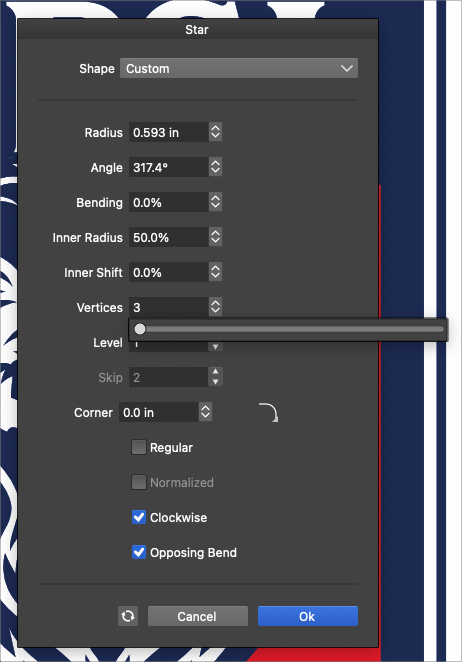
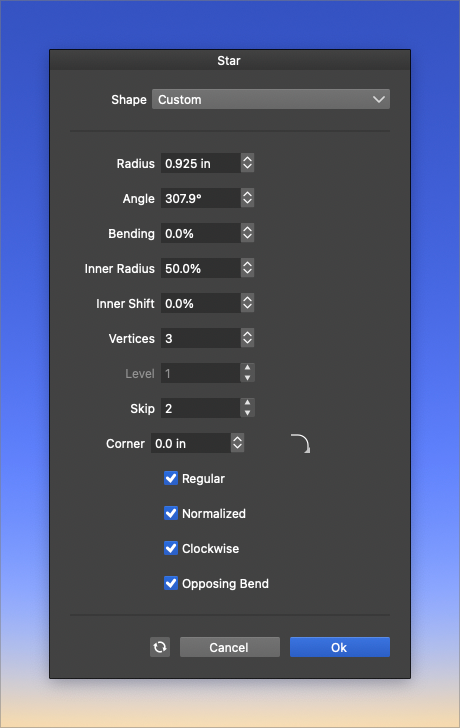
                @vectoradmin I just figured out the issue - I had the slider active and so it was not letting me use the up and down arrows. When clicked off to hide the slider, I could adjust normally with the arrow keys again with and without the number being highlighted
                0_1646682381723_aeea2539-332b-4497-a2d9-94b6706396e2-BLD 2022-03-07 at 14.46.12.png

                🍎 macOS Tahoe 26.2, Mac mini (M1, 2020), Chip Apple M1, Memory 16 GB
                Cintiq 27QHD Display and LG Ultra HD Display

                VectorStylerV 1 Reply Last reply Reply Quote 1
                • VectorStylerV Offline
                  VectorStyler @Boldline
                  last edited by

                  @Boldline yes, if the slider popover is active, it will consume the key input.

                  BoldlineB 1 Reply Last reply Reply Quote 0
                  • BoldlineB Offline
                    Boldline @VectorStyler
                    last edited by

                    @vectoradmin said in Incremental input option for vertices count in Star panel:

                    @Boldline yes, if the slider popover is active, it will consume the key input.

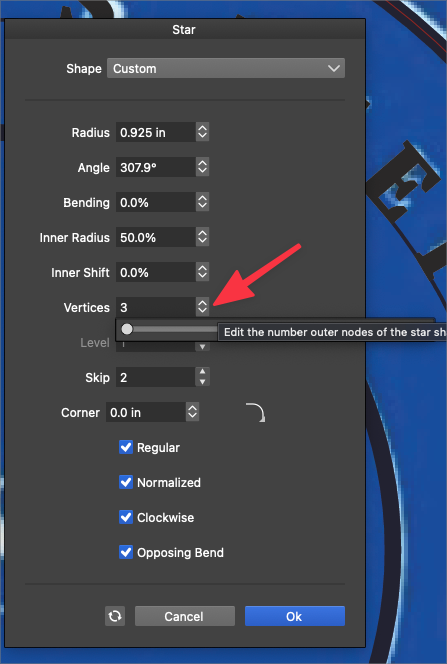
                    I could still access it ok even when it was open
                    0_1646685741695_a217b3e5-022b-4942-bb73-bb9f7daf86ac-BLD 2022-03-07 at 15.41.46.png

                    🍎 macOS Tahoe 26.2, Mac mini (M1, 2020), Chip Apple M1, Memory 16 GB
                    Cintiq 27QHD Display and LG Ultra HD Display

                    1 Reply Last reply Reply Quote 0
                    • Devil DinosaurD Offline
                      Devil Dinosaur
                      last edited by

                      In most of my interface the increase/decrease arrows don't work. When I press it , it immediately shows the slider. Only some of the arrows work.

                      Fred.
                      MacBook Pro (M1) - MacOs Sonoma 14

                      VectorStylerV 1 Reply Last reply Reply Quote 0
                      • VectorStylerV Offline
                        VectorStyler @Devil Dinosaur
                        last edited by

                        @Devil-Dinosaur When pressing the up/down arrow button with the mouse it does open the slider, that is by design.
                        I was referring to pressing up/down arrow keys on the keyboard.

                        The editors where the up/down arrow buttons work as scroll buttons are a bit different:

                        • Vertices field has a popup slider.
                        • Level field has an up/down arrow for scrolling.

                        I will try to find a way to have both of these options, the problem is that I have not yet found a good design, and adding two buttons to each field is not the way to go.


                        1 Reply Last reply Reply Quote 0
                        • First post
                          Last post