VectorStyler
    • Categories
    • Unread
    • Recent
    • Tags
    • Popular
    • Register
    • Login

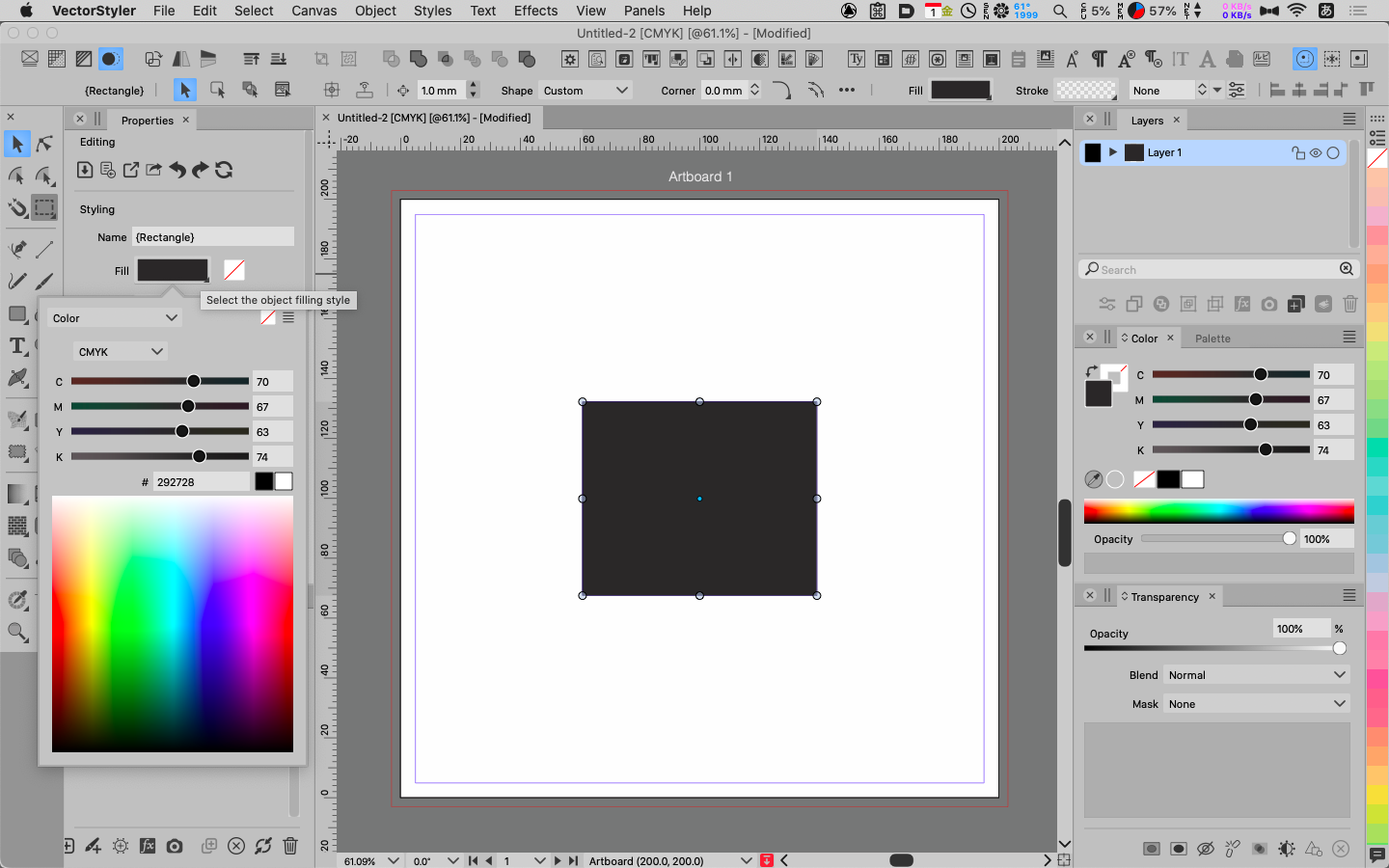
    The parameters in the Color Palet are displayed differently from those in the Appearance (Properties) Palet.
    Scheduled Pinned Locked Moved VectorStyler 1.1 Bugs
    10 Posts 2 Posters 12.7k Views 2 Watching
    Loading More Posts
    • Oldest to Newest
    • Newest to Oldest
    • Most Votes
    Reply
    • Reply as topic
    Log in to reply
    This topic has been deleted. Only users with topic management privileges can see it.
    • 861475_VctSt8 Offline
      861475_VctSt
      last edited by 861475_VctSt

      MacBlook Air: A1466 / macOS 10.15.7
      Document Color:CMYK
      VS1.1.101

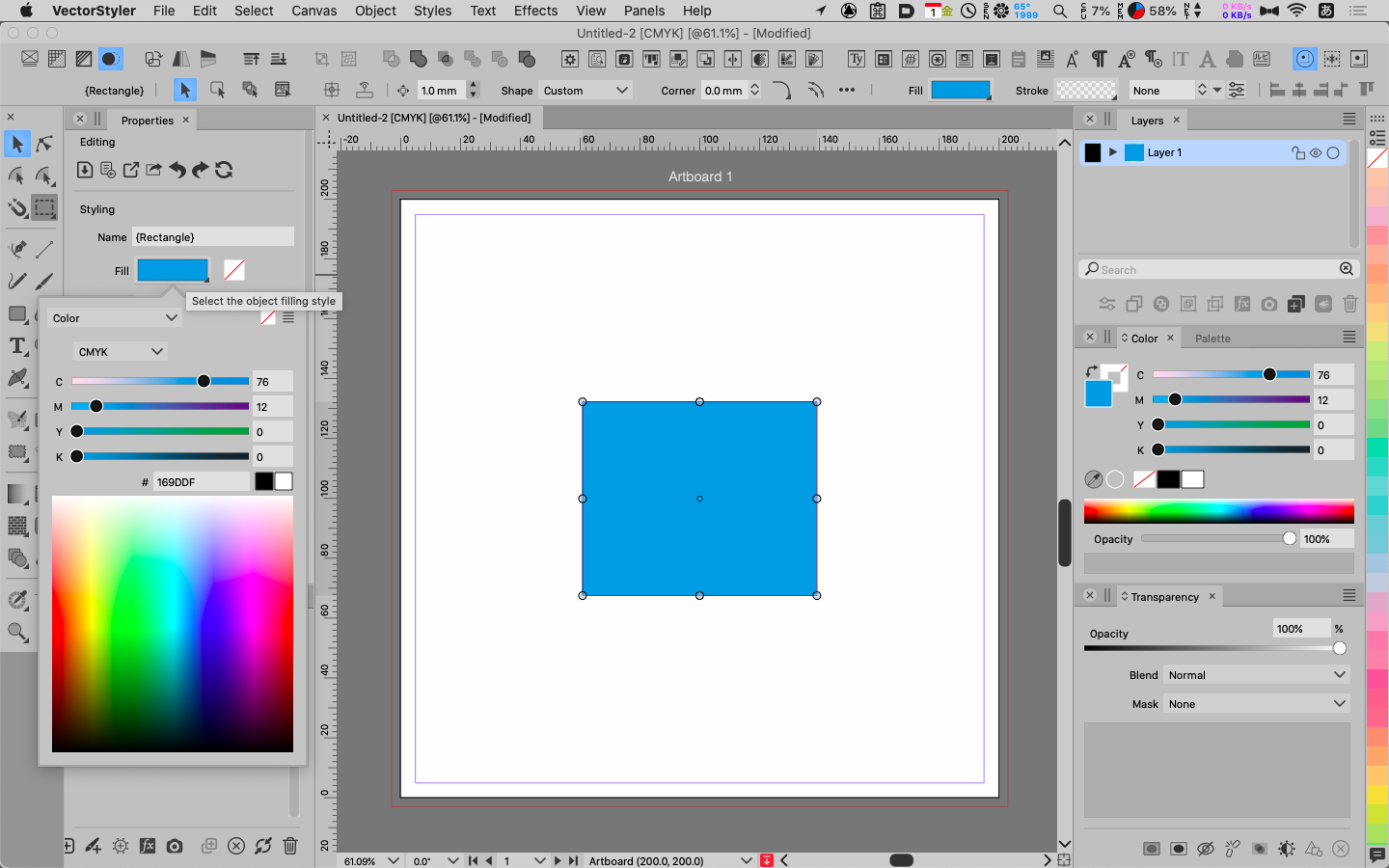
      Set K100 in the Color Palet
      fig. 01
      0_1693535603805_09-01_01.png
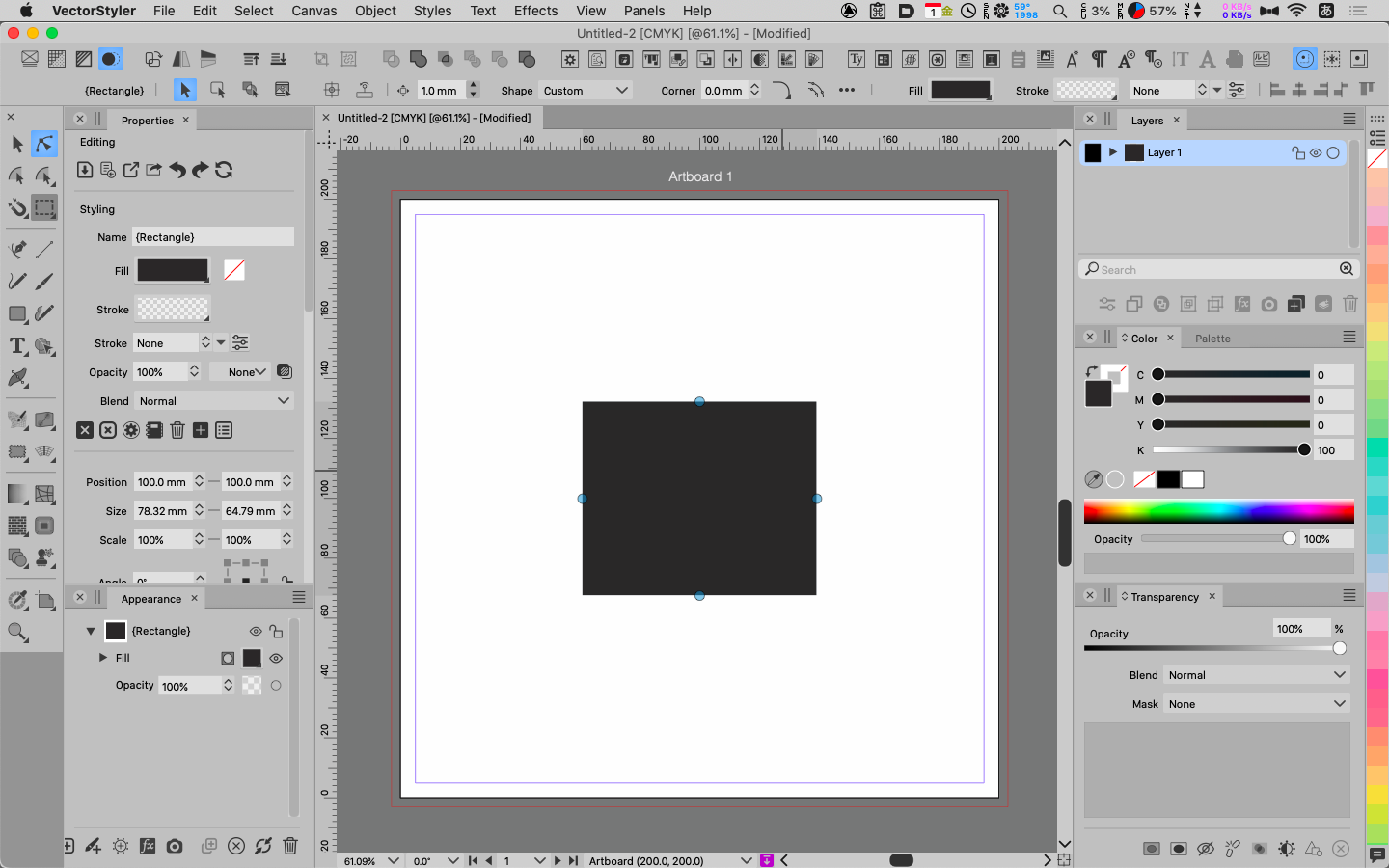
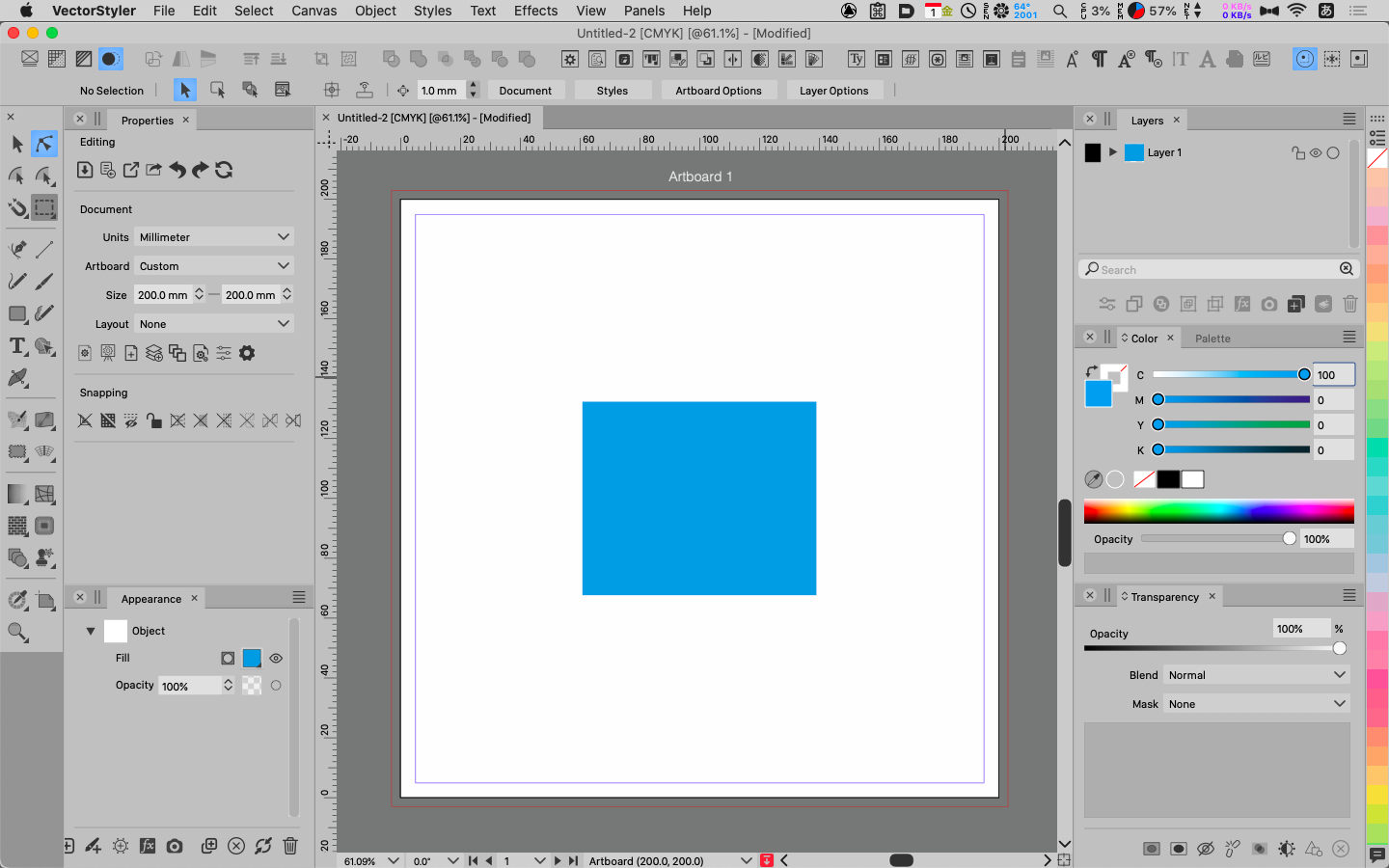
      The Appearance Palet shows the following
      fig. 02
      0_1693535621203_09-01_02.png
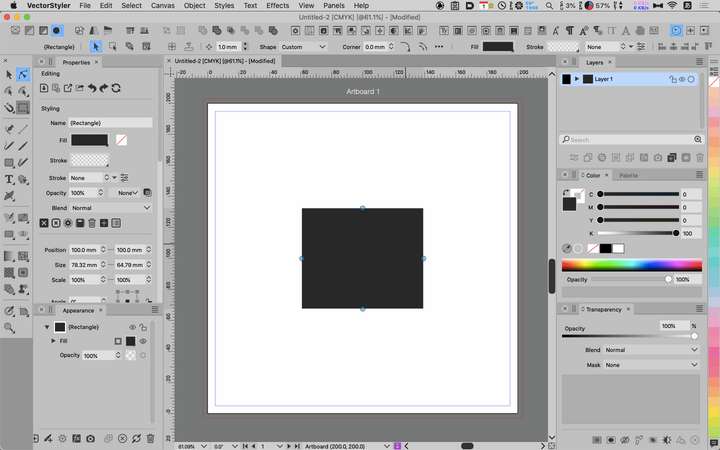
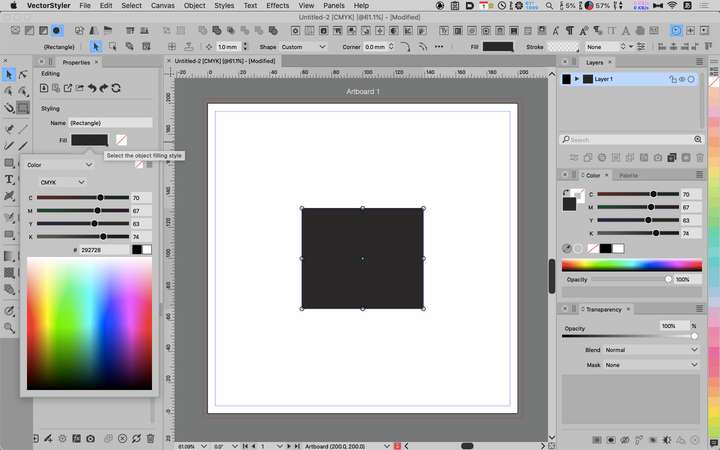
      Set to C100 in the Color Palet
      fig. 03
      0_1693535639449_09-01_03.png
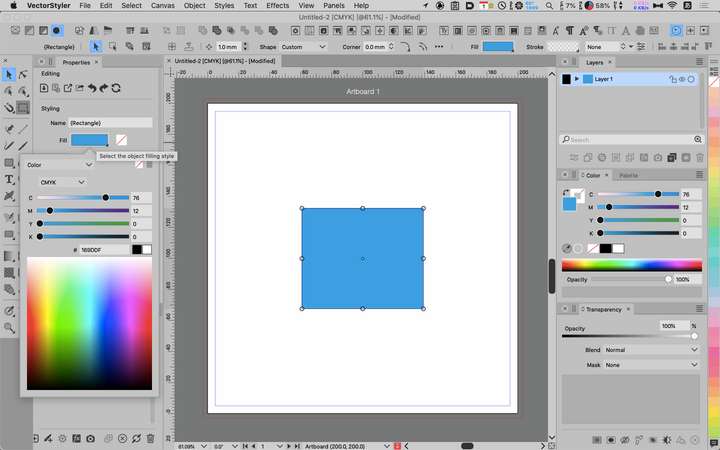
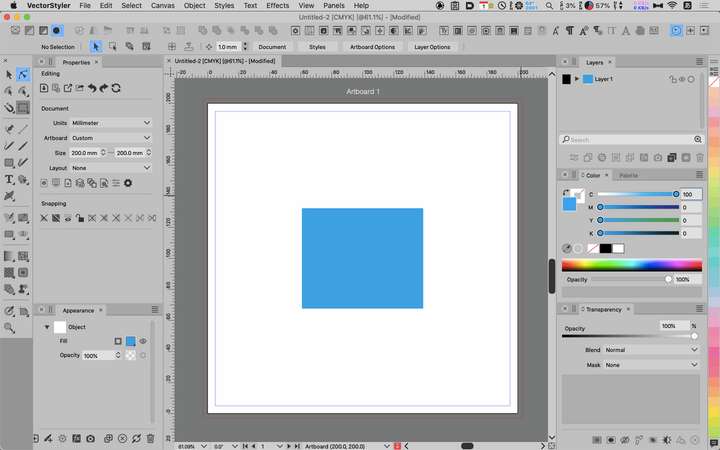
      View in Appearance Palet
      fig. 04
      0_1693535653686_09-01_04.png

      Unknown from which version, but a fatal bug.
      I had to check my previous works.😱

      LIc. 0 OS10.15.7
      MacBook Air (13-inch, Mid 2012) / Intel Core i5, 8GB / Intel HD Graphics 4000
      LIc. 1 OS13.6.7
      MacBook Pro (14-inch, 2023) / Apple M2 Pro, 16GB / Apple GPU

      VectorStylerV 1 Reply Last reply Reply Quote 0
      • VectorStylerV Offline
        VectorStyler @861475_VctSt
        last edited by

        @861475_VctSt yes, this can be replicated, will be fixed ASAP.

        861475_VctSt8 1 Reply Last reply Reply Quote 0
        • 861475_VctSt8 Offline
          861475_VctSt @VectorStyler
          last edited by

          @VectorStyler

          ver1.1.104

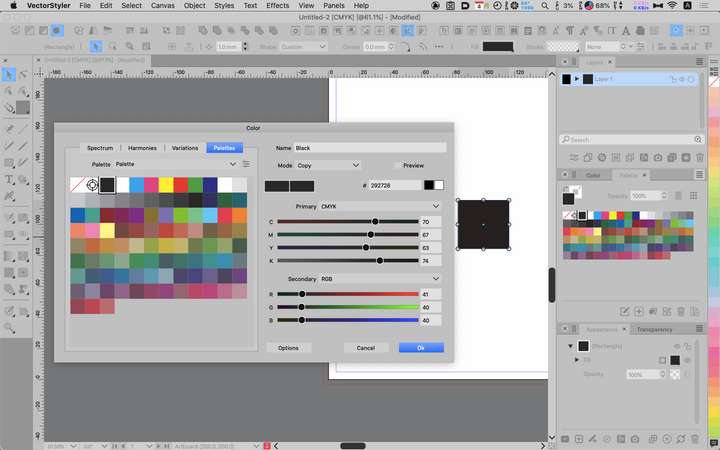
          The value of (Color) Palette is still strange.

          Figure example is Black in palette
          0_1693795854289_2023-09-04 11.44.42.png

          LIc. 0 OS10.15.7
          MacBook Air (13-inch, Mid 2012) / Intel Core i5, 8GB / Intel HD Graphics 4000
          LIc. 1 OS13.6.7
          MacBook Pro (14-inch, 2023) / Apple M2 Pro, 16GB / Apple GPU

          VectorStylerV 1 Reply Last reply Reply Quote 1
          • VectorStylerV Offline
            VectorStyler @861475_VctSt
            last edited by

            @861475_VctSt I reopen this issue.

            861475_VctSt8 1 Reply Last reply Reply Quote 0
            • 861475_VctSt8 Offline
              861475_VctSt @VectorStyler
              last edited by

              @VectorStyler

              Related Matters
              😃
              Why is the Palette name not Color Palette?
              In the menu, it is Panel>Color Palette.
              Is it simply because the text doesn't fit in the tab?

              LIc. 0 OS10.15.7
              MacBook Air (13-inch, Mid 2012) / Intel Core i5, 8GB / Intel HD Graphics 4000
              LIc. 1 OS13.6.7
              MacBook Pro (14-inch, 2023) / Apple M2 Pro, 16GB / Apple GPU

              VectorStylerV 1 Reply Last reply Reply Quote 0
              • VectorStylerV Offline
                VectorStyler @861475_VctSt
                last edited by

                @861475_VctSt said in The parameters in the Color Palet are displayed differently from those in the Appearance (Properties) Palet.:

                Is it simply because the text doesn't fit in the tab?

                Yes, shorter text for panel titles is better.

                861475_VctSt8 1 Reply Last reply Reply Quote 0
                • 861475_VctSt8 Offline
                  861475_VctSt @VectorStyler
                  last edited by 861475_VctSt

                  @VectorStyler

                  ver. 1.1.106

                  VS is back to being not so good.
                  😿

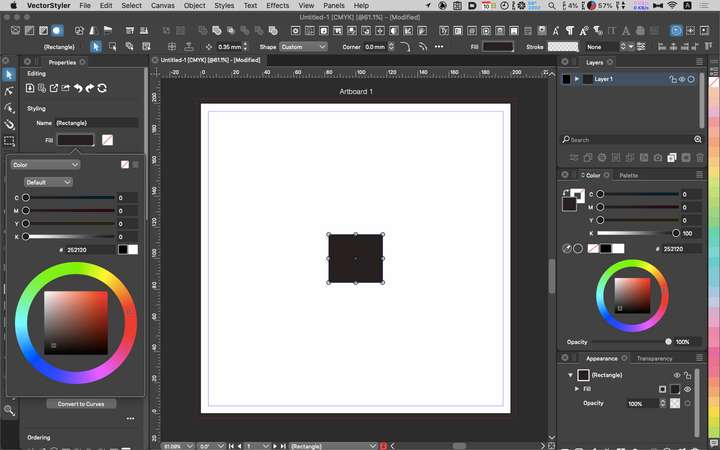
                  Except for the Color Pallete, the Appearance and Properties palette parameters are displayed incorrectly, and the sliders do not work.
                  0_1694304452833_2023-09-10 9.01.50.png

                  LIc. 0 OS10.15.7
                  MacBook Air (13-inch, Mid 2012) / Intel Core i5, 8GB / Intel HD Graphics 4000
                  LIc. 1 OS13.6.7
                  MacBook Pro (14-inch, 2023) / Apple M2 Pro, 16GB / Apple GPU

                  VectorStylerV 2 Replies Last reply Reply Quote 0
                  • VectorStylerV Offline
                    VectorStyler @861475_VctSt
                    last edited by

                    @861475_VctSt yes, this thing is not over yet.

                    1 Reply Last reply Reply Quote 0
                    • VectorStylerV Offline
                      VectorStyler @861475_VctSt
                      last edited by

                      @861475_VctSt Uploaded a fix to this issue. Let me know if there are any other color issues.

                      861475_VctSt8 1 Reply Last reply Reply Quote 0
                      • 861475_VctSt8 Offline
                        861475_VctSt @VectorStyler
                        last edited by 861475_VctSt

                        @VectorStyler

                        Looks good on this issue!
                        Seems like a difficult task.
                        Thank you.

                        😃

                        LIc. 0 OS10.15.7
                        MacBook Air (13-inch, Mid 2012) / Intel Core i5, 8GB / Intel HD Graphics 4000
                        LIc. 1 OS13.6.7
                        MacBook Pro (14-inch, 2023) / Apple M2 Pro, 16GB / Apple GPU

                        1 Reply Last reply Reply Quote 0
                        • First post
                          Last post