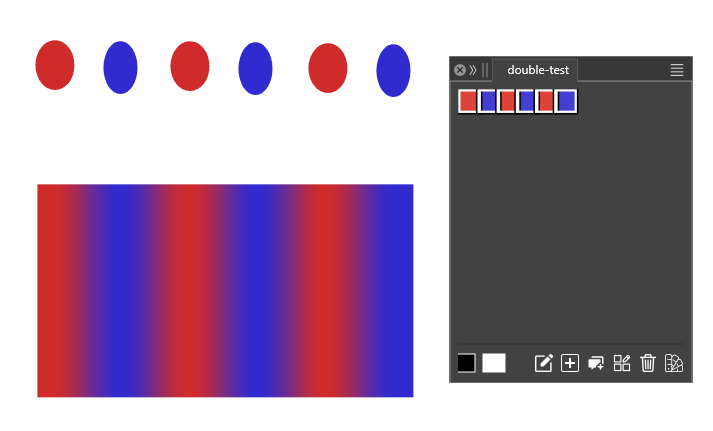
A color palette from a selection of shapes takes duplicate colors into account now.
-
A color palette from a selection of shapes
takes duplicate colors into account now.Since Vectorstyler version 1.3.012
Creating a color palette from a selection of shapes
now also takes duplicate colors into account. You have
to deselect an option in the color palette Menu for that.Here the Steps:
Open a color palette
Menu > Window > Color PaletteIn the color palette, go to
Menu > Options > uncheck " Collect Unique Colors "Select your objects, which may contain duplicate colors now
go into the Color Palette Panel Menu and choose " Create Palette " >
" Create from Selection "This feature is very helpful for all kind of color pattern and creating gradients.
Here the related Tutorial for creating multicolor gradients:
https://www.vectorstyler.com/forum/topic/5694/way-to-create-a-multi-color-gradient-from-colors-of-a-color-paletteHere a pic
-
S Subpath referenced this topic on