Subcategories

  • These issues have been resolved and closed

    863 Topics
    5k Posts
    VectorStylerV
    @Raaskot said in Transform: Up-dwn-keys act strange on stepping values i value fields: Is it supposed to act in that way? No, this looks like a bug, but I cannot replicate it here. Could be caused by some changes in the workspace or settings.
  • Everyone makes mistakes. Help us correct ours. Let us know how to improve VectorStyler.

    10 Topics
    41 Posts
    VectorStylerV
    @jpsimmons Yes, this can be replicated and it is a bug. I will try to fix it for the next build.
  • Everyone makes mistakes. Help us correct ours. Let us know how to improve VectorStyler.

    579 Topics
    3k Posts
    G
    @VectorStyler said in Slow Typing Performance: @gotanidea I'm testing these issues with slow typing performance. The new document has no issue with speed (the old is till slow). What configuration you use for these tests? and which text is edited in the new document. I'm trying to replicate as close as possible. Can you please click the first text box ("Before rigging any character geometry ....") at the top-left region of the new document using the Text Tool, then hold the "a" key? I use: VectorStyler v1.3.001 Windows 11 Home 64-bit AMD Ryzen 7 5800H with Radeon Graphics (16 CPUs) ~3.2GHz 16384MB RAM NVIDIA GeForce RTX 3060 Laptop GPU
  • Bug reports on the 1.2 beta of VectorStyler

    282 Topics
    2k Posts
    W
    This issue has been resolved in the latest update. Thank you!
  • These bugs were posted for 1.2 and should be resolved

    228 Topics
    1k Posts
    XRAYX
    @VectorStyler Hi, this is on Windows 11 24H2 and the settings are "checked" inside of performance settings such as !"Direct Preview of Changes" or "GPU for Mesh" and "GPUfor Distortion" but don't seem to actually be working. Selecting ok seems to fix "Direct Preview of Changes" but no way to be sure about the GPU settings.
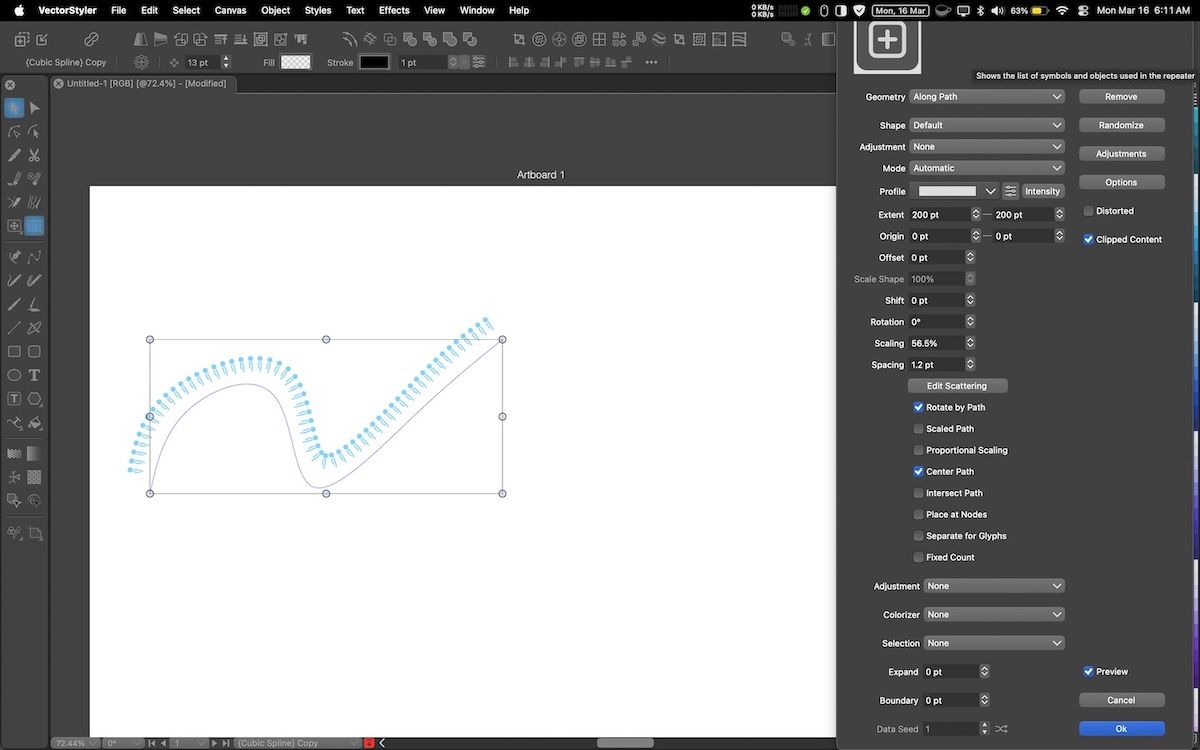
  • Repeater setting panel

    2
    1
    1 Votes
    2 Posts
    16 Views
    VectorStylerV
    @Kumr I will try to find a solution for these. There are some large modal views with similar issues
  • Crash when setting up artboard margins

    2
    0 Votes
    2 Posts
    15 Views
    VectorStylerV
    @marce I will try to replicate and fix the crash. The result from creating canvases will be shown in the Canvas & Artboards panel, these are similar to spreads in DTP apps.
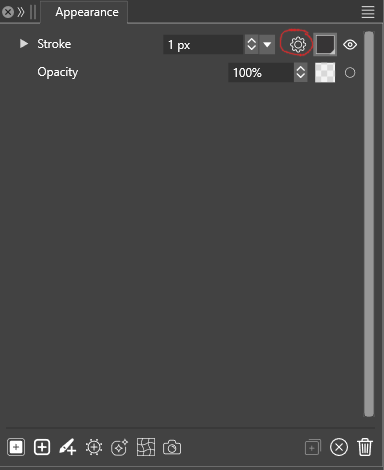
  • Appearance Panel: Stroke dropdown menu does not appear

    2
    1
    0 Votes
    2 Posts
    19 Views
    VectorStylerV
    @LoginError It is a bug, can be replicated here also, it happens on Windows only (works on Mac). Will be fixed as soon as possible
  • Unable to save files

    3
    0 Votes
    3 Posts
    39 Views
    861475_VctSt8
    @richbyte How about giving this a try? https:// www.vectorstyler.com/forum/topic/5288/can-t-save
  • Node Remover Tool does not refresh changes

    3
    1 Votes
    3 Posts
    36 Views
    encartE
    @VectorStyler It was present in 1.3.010, but it works properly in the latest build. Thank you
  • A little bug on the Font Docker

    5
    1 Votes
    5 Posts
    42 Views
    M
    @VectorStyler I will try to document it better.
  • Not a bug i believe, but some kind of performance thing

    3
    1 Votes
    3 Posts
    30 Views
    M
    @VectorStyler It happens with the "Dim outside the artboard" when switching from the dim color to the dark color. https://icedrive.net/s/QQx7GPw96Bjhh9b7DbffXgPC9SRy
  • PNG Export not completing

    2
    1
    1 Votes
    2 Posts
    18 Views
    VectorStylerV
    @MikeI Send me the VectorStyler file you are trying to export (by email to csraba at vectorstyler.com) I will try to replicate this error.
  • Strange kind off hang using Drop Capitals

    5
    1 Votes
    5 Posts
    42 Views
    M
    @VectorStyler yes, it was an strange freeze, thanks the clarification
  • Drop Caps and screen refreshing

    2
    1 Votes
    2 Posts
    17 Views
    VectorStylerV
    @marce I will try to replicate this. An example file similar to the one in the recording might help.
  • Some issues when "Clip to Arboard" activated

    2
    1 Votes
    2 Posts
    21 Views
    VectorStylerV
    @marce I opened a bug on this and will try to replicate it
  • Shape effect panel inconsistencies

    3
    1 Votes
    3 Posts
    25 Views
    E
    @VectorStyler thank you
  • 1 Votes
    2 Posts
    14 Views
    VectorStylerV
    @Boldline I tried but could not replicate this. What is the active tool when picking the color? Save a file after creating the rectangle and send the file to me. I want to check its attributes (might be something else causing this).
  • This topic is deleted!

    1
    0 Votes
    1 Posts
    6 Views
    No one has replied
  • No pressure, no realtime preview

    16
    1 Votes
    16 Posts
    52 Views
    M
    @Kurvaistenitmar said in No pressure, no realtime preview: Hi, I just grabbed my old wacom graphire which works with literally all app and even on Android well and tried with this app. Problem 1: pressure is not recognized (I chose pressure from dropdown). Problem 2: I was not able to see the brush in real time, just the hairline turned to thickness after releasing the stroke. It worked 20 years ago in all apps I used. I checked the preview in settings, no fun. Any ideas? Thanks Hi. I uploaded a video. In my case, the Wacom is working ok, pressure is recognized, BUT no realtime preview even i choose the recommended settings and restarted VS. https://icedrive.net/s/NazYzNuRD6kR43BCtf6wZYSztfD7
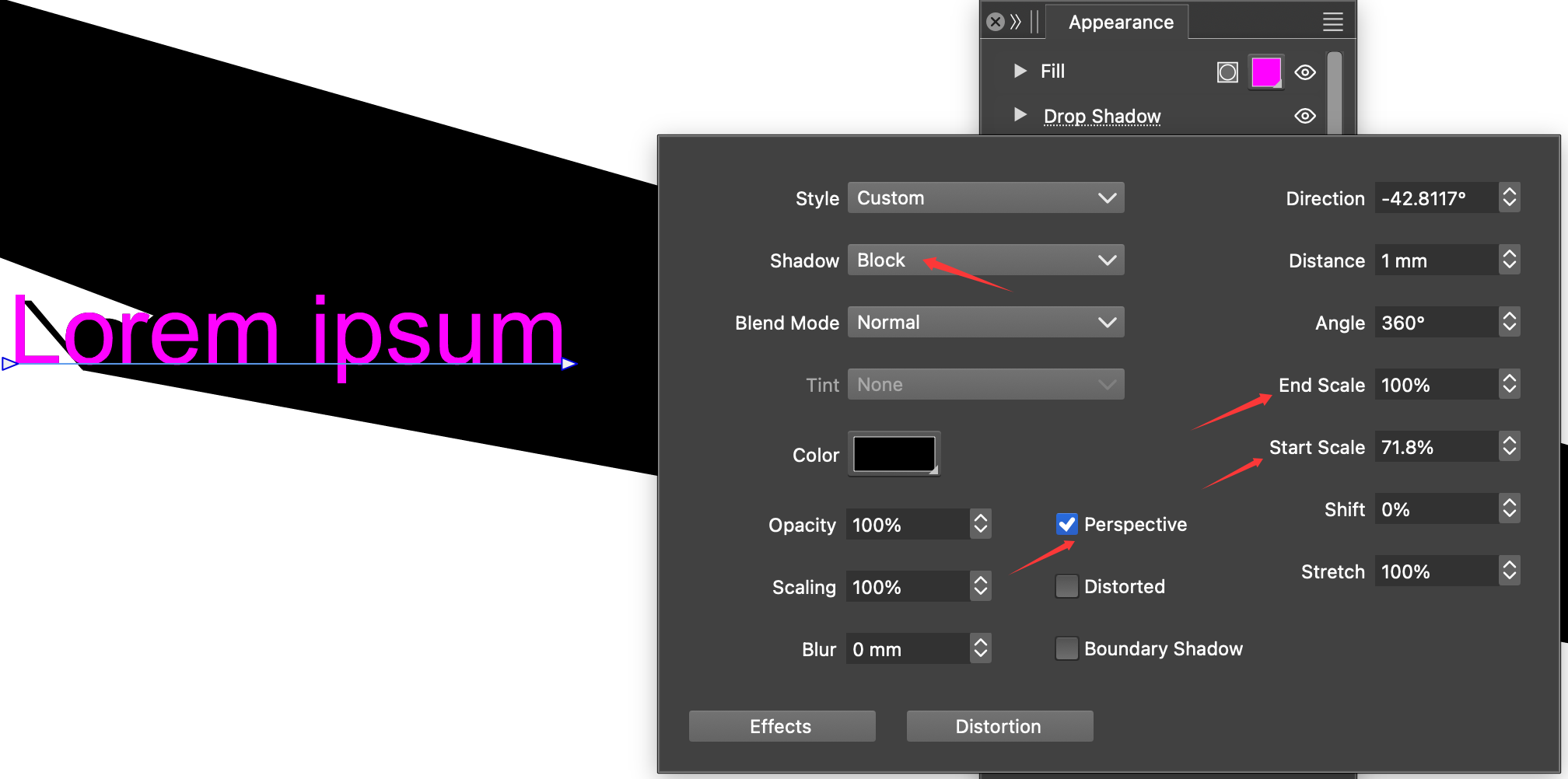
  • A small bug in the Drop Shadow

    2
    1
    1 Votes
    2 Posts
    16 Views
    VectorStylerV
    @Li-Xiao I opened a bug on this
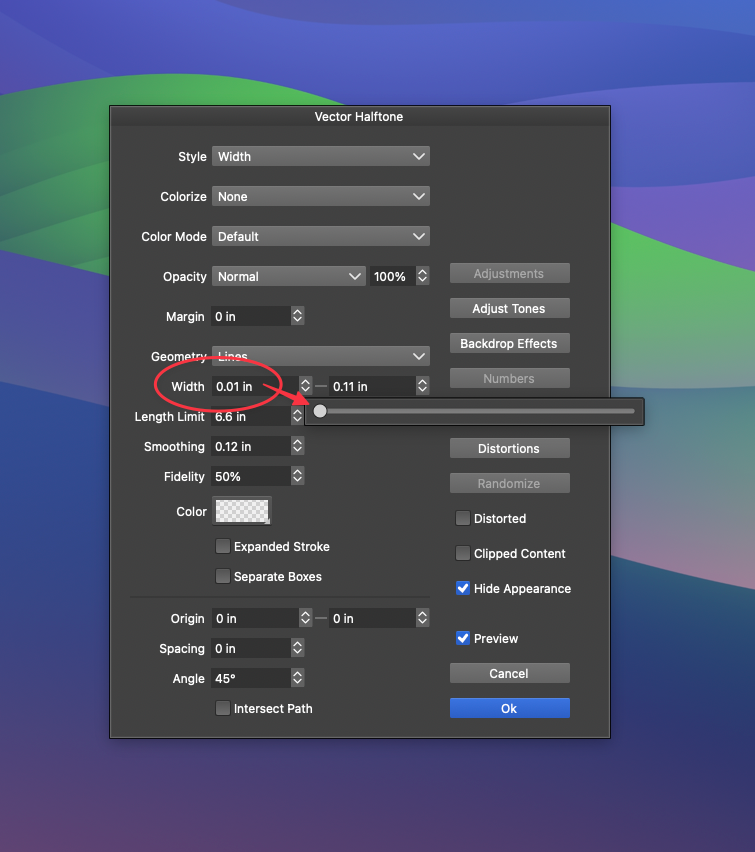
  • Vector Halftone setting cannot reach zero from scrubber. S

    3
    2
    1 Votes
    3 Posts
    18 Views
    BoldlineB
    @VectorStyler ok thanks! I attached the original image if that helps. [image: 1770304265640-generated-image.png]
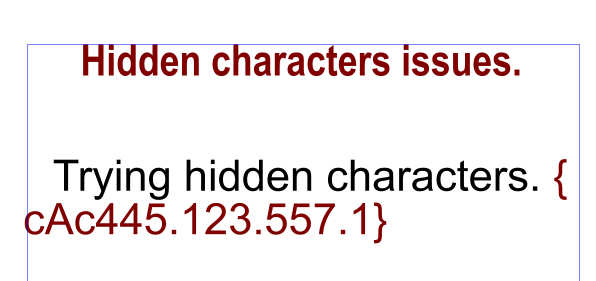
  • Importing RTF with hidden text issues

    5
    1
    1 Votes
    5 Posts
    49 Views
    M
    Excelent. Now it works as it must. Thanks very much
  • Pasting behind produce pasted object on a totally odd position.

    2
    2 Votes
    2 Posts
    23 Views
    VectorStylerV
    @Raaskot I opened a bug on this
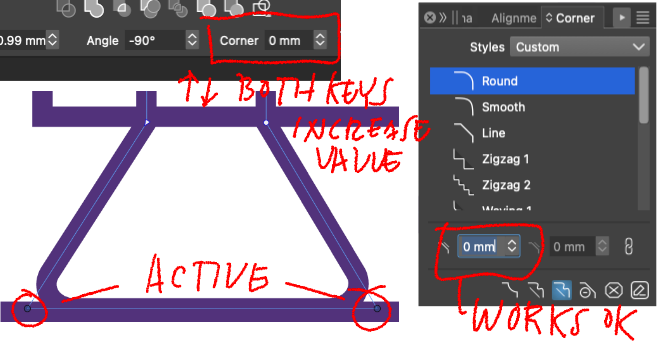
  • problem with the top numeric corner field

    5
    1
    1 Votes
    5 Posts
    37 Views
    VectorStylerV
    @Raaskot Can be replicated, it is caused by the transformed parent layer. Will be fixed