VectorStyler
    • Categories
    • Unread
    • Recent
    • Tags
    • Popular
    • Register
    • Login

    Kind of pattern selection using the Colorize feature
    Scheduled Pinned Locked Moved Tutorials
    21 Posts 3 Posters 28.2k Views 3 Watching
    Loading More Posts
    • Oldest to Newest
    • Newest to Oldest
    • Most Votes
    Reply
    • Reply as topic
    Log in to reply
    This topic has been deleted. Only users with topic management privileges can see it.
    • S Offline
      Subpath @monsterfox
      last edited by Subpath

      @monsterfox

      Well, my method may not be helpful in all cases

      Maybe you could post a sample file, here in this Thread?
      Then I can take a look at it.

      If so, please also include an example of what
      the end result should look like.
      .
      .
      You work, of course with more complex objects than I do.

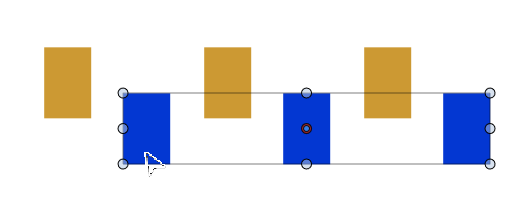
      If you want to define an object order with the Shape Builder tool,
      the objects shouldn't overlap. But the Shape Builder itself also
      works when objects are grouped.

      Win 11
      CPU: AMD Ryzen 5 9600X, 6-core.
      GPU: Nvidia Geforce RTX 5070.

      1 Reply Last reply Reply Quote -1
      • VectorStylerV Offline
        VectorStyler @monsterfox
        last edited by VectorStyler

        @monsterfox said in Kind of pattern selection using the Colorize feature:

        It would be great if grouped objects could be treated as independent ones.

        I will try to find a solution for this.

        1 Reply Last reply Reply Quote 0
        • M Online
          monsterfox @Subpath
          last edited by

          @Subpath 0_1744513960294_2.vstyler Here is the file you requested.

          S 1 Reply Last reply Reply Quote 0
          • S Offline
            Subpath @monsterfox
            last edited by

            @monsterfox

            What do you want to achieve?
            Just coloring that parts?
            Then could you show me a picture of what it should look like?

            Or create some kind of selection pattern?

            Win 11
            CPU: AMD Ryzen 5 9600X, 6-core.
            GPU: Nvidia Geforce RTX 5070.

            M 1 Reply Last reply Reply Quote 0
            • M Online
              monsterfox @Subpath
              last edited by

              @Subpath The file contains 4 to 5 groups, with both paths and fills in black. I want them to appear as separate, independent shapes and automatically change into 4 to 5 different colors.

              S 1 Reply Last reply Reply Quote 0
              • S Offline
                Subpath @monsterfox
                last edited by Subpath

                @monsterfox
                .
                .
                I've been experimenting a bit with the designs in your file.
                .
                .
                Separate filled shapes and outlines

                Filled objects can be separated from outline objects.
                By selecting filled Shapes via.
                Menu > Select > Styling > Filled
                and move them to another Place
                .
                .
                Coloring Shapes

                Coloring your Designs via Colorize makes no sense to me.
                The Designs differ to much, have different number of objects
                and/or the object order is different.

                I developed a way, but I don't know if it will work for you.
                It uses the "Selected Intersecting Shapes" feature to select shapes.
                You could color them then.

                The Video here show the Steps needed

                Once the shapes are colored, you can select them
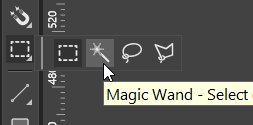
                with via the Magic Wand Mode for selecting shapes.
                Or via the way i showed in the Video.

                Important!
                The color for the circle is for selection purposes only.
                So this color should not appear in the Design.

                Win 11
                CPU: AMD Ryzen 5 9600X, 6-core.
                GPU: Nvidia Geforce RTX 5070.

                M 1 Reply Last reply Reply Quote 0
                • M Online
                  monsterfox @Subpath
                  last edited by

                  @Subpath Thank you for sharing. Although this approach doesn't quite fit my workflow, I've picked up some useful tips. My workflow is a bit complex and would take some time to explain—perhaps I'll make a video about it when I get the chance.

                  S 1 Reply Last reply Reply Quote 1
                  • S Offline
                    Subpath @monsterfox
                    last edited by Subpath

                    @monsterfox

                    Your welcome.
                    A video sounds interesting; I'd also like to learn something new. 🙂
                    But no need to rush it; do it whenever it suits you.

                    Win 11
                    CPU: AMD Ryzen 5 9600X, 6-core.
                    GPU: Nvidia Geforce RTX 5070.

                    1 Reply Last reply Reply Quote 0
                    • VectorStylerV Offline
                      VectorStyler @monsterfox
                      last edited by

                      @monsterfox said in Kind of pattern selection using the Colorize feature:

                      It would be great if grouped objects could be treated as independent ones.

                      I need some examples for this where the selection is chaotic.

                      S M 2 Replies Last reply Reply Quote 0
                      • S Offline
                        Subpath @VectorStyler
                        last edited by Subpath

                        @VectorStyler

                        In my opinion, it might look chaotic, but may not be really chaotic.

                        In all my attempts, using Colorize, the fill colors followed the selection
                        order of the shapes. I didn't get any different results in my experiments.

                        Only the trick with the ShapeBuilder to define a new selection order didn't
                        always work. I'll try to record a case if I see it again.

                        If you look at the Monsterfox sample file, the designs have different selection
                        orders. You can see this if you take a design and track the selection order
                        with "Previous" or "Next Selection." This could be the reason why the result
                        may look like chaotic / does not look as expected.
                        The Designs have also a different Object count.

                        Win 11
                        CPU: AMD Ryzen 5 9600X, 6-core.
                        GPU: Nvidia Geforce RTX 5070.

                        1 Reply Last reply Reply Quote 1
                        • M Online
                          monsterfox @VectorStyler
                          last edited by

                          @VectorStyler 0_1744971300530_4.vstyler

                          1 Reply Last reply Reply Quote 1
                          • S Offline
                            Subpath
                            last edited by

                            @VectorStyler

                            I created a video here in which Colorize doesn't
                            follow the selection order.

                            Here's the video:

                            While experimenting with this again, I noticed an curious behavior:

                            I previously selected the shapes with the Magic Wand tool.

                            But when I select the same shapes again with the
                            Rectangular Selection tool, the coloring works as expected.

                            You can see this in this video.

                            Win 11
                            CPU: AMD Ryzen 5 9600X, 6-core.
                            GPU: Nvidia Geforce RTX 5070.

                            1 Reply Last reply Reply Quote 0
                            • S Offline
                              Subpath
                              last edited by Subpath

                              @VectorStyler

                              I think i got it

                              When using the Magic Wand tool to select
                              the shapes you want to Colorize

                              you have to pick/select the first shape you selected
                              with the Shape Builder tool.

                              Then everything will work as intended.

                              here the Video

                              I am fine with this, as it seems logical to me.

                              Win 11
                              CPU: AMD Ryzen 5 9600X, 6-core.
                              GPU: Nvidia Geforce RTX 5070.

                              1 Reply Last reply Reply Quote 1
                              • S Offline
                                Subpath
                                last edited by Subpath

                                @monsterfox , @VectorStyler
                                .
                                .
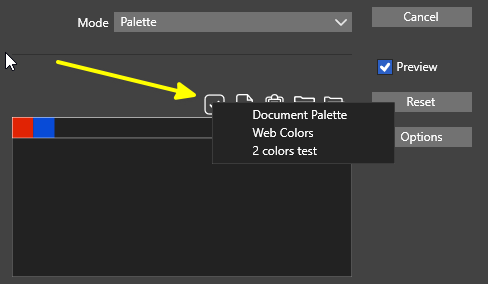
                                You can't simply create a color palette and color
                                your shapes with it.

                                There is a little more to do then this

                                Either
                                You need to determine the object order and adjust the
                                colors in your palette to that order.

                                Or create the objects of your Design according to a specific system/order
                                so that the order in which the objects are created are always the same.

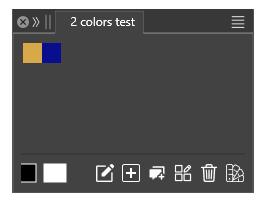
                                In addition, the number of shapes in the design must match
                                the number of colors in the color palette.

                                The Shape Builder trick can only be used to a limited extent here,
                                and only with objects that don't overlap.

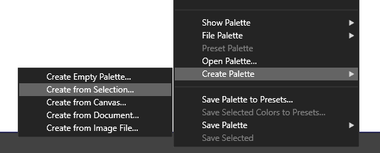
                                Here is a video where I created a color palette according to
                                the selection order of your design.

                                Here the video

                                Win 11
                                CPU: AMD Ryzen 5 9600X, 6-core.
                                GPU: Nvidia Geforce RTX 5070.

                                1 Reply Last reply Reply Quote 0
                                • First post
                                  Last post