VectorStyler
    • Categories
    • Unread
    • Recent
    • Tags
    • Popular
    • Register
    • Login
    1. Home
    2. Recent
    Log in to post
    Load new posts
    • All Topics
    • New Topics
    • Watched Topics
    • Unreplied Topics

    • All categories

    • All tags
    • W

      Expand Group Opacity question shows no difference

      Watching Ignoring Scheduled Pinned Locked Moved Questions and Support
      7
      1 Votes
      7 Posts
      44 Views
      W
      @VectorStyler said in Expand Group Opacity question shows no difference: @William-Kansepa For some settings changes you may need to reopen the document (and for others, restart the app) I think that could be the reason why it was refusing to work. Maybe an indication to mark that a certain setting requires a restart after editing it? Other software have an asterisk to indicate restart.
    • S

      I am a designer,I noticed that the entire icon system of this VS looks very cluttered, probably from different free icon libraries, and I want to create icons for it for free.

      Watching Ignoring Scheduled Pinned Locked Moved Questions and Support
      8
      1
      2 Votes
      8 Posts
      53 Views
      debraspicherD
      @shomnipotence That looks awesome
    • RidgehammerR

      Reference Image Disappears When Editing Nodes

      Watching Ignoring Scheduled Pinned Locked Moved Bugs in VectorStyler
      2
      1 Votes
      2 Posts
      23 Views
      VectorStylerV
      @Ridgehammer I will tyr to replicate and fix this as soon as possible.
    • S

      What framework does Visual Studio's UI use? Does it include default maximize, minimize, and close buttons?

      Watching Ignoring Scheduled Pinned Locked Moved Features and Ideas
      4
      2
      1 Votes
      4 Posts
      34 Views
      VectorStylerV
      @shomnipotence said in What framework does Visual Studio's UI use? Does it include default maximize, minimize, and close buttons?: Is it possible to embed the native three main items into the top right corner? Or use a Win32 title bar (which would mean a separate menu bar). Is is possible to use the Windows title bar, but it looks awful for this UI. There are a number of other apps that added custom icons for this (Affinity, Spotify, etc).
    • W

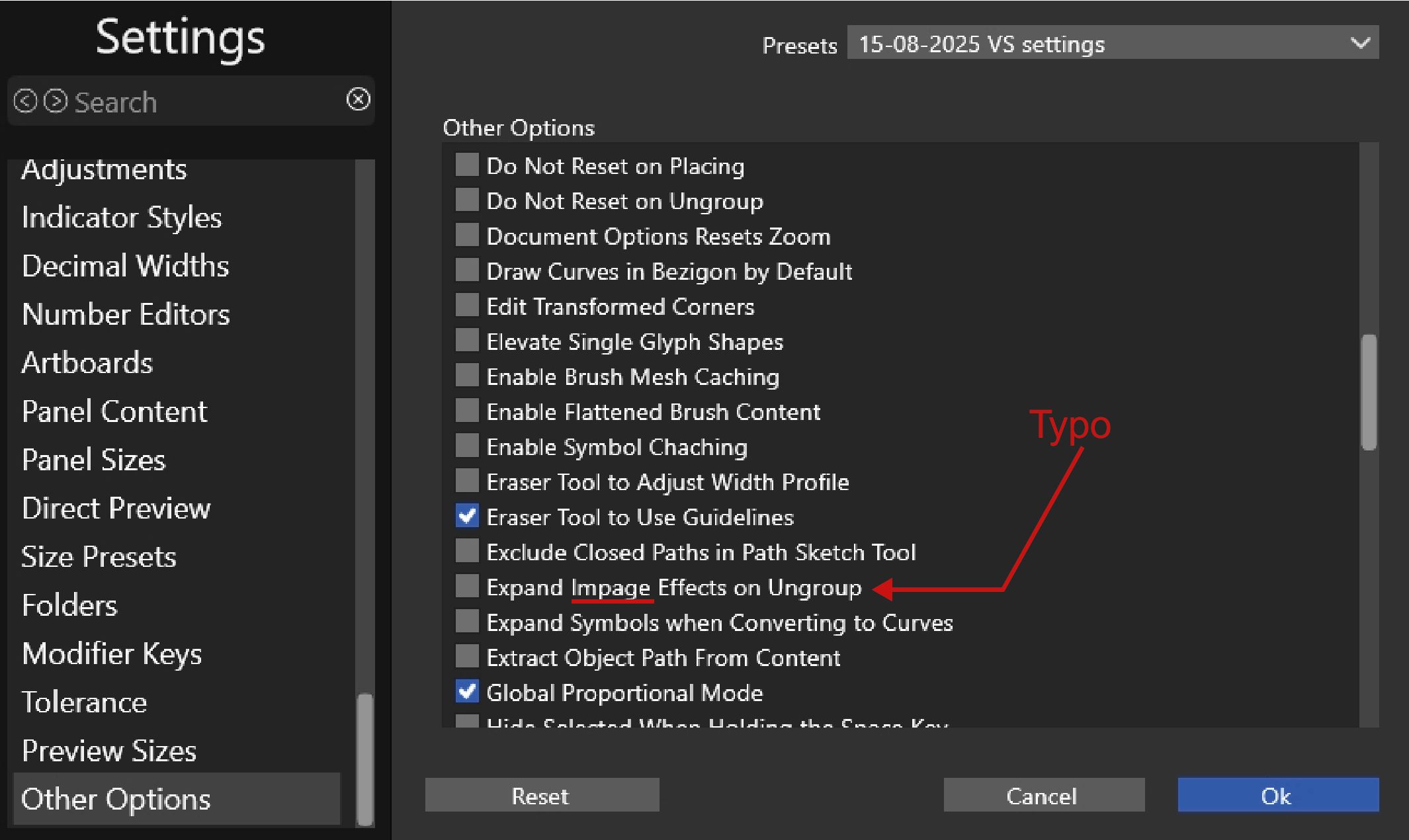
      Typo error

      Watching Ignoring Scheduled Pinned Locked Moved VectorStyler 1.2 beta
      2
      1
      2 Votes
      2 Posts
      18 Views
      VectorStylerV
      @William-Kansepa Will be fixed
    • VectorStylerV

      update 1.3.015

      Watching Ignoring Scheduled Pinned Locked Moved Announcements and News
      6
      12 Votes
      6 Posts
      63 Views
      VectorStylerV
      @William-Kansepa said in update 1.3.015: Am getting same result whether the option is checked or unchecked. I will test this more. The option name should be "Allow Ungrouping of Clipping Groups"
    • BoldlineB

      Could panels go to 30% opacity while the object is dragged overtop?

      Watching Ignoring Scheduled Pinned Locked Moved Features and Ideas
      4
      1 Votes
      4 Posts
      30 Views
      S
      got a copy of Rebelle made a video here how panel hiding in Rebelle is working
    • BoldlineB

      Is the first option in the arc meant for smaller arcs?

      Watching Ignoring Scheduled Pinned Locked Moved Questions and Support
      3
      1
      2 Votes
      3 Posts
      33 Views
      E
      @Boldline Thanks for this post. I just discovered the option key to change modes and that is very useful
    • L

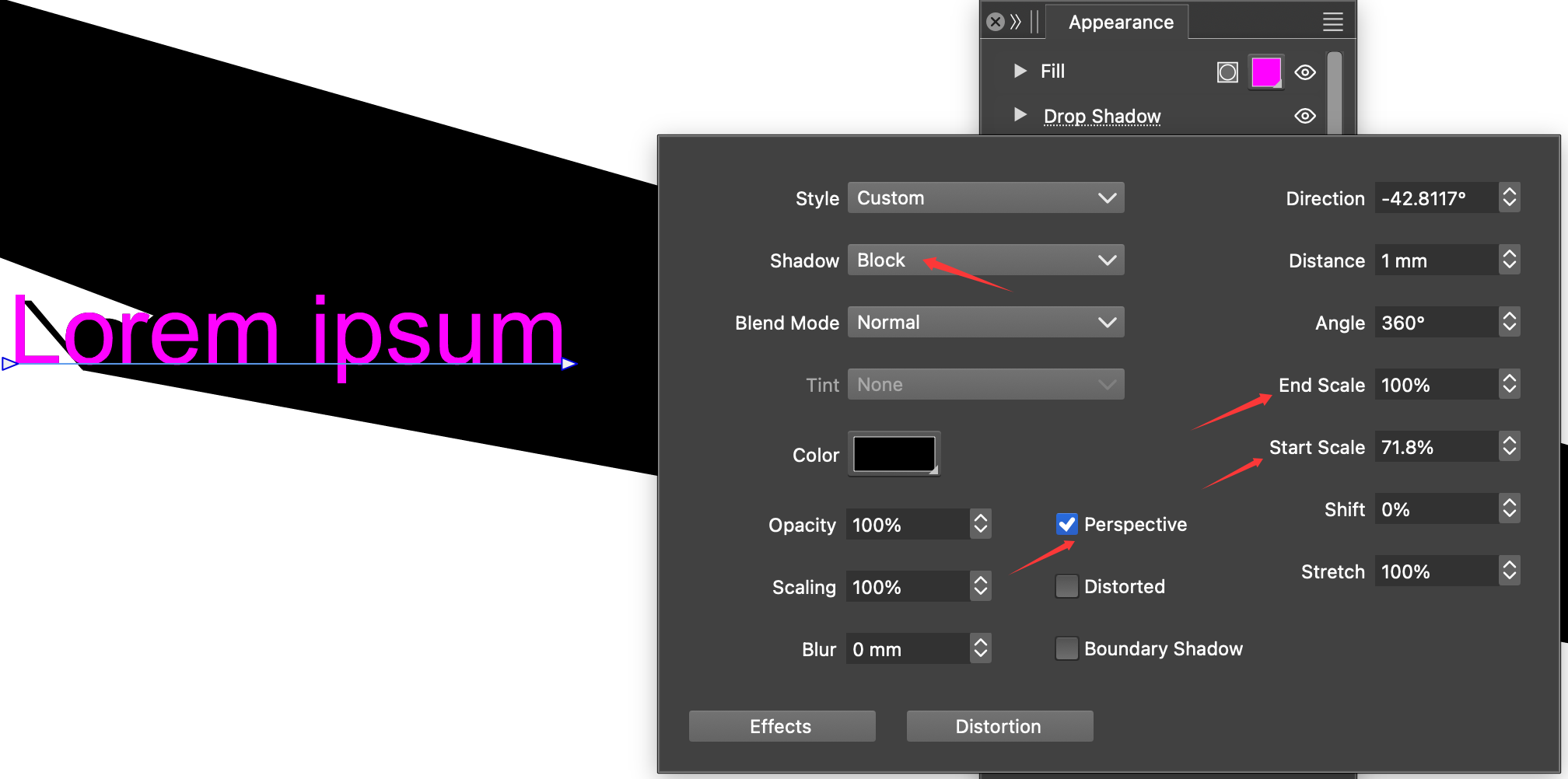
      A small bug in the Drop Shadow

      Watching Ignoring Scheduled Pinned Locked Moved Bugs in VectorStyler
      3
      1
      1 Votes
      3 Posts
      32 Views
      L
      @VectorStyler The bug is fixed. thanks. The perspective block shadow works well on shapes, but it's still struggling with text. it needs some improve.
    • BoldlineB

      Two ideas from Graphite that are worth a look

      Watching Ignoring Scheduled Pinned Locked Moved Features and Ideas
      3
      1 Votes
      3 Posts
      23 Views
      BoldlineB
      @VectorStyler yes, I agree the snap option for art board works just fine for VS. I love the snap option in VS for moving a line to be similar to another close by! I don't think I realized it could do such magic! That said, I still think the line angle lock is a cool feature I'd love to see in VS at some point when possible - just my vote and opinion
    • BoldlineB

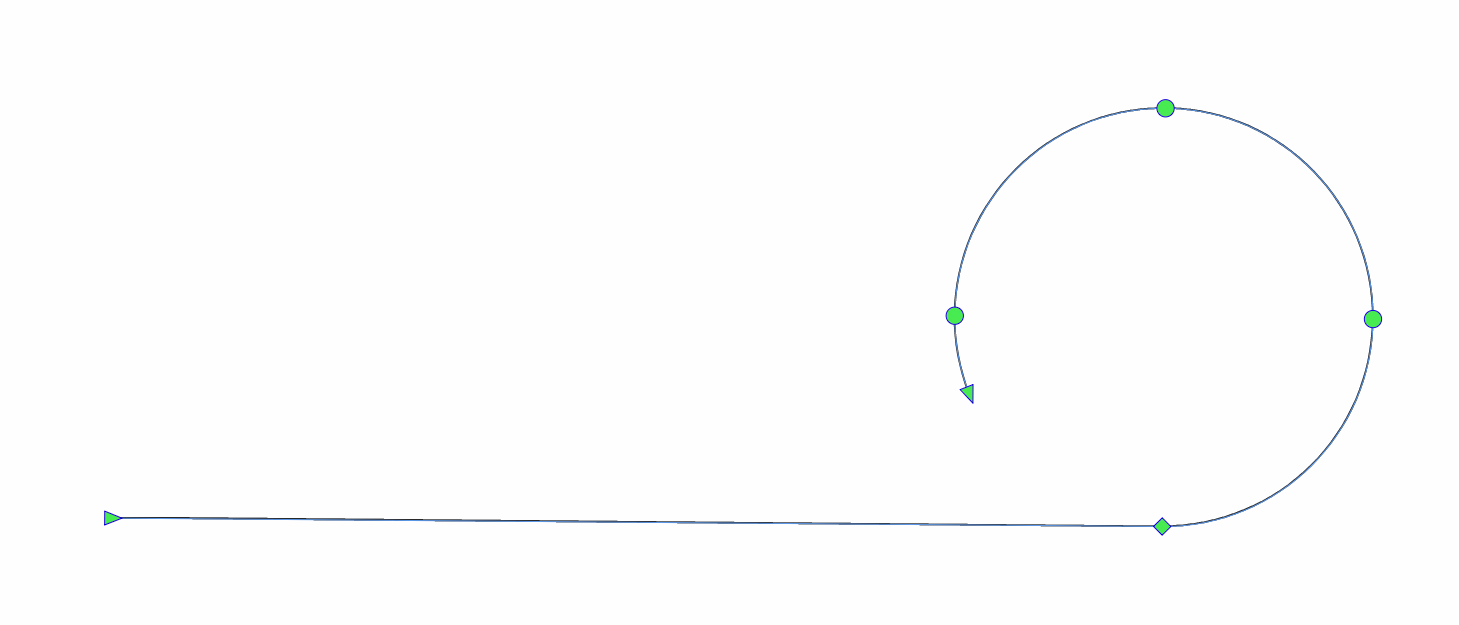
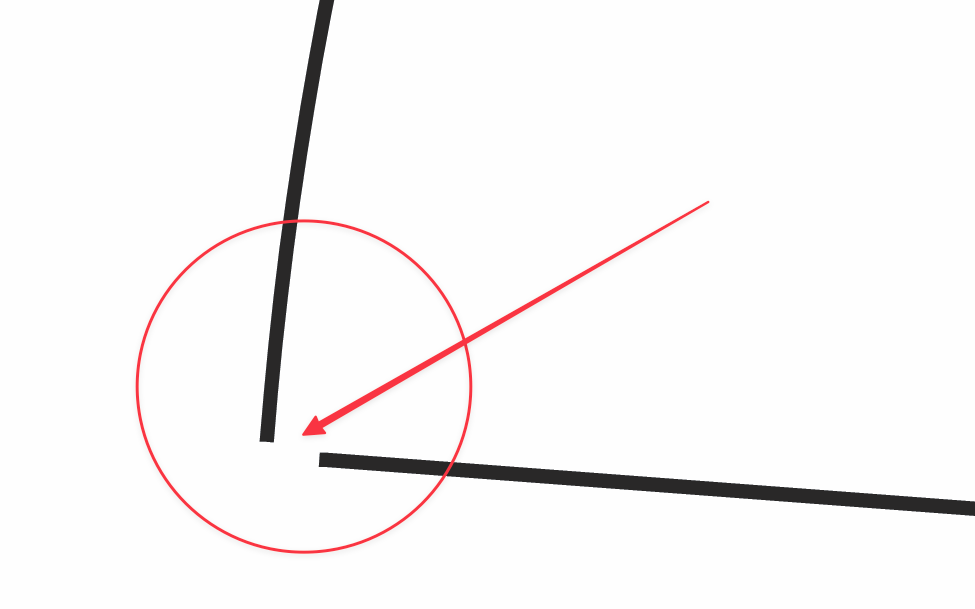
      Adding more magnetism to the arc tool when closing a path

      Watching Ignoring Scheduled Pinned Locked Moved Features and Ideas
      3
      1
      1 Votes
      3 Posts
      29 Views
      BoldlineB
      @VectorStyler thank you - yes, if I turn on snapping, it will close the path as expected. I did notice however, it does not work as well on non-circle results like I was demonstrating. If the shape is not a circle, even with the snapping on, it will not join together properly. here is a video showing this In the video, I also show how it would be helpful if the snapping would show the midpoint of the path nearby in this case right below it so I could make my node centered if I wanted to. Does this go against the principle of the tool? Because I understand it's meant to be an on the fly adjustment as you work not necessarily technical. Even as a general option for all plotting tools - it would be handy to have snapping indicate when you are at the center point of a nearby path. it works in VS when there is already a node there to represent that spot like in this video The end of the video cuts to the open source "Graphite" where it allows for that kind of thing
    • RaaskotR

      How do I keep a certain, chosen brush stroke when drawing new path?

      Watching Ignoring Scheduled Pinned Locked Moved Questions and Support
      7
      1
      1 Votes
      7 Posts
      48 Views
      RaaskotR
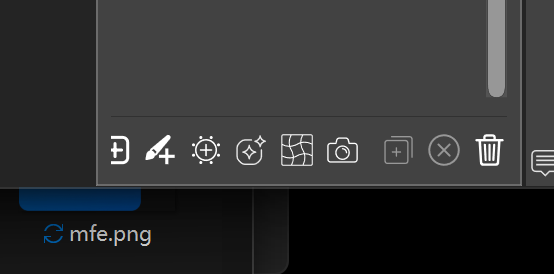
      @VectorStyler Hm, figured it out. It must be set here ... [image: 1777450854829-93c46c12-e929-451a-b581-c04526bd7dac-image.png]
    • debraspicherD

      Using Mouse to Delete Nodes

      Watching Ignoring Scheduled Pinned Locked Moved Questions and Support
      22
      1 Votes
      22 Posts
      97 Views
      debraspicherD
      @Ingolf No, I do get it. That feeling is hard to replace. I learned to type on a typewriter so that's probably why I'm adjusted to working with a lot of key travel. I've seen the "drummy" keyboards and they do sound so nice on a good surface and look fun to use. I need my wrists to be stay relatively mobile especially as a tablet user. The Keychrons are not impervious to issues. I had a bit of key chatter on occasion with the Q6 Max when I first started with it probably because of the rubber gaskets, but I think the board broke in enough that it settled because I don't really have a problem now with it. (It did require a firmware update, though)
    • F

      Global gradient colors from Illustrator are reversed

      Watching Ignoring Scheduled Pinned Locked Moved Bugs in VectorStyler
      2
      2
      1 Votes
      2 Posts
      22 Views
      VectorStylerV
      @flachware This is a bug, I will try to fix it as soon as possible. Can you send me an Illustrator file to csraba at vectorstyler.com with a gradient where this occurs?
    • S

      Would like a possibility to cycle through color stops in a gradient

      Watching Ignoring Scheduled Pinned Locked Moved Features and Ideas
      3
      2
      2 Votes
      3 Posts
      34 Views
      S
      @VectorStyler Thanks, appreciate it.
    • W

      Change Screen Mode does not work

      Watching Ignoring Scheduled Pinned Locked Moved VectorStyler 1.2 beta
      7
      1 Votes
      7 Posts
      35 Views
      W
      @VectorStyler said in Change Screen Mode does not work: Is this the "Single Document View" mode? this should be inactive if no document is open. This is happening when I have open documents.
    • W

      Absence of a dedicated VectorStyler 1.3 Bugs section

      Watching Ignoring Scheduled Pinned Locked Moved Features and Ideas
      2
      1 Votes
      2 Posts
      21 Views
      VectorStylerV
      @William-Kansepa The current version bugs are posted in the Bugs section. The 1.2 beta bugs had a separate section because there was a 1.2 beta while 1.1 was still the current version. There was no 1.3 beta, but I should have cleared the Bugs section from older bugs (will take some time).
    • VectorStylerV

      update 1.3.012

      Watching Ignoring Scheduled Pinned Locked Moved Announcements and News
      6
      7 Votes
      6 Posts
      64 Views
      VectorStylerV
      @monsterfox Fixed
    • H

      Nodes rendering problem in exporting / printing PDFs

      Watching Ignoring Scheduled Pinned Locked Moved Bugs in VectorStyler
      2
      1
      1 Votes
      2 Posts
      20 Views
      VectorStylerV
      @Harry I will try to replicate and fix this
    • BoldlineB

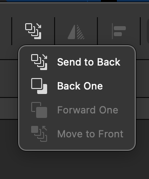
      Arrange order icons - more intuitive and clean option?

      Watching Ignoring Scheduled Pinned Locked Moved Features and Ideas
      17
      2
      1 Votes
      17 Posts
      83 Views
      H
      @Boldline said in Arrange order icons - more intuitive and clean option?: the "arrange order" icons in Affinity seem more intutive to me than what we have in VS and it looks cleaner: I like the VS solution better and faster to use. In my opinion, even icons are clearer in VS.