Seamless Pattern Editable Generator with Preview
-
The topic of a "Seamless Pattern Editable Generator with Preview" has been discussed several times over the years on the forum.
@syllie had recently brought up a topic related to this in part the other day@Subpath has generously created and shared some tutorials about creating seamless patterns.
I appreciate his efforts but it lacks an intuitive nature and seems complex, expecially in comparison to the options Illustrator offers.I have posted about the desire for a lower-opacity option preview of the layout of the seamless pattern
@VectorStyler, you replied, "it is possible to have real time preview while editing the pattern content.
This can be done by having the pattern content in the document and creating a pattern style (not preset) using the "Reference Content" mode enabled.Then editing the content object previews all uses of the pattern."
I tried this here but I'm not seeing how it creates the realtime preview while allowing the for the pattern objects to be easily adjusted: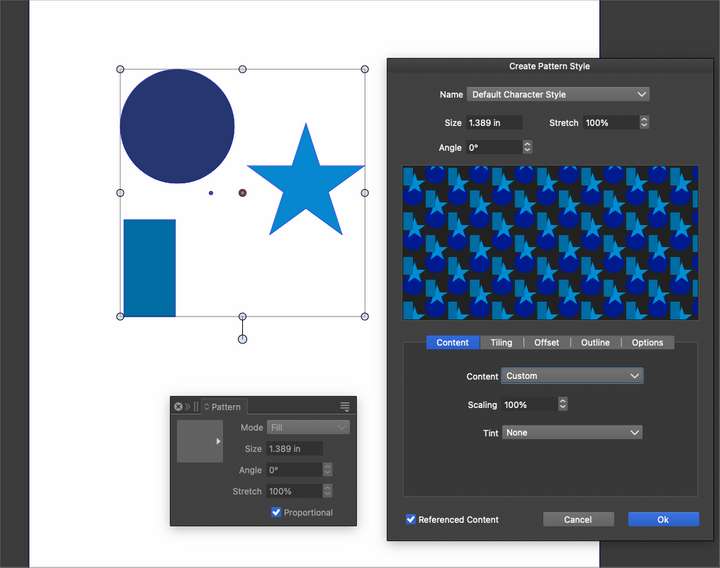
There has also been talk about how the awesome repeater tool could be used to create patterns as well.
From what I see overall, while VS offers options to create seamless patterns, it lacks an intuitive visual editing on-the-fly approach to creating seamless patterns that the user can modify in real time and see a preview of that pattern updated as they modify it.
In the video I created several independent shapes and then turned on the pattern panel and then edited the pattern. it immediately created a repeating low opacity preview of the pattern and shows the bounding box of what the original pattern would be. I am able to scale, rotate, style the shapes in any way I choose and the result updates in real time. One of the bigger benefits in this is the ability for the user to create a unique spacing layout that repeats perfectly- as opposed to only being able to create a standard repeat like with repeater
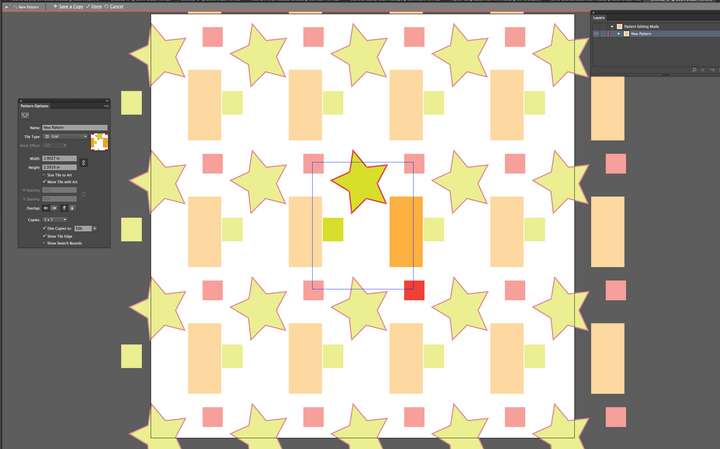
Lastly, here is a video from a designer named Von Glitschka
He goes over in more detail how he uses the illustrator pattern panelIn my humble opinion, adding these features to the VS pattern panel would be a valuable addition and would be expected by users switching over to VS. It would add to the user-friendly aspect and help many of us who want to create seamless patterns in real time without having to guess
-
@Boldline Thank you for bringing this up (again). Like you mentioned, there have been earlier discussions and requests for such a feature. One that I bumped in yesterday was this : https://www.vectorstyler.com/forum/topic/2786/seamless-pattern-generator
I have made things 'work' by creating 2 artboards, setting up a 'referenced' pattern on the small one (representing the completed tile) and displaying the seamless use on a large artboard. It is a bit cumbersome. I follows largely the technique I have been using for many years in Inkscape, and what @Subpath documented for VS.
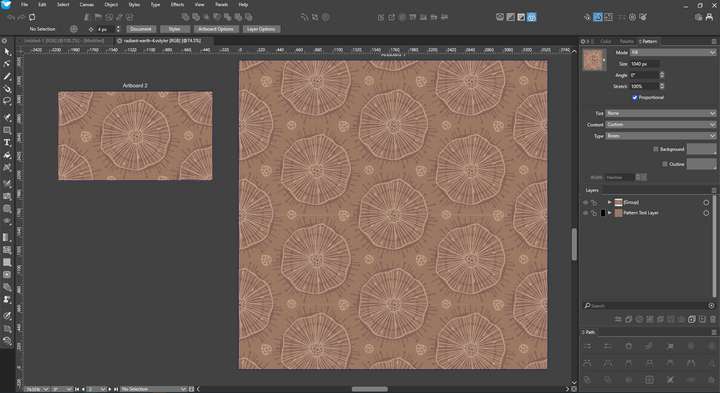
@VectorStyler Seamless pattern creation (for my purpose as surface pattern designer) opens up a huge industry with potentially a lot of users. The output required is a square (rectangle) tile, which includes the applied repeat as a whole (a square no matter if the pattern orignates from a hexagonal, half brick or whatever repeat). Then we need to export the design in several colourways (limited palette). The design I was working on yesterday was a recreation of a hand drawn pattern on a hex basis, which I had exported and now had a desire for to make it a vector.
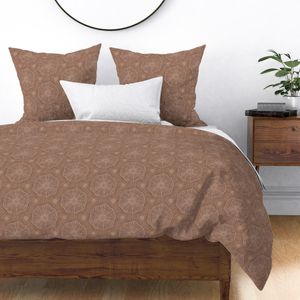
I hand drew this in Amaziograph (which is amazing for this purpose) and which always yields a repeatable pattern. You do select a grid and set the size to work on initially, which means the ratios for height/width are knowns.
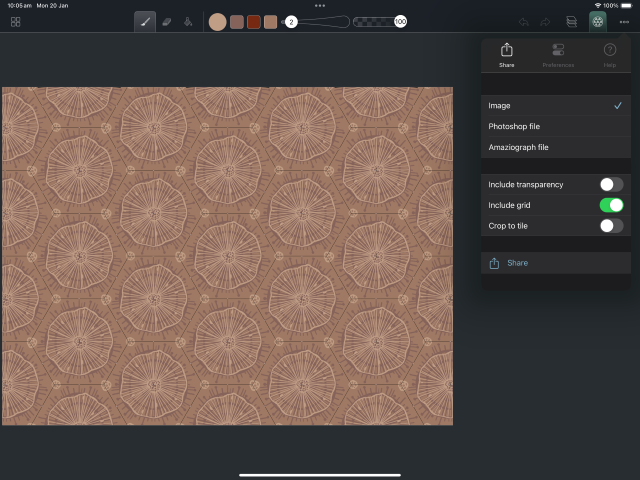
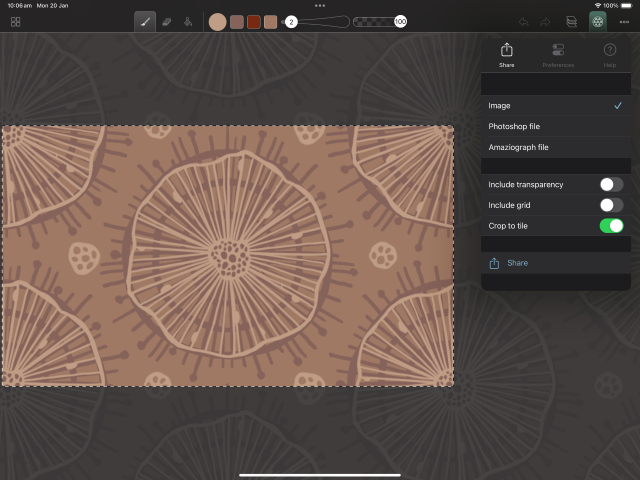
I traced it (in Inkscape, as I know my way around there better) and then made the repeat pattern there. Then I tried to do the same thing in VS, where I ran into some issues (which may have had to do with the transition of the svg from Inkscape to VS due to internal transformations but I was not able to figure out what was the cause).VS shines from this point forward for this particular user group as the replace colors / replace color from palette is THE single most wanted feature for surface pattern designers (for textiles). We often work in a limited palette (8-12 colours, can be less, can be more) and cycling through this palette to find the best styles is brilliant. Such functionality is only readily available in that big commercial brother that we try to avoid.
Of course tracing a raster causes its own discrepancies so the seamless aspect at the edges was not perfect. So I rebuild the pattern manually to overcome that. With a solution as proposed by Boldline, this would all be done in a pinch.
Although I dislike to refer to 'them', Adobe Capture (on mobile & tablets) allows for 'Pattern building' in a similar way, by dragging components from your library (svg or raster) onto a similar automatically patterned view. It also allows you to build patterns from adhoc images and is heaps of fun to play with. There is synergy between Fresco (now free) and Capture (also free) which makes this a viable part for experimentation. I utilize these types of patterns as starting point for further exploration and turn them into vectors for developing a more professional surface pattern with colourways.
Big post, but I hope it shines some light on my workflow/use-case.
-
This could be a very key add and especially if the interface is streamlined/improved in VS, would make it a powerhouse for many Illustrators. I'm making templates to try to replicate a pattern-making process I might do in other software, but for complicated repeats like half-drops, etc, it requires the creation of individual templates which can be time consuming. There's also more complication when working on these "tiles" in the Layers panel for complex illustrations.
Other applications are also missing this feature and it's one of the features that keep people on Adobe, for instance, which is Pattern Tool. There's not much that's comparable to it out there on the Windows side, at least.
Affinity has Pattern Layers, but they're raster. For Vector, it also relies on the creation of Clones/Symbols. Affinity has many bugs and it's not reliable for professional output, so I believe VS has a lot of potential in this area to open the programs up more to this demographic...
-
What do think about "Paragraphics" ?
I think it have also some interesting concepts.I know the Repeater offers also a lot of powerful options
but it took sometime to know them wellHere a link of a previous post
https://www.vectorstyler.com/forum/topic/4786/paragraphic-from-lost-minds-software-is-avaible-now/14
-
@Subpath Looks fantastic if there are completed rasters already to throw at it, then it's a little fun engine. Not so good if it is in early drawing/design stages and want to actually experiment by adding things with brushwork or vector tools. I do a lot of detail work by hand.
VS wouldn't need as much complexity. Just some way to create tiles in fairly standard ways and that updates while we work, without clones and having to busy up the Layers panel.
That did remind me. I had coded a small page on my WAMP install so that when I saved rasters to a specific folder, it added clickable buttons for testing different patterns. That's how I got around not having the ability to Preview in illustration programs. And to do so full screen was also helpful.