VectorStyler
    • Categories
    • Unread
    • Recent
    • Tags
    • Popular
    • Register
    • Login

    Detail optimization and function enhancement

    Scheduled Pinned Locked Moved Questions and Support
    87 Posts 6 Posters 97.0k Views 4 Watching
    Loading More Posts
    • Oldest to Newest
    • Newest to Oldest
    • Most Votes
    Reply
    • Reply as topic
    Log in to reply
    This topic has been deleted. Only users with topic management privileges can see it.
    • M Offline
      monsterfox @VectorStyler
      last edited by

      @VectorStyler The eraser tool cannot erase unnecessary paths by single-clicking, and can only be operated by clicking and moving the mouse. I also hope this point can be optimized.

      VectorStylerV 1 Reply Last reply Reply Quote 1
      • VectorStylerV Offline
        VectorStyler @monsterfox
        last edited by

        @monsterfox I will try to improve this.

        M 1 Reply Last reply Reply Quote 0
        • M Offline
          monsterfox @VectorStyler
          last edited by

          @VectorStyler 0_1748703536459_mmexport1748701979704.png
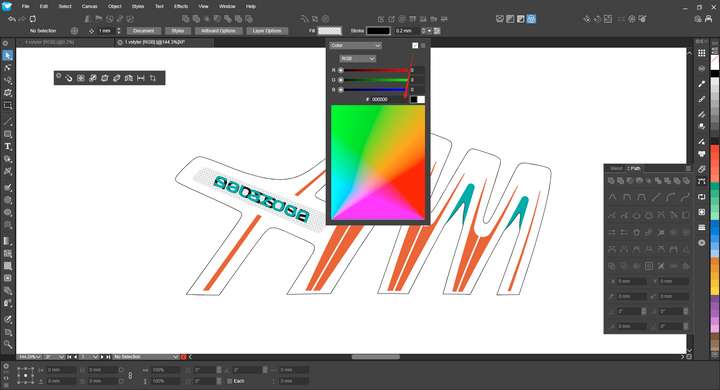
          Since I haven't used this function to remove color information for a long time, I was stunned for a few seconds at first glance before finding this icon. It is suggested to move it to the position of the color box below.

          VectorStylerV 2 Replies Last reply Reply Quote 1
          • VectorStylerV Offline
            VectorStyler @monsterfox
            last edited by

            @monsterfox I added this to the backlog.

            1 Reply Last reply Reply Quote 0
            • VectorStylerV Offline
              VectorStyler @monsterfox
              last edited by

              @monsterfox said in Detail optimization and function enhancement:

              It is suggested to move it to the position of the color box below.

              The problem here is that the "remove" icon does not mean removing the "color", but the "fill". That is: it must be available for any of the selections made on the top-left dropbox.

              M 2 Replies Last reply Reply Quote 0
              • M Offline
                monsterfox @VectorStyler
                last edited by

                @VectorStyler https://youtu.be/76XU1spklUk?feature=shared
                Here are the issues and suggestions:

                1. These tools can't display parameters in real time. When using the straight line tool, it's often just a temporary measuring tool, and I need to undo the operation after checking the angle. The offset tool also can't update in real time, while the drawn straight lines have this function.
                2. After using the offset tool, the stroke shifts, but the "skeleton" (not sure about the correct term, temporarily called skeleton) stays in place. In scenarios like the example, when duplicating a graphic in place and offsetting the upper path, it's mostly impossible to select the lower graphic—instead, the upper "skeleton" gets selected. Hope the offset tool can make the skeleton and stroke shift as a whole for easier selection of other graphics.
                3. The rounded endpoints show abnormal transitions when using the width tool. For regular flat endpoints, even if the value in the width tool panel is 0, they aren't sharp corners when zoomed in, while AI handles these two points normally. Hope these aspects can be optimized. Thank you!

                1 Reply Last reply Reply Quote 1
                • M Offline
                  monsterfox @VectorStyler
                  last edited by

                  @VectorStyler https://youtu.be/ue82sR20BcE?feature=shared
                  There are still issues with the path extension tool. I intended to slide downward, but it slid upward instead. Testing revealed that it requires being very close to the bone to control it well. If the pointer is moved away slightly, it becomes difficult to control. I hope this can be optimized. My idea is to treat the control point as a center point. A horizontal upward 180 degrees allows free control of upward sliding, while downward would be the reverse 180 degrees to manipulate the control point. This should yield a better effect. Thank you.

                  VectorStylerV 1 Reply Last reply Reply Quote 1
                  • VectorStylerV Offline
                    VectorStyler @monsterfox
                    last edited by VectorStyler

                    @monsterfox Send me the file with that curve. Sometimes it depends on path curvature and the last control point.

                    M 3 Replies Last reply Reply Quote 0
                    • M Offline
                      monsterfox @VectorStyler
                      last edited by

                      @VectorStyler My results with the straight-line test are the same.
                      0_1749550912370_5_2.vstyler

                      1 Reply Last reply Reply Quote 0
                      • M Offline
                        monsterfox @VectorStyler
                        last edited by

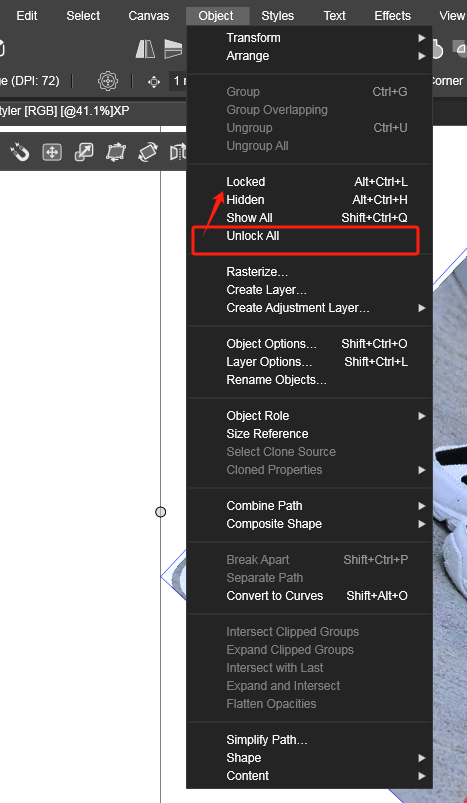
                        @VectorStyler Move this menu upward, please.0_1749911708639_mmexport1749911581695.png

                        1 Reply Last reply Reply Quote 1
                        • M Offline
                          monsterfox @VectorStyler
                          last edited by

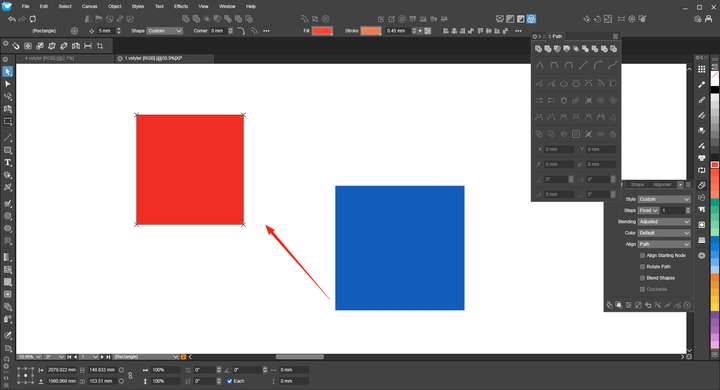
                          @VectorStyler 0_1750777288469_mmexport1750777215593.png The red shape is a locked graphic. I tried to align the blue shape with the red one, but found that the operation isn't feasible. This function works in other programs.

                          VectorStylerV 1 Reply Last reply Reply Quote 1
                          • VectorStylerV Offline
                            VectorStyler @monsterfox
                            last edited by

                            @monsterfox I will improve this.

                            1 Reply Last reply Reply Quote 0
                            • M Offline
                              monsterfox
                              last edited by

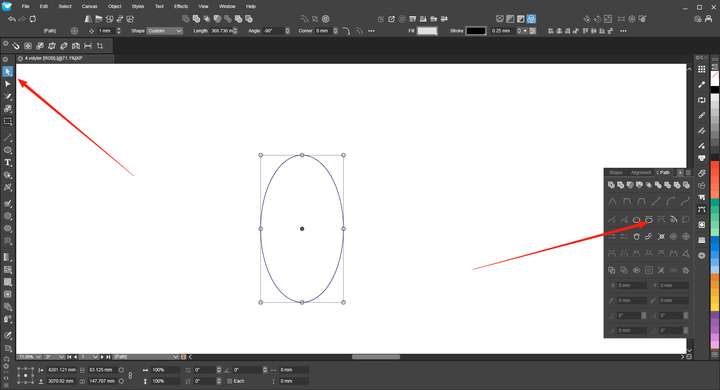
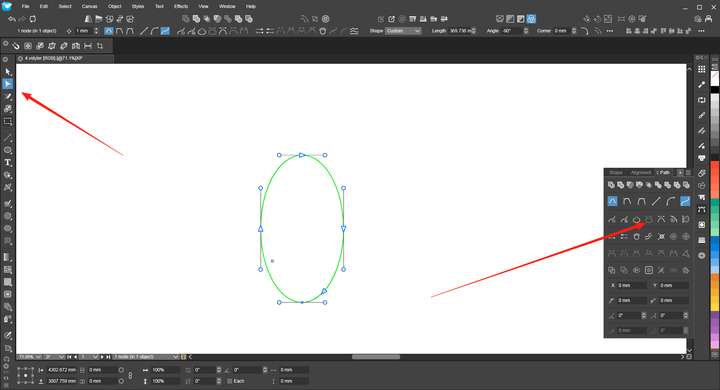
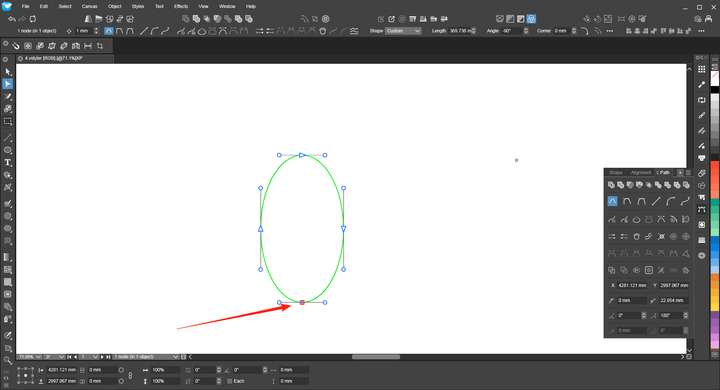
                              @VectorStyler Strictly speaking, this is an error. When using the Direct Selection Tool and the Node Tool on an unclosed path, the results displayed in the Path panel are different, which needs to be fixed.!2_1750950034005_mmexport1750948282437.png 1_1750950033992_mmexport1750948280840.png 0_1750950033981_mmexport1750948278018.png

                              VectorStylerV 1 Reply Last reply Reply Quote 1
                              • VectorStylerV Offline
                                VectorStyler @monsterfox
                                last edited by

                                @monsterfox I added this to the backlog.

                                M 1 Reply Last reply Reply Quote 0
                                • M Offline
                                  monsterfox @VectorStyler
                                  last edited by

                                  @VectorStyler Draw two shapes, A and B. Group them together. Use the selection tool to select shape A and press Ctrl+D (duplicate in place). The newly generated shape will be grouped together with A and B. This logic is incorrect; it should be independent instead. It is hoped that this issue will be fixed.

                                  E VectorStylerV 2 Replies Last reply Reply Quote 1
                                  • E Offline
                                    EricP @monsterfox
                                    last edited by

                                    @monsterfox I don't think this logic is incorrect.
                                    Duplicate a member of a group, the copy belongs to that group. Affinity works the same way

                                    M 1 Reply Last reply Reply Quote 0
                                    • M Offline
                                      monsterfox @EricP
                                      last edited by

                                      @EricP I'm using Freehand, and it follows the same logic as I described. Having the in-place duplicated shapes grouped together is For example, if I need to offset the path of the newly generated shape, being in a group reduces flexibility and makes the process feel restrictive.

                                      1 Reply Last reply Reply Quote 0
                                      • S Offline
                                        Subpath
                                        last edited by

                                        Dont know whats the right or best one in this case.
                                        Just wondering that Corel Draw keep a duplicated shape
                                        of a group ( using CTRL D) also in the Group.

                                        Whereby using CTRL C and CTRL V put that Shape
                                        outside of a group, in VectorStyler and Corel Draw.

                                        Win 11
                                        CPU: AMD Ryzen 5 9600X, 6-core.
                                        GPU: Nvidia Geforce RTX 5070.

                                        1 Reply Last reply Reply Quote 0
                                        • VectorStylerV Offline
                                          VectorStyler @monsterfox
                                          last edited by

                                          @monsterfox said in Detail optimization and function enhancement:

                                          The newly generated shape will be grouped together with A and B.

                                          This is a bit problematic. Currently any duplication will be done inside the same Layer / Group as the source.

                                          But there could be an option in the future to control this.

                                          M 2 Replies Last reply Reply Quote 0
                                          • M Offline
                                            monsterfox @VectorStyler
                                            last edited by

                                            @VectorStyler https://youtu.be/9ZGx038Sd6w?feature=shared
                                            The Contour cannot be preset, so it has to be reset every time you use it, which is very troublesome.

                                            VectorStylerV M 2 Replies Last reply Reply Quote 1
                                            • First post
                                              Last post