VectorStyler
    • Categories
    • Unread
    • Recent
    • Tags
    • Popular
    • Register
    • Login

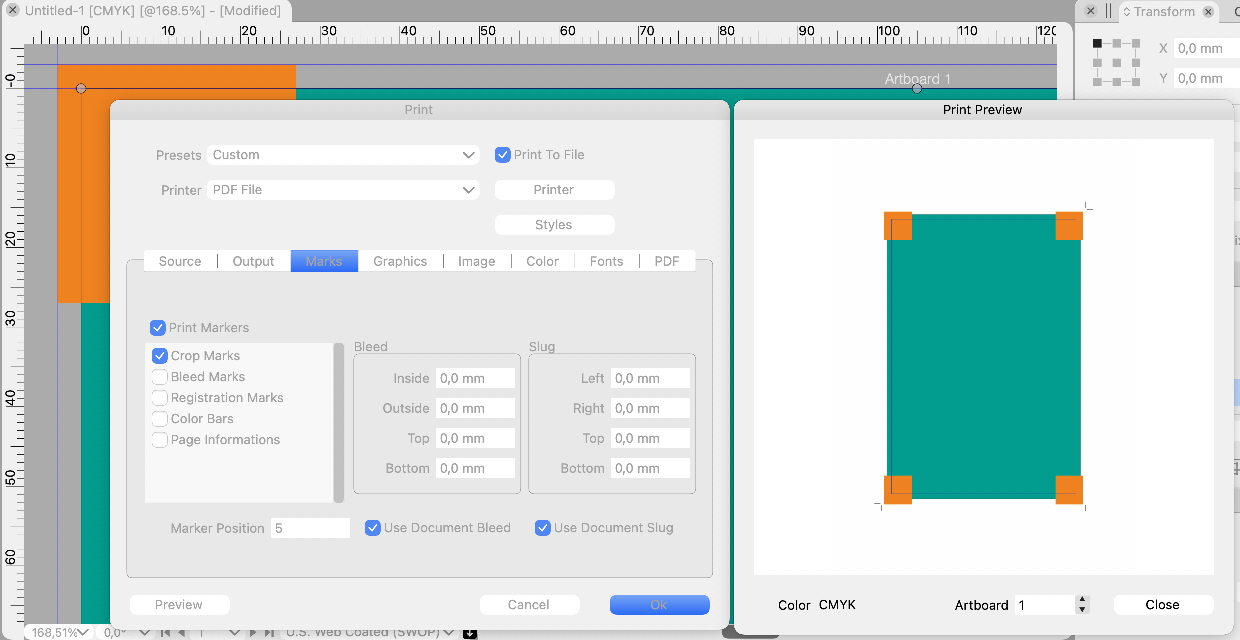
    Printer marks do not work correctly
    Scheduled Pinned Locked Moved Resolved Issues
    25 Posts 4 Posters 53.7k Views 1 Watching
    Loading More Posts
    • Oldest to Newest
    • Newest to Oldest
    • Most Votes
    Reply
    • Reply as topic
    Log in to reply
    This topic has been deleted. Only users with topic management privileges can see it.
    • 861475_VctSt8 Offline
      861475_VctSt @VectorStyler
      last edited by

      @vectoradmin

      (ver1.0.039)

      I think the basic problem has been cleared. How do people in each field evaluate the results?
      👇
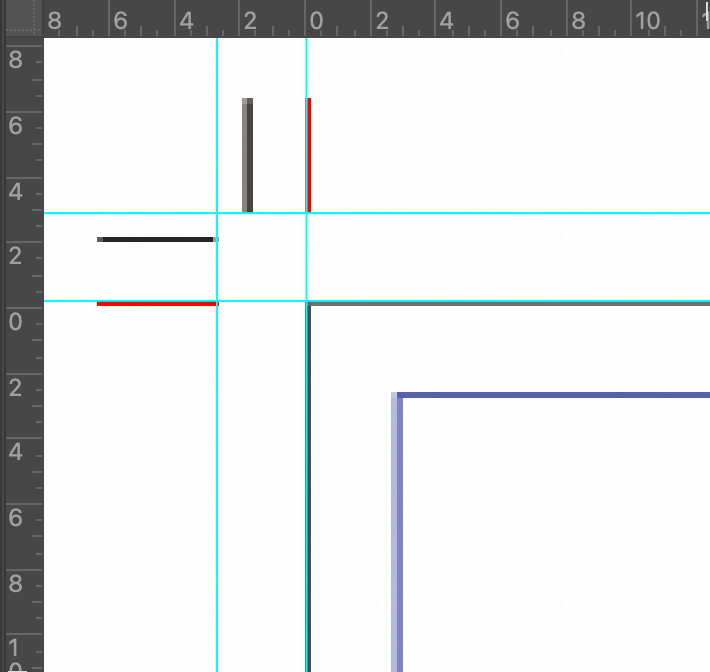
      The black of the crop and bleed mark is not richy black. Please fix it.

      LIc. 0 OS10.15.8
      MacBook Air (13-inch, Mid 2012) / Intel Core i5, 8GB / Intel HD Graphics 4000
      LIc. 1 OS15.7.4
      MacBook Pro (14-inch, 2023) / Apple M2 Pro, 16GB / Apple GPU

      b77B VectorStylerV 2 Replies Last reply Reply Quote 1
      • b77B Offline
        b77 @861475_VctSt
        last edited by b77

        @861475_VctSt said in Printer marks do not work correctly:

        The black of the crop and bleed mark is not richy black. Please fix it.

        @861475_VctSt I guess you mean they should be in Registration Color, so they will include any Spot colors that might be present.

        MacBook Pro (Intel) running Monterey 12.6.4

        861475_VctSt8 1 Reply Last reply Reply Quote 0
        • 861475_VctSt8 Offline
          861475_VctSt @b77
          last edited by 861475_VctSt

          @b77
          @vectoradmin

          sorry.
          I was in a hurry and omitted the explanation, so it seems that my true intention was not conveyed.

          Here. I will rewrite it.

          I output the VS document as a PDF (by japan color coated2001) and checked the separation with Acrobat.

          issue:
          The "Bleed Marks" and "Crop Marks" in the corner were single color K100 (grey100 depending on the environment).
          The Registration color (100% of C, M, Y, K) is desirable for these marks.

          On the other hand, "Registration Marks" was output at 100% of C, M, Y, K. This was correct.

          From another point of view, K100 may be possible with the intention of using ink eco-friendly.
          Then, what about the idea of rich black (C40, M40, Y40, K100)?

          EDIT:
          The above two marks on the issue have a line width of 0.14 mm and are a little thick. I think about 0.09mm is good.

          LIc. 0 OS10.15.8
          MacBook Air (13-inch, Mid 2012) / Intel Core i5, 8GB / Intel HD Graphics 4000
          LIc. 1 OS15.7.4
          MacBook Pro (14-inch, 2023) / Apple M2 Pro, 16GB / Apple GPU

          1 Reply Last reply Reply Quote 1
          • VectorStylerV Offline
            VectorStyler @861475_VctSt
            last edited by

            @861475_VctSt The bleed / crop mark color (and width) is fixed in build 1.0.041.

            861475_VctSt8 1 Reply Last reply Reply Quote 0
            • 861475_VctSt8 Offline
              861475_VctSt @VectorStyler
              last edited by

              @vectoradmin

              (1.0.041)
              The basic functions seem to have been fixed.
              As I mentioned in the previous post, it is better to fix the line widths of marks.
              Improvement: Each of the following should be set to 0.09mm.
              -Crop:0.18mm <- too thick
              -Bleed:0.18mm <- too thick
              -Resistration:0.02mm <- too thin

              In actual printing, various data are pasted on the outside of the Artboard as needed depending on the process.
              However, I think this is sufficient for small office.

              LIc. 0 OS10.15.8
              MacBook Air (13-inch, Mid 2012) / Intel Core i5, 8GB / Intel HD Graphics 4000
              LIc. 1 OS15.7.4
              MacBook Pro (14-inch, 2023) / Apple M2 Pro, 16GB / Apple GPU

              1 Reply Last reply Reply Quote 1
              • First post
                Last post
