VectorStyler
    • Categories
    • Unread
    • Recent
    • Tags
    • Popular
    • Register
    • Login
    1. Home
    2. Bugs in VectorStyler
    3. VectorStyler 1.1 Bugs
    Log in to post
    Load new posts
    • Recently Replied
    • Recently Created
    • Most Posts
    • Most Votes
    • Most Views
    • P

      Grid Panel units not synced to Document/Grid Editor units

      Watching Ignoring Scheduled Pinned Locked Moved
      2
      1 Votes
      2 Posts
      3k Views
      VectorStylerV
      @pentool Replicated, fix will be in the next build.
    • P

      Grid Presets don't update in Grid Editor unless you toggle Preview checkbox

      Watching Ignoring Scheduled Pinned Locked Moved
      3
      2 Votes
      3 Posts
      4k Views
      VectorStylerV
      @pentool Replicated, will be fixed in the next build.
    • P

      Selecting "Local Artboard" will change Artboard Size to A4 in Canvas Options dialog

      Watching Ignoring Scheduled Pinned Locked Moved
      2
      1 Votes
      2 Posts
      3k Views
      VectorStylerV
      @pentool Replicated, will be fixed in the next build.
    • P

      Layers panel doesn't show up

      Watching Ignoring Scheduled Pinned Locked Moved
      6
      1 Votes
      6 Posts
      6k Views
      P
      @VectorStyler I did send you the workspace and settings files, too. It was shortly before this happened. Maybe that would help, too.
    • P

      Multiple nodes cannot be moved when selected by SHIFT but can if you drag-select them

      Watching Ignoring Scheduled Pinned Locked Moved
      4
      0 Votes
      4 Posts
      5k Views
      P
      @b77 Thanks, email sent.
    • P

      Glitch: shape bounding rect is incorrect

      Watching Ignoring Scheduled Pinned Locked Moved
      7
      0 Votes
      7 Posts
      7k Views
      b77B
      @VectorStyler There has to be a percent-based scaling formula that makes it work for cases where a selected node is not at the extrema of the segment and thus not at the edge of the bounding box, if this is what you mean.
    • P

      Action folders cannot be rearranged. Folder will turn into an action icon.

      Watching Ignoring Scheduled Pinned Locked Moved
      2
      0 Votes
      2 Posts
      3k Views
      VectorStylerV
      @pentool I added this to the backlog, will try to fix it for the next build.
    • P

      Adjusting color value with arrow keys is problematic

      Watching Ignoring Scheduled Pinned Locked Moved
      3
      1 Votes
      3 Posts
      4k Views
      VectorStylerV
      @pentool This will be fixed in the next build, with one exception: Using the Shift key will have an unintended dual function here: one is to scroll the number with a larger step, and another is to apply the color to the alternate target (in this case to the stroke). Modifier keys are configurable, but I will think of a better solution for this in the future.

    • P

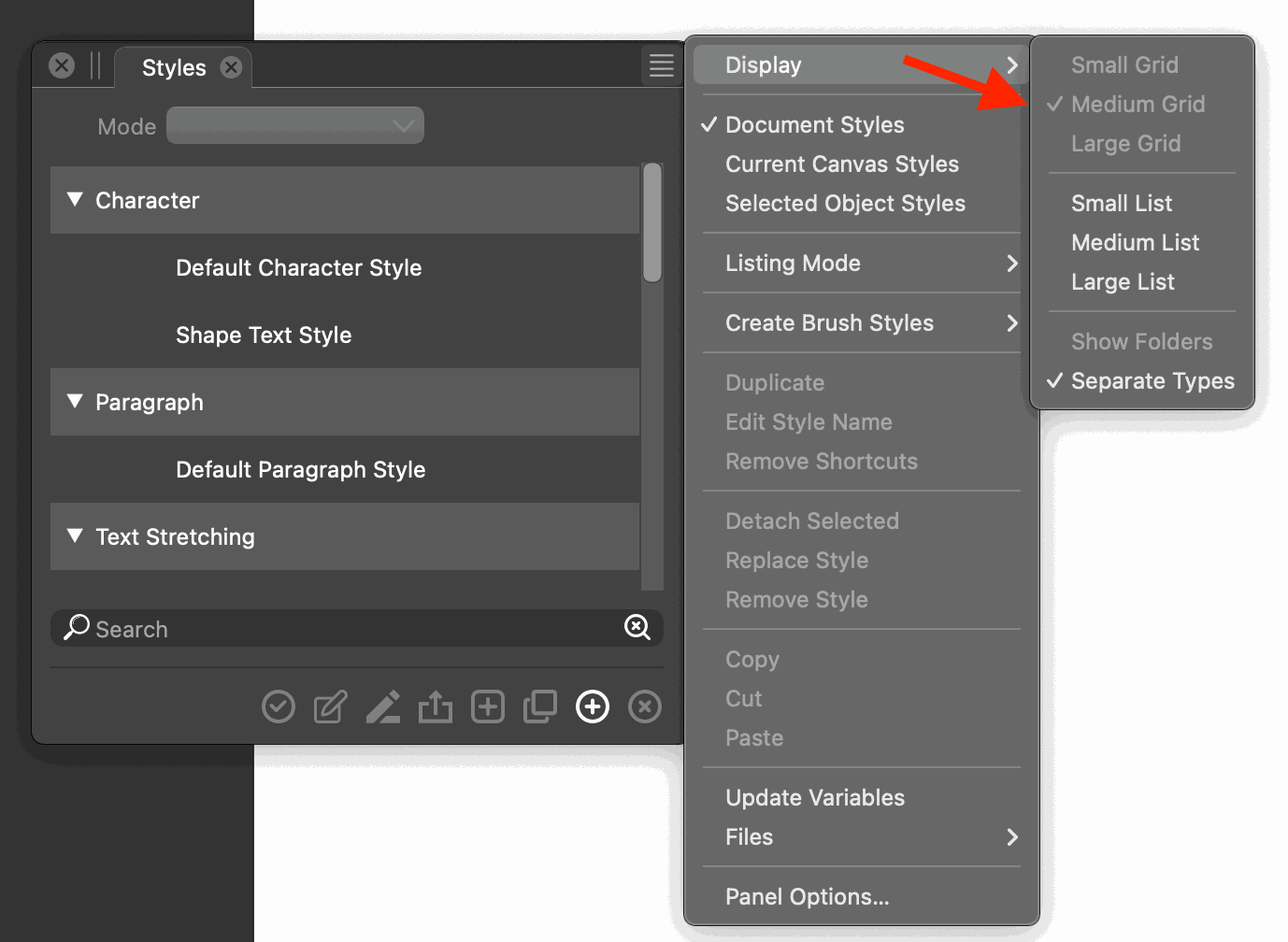
      Styles Panel > Display submenu Grid options (small, medium, large) are grayed out but still can be selected

      Watching Ignoring Scheduled Pinned Locked Moved
      2
      2
      0 Votes
      2 Posts
      4k Views
      VectorStylerV
      @pentool Yes, replicated here also. The two sets of sizes (panel menu and options view) are not the same. Will be fixed in the next build.
    • P

      Presets Panel > Display submenu loses its selection (checkmark)

      Watching Ignoring Scheduled Pinned Locked Moved
      2
      2 Votes
      2 Posts
      4k Views
      VectorStylerV
      @pentool Yes, replicated here also. Looks like the value for "Large" is different in the menu. Will be fixed ASAP.
    • P

      Incorrect preset shape is showing in Shape dropdown

      Watching Ignoring Scheduled Pinned Locked Moved
      3
      1 Votes
      3 Posts
      3k Views
      VectorStylerV
      @pentool Same as the other one, added it to the backlog.
    • P

      Deleted style remains in Shape dropdown even after deletion

      Watching Ignoring Scheduled Pinned Locked Moved
      4
      1 Votes
      4 Posts
      4k Views
      VectorStylerV
      @pentool This can be replicated, added to the backlog a a bug.
    • P

      Default document canvas size not honored until you specifically set the canvas size

      Watching Ignoring Scheduled Pinned Locked Moved
      2
      0 Votes
      2 Posts
      3k Views
      VectorStylerV
      @pentool Added this to the backlog, will try to fix for the next build.
    • AyoA

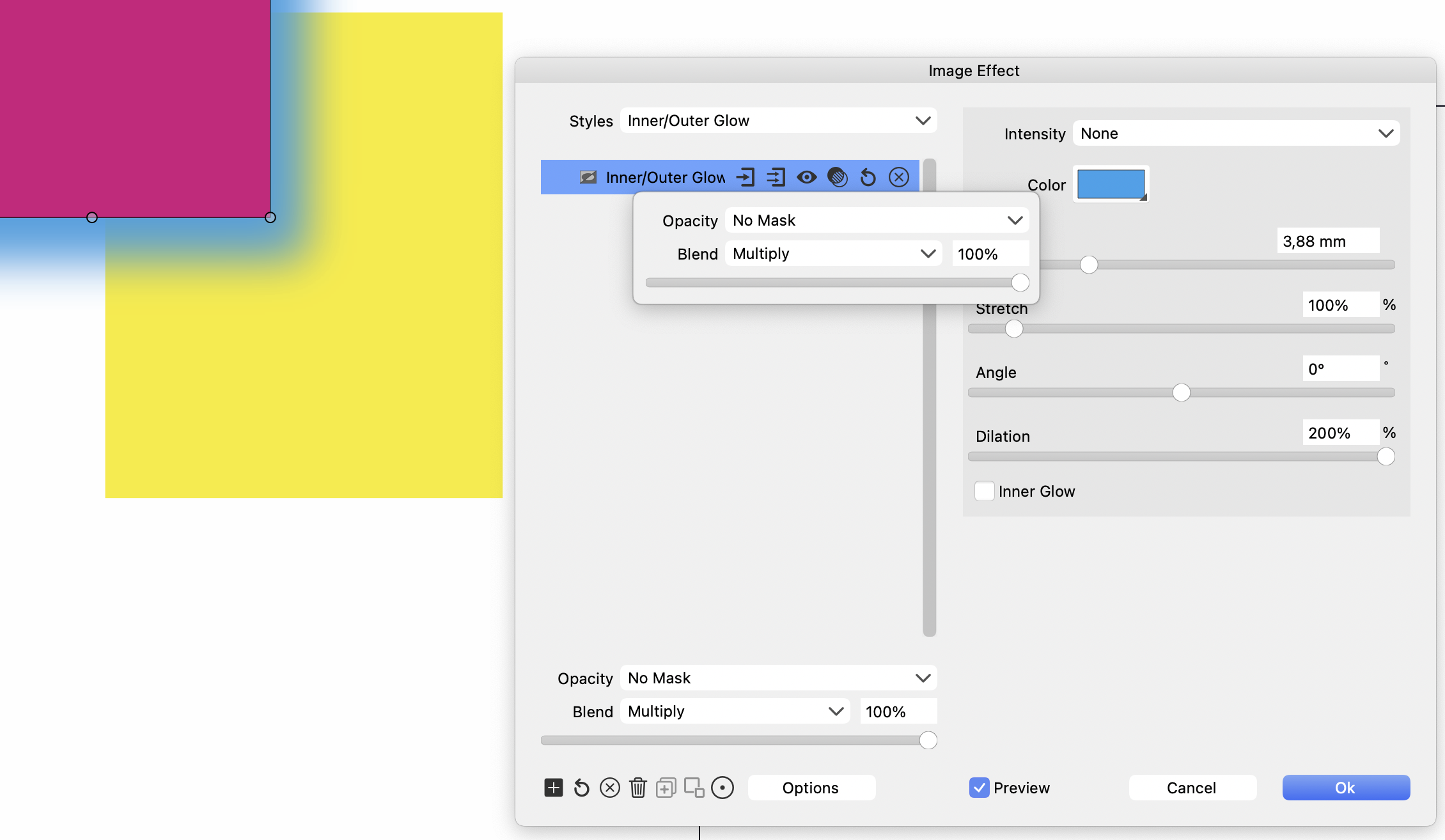
      Image effect Outer Glow Blend Multiply

      Watching Ignoring Scheduled Pinned Locked Moved
      12
      1
      0 Votes
      12 Posts
      10k Views
      VectorStylerV
      @Ayo said in Image effect Outer Glow Blend Multiply: There you cannot treat the Outer Glow separately from the object. Similar to blend & opacity in layer settings. Correct The outer glow and some other similar effects cannot use blending mode (yet) to compose parts (glow) with the backdrop. There is a task in the backlog to improve Drop Shadow (similar situation) but it will be done after 1.2
    • P

      Grid Snapping doesn't work when Guide Snapping is enabled AND shape width = artboard width

      Watching Ignoring Scheduled Pinned Locked Moved
      2
      0 Votes
      2 Posts
      4k Views
      VectorStylerV
      @pentool Replicated here also, added to the backlog of bugs.
    • P

      Artboard Options > Grid and Grid Editor units are not synced when creating a new artboard

      Watching Ignoring Scheduled Pinned Locked Moved
      2
      0 Votes
      2 Posts
      4k Views
      VectorStylerV
      @pentool I added this to the backlog, and will try to fix it ASAP.
    • P

      Shape Paint Tool crashed the app

      Watching Ignoring Scheduled Pinned Locked Moved
      4
      1 Votes
      4 Posts
      4k Views
      VectorStylerV
      @pentool Replicated here also. There are several problems when using clones inside shape paint objects.
    • P

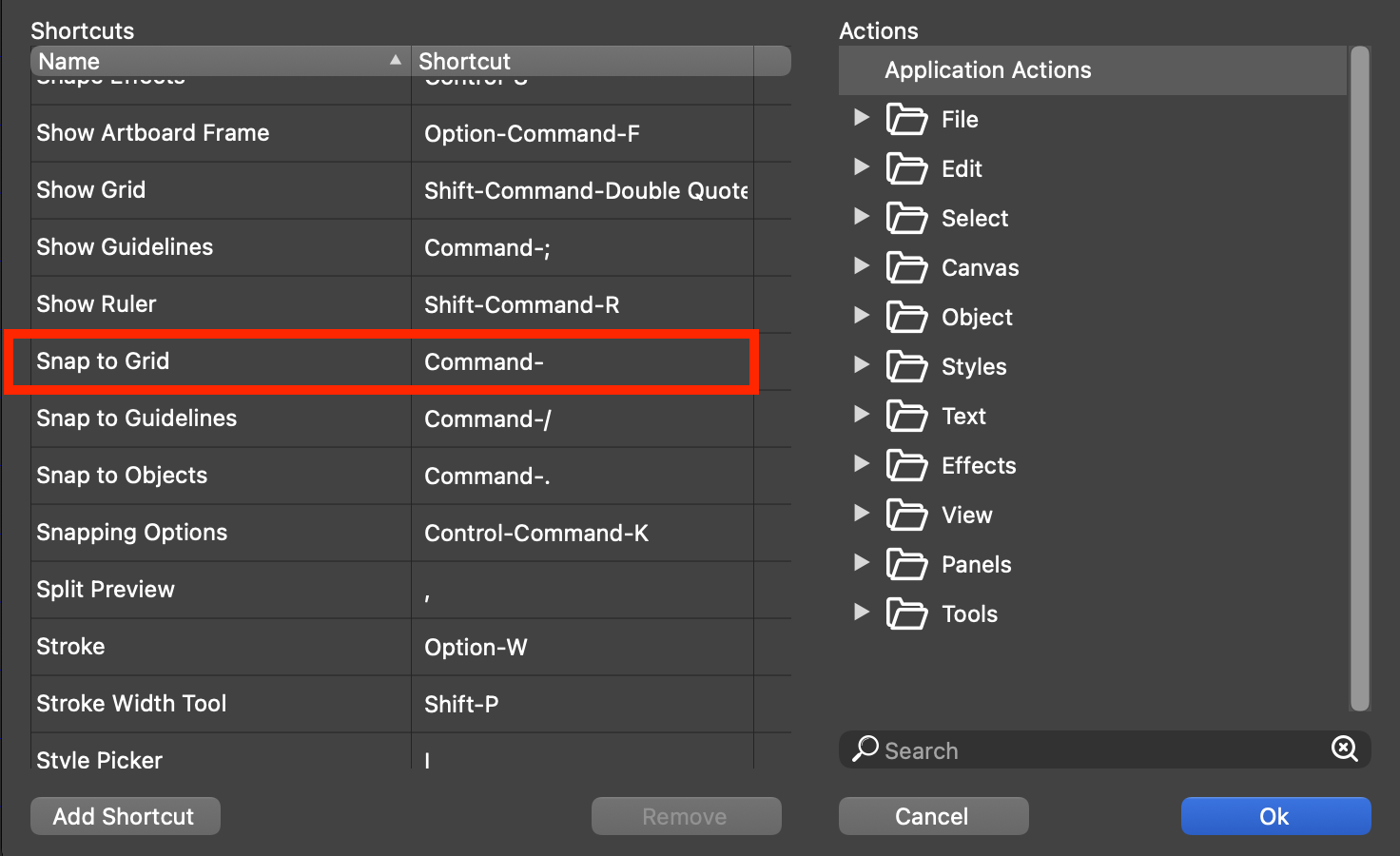
      Snap to Grid KBD shortcut does not show the shortcut key

      Watching Ignoring Scheduled Pinned Locked Moved
      2
      1
      2 Votes
      2 Posts
      4k Views
      VectorStylerV
      @pentool Added this to the backlog as a bug
    • 861475_VctSt8

      Panel state button does not work in vertical mode

      Watching Ignoring Scheduled Pinned Locked Moved
      4
      1 Votes
      4 Posts
      5k Views
      861475_VctSt8
      @VectorStyler Thanks. Correction confirmed. It's been a while since I operated VS. The version was as high as 93, and I had skipped a lot of updates. After updating, the palette did not function properly and I panicked. I did a full delete and new install, but it didn't fix it. It was a BUG. I am now on Intel and Silicon. I have increased my license and will keep you posted.
    • P

      Canvas rotation is all over the place

      Watching Ignoring Scheduled Pinned Locked Moved
      2
      1 Votes
      2 Posts
      3k Views
      VectorStylerV
      @pentool Not a bug, here it is what happens: the artboard (not the view) is rotated by 30 degrees. canvas is not rotated. think of this as having a large desk with a rotated page placed on it. when selecting the artboard in the canvas panel, the artboard is shown with a "-30" degree rotation (check bottom-left of the screen). in this case the artboard will look as not rotated (but it is) so it is easier to do layout on that artboard, while the rest of the canvas (other artboards and objects) will look rotated by -30 degrees. when moving away from the canvas (to another one) and then back to the canvas no artboard is selected at first so the view rotation (in bottom-left of the screen) returns to zero and the artboard is shown rotated.