Subcategories

  • These features and ideas have been implemented in VS as suggested

    180 Topics
    1k Posts
    VectorStylerV
    @Ayo said in About the Snap feature: Wouldn't it be better to change "Snap to Visible Only" to "Snap to View Extend Only" or shorter "Snap to Viewport Only" or even shorter "Snap to View Only" ? There is a big chance of confusion with the term 'visible' which is mainly linked to the layer system. I added this to the backlog.
  • Japanese typesetting features in VS1.2 and later

    4
    0 Votes
    4 Posts
    4k Views
    VectorStylerV
    @861475_VctSt said in Japanese typesetting features in VS1.2 and later: Please, please maintain CJK support. Will do so!
  • Corner editor tool - corner(s) value

    6
    1
    1 Votes
    6 Posts
    6k Views
    S
    @VectorStyler said in Corner editor tool - corner(s) value: @Subpath said in Corner editor tool - corner(s) value: with the Scroll Wheel The scroll wheel use is disabled in the context panel. It is used to horizontally scroll the panel content (tends to be large). ok, got it
  • 0 Votes
    3 Posts
    3k Views
    BoldlineB
    @VectorStyler thank you. I set the workspace back to default and everything worked again as expected. I set it back to my saved workspace and it all works there now as well. I guess the workspace needed to be refreshed after I updated to the official 1.2 release build? I remember a similar thing happened after a build release update a while back - the transform tool was lacking the newly added tools. once I refreshed the workspace, it was corrected
  • Lets close this discussion for now.

    7
    4 Votes
    7 Posts
    7k Views
    AyoA
    @b77 Of course it is different in all aspects if you put it side by side and compare. I did not claim that the icon is equal to, but conflicts with. Besides, it was a sub-argument in my motivation. Lets close this discussion for now.
  • 1 Votes
    2 Posts
    4k Views
    VectorStylerV
    @Boldline This should be working, it seems to be a bug.
  • Decimal width for pixels (including 0)

    2
    0 Votes
    2 Posts
    3k Views
    VectorStylerV
    @DMBrown I added this to the backlog.
  • Note option inside VS

    9
    2 Votes
    9 Posts
    8k Views
    BoldlineB
    @Jono I would assume the VS file would have to be opened to view the internal text file. There would be the option to export out the text file from VS so if someone wanted to to be viewable without opening VS, that could happen. I like the idea you have of making a notes section on the pasteboard. The idea I was thinking of was making it a panel so it could be free-floating and closed easily. In terms of labeling objects - I would assume it would not be 1000's of items, just major things to find in the document - so not looking for autolinking literally every item possible
  • New VS logo and splash screen concepts

    Locked
    19
    7
    5 Votes
    19 Posts
    17k Views
    VectorStylerV
    Lets close this discussion for now.
  • linear cross hair cursor

    9
    1 Votes
    9 Posts
    8k Views
    VectorStylerV
    @awerte I opened a feature request on this one. It is not just the arrow cursor, but cursors in general for various tools using the crosshair mode. I will try to find a solution for this.
  • Decimal Width of 0 - On Screen Dimensions

    2
    0 Votes
    2 Posts
    3k Views
    VectorStylerV
    @DMBrown said in Decimal Width of 0 - On Screen Dimensions: My primary request, then, is to be able to set the Decimal Width to 0 for both pixels and points. Added this to the backlog, will try to have it in the next build
  • Recoloring Panel

    3
    3 Votes
    3 Posts
    4k Views
    VectorStylerV
    @FastVector Added these to the backlog.
  • Suggestion Selection Menu

    3
    1
    2 Votes
    3 Posts
    3k Views
    F
    @VectorStyler Yes, that would be totally fine.
  • Kind of Shape Library

    16
    6 Votes
    16 Posts
    14k Views
    S
    @Boldline Thanks for the video. Think it's the same as in Affinity Designer 1. But while it's easy to drag and drop designs from the panel onto the canvas, it's not possible to drag and drop designs into the assets panel. Which would be one of my wishes for something like this in Vectorstyler.
  • Help creating flourishes/controlled path curves in VS

    9
    1
    3 Votes
    9 Posts
    8k Views
    F
    The Fibonacci spiral person... [image: 1705562078628-fibonacci-spiral-person-resized.jpg]
  • Properties Panel - small UI housekeeping suggestion

    2
    2
    2 Votes
    2 Posts
    3k Views
    VectorStylerV
    @Victor-Vector I think the labeling can solve this issue.
  • trapezoid

    18
    1
    1 Votes
    18 Posts
    15k Views
    L
    @Subpath Yes, it is relatively easy to implement in CAD software. Apps like AI or CD have plugins available for generating such shapes.
  • Sharing Brushes, Color Palletes, Styles etc.

    13
    2 Votes
    13 Posts
    12k Views
    F
    Here is the file with the patterns. If you want to make a pattern, select one of the squares on the first or the third row > styles > create styles > create pattern 0_1704910131332_Basic Patterns.vstyler
  • Inspired Letter Logo

    8
    1
    4 Votes
    8 Posts
    7k Views
    S
    @fde101 Can follow your thoughts and also agree with them. But in my opinion that it does not necessarily depend on the translatability of a company name. Ultimately, a term / word can also be seen simply as a graphic and differs in this way.
  • Quick Pen tool

    3
    1 Votes
    3 Posts
    4k Views
    F
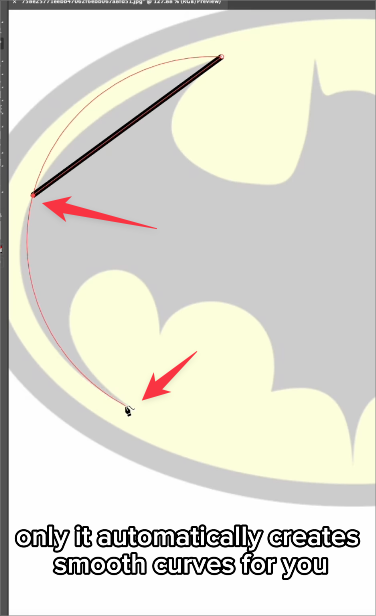
    After taking a closer watch, I see this tool will come in the web version. So it won't replace the curvature tool. I quess both features will have there own advances.
  • Moving the pivot point when the transform panel is opened

    8
    1 Votes
    8 Posts
    8k Views
    VectorStylerV
    @Li-Xiao said in Moving the pivot point when the transform panel is opened: Hope to have an option for the pivot point in the transform When using the transform panel (Panels -> Transform), it is possible to use the custom pivot by unchecking the active pivot knob in the panel.