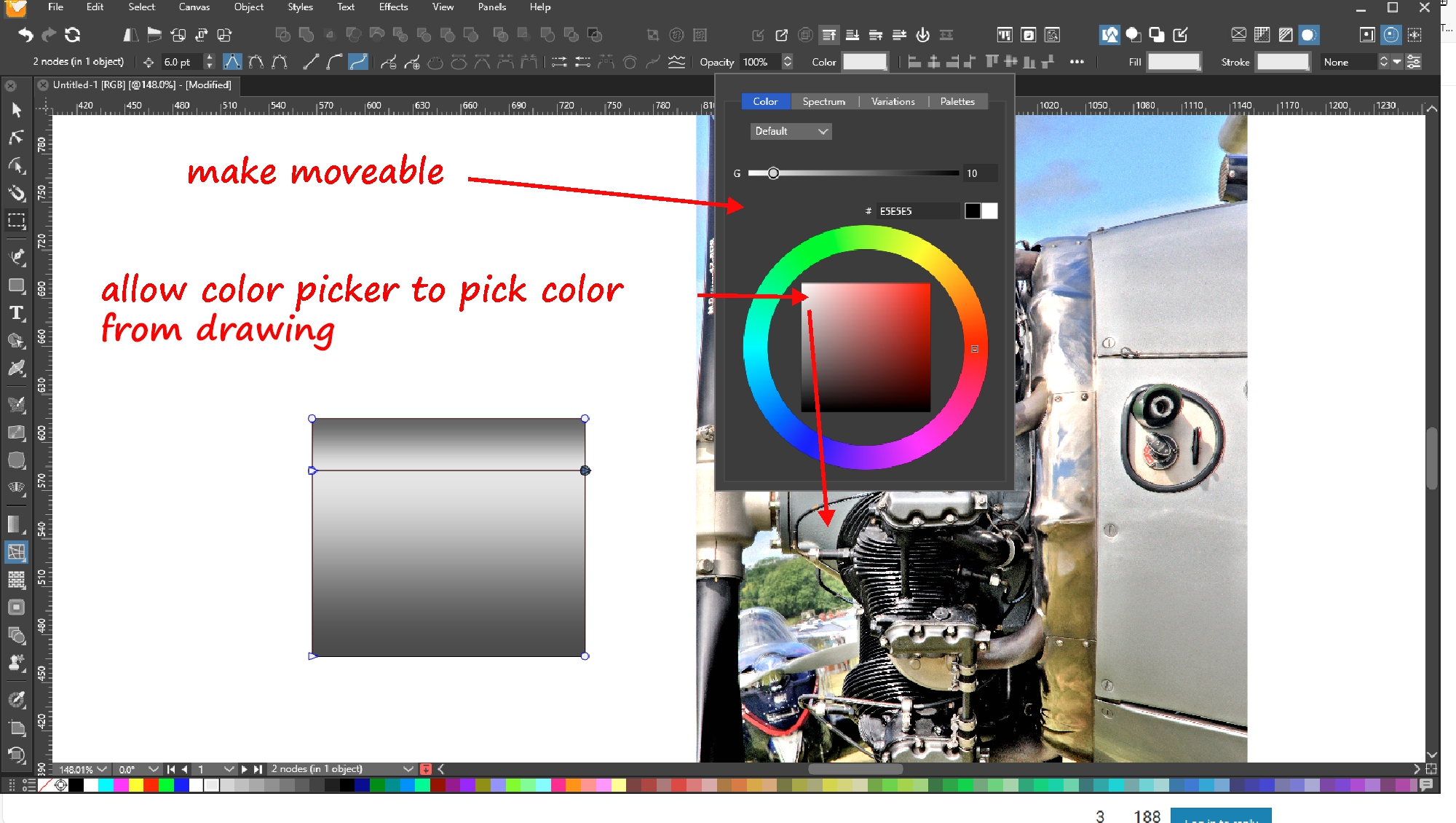
Subcategories

  • These features and ideas have been implemented in VS as suggested

    180 Topics
    1k Posts
    VectorStylerV
    @Ayo said in About the Snap feature: Wouldn't it be better to change "Snap to Visible Only" to "Snap to View Extend Only" or shorter "Snap to Viewport Only" or even shorter "Snap to View Only" ? There is a big chance of confusion with the term 'visible' which is mainly linked to the layer system. I added this to the backlog.
  • An "Offset" parameter in the Transform dialogs would be nice

    2
    0 Votes
    2 Posts
    3k Views
    VectorStylerV
    @pentool Added to the backlog of features.
  • 2 Votes
    13 Posts
    11k Views
    b77B
    Let me upload it here: 0_1691266423162_VS Prefs Zipper.zip (Being an "unregistered developer", first time you run it (after unzipping) you need to right-click it and choose 'Open').
  • Copy selection indication with selection box

    5
    1 Votes
    5 Posts
    5k Views
    b77B
    @Boldline
  • Don't rasterize anything on export option

    4
    1 Votes
    4 Posts
    4k Views
    P
    It's ok, I can only see clearly when I close my eyes.
  • Multipoint and tangent based shape creation

    7
    0 Votes
    7 Posts
    7k Views
    b77B
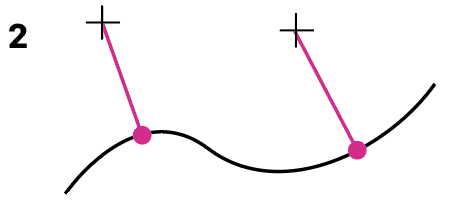
    @pentool I understand that you need a tangent mode for the Line tool, or maybe a separate Tangent tool. I did say it's not exactly what you want but I posted this because it could come handy. And… here's another method that could be useful — not exactly what you need but… add a node to the shape anywhere you want (the green point in your drawing); draw a line with the Line tool; enable 'Snap to Shape' and 'Snap to Points' in the Snapping panel; pick the line with the Collider tool (fourth tool in the toolbar) and snap it along the shape, or… snap it to the node you just added (to this one it will snap perpendicularly, but you can rotate it 90°) Again this is not drawing a tangent from the red dot to the green dot, but it's good to know.
  • Could the "Create Palette from Image" use an image pasted in the file?

    2
    0 Votes
    2 Posts
    3k Views
    VectorStylerV
    @Boldline Select the image in the document, in the Color Palette panel menu select Create Colors -> Create from Selection. This should do it.
  • 1 Votes
    6 Posts
    6k Views
    VectorStylerV
    @Boldline There is no feature that shows image and shape effects in the same list. For such a thing to work, it would need to be a compination of Layers, Appearance, Image and Shape Effects panels. And this could be complicated.
  • Ideas to improve the Vectorstyler Layers Panel

    50
    5 Votes
    50 Posts
    125k Views
    AyoA
    @VectorStyler I don't quite understand. It's all about moving an object(s) from one layer to another, right? As long as it is a possibility, that is important. If there is an option to disable the feature and what should be the default? I would say default on, option off.
  • On Ruler, guidelines and indicator line styles

    25
    0 Votes
    25 Posts
    37k Views
    b77B
    @Ayo said in On Ruler, guidelines and indicator line styles: No smallcapping at all! Agreed.
  • 0 Votes
    2 Posts
    3k Views
    VectorStylerV
    @Boldline Added this to the backlog. The Contour tool (and panel) does something like this, and it is a "live" effect.
  • Allow "Document Setup" edits to affect only current document

    5
    2 Votes
    5 Posts
    5k Views
    BoldlineB
    @VectorStyler said in Allow "Document Setup" edits to affect only current document: @Boldline Currently the changes made in the document setup are kept for the next one. Should this be an option, or disabled? I would consider having the option in the document setup as a check box but leave it off by default. So you can feel free to alter the options and not have it affect the next new file if you don't want it to
  • Option to copy document settings from another existing file

    3
    1 Votes
    3 Posts
    4k Views
    VectorStylerV
    @Boldline I will find a way to do this, for the options that can be selected at setup. @b77 if multiple local artboards are created, those will not be copied.
  • Better results after rasterizing

    3
    1 Votes
    3 Posts
    4k Views
    VectorStylerV
    @William-Kansepa In the rasterization phase, there is no JPEG format involved (unless a jpeg file was imported into the document). can you send me an example of what was rasterized?
  • Some recommendations for the default (factory) settings

    19
    5 Votes
    19 Posts
    16k Views
    VectorStylerV
    @Ayo said in Some recommendations for the default (factory) settings: So therefore a few non-binding recommendations for the default (factory) settings I added this to the backlog.
  • Show the last colours used in the 'color' panel

    12
    1
    2 Votes
    12 Posts
    11k Views
    S
    @Pat would choose something small like in this direction [image: 1688988217513-last-colors-1b.png]
  • Adding tool like...

    5
    0 Votes
    5 Posts
    6k Views
    B
    @VectorStyler I meant in the colour sub-panels of the contour panel. It's not a priori easy to know where to control the various parameters of the contour tool. The pipet icon disappears before the screenshot but I meant there : [image: 1688649751718-pipet.jpg]
  • Artboard edges: always visible

    3
    3
    1 Votes
    3 Posts
    4k Views
    B
    @VectorStyler yes, set to show: [image: 1688496035333-vs3-resized.jpg] Edit: ok
  • Set new Width Nodes Indicator Idea

    6
    2 Votes
    6 Posts
    6k Views
    S
    I just like to say how much I appreciate the little + sign that now indicates when it is possible to set a Width Node much more better than before [image: 1688301240735-stroke-width-plus-sign.png]
  • Could print panel settings be made sticky?

    2
    0 Votes
    2 Posts
    3k Views
    VectorStylerV
    @Boldline The printing options can be saved as presets, both into the document or as global presets (Presets dropdown). Also, if the document is saved after printing, the printing options are saved with the document and are used next time. (and there is the Print Again command, that uses these last options).
  • Set and Save customized view locations in the navigator panel

    4
    1
    2 Votes
    4 Posts
    5k Views
    BoldlineB
    @Subpath cool! Illustrator might also have it but I wouldn't know since I stopped buying it at Cs6. I like the way Affinity tucks the saved viewpoints away and you can click to get a dropdown of others