• Non-destructiveness vs new (visible) reality

    20
    0 Votes
    20 Posts
    13k Views
    AyoA
    @Subpath I am not specifically concerned with more or less functionality, but with the difference in behavior with the same functionality.
  • 1 Votes
    2 Posts
    3k Views
    VectorStylerV
    @Daniel There seems to be an issue on Windows with this. I opened a bug.
  • About images

    2
    1
    1 Votes
    2 Posts
    2k Views
    VectorStylerV
    @monsterfox I added these to the backlog (1) and (3). The problem for (2): all images are clipped (in a rectangle initially, but clipped), this clipping "frame" can be styled with fill and stroke, just like any other object.
  • Expanding fill patterns

    3
    1
    1 Votes
    3 Posts
    3k Views
    F
    Thank you so much
  • How to snap handle to the tangent line?

    12
    1
    1 Votes
    12 Posts
    8k Views
    debraspicherD
    @VectorStyler Thank you. It's an important function for things like lettering/logotype. An easy example, if someone is designing a custom typeface that's based on a skew, having a snapping feature would speed things up for getting those clean curves...
  • Bending and Arching editable text objects fails

    3
    1 Votes
    3 Posts
    3k Views
    RaaskotR
    @VectorStyler Ah, I confused "Convert to Shape Text" with "Convert Frame Text to Path". Thanks! [image: 1741712885586-38216545-7162-4799-9ba7-e4817a1068ec-image.png]
  • Shape Effects, vector handles unresponsive

    5
    1 Votes
    5 Posts
    4k Views
    B
    @VectorStyler Ok, makes sens
  • Feature repair

    2
    1
    1 Votes
    2 Posts
    2k Views
    VectorStylerV
    @monsterfox I added this to the backlog.
  • How to change parameters by scrolling in the text boxes?

    3
    1 Votes
    3 Posts
    4k Views
    VectorStylerV
    @Daniel This behaviour works in panels and views, but not in the context panel (upper row).
  • Apple mouse wheel use

    3
    0 Votes
    3 Posts
    3k Views
    F
    Thanks!!! It seems you also have to restart VS.
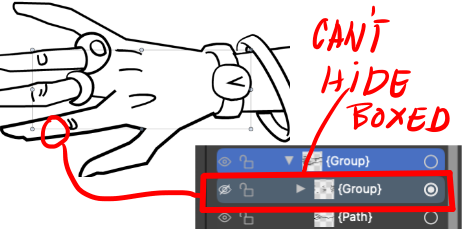
  • About Hiding

    5
    2 Votes
    5 Posts
    4k Views
    M
    @VectorStyler https://youtu.be/gOM3Fp3GIW0?feature=shared This video should be understandable. Hiding and showing will not be counted as part of the operation steps.
  • Snap to points

    2
    1 Votes
    2 Posts
    2k Views
    VectorStylerV
    @monsterfox I added this to the features list for later.
  • Where is the option in context bar to change default pen tool mode?

    3
    1 Votes
    3 Posts
    3k Views
    BoldlineB
    @VectorStyler thanks! I figured out if I turn off the symmetric nodes and the "show segment" options, I get the pen tool settings that work best for me. With your Command+ option, I see it can give me pure cusp nodes when using the pen tool. that can be useful [image: 1741187704496-270a437d-9824-44b9-b04c-cd1d6e78f3d0-cleanshot-2025-03-05-at-10.14.35.png]
  • The square tool has no control points.

    2
    1 Votes
    2 Posts
    2k Views
    VectorStylerV
    @monsterfox To resize a rectangle without distorting the corners, enable the Settings -> Editing -< Direct Shape Transformation option.
  • Opened windows

    8
    0 Votes
    8 Posts
    6k Views
    VectorStylerV
    @fdarnel said in Opened windows: I had created a group Layers/Canvas/Links. The 3 then disappeared after restarting. It doesn't happen everytime. I will try to replicate this.
  • Importing PDF, maintaining layer structure

    6
    1 Votes
    6 Posts
    8k Views
    VectorStylerV
    @Pipouille I correct myself: the names are in the PDF metadata. In the next VS build these will be used.
  • 1 Votes
    2 Posts
    2k Views
    BoldlineB
    Update - I realized I could just go to the layer and select the individual parts there... in my head I was looking for a layer-level option to do this from the menus I showed in the screen shots.
  • 1 Votes
    11 Posts
    8k Views
    F
    Thanks for the workarounds. I'll try them.
  • 1 Votes
    3 Posts
    3k Views
    S
    @VectorStyler Works great, thank you
  • Variable fonts in VS

    7
    2
    1 Votes
    7 Posts
    5k Views
    K
    @VectorStyler Sent email. Thanks