• Hotkeys for increases/decreases handles

    4
    3
    0 Votes
    4 Posts
    27 Views
    VectorStylerV
    @ZATOPEK For making the nodes smooth (or symmetric) there is (shown in the tooltip of the action from the context panel). But for just brining out the handles and moving outwards, no shortcut (and no such feature)
  • This topic is deleted!

    1
    3
    0 Votes
    1 Posts
    1 Views
    No one has replied
  • Default color parameters for stroke

    3
    1 Votes
    3 Posts
    28 Views
    ZATOPEKZ
    merci beaucoup
  • Cannot be pasted in situ

    7
    1
    1 Votes
    7 Posts
    39 Views
    VectorStylerV
    @macos There an option in Settings -> Other Options: "Paste with Artboard Position" If enabled, it should keep the Artboard relative position
  • converting shape text to frame text

    3
    1 Votes
    3 Posts
    22 Views
    M
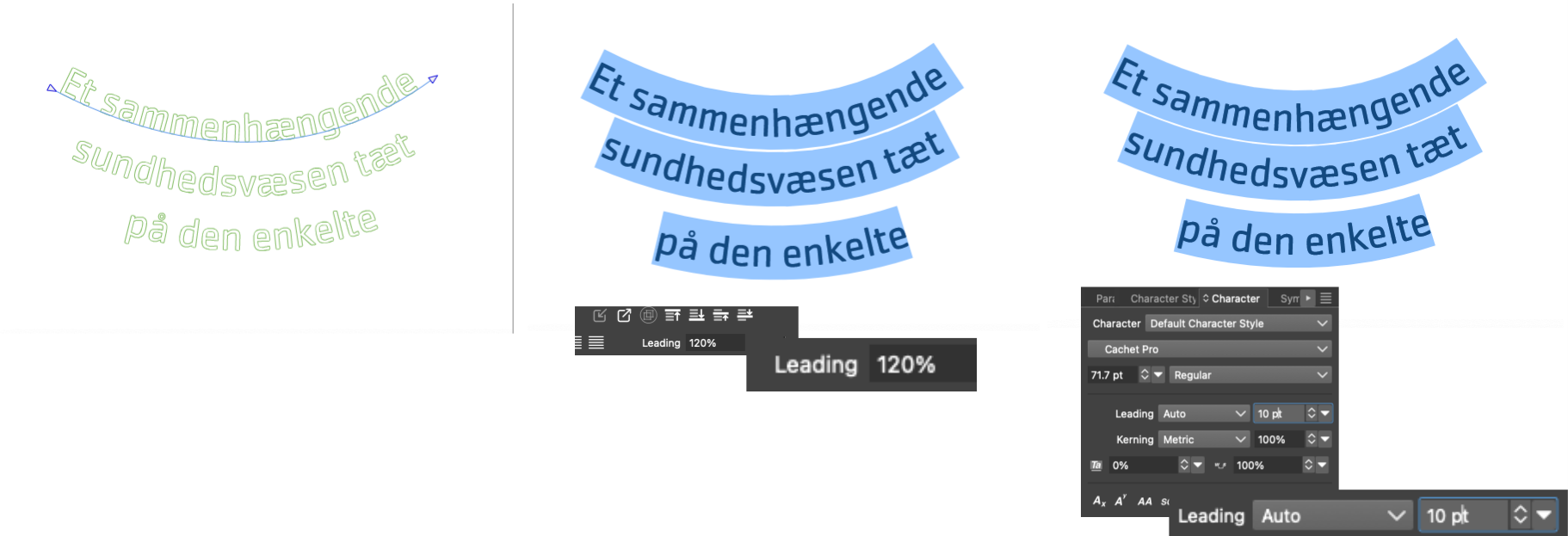
    @VectorStyler frame text.vstyler
  • Combine two simple yet overlapping paths. How?

    3
    1
    1 Votes
    3 Posts
    19 Views
    RaaskotR
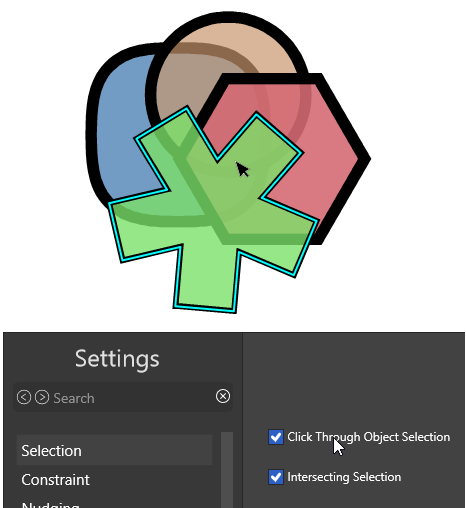
    @VectorStyler Good. Yet I couldn't replicate your solution without selecting Separate Path also ... [image: 1778231945240-5eea44f3-a761-469d-a376-1f5f6da41e9e-image.png]
  • Keyboard shortcut for "Break Shape"-option, how?

    4
    2
    1 Votes
    4 Posts
    21 Views
    RaaskotR
    @VectorStyler Ah, great. Got it. Update with a note: One have to check for conflicting shortkeys already set for other operations. Else it won't work. [image: 1778230120509-ee388d5e-42b9-4386-bcc5-a7e4371723f9-image.png]
  • Is there a way to align node handles? (one to another)

    6
    1
    0 Votes
    6 Posts
    53 Views
    VectorStylerV
    @debraspicher The only problem is that it should change the selected node position, not the opposite one. Il will fix this.
  • Stroke Width Tool freaks out

    2
    1
    1 Votes
    2 Posts
    18 Views
    VectorStylerV
    @Raaskot I think the small paths and large width causes this. It looks like a bug (should not behave like this). I will try to fix this.
  • New Pen Tools Videos Tutorials

    9
    3 Votes
    9 Posts
    97 Views
    T
    @Boldline This is a great idea about collecting tips and tricks on this topic. And I really do hope that you are able to make some videos on these tools specifically. If I recall you have been central to bringing about things like the Bezigon tool. I remember really liking it in Freehand but so far it doesn't click for me in VS. Maybe it's that after creating the curves they are normal Bezier handles instead of staying the type of automatic curving that the Freehand version created.
  • Expand Group Opacity question shows no difference

    7
    1 Votes
    7 Posts
    43 Views
    W
    @VectorStyler said in Expand Group Opacity question shows no difference: @William-Kansepa For some settings changes you may need to reopen the document (and for others, restart the app) I think that could be the reason why it was refusing to work. Maybe an indication to mark that a certain setting requires a restart after editing it? Other software have an asterisk to indicate restart.
  • 2 Votes
    8 Posts
    50 Views
    debraspicherD
    @shomnipotence That looks awesome
  • Is the first option in the arc meant for smaller arcs?

    3
    1
    2 Votes
    3 Posts
    33 Views
    E
    @Boldline Thanks for this post. I just discovered the option key to change modes and that is very useful
  • How do I keep a certain, chosen brush stroke when drawing new path?

    7
    1
    1 Votes
    7 Posts
    46 Views
    RaaskotR
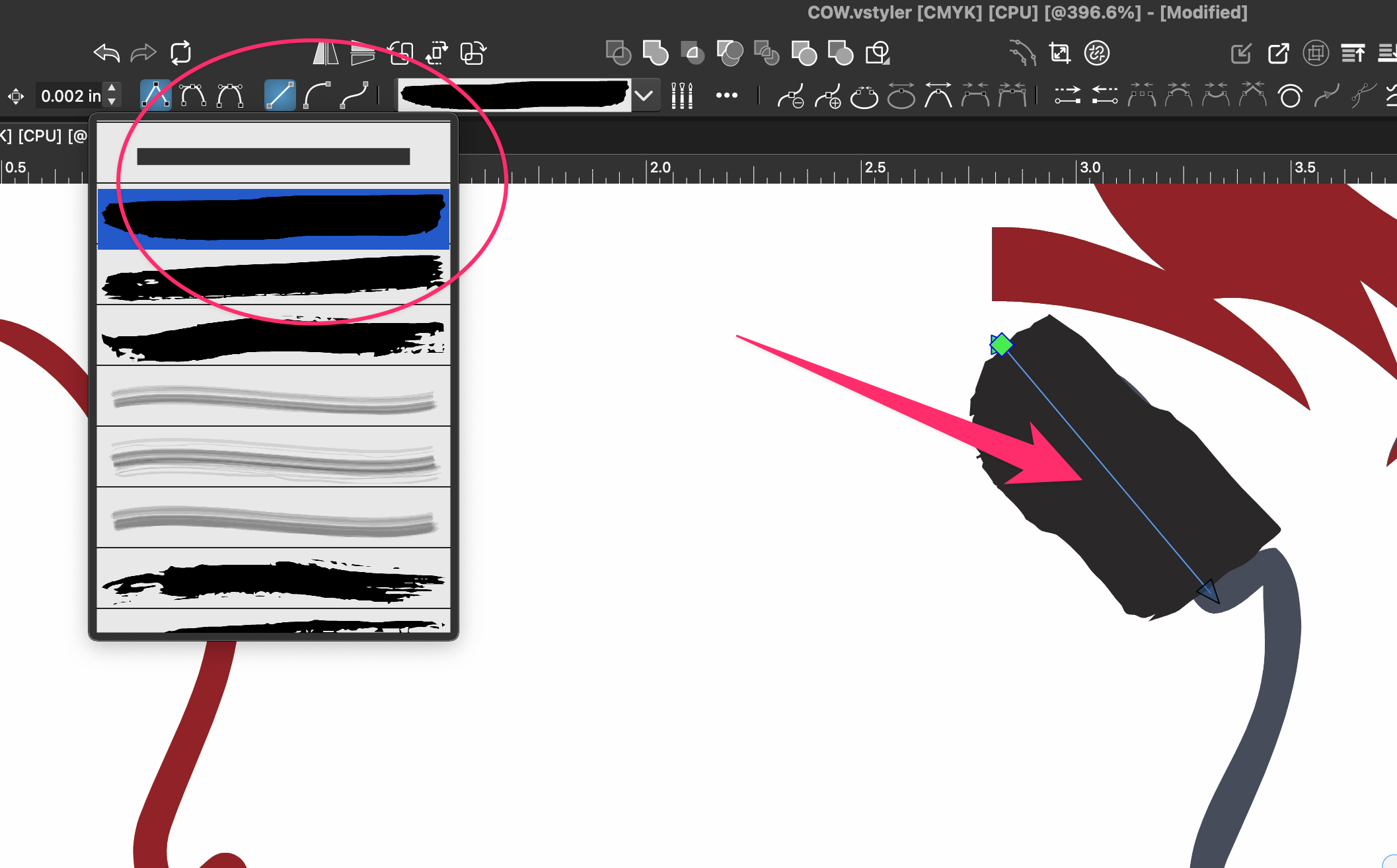
    @VectorStyler Hm, figured it out. It must be set here ... [image: 1777450854829-93c46c12-e929-451a-b581-c04526bd7dac-image.png]
  • Using Mouse to Delete Nodes

    22
    1 Votes
    22 Posts
    97 Views
    debraspicherD
    @Ingolf No, I do get it. That feeling is hard to replace. I learned to type on a typewriter so that's probably why I'm adjusted to working with a lot of key travel. I've seen the "drummy" keyboards and they do sound so nice on a good surface and look fun to use. I need my wrists to be stay relatively mobile especially as a tablet user. The Keychrons are not impervious to issues. I had a bit of key chatter on occasion with the Q6 Max when I first started with it probably because of the rubber gaskets, but I think the board broke in enough that it settled because I don't really have a problem now with it. (It did require a firmware update, though)
  • Why does Shape Builder has a very tough time recognizing shapes?

    9
    2
    0 Votes
    9 Posts
    7k Views
    VectorStylerV
    @debraspicher Send me a file with the shapes where the default settings has issue in the Shape Builder
  • Is it possible to extend my trial?

    6
    1 Votes
    6 Posts
    45 Views
    S
    @VectorStyler Thank you so much! Wasn't expecting such a speedy response, another +1 Much appreciated
  • Cloning objects.

    3
    1 Votes
    3 Posts
    27 Views
    K
    @Subpath @vectorstyler Thanks, was searching for that command. It's mapped under attributes and I was looking elsewhere. Couple of things I managed to add a menu shortcut using the customize toolboxes, but when I click on the icon, it only displays the attributes popup, and the icons and text description are not right. [image: 1776015361107-screenshot-2026-04-12-at-11.04.01-pm.png] I tried to add a custom shortcut, but it appears as “attribute” instead of being labeled as the cloned or clone, as it was named in the menu. I haven’t tested the shortcut yet. [image: 1776015935820-screenshot-2026-04-12-at-11.14.46-pm.png] I have two objects, one blue and the other magenta, each with its clone. When I select only one cloned object, say blue, the clone command selects parent clones of blue and magenta. Not sure if this is how it’s supposed to work. I would expect to select only blue parent clone only. [image: 1776015718706-screenshot-2026-04-12-at-11.01.11-pm.png] By the way, in Mac, Command+D to duplicate, and Option+D to clone. I don’t recall changing the shortcuts. Perhaps I did, and I need to check on that. Hope cloning of parent object instead of cloned ones could be addressed. Thanks.
  • Cut clipped groups

    9
    1
    1 Votes
    9 Posts
    71 Views
    K
    @VectorStyler thanks for explanation.
  • 1 Votes
    4 Posts
    33 Views
    S
    @vectorstyler A big thanks for include duplicate colors now when creating a color palette from a selection of shapes. Made a little Tutorial already https://www.vectorstyler.com/forum/topic/5731/a-color-palette-from-a-selection-of-shapes-takes-duplicate-colors-into-account-now.