Subcategories

  • These features and ideas have been implemented in VS as suggested

    180 Topics
    1k Posts
    VectorStylerV
    @Ayo said in About the Snap feature: Wouldn't it be better to change "Snap to Visible Only" to "Snap to View Extend Only" or shorter "Snap to Viewport Only" or even shorter "Snap to View Only" ? There is a big chance of confusion with the term 'visible' which is mainly linked to the layer system. I added this to the backlog.
  • 2 Votes
    3 Posts
    4k Views
    VectorStylerV
    @Boldline I tested this, and unless the image is embedded, the file name should be the first in the tooltip.
  • Interesting way to quickly create a grid of shapes

    7
    2 Votes
    7 Posts
    6k Views
    S
    I think i mentioned this somewhere before Magix Graphics Designer (Xara) also have an interesting way to create a grid of shapes here a video
  • Should the "x" lock symbols color correspond to the layer color?

    3
    1
    0 Votes
    3 Posts
    4k Views
    BoldlineB
    @VectorStyler Following up on this topic. Sometimes I've noticed the "x's" being the same color as the layer color - but more often than not, they are always black, even when I adjust the layer color.
  • A set of new icons for the context panel

    31
    3 Votes
    31 Posts
    43k Views
    S
    @b77 for the Quick Panel Icons i like that the Combine Icon (from Boolean) and the Composite Icon are a bit different and find the "Select and transform members of grouped Objects" Icon very well made [image: 1685559218660-members-of-a-group.png]
  • Icon option for named Panel Tabs?

    2
    1 Votes
    2 Posts
    3k Views
    VectorStylerV
    @Victor-Vector Docking too many panels into one place can be problematic. I will try to improve this.
  • "Select and Transform" Context Panel Icons - Idea.

    12
    1
    3 Votes
    12 Posts
    9k Views
    Victor VectorV
    @VectorStyler You have my permission, of course! Here is the file attached. I am a bit embarrassed, as I used Photoshop as a shortcut to create the icon transparency. I did this to keep the assets non-destructive so I could change stroke weights, object arrangements, etc., in case fixes were needed. If you wish, I can finalize them, expanding the strokes, combine them so the vector versions have the transparency, just let me know! Selection Icons 2.vstyler
  • Unlock icon symbol idea for the layers panel

    11
    1
    3 Votes
    11 Posts
    9k Views
    S
    @Igull said in Unlock icon symbol idea for the layers panel: I might borrow the house TV and see how that goes ... I might borrow the house TV and see how that goes ... would say it works well i use actually a 40-inch Samsung TV Monitor ... but can sometimes be a little over-crisp for general line drawing ... That is the reason why I came up with this idea. While my eyesight is ok, I found this combination a little more relaxing to work with vector curves and nodes.
  • Tooltip hover over color palette reveals name of palette file

    9
    1
    3 Votes
    9 Posts
    8k Views
    BoldlineB
    @VectorStyler ok, I understand what you were intending. Speaking for myself, I'm big on redundancy and making sure everything is accurate. It would be helpful to quickly know what palette is open - for both the document palette and the color bar secondary palette. At one point there was a tooltip on the color bar palette that gave you the name of it but that does not seem to be there now. (unless I missed it)
  • Could halves and quarters be added to size presets options?

    3
    1
    0 Votes
    3 Posts
    3k Views
    BoldlineB
    @VectorStyler WOW!! How did I miss this before? Love the amount of customization here. Thank you! I appreciate you taking the time to show me
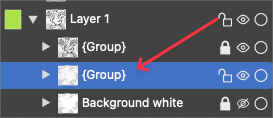
  • Layer Lock Icon in Colour

    13
    0 Votes
    13 Posts
    10k Views
    IgullI
    @VectorStyler Yes, no problem with that, I bow to your OCD Neil
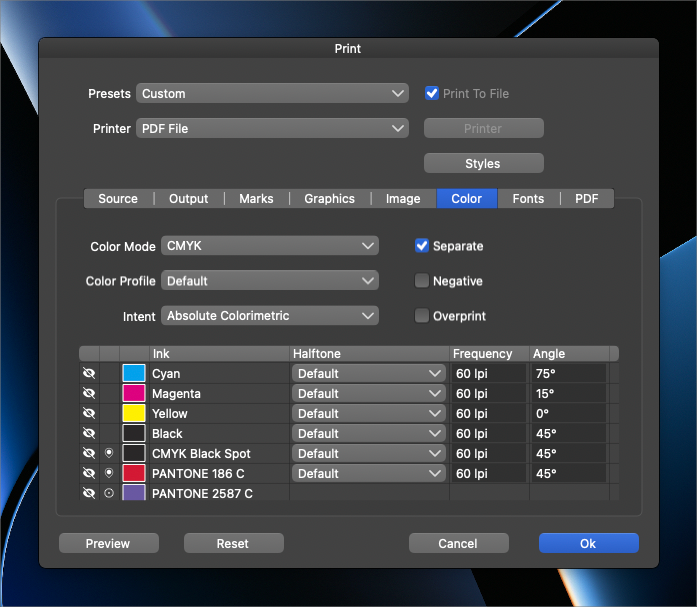
  • Could we see more of the color name in the print preview panel?

    1
    1
    0 Votes
    1 Posts
    2k Views
    No one has replied
  • Support for recently opened documents in dock bar

    2
    2 Votes
    2 Posts
    3k Views
    VectorStylerV
    @Ingolf Yes, this was (still is) in the backlog, but did not find a solution yet. Will try again.
  • Would like when the Presets in (Alt+Ctrl+T (win) Panel would be foldable

    5
    0 Votes
    5 Posts
    5k Views
    VectorStylerV
    @Subpath Should work for grid mode also.
  • New tool dedicated to selecting clipped content?

    2
    0 Votes
    2 Posts
    3k Views
    VectorStylerV
    @Boldline I'm not sure a new tool would help with this case. The problem is that when using the node tool, it will (by default) go inside groups and in VS, clipped content are just groups with shapes. I will try to figure out a better workflow for this.
  • making switching between default and custom preferences even easier

    2
    1 Votes
    2 Posts
    3k Views
    VectorStylerV
    @Boldline Added to the backlog.
  • Could font list highlight the current selected font?

    2
    2
    2 Votes
    2 Posts
    3k Views
    VectorStylerV
    @Boldline Added this to the backlog.
  • Vector cylinder tool

    9
    1
    1 Votes
    9 Posts
    8k Views
    IgullI
    @Boldline said in Vector cylinder tool: such as the 3D extrude tool and another where i referenced an astute graphics option to pull out a 3D look... I wasn't aware this had been asked for, this is a definite +1 for me (a 3D extrude tool - with optional camera angles pretty please ), I pull stuff from VS into Fusion 360 or Sketchup regularly to do exactly that - I don't need a real 3D model version, just the look of it. Neil
  • Things related to the Origin point that could be better

    8
    3
    2 Votes
    8 Posts
    8k Views
    VectorStylerV
    @Subpath said in Things related to the Origin point that could be better: would be nice if the nodes could be displayed in the process Added this for the future.
  • Rotation indicator when rotating objects

    4
    2
    2 Votes
    4 Posts
    4k Views
    VectorStylerV
    @Boldline Added to the backlog of features for the future
  • Adding formulas to get unique effects

    6
    1
    1 Votes
    6 Posts
    8k Views
    S
    @Boldline Because of the Chat GPT, Midjorney and others. See a time coming when they will be able to create vector graphics on command. I find it more satisfying to figure things out myself and that goes for scripting as well. "Processing" (free, Mac, Win) is one of the most mature ways to program vector graphic designs i have found. Has a lot of Examples, where someone is able to learn the code he need. Has also many Examples build in. Here theire Website https://processing.org/ and here OpenProcressing a Library with many Examples https://openprocessing.org/browse/# I used it once to create random graphics in a PDF file, for inspiration. Here are a few pages of it. Made a error in a loop that cause that the PDF-File has 728 Pages [image: 1682366608777-random-graphics-1.png] [image: 1682366615603-random-graphics-2.png] [image: 1682366621057-random-graphics-3.png]