VectorStyler
    • Categories
    • Unread
    • Recent
    • Tags
    • Popular
    • Register
    • Login
    1. Home
    2. Popular
    Log in to post
    • All Time
    • Day
    • Week
    • Month
    • All Topics
    • New Topics
    • Watched Topics
    • Unreplied Topics

    • All categories
    • Clippy notesC

      7- VectorStyler | Blending part 4 | Blended Shapes as Brushes | Credit: [Subpath]

      Watching Ignoring Scheduled Pinned Locked Moved Tutorials
      3
      2
      2 Votes
      3 Posts
      22 Views
      S
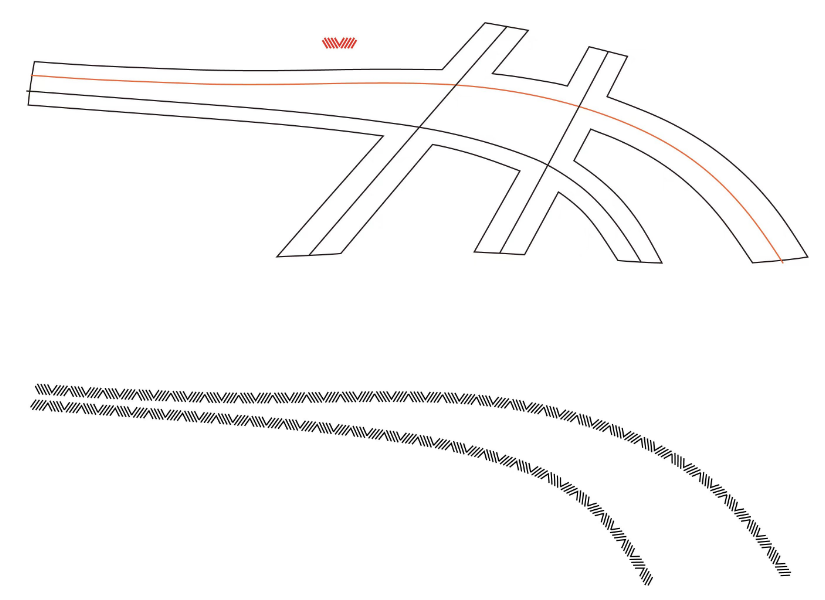
      @Clippy-notes Here another Pattern Brush made via a Blend. One could use the Intertwine Feature on it [image: 1773776885491-pattern-brush-blend.png]
    • Clippy notesC

      6-VectorStyler | Blending | Linked Paths | Blending Introduction (Part 3) | Shape-Driven Blending --- Bug Report

      Watching Ignoring Scheduled Pinned Locked Moved Tutorials
      3
      3
      2 Votes
      3 Posts
      26 Views
      VectorStylerV
      @Clippy-notes I will try to fix this
    • K

      Disable number slider

      Watching Ignoring Scheduled Pinned Locked Moved Questions and Support
      3
      1
      1 Votes
      3 Posts
      33 Views
      K
      @VectorStyler Adjusting numbers by slider can be tricky, particularly for those working on touch pads (13 inch laptops). It’s definitely a nice option to have but not practical for corner radius, stroke, font size adjustments, etc. Illustrator enables sliders only for percentages if I remember correctly.
    • M

      Auto-frame

      Watching Ignoring Scheduled Pinned Locked Moved Features and Ideas
      3
      1 Votes
      3 Posts
      28 Views
      M
      @VectorStyler Well... VS is already a DTP, not much difference between it and DTPs out there. The only issue is that people is not using it as DTP so it need some polish on it. But it looks with powerfull possibilities.
    • K

      Is it possible to extend my trial?

      Watching Ignoring Scheduled Pinned Locked Moved Questions and Support
      3
      1 Votes
      3 Posts
      26 Views
      K
      @VectorStyler Ah thank you very much! Yes that works.
    • K

      Enable search function for online documentation

      Watching Ignoring Scheduled Pinned Locked Moved Tutorials
      3
      1 Votes
      3 Posts
      35 Views
      K
      @VectorStyler Thanks.
    • S

      Multiple occurrences of the same color are not included when creating a color palette.

      Watching Ignoring Scheduled Pinned Locked Moved Questions and Support
      3
      1
      1 Votes
      3 Posts
      20 Views
      S
      @VectorStyler If this is possible, i would plaid for that option because it would make things a bit easier e.g. if you like to use a Palette for colorize
    • encartE

      Node Remover Tool does not refresh changes

      Watching Ignoring Scheduled Pinned Locked Moved Bugs in VectorStyler
      3
      1 Votes
      3 Posts
      36 Views
      encartE
      @VectorStyler It was present in 1.3.010, but it works properly in the latest build. Thank you
    • M

      A little bug on the Font Docker

      Watching Ignoring Scheduled Pinned Locked Moved Bugs in VectorStyler
      5
      1 Votes
      5 Posts
      42 Views
      M
      @VectorStyler I will try to document it better.
    • M

      Not a bug i believe, but some kind of performance thing

      Watching Ignoring Scheduled Pinned Locked Moved Bugs in VectorStyler
      3
      1 Votes
      3 Posts
      31 Views
      M
      @VectorStyler It happens with the "Dim outside the artboard" when switching from the dim color to the dark color. https://icedrive.net/s/QQx7GPw96Bjhh9b7DbffXgPC9SRy
    • K

      Contour shape effect.

      Watching Ignoring Scheduled Pinned Locked Moved Questions and Support
      3
      1
      1 Votes
      3 Posts
      32 Views
      K
      @VectorStyler This works. Thanks
    • K

      How to use Interpolated Shape tool

      Watching Ignoring Scheduled Pinned Locked Moved Questions and Support
      3
      1 Votes
      3 Posts
      33 Views
      K
      @VectorStyler thanks.
    • Clippy notesC

      10 -Halftone Part 1 | How to Create Editable Halftone Text (Shape Text) | Non-Destructive

      Watching Ignoring Scheduled Pinned Locked Moved Tutorials
      2
      1
      1 Votes
      2 Posts
      25 Views
      E
      @Clippy-notes thank you for this great tutorial. Halftone feature is so deep, there is no end to what you can you do with it. I liked your stippling setup I will try to replicate
    • Clippy notesC

      8- VectorStyler | Quick Stroke Color | Alt-Click Color Palette

      Watching Ignoring Scheduled Pinned Locked Moved Tutorials
      2
      2
      2 Votes
      2 Posts
      19 Views
      S
      @Clippy-notes ... quickly set the stroke color using a simple Alt-click directly from the color palette .... didnt know that But you could also just use the right Mouse Button to do that, there is no need to press an addional key. Left Mouse Button for fill color. Right Mouse Button for Stroke color
    • K

      Repeater setting panel

      Watching Ignoring Scheduled Pinned Locked Moved Bugs in VectorStyler
      2
      1
      1 Votes
      2 Posts
      20 Views
      VectorStylerV
      @Kumr I will try to find a solution for these. There are some large modal views with similar issues
    • M

      Crash when setting up artboard margins

      Watching Ignoring Scheduled Pinned Locked Moved Bugs in VectorStyler
      2
      0 Votes
      2 Posts
      16 Views
      VectorStylerV
      @marce I will try to replicate and fix the crash. The result from creating canvases will be shown in the Canvas & Artboards panel, these are similar to spreads in DTP apps.
    • LoginErrorL

      Appearance Panel: Stroke dropdown menu does not appear

      Watching Ignoring Scheduled Pinned Locked Moved Bugs in VectorStyler
      2
      1
      0 Votes
      2 Posts
      22 Views
      VectorStylerV
      @LoginError It is a bug, can be replicated here also, it happens on Windows only (works on Mac). Will be fixed as soon as possible
    • BoldlineB

      Could "Dim Outside of Artboards" darken what is outside the artboard?

      Watching Ignoring Scheduled Pinned Locked Moved Features and Ideas
      3
      1
      0 Votes
      3 Posts
      31 Views
      VectorStylerV
      @Boldline In the Colors tab there are the Dimming Color and Opacity options
    • W

      Arrow types

      Watching Ignoring Scheduled Pinned Locked Moved Features and Ideas
      1
      1
      3 Votes
      1 Posts
      26 Views
      No one has replied
    • M

      Add new pages dialog when pressing nex page button and you are in the last page of the document.

      Watching Ignoring Scheduled Pinned Locked Moved Features and Ideas
      10
      2 Votes
      10 Posts
      74 Views
      IngolfI
      Not only is it useful, I use it all the time because it is so easy to use, easy to remember is there and often I have the pointer next to it anyway thinking I have blank pages available and want to jump to them, but no, this is the last page - and then it is a no brainer to press the same next button to add the page or pages. It is a workflow smoother.