Subcategories

  • These features and ideas have been implemented in VS as suggested

    180 Topics
    1k Posts
    VectorStylerV
    @Ayo said in About the Snap feature: Wouldn't it be better to change "Snap to Visible Only" to "Snap to View Extend Only" or shorter "Snap to Viewport Only" or even shorter "Snap to View Only" ? There is a big chance of confusion with the term 'visible' which is mainly linked to the layer system. I added this to the backlog.
  • Finding back a topic

    4
    0 Votes
    4 Posts
    4k Views
    S
    @Devil-Dinosaur Another option is to enter your username "Devil-Dinosaur" into the search field. Then all discussions in which your name appeared will be listed. The whole thing can be refined, e.g. to a specific time period. By clicking the search box options. The gear on the right side.
  • 0 Votes
    1 Posts
    3k Views
    No one has replied
  • Selection mode depends on the direction

    2
    5 Votes
    2 Posts
    3k Views
    S
    @encart interesting, but I find it a bit curious that in both cases a selection box is used. In the second case, in my opinion a simple line would be totally sufficient Edited: ok take it back a little if you have many small objects a selections box will make sense
  • 1 Votes
    2 Posts
    3k Views
    VectorStylerV
    @Boldline I think it could be there. What happens is that when a parametric (rectangle, ellipse, ...) shape is selected with the node tool, its properties should be editable from the context panel, and among those properties, there si also a button to convert.
  • Delete Path Segment

    19
    2 Votes
    19 Posts
    15k Views
    IgullI
    @b77 said in Delete Path Segment: But I would go with it anyway, and think of a way to add the segment highlight later. That's exactly my thinking too Neil
  • Tool Cursors

    7
    0 Votes
    7 Posts
    9k Views
    IgullI
    @VectorStyler That's great, didn't know they were vectors, historically in Mac at least, you used to be able to edit them yourself in a small bit image editor (ResEdit) that was designed for editing "resources" - back when we used to display images on slate and the computers were run on boiling water Would probably be best to stick to the tool's own current operating cursor - just without the dot or tilde. Neil
  • Option to show existing location of path in ghost form as you move a node

    14
    2 Votes
    14 Posts
    12k Views
    S
    @encart like that idea too
  • Eyedropper Tool Enhancement

    13
    1 Votes
    13 Posts
    12k Views
    IgullI
    @Ingolf Yes, pretty much that idea. I think the individual really has to choose what's relevant for their purposes - my no selection context menu for instance only has 10 items - the multi selection has 15. I'm still refining what I need as I go along, but I'm getting a bit more au fait with VS now Neil
  • Merging vectors that cross over themselves results in two divided objects

    4
    0 Votes
    4 Posts
    5k Views
    VectorStylerV
    @Boldline I added this to the backlog. The required tools are already available, but not yet accessible.
  • Copy dimensions option

    2
    2
    0 Votes
    2 Posts
    3k Views
    VectorStylerV
    @Boldline Use the Alignment panel size alignment options.
  • 1 Votes
    3 Posts
    3k Views
    BoldlineB
    @VectorStyler thanks! I'm fine with it converting the result to inches after I type it in if that helps
  • Request change to Transform Panel

    10
    1 Votes
    10 Posts
    8k Views
    IngolfI
    @Igull said in Request change to Transform Panel: @Ingolf LOL, I see your four and raise you my three Illustrator [image: 1658257365740-illustrator-resized.png] Ah, I think we might be comparing apples and pears. It looks like context bars in your post, and floating panels in my post. So a chronic horizontal narrow static bar vs floating bars with a dynamic size.
  • 0 Votes
    6 Posts
    7k Views
    BoldlineB
    @b77 lol I'm not opposed to your idea, I'm just asking questions on how it could be done. There are a lot of angles to this to consider; valuable space in the toolbar versus not having too long of a pullout. Users having control over what shape options are available where, etc.. I'm glad you're offering suggestions
  • 1 Votes
    6 Posts
    6k Views
    BoldlineB
    @VectorStyler said in Option modifier when clicking on tab for recovered file should show the file in the recovery folder: We need to think about limiting the new options. Those will also need to be reorganized in the near future, as the Preferences view is too complex. If I am misunderstanding, let me know - but this topic sparked the idea about the maintenance section in the help menu. I wasn't wanting to add more preferences to the literal preferences section [image: 1657982941983-bb168598-a3d1-4749-9ae5-5caff2000796-bld-2022-07-16-at-10.48.51.png]
  • Menu option to access the VS maintenance files

    1
    1
    2 Votes
    1 Posts
    3k Views
    No one has replied
  • Improving Grid Options

    3
    1
    1 Votes
    3 Posts
    4k Views
    BoldlineB
    @VectorStyler said in Improving Grid Options: I will try to replicate this, checking preview should work. And I will move it to the new location. Checking again today, the preview works fine - maybe I was not noticing the changes last time and it seemed like it was not working to me. I know you mentioned already you would move the preview/refresh to a new location, but expanding a little on the topic in terms of user experience in case it helps; The way the setup is now, the preview is a checkbox, which by default makes me think of it not as an active button meant for clicking to refresh, but as a setting you either leave on or off - where the refresh would occur automatically when the checkmark is active. Maybe you want to leave the preview where it is but using that on/off function and then add the refresh at the bottom with the ok or cancel? @VectorStyler said in Improving Grid Options: Could make this a new document option. Sometimes a default grid is needed. I totally agree - there are times I like a default grid as well - but I also like the option to have it carry over or not. We're getting spoiled with all the levels of customization! Phase 7 sounds so far away lol - but that will really be great when it arrives - being able to easily create and share presets will help a lot of people expedite processes and get down to work faster on their projects.
  • Option to auto link live text to its path

    1
    0 Votes
    1 Posts
    3k Views
    No one has replied
  • 1 Votes
    5 Posts
    5k Views
    BoldlineB
    @VectorStyler thanks for clarifying. Also thank you for hearing out our ideas and giving them all consideration and implementing them as they fit your overall vision - no matter how big or small, far fetched or realistic the suggestions and ideas are. I am sure I can speak for more than just myself here, it's awesome to be able to help improve VS with our ideas and testing. In a way we get to help mold it into a program we can use the way we best see fit and that's exciting
  • Presets or default options within VS for text on a curve options

    9
    1
    0 Votes
    9 Posts
    8k Views
    S
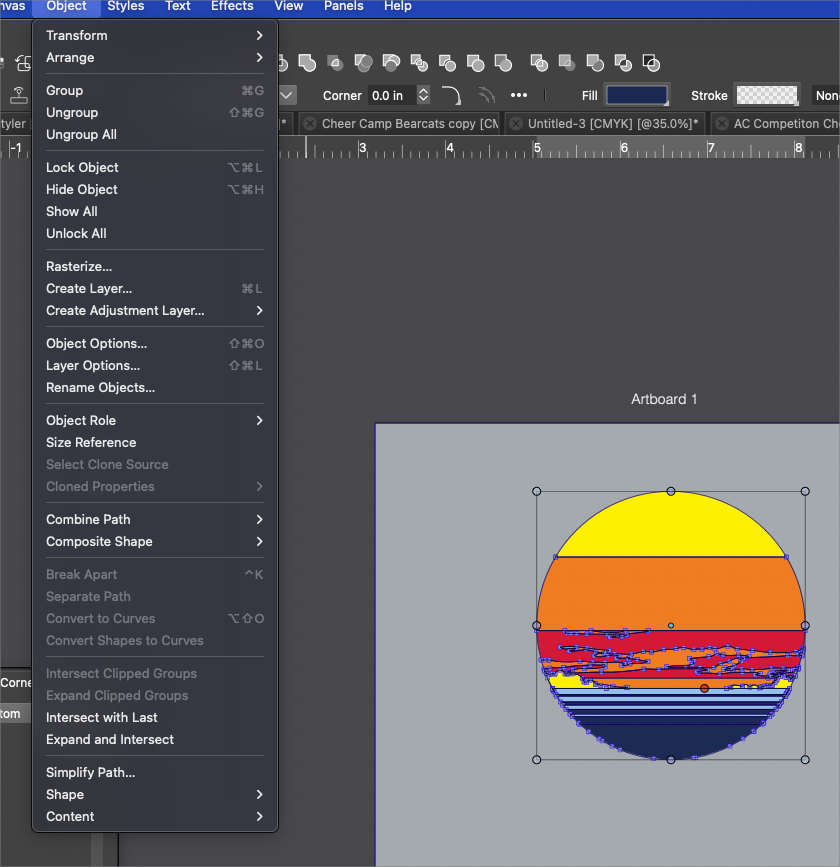
    @Boldline It's late, but I'd like to point out a find i made in Object Roles. While I was looking for something different. Found it in Object > Object Role > More Roles. There is a Role called "Text on Path Style". The Manual says: "The object's text-on-path settings act like a text-on-path style". It's unclear to me how that works. But looks like some kind of preset for Text on Path? [image: 1657400295610-text-on-path-style.png]
  • Edit>Repeat > Option to Pick a last Action to Repeat continuously

    9
    1
    1 Votes
    9 Posts
    8k Views
    VectorStylerV
    @plrang said in Edit>Repeat > Option to Pick a last Action to Repeat continuously: That "Repeat" looks just like the "History" panel, should be merged into one and available as a panel. This would be hard to merge, at least for now. The History panel contains the undo/redo history of the edited document, and these cannot be restored to actions (unless those actions are also stored with these, further increasing file size). The undo/redo history is a hierarchy of alternate histories caused by making a different change after one of more undo steps. The Recent Actions panel contains a limited set of most recent actions. There is no hierarchy here, and these are common for all documents (global for the application), so an action made in one document can be repeated in another.