• update 1.3.003

    Announcements and News
    2
    7 Votes
    2 Posts
    483 Views
    E
    @VectorStyler thank you for this update
  • Issues remaining with the Drop Shadow

    Bugs in VectorStyler
    2
    2
    1 Votes
    2 Posts
    364 Views
    VectorStylerV
    @Boldline I will try to improve these
  • 1 Votes
    7 Posts
    769 Views
    S
    @William-Kansepa , interesting I don't see a big problem with that, since it's always easy to use a kind of dummy group (without colors). Or to plan a bit in advance. Alternatively, it is always possible to use multiple mirror groups. By the way, one way I found to add more objects to a mirrored single object works by first creating a Symbol of it. Then you use that Symbol and mirror it. Afterward, you can replace that Symbol with any objects or add more by selecting the objects and using the "Replace Symbol with Selected Object" button in the Symbols panel.
  • Question about the Intertwine Tool

    Questions and Support
    4
    1
    0 Votes
    4 Posts
    698 Views
    S
    @Gremriel I tried it out and discovered something interesting. Firstly, I had the same problem as you: the intertwining effect disappeared when I deleted the outline. After that, the intertwining effect couldn't be created again. The reason for this could be that when you ungroup the objects, there are now four copies of the red object. I think this has something to do with the effect itself. If you delete three of the four objects, you can apply the effect again. [image: 1765573674592-intertwine-effect.png]
  • Regression in 1.3.002

    Bugs in VectorStyler
    3
    1
    1 Votes
    3 Posts
    414 Views
    W
    I am happy to say this issue has been resolved. Things are now working as expected in VS 1.3003. Thank you @VectorStyler.
  • Another regression

    Bugs in VectorStyler
    6
    1
    1 Votes
    6 Posts
    619 Views
    W
    Issue has been resolved in VS 1.3003. Thank you @VectorStyler.
  • 0 Votes
    2 Posts
    386 Views
    VectorStylerV
    @marce No such option at this time.
  • VectorStyler 1.3.002

    Announcements and News
    6
    11 Votes
    6 Posts
    949 Views
    IngolfI
    Splendid update. And the biggest third-decimal update I’ve ever seen - without any competition.
  • 1 Votes
    3 Posts
    408 Views
    S
    @VectorStyler No problem, it was just a thought and I also suspected there was a reason for it.
  • Transform Object lacking preview option

    Features and Ideas
    2
    1 Votes
    2 Posts
    295 Views
    VectorStylerV
    @William-Kansepa I will try to add this if possible.
  • 1 Votes
    4 Posts
    537 Views
    F
    Right-clicking the icons also works, at least on the Mac. That is my own preferred method as it is quicker than a long press and provides a bigger target than the tiny arrows in the corners.
  • Node Editor vs Shape Editor tools

    Questions and Support
    2
    1 Votes
    2 Posts
    371 Views
    VectorStylerV
    @William-Kansepa said in Node Editor vs Shape Editor tools: What are the major differences in functionality between the Node Editor and the Shape Editor tools? yes, this is a new thing in 1.3: Node Editor: will edit the nodes of the top effect, or the object shape Shape Editor: will always edit the object shape, regardless what effect is stacked on it. These two tools are the same of the object contains no shape effects
  • Erratic halftone editor in 1.3.002

    Bugs in VectorStyler
    7
    1 Votes
    7 Posts
    803 Views
    E
    @VectorStyler said in Erratic halftone editor in 1.3.002: Yes, and this this consistent with double clicking on other tool icons. I was thinking the same behaviour as the shape effect tools. Double clicking on tool icon while a shape with effect is selected opens (or puts forward) the shape effect panel, allowing user to change the parameters. With halftone, the appearance panel could be put forward, allowing user to change halftone parameters of already created effect. The issue is with already created halftone, the user may think the dialog opened by double clicking may be used to change settings (and it does in preview), but then clicking ok undoes the changes, which is confusing.
  • DXF Versions

    Questions and Support
    3
    1 Votes
    3 Posts
    422 Views
    J
    @VectorStyler Thanks for the quick reply. If you have some older DXF files that do not import, please send… Thanks, but I'm not really needing that. I'm just making some examples to demonstrate the decades-old "polyline" problem of the CAD>DXF>Bezier workflow (which I don't recommend, if at all avoidable). So I just wanted to make sure not being able to open the R12 files I'm using to demonstrate, is not unique to my installation. I can open R14 versions of the same files, (which do not demonstrate the polylines issue, but break curves at every path segment). JET
  • 1.3 update is great!

    General Discussion
    4
    2 Votes
    4 Posts
    621 Views
    M
    Great work, thanks very much.
  • Erratic Repeater editor tool in 1.3.002

    Bugs in VectorStyler
    5
    2 Votes
    5 Posts
    563 Views
    VectorStylerV
    @EricP I will try to replicate this
  • Interface issue

    Bugs in VectorStyler
    11
    2
    1 Votes
    11 Posts
    2k Views
    VectorStylerV
    @B-Vs-V Yes it is a regression, was reported by others also. Just fixed it, fix will be in the next build
  • 1 Votes
    5 Posts
    728 Views
    VectorStylerV
    @marce I will try to replicate this.
  • Font Panel Preview issue

    Bugs in VectorStyler
    6
    1
    0 Votes
    6 Posts
    673 Views
    M
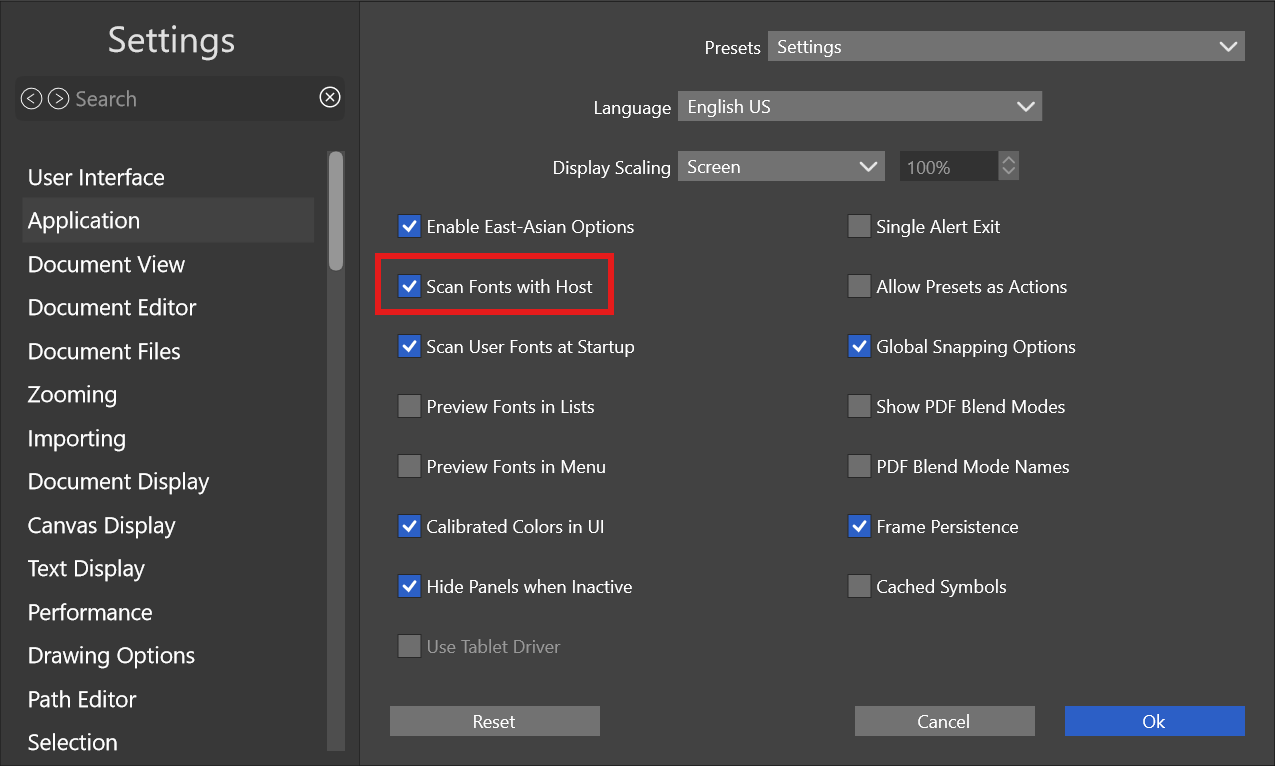
    @VectorStyler Hi! No, they are installed in windows. I dont installed nothing with VS manager yet.
  • 1 Votes
    3 Posts
    457 Views
    VectorStylerV
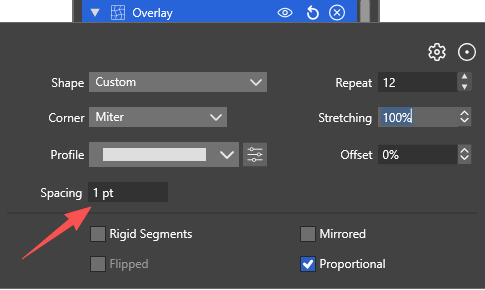
    @Boldline The problem here is that repeater presets also contain the repeated objects. This is needed to add repeaters to as a fill to existing objects, but it can cause problems for repeaters that are not filling shapes. The repeated shape can be changed by selecting a new object and the repeater and using the Replace Repeated Objects from the panel menu