• What tools are efficient for drawing curves In one step?

    25
    1 Votes
    25 Posts
    38k Views
    F
    @Daniel said in What tools are efficient for drawing curves In one step?: Cubic bezier - Has two points, start and end, and four control handles, 2 each. The so called "pen tool". Not quite. Not quite - each segment of a true Cubic Bézier has two control points, one for each end - you often see two control points at a handle because there is one for each of the segments connected to it; if the curve is not closed then the end points will only have one each since there is only one segment coming from them. Curiously, the pen tools in most drawing apps do present a second control handle when manipulating an end point on an open shape, though some of them (such as Affinity Designer) only show it when you are manipulating the one that belongs there. Mathematically that shouldn't be there, which has me wondering what the apps are actually doing when they present one on that end point.
  • Feedback for Image FX in VS (Plus we need a feedback thread)

    3
    1
    1 Votes
    3 Posts
    3k Views
    DanielD
    @VectorStyler I will build out an FX panel with all the relevant options this weekend and post into XLS thread. Please could you move this thread to that category too? I don't want this to get lost.
  • Pantone Solid Coated-V4 acb file

    1
    4 Votes
    1 Posts
    10k Views
    No one has replied
  • Scroll left right with two fingers in touchpad.

    3
    1 Votes
    3 Posts
    4k Views
    J
    @VectorStyler Thanks fixed.
  • A happy new year to VectorStyler and everyone

    4
    11 Votes
    4 Posts
    4k Views
    debraspicherD
    Happy New Years, everyone Rebuilding/rebuilt my office in a new room, so can't wait to get back to the possibilities. Hope everyone had a blessed holiday and meets a positive way forward in reaching their personal goals this year
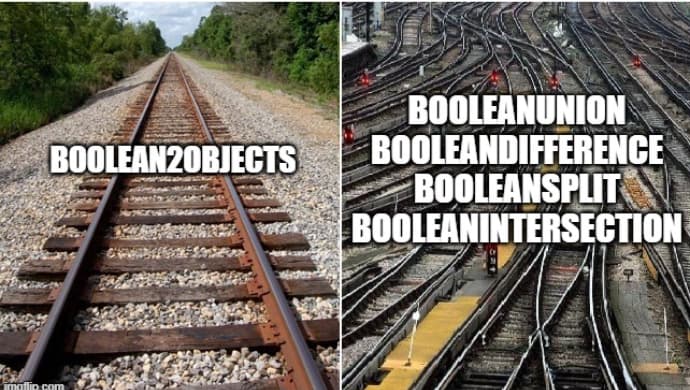
  • Just a funny Picture

    1
    1
    4 Votes
    1 Posts
    3k Views
    No one has replied
  • Hello! New Here and Excited to Learn!

    7
    4 Votes
    7 Posts
    8k Views
    S
    @JuurGroove also welcome from here Yes, the discussion about real vector brushes in the Affinity forum I think you would have fun with VectorStyler. This two posts may interest you. https://www.vectorstyler.com/forum/topic/3043/symmetrical-sketching-in-vectorstyler-tip https://www.vectorstyler.com/forum/topic/2089/playing-with-blend-in-pattern-brush/11
  • The new pasting method

    3
    1 Votes
    3 Posts
    5k Views
    S
    Just for inspiration Magix Designer / Xara use the right Mouse Button to copy a Shape. Drag a Shape with the right Mouse Button to a new position and it will be copied. Corel Draw use also the right Mouse Button but with a little Menu See Video here
  • function coding

    3
    1
    1 Votes
    3 Posts
    4k Views
    M
    @VectorStyler yes,Some functions do not need to set shortcut keys, but this operation is also relatively fast.
  • Putting raster images at precise positions

    6
    4
    1 Votes
    6 Posts
    8k Views
    VectorStylerV
    @nocturnalYL said in Putting raster images at precise positions: and the rounding error is unavoidable Yes, this this case it is possibly that it is caused by rounding (I will have to test this more). I will also test the first case (without resolution), but this one reported 72 dpi for me. BTW: for the precise line / node positioning (not related to pixels), try the various snapping options.
  • Is there anyway to recover Recordit.co gifs?

    3
    0 Votes
    3 Posts
    5k Views
    S
    @Antonia You just can take the Lesson from that. I always save a copy from such a record on my PC. I use Screenpal since Recordit is death. There is a free Version you can save the records as .mp4. If you need/want .Gifs take a look at "ScreenToGif" (PC only) i tiny and very nice Screen Recorder.
  • A kind of PatternNodes for Windows (free, Win/Mac)

    6
    1
    4 Votes
    6 Posts
    10k Views
    S
    VectorStyler - Nodebox comparison, creating patterns with letters A while ago I made a little Vectorstyler tutorial on how to create patterns with letters. In the meanwhile I did the same in Nodebox. Thought it might be interesting to see the different approaches. Note: Export your Nodebox result as a .PDF to preserve the colors and especially the transparency of your pattern. . . Here is the video of how I did it in VectorStyler. . . Here is the video of how to do it in Nodebox. Its also possible to create simple Animations with Nodebox, I use this option in the video too. . . [image: 1726569464011-ksnip_20240901-200844.png]
  • VectorStyler tutorials on YouTube unintentionally doing more harm than good

    13
    2 Votes
    13 Posts
    14k Views
    debraspicherD
    @Subpath said in VectorStyler tutorials on YouTube unintentionally doing more harm than good: Of course videos could be helpful. But there is someone needed who make them. This will take Time and Energy and it is easier to view a video then to create one. Yes, and with the programs changing so much, it doesn't make a whole lot of sense to make a series of videos, unless that user is very interested in documenting development (and being forthright about potential future changes). It would be counter-productive, otherwise. That's why I said just making that one video that focuses on the core would be very helpful, because then it makes project-related videos more tangible. I get the sense the tools can do way more than I am currently doing, but even with the PDF manual it's still difficult to pick up what I'm missing (at times, anyway).
  • Doubts about open source projects

    10
    1 Votes
    10 Posts
    11k Views
    VectorStylerV
    @monsterfox said in Doubts about open source projects: The original graphic can be modified in shape at any time, and the copy will be synchronized. This is also possible in VS, using object references: create a reference to an object (Edit -> Reference) and repeat that. The repeater parameters are dynamic and can be changed at any time.
  • Free SVG country maps - high and low res

    1
    6 Votes
    1 Posts
    3k Views
    No one has replied
  • Is VectorStyler a one-person project?

    17
    3 Votes
    17 Posts
    19k Views
    L
    @VectorStyler I only see credit card and PayPal options. It's okay, I'll take care of the payment on their behalf. It's a small matter.
  • Does anyone know an Recordit alternative?

    12
    1 Votes
    12 Posts
    16k Views
    S
    @debraspicher even though I use Screenpal and am happy with it i love "ScreentoGif" and still wonder how such a tiny tool can do so much
  • English-language YouTube Tutorial Channel

    6
    2 Votes
    6 Posts
    10k Views
    syllieS
    @debraspicher @VectorStyler This is actually a good idea (the shorts option) as there are quite a few vimeo demos that could be used for this (and are still relevant). Just a matter of recropping, captions and a tune. Could be a way to start.
  • Accessibility settings under Mac

    2
    1
    0 Votes
    2 Posts
    3k Views
    VectorStylerV
    @Kumr said in Accessibility settings under Mac: Should this be enabled for VS functionality? I think this only enables some accessibility features of MacOS when using VS
  • Colour of VS icon

    10
    0 Votes
    10 Posts
    10k Views
    S
    @William-Kansepa said in Colour of VS icon: but we strive for perfection aren't we all. absolute true but love the japanese style where the perfection is only perfect with some imperfection