• Cavalry Pro Version, vector graphics animation is free for personal use

    4
    1 Votes
    4 Posts
    24 Views
    S
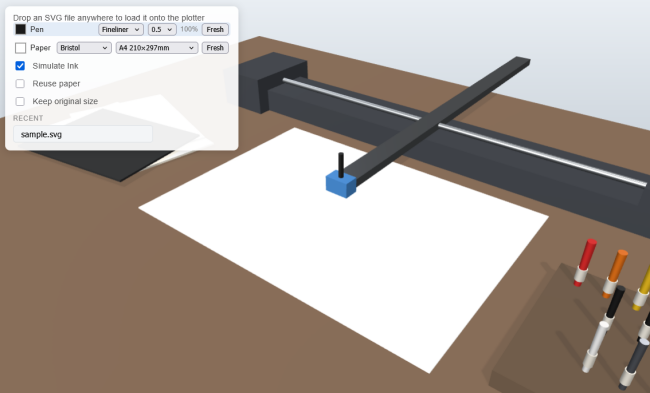
    The Cavalry App came with a lot of Demo files which can be found here. [image: 1779106655972-demo-files-1.png] [image: 1779106661314-demo-files-2.png]
  • Liquid shapes - 2D SDF vector graphics

    9
    1 Votes
    9 Posts
    4k Views
    H
    @ZATOPEK Hi, Maybe this could be useful. I made a short video showing a simple way to create a metaball-like effect in VectorStyler. The method uses a combined path with two live offsets: first a positive offset, then a negative offset. This creates a smooth connection between the shapes while keeping the result editable. Here is the video: https://imgur.com/a/r0xsB1S
  • Canva acquired Cavalry

    12
    3 Votes
    12 Posts
    116 Views
    S
    @ZATOPEK Did you know that you get the full Version now for free ? As Canva acquire Cavalry the Pro Feature are also free now. https://www.3dart.it/en/cavalry-pro-is-now-completely-free-the-after-effects-alternative-rides-in/
  • VS Review on Youtube

    33
    4 Votes
    33 Posts
    60k Views
    debraspicherD
    Not intending to find this user here, I swear. I was doing both searches on YT and on the forum itself because I had been playing around with the idea of doing some tutorials myself. I saw that they were listed here in the search results as I had just peeked at their YT. They had actually posted an intro course of sorts, so I thought I would share it. It's pretty decent for new users and is well-paced: https://www.youtube.com/watch?v=wyzePU3XlRw
  • Adobe has something new related to 3D-Illustration ...

    24
    6 Votes
    24 Posts
    25k Views
    S
    SVG Strokes in MagicaCSG Since Beta 7.2, MagicaCSG can import SVG vector graphics. This means apart from shapes that vector strokes can also be imported. Overlapping, grouped lines create a gap at their intersections. However, this can be easily fixed by performing a Boolean union beforehand. Here a few Examples: The original vector file made in Vectorstyler [image: 1775234326001-svg-vector-file.png] . . Extruded in MagicaCSG [image: 1775234368461-svg-strokes-2.png] . . Used with MagicaCSG own Array Feature [image: 1775234403642-array-1.png] [image: 1775234409907-array-2.png]
  • The video Issue about ScreenPal is now resolved

    1
    3 Votes
    1 Posts
    22 Views
    No one has replied
  • ScreenPal is reducing free video hosting to 10 videos only

    1
    2 Votes
    1 Posts
    23 Views
    No one has replied
  • Pretty nice results with Trace

    2
    1
    3 Votes
    2 Posts
    26 Views
    M
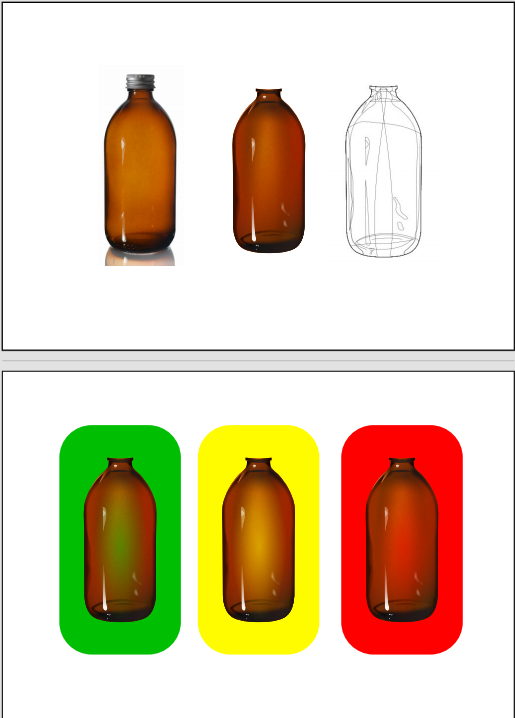
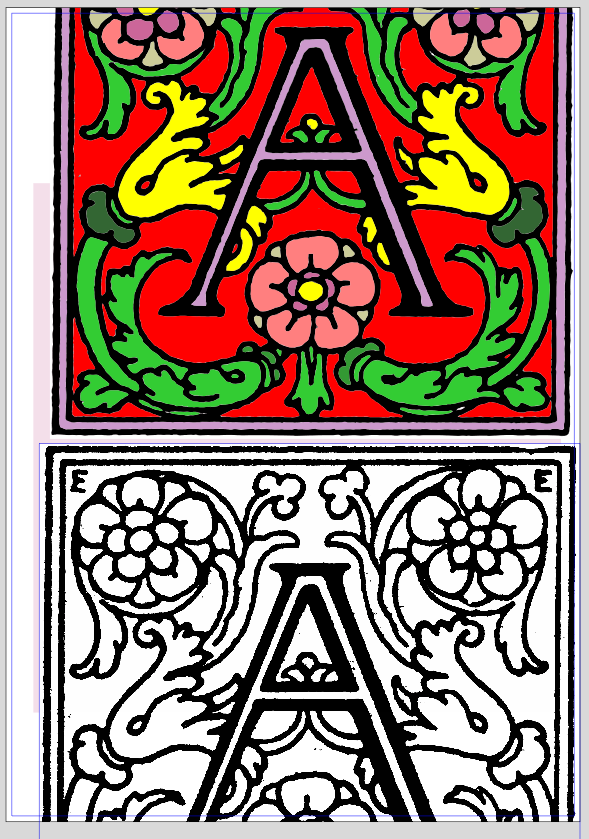
    The colored one is the result, the below image is the original.
  • New Forum - Problem to reach the edit Post Button

    7
    1
    0 Votes
    7 Posts
    37 Views
    S
    @VectorStyler said in New Forum - Problem to reach the edit Post Button: @Subpath I managed to turn it off try it now. Browser: i use Firefox Button: yes is gone and i can see and use the Edit button now
  • Gradient colors don't seem to work.

    13
    0 Votes
    13 Posts
    7k Views
    EvaeloE
    I should have done this sooner. Upon clean installation of VectorStyler 1.3.006 gradients work fine. Something was not right with my installation, I guess. All is good!
  • 5 Votes
    5 Posts
    675 Views
    S
    @syllie From your previous posts, I remember that you're interested in pattern making. I do that too, but just for fun and fun of experimenting. Not at a pro level. I'm also familiar with Amaziograph and Paintstorm Pro. I have both on my iPad. . . Another very interesting app, on iPad, for pattern exploration. Photo and Video live recordings is "Nception". Here a Link https://nceptionapp.com/ . . On a PC, I can highly recommend taking a look at "Black Ink" (PC only). Its node-layer concept allows to create very individual symmetries. Here also a Link: Radial Symmetrie https://www.youtube.com/watch?v=3_QvI8jCkdc Domain Wrap Operator https://www.youtube.com/watch?v=p6UfxYnFDjM

  • Outline of a Variable-Width Path

    7
    0 Votes
    7 Posts
    790 Views
    M
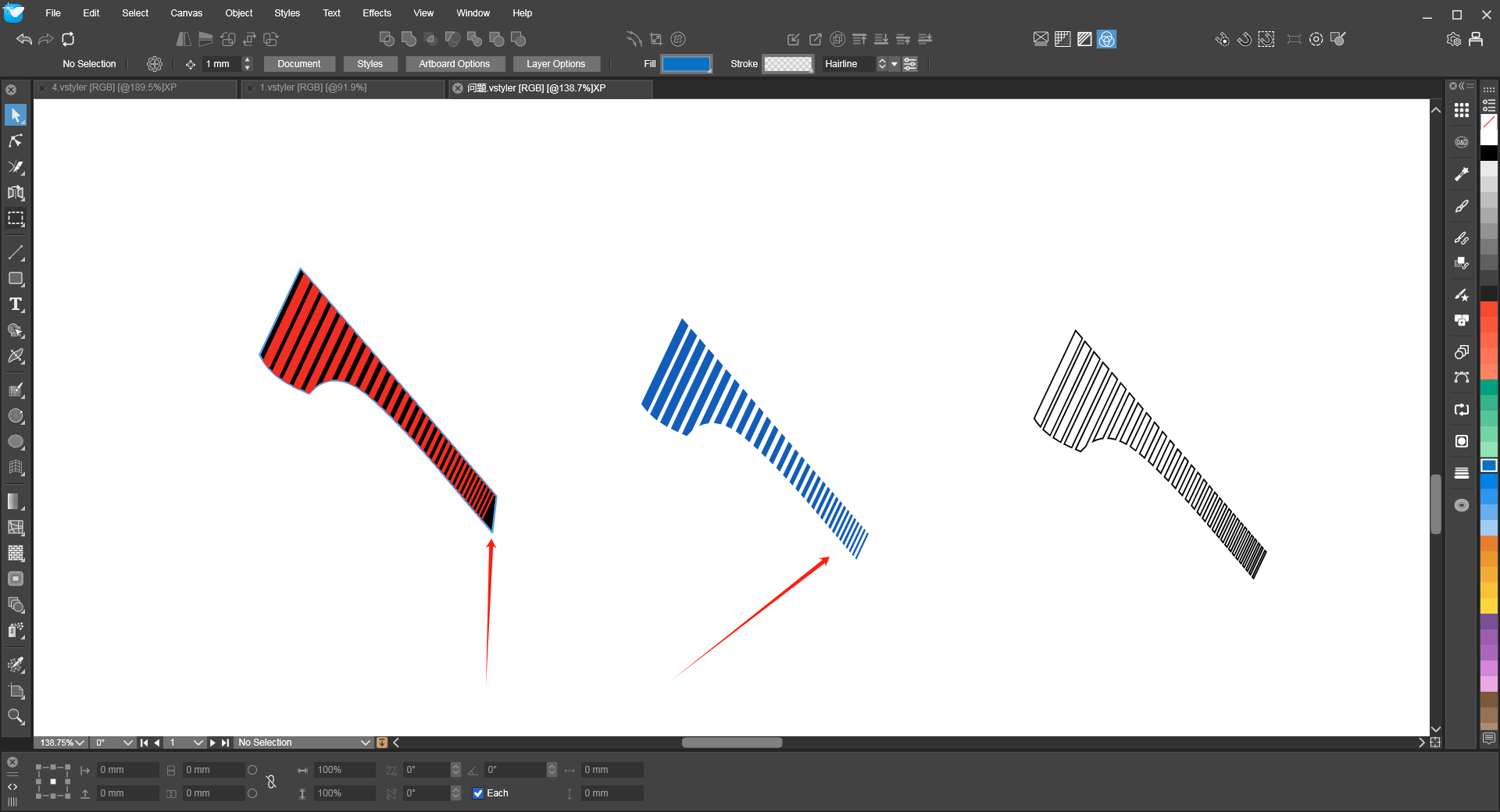
    @VectorStyler 0_1767501127161_235.vstyler
  • Style Picker doesn't work after using Node Tool

    3
    1 Votes
    3 Posts
    477 Views
    W
    Now working as expected. @VectorStyler thank you for fixing this!
  • This topic is deleted!

    1
    0 Votes
    1 Posts
    38 Views
    No one has replied
  • General feedback on performance

    5
    1
    1 Votes
    5 Posts
    602 Views
    DanielD
    @VectorStyler: Yup! Self-group is the solution. Also, I accidentally hit don't save when I was prompted for the file. So I'll rebuild and share this weekend. Sorry.
  • Affinity Designer Now FREE with All features can be used, except for AI.

    46
    -4 Votes
    46 Posts
    22k Views
    T
    @monsterfox I agree with this wholeheartedly. We desperately need VectorStyler tutorials on YouTube. This will also help drive new users to this tool.
  • Wrap of transparent PNGs

    6
    1
    1 Votes
    6 Posts
    653 Views
    M
    Thanks VS and Subpath! Great thing the drag and drop inside a draw shape! Nice. Would be nice for bitmaps with transparency to have the option to extract automatically the contour for wrapping purposes.
  • Performance settings... lag while dragging

    9
    2 Votes
    9 Posts
    1k Views
    M
    @VectorStyler Maybe I changed that setting accidentally, I will try to reproduce how I made that. Maybe when setting the new document or pasting the images. I will report later
  • Font Panel Behaviour

    2
    1 Votes
    2 Posts
    363 Views
    VectorStylerV
    @marce I will try to improve this
  • 1.3 update is great!

    4
    2 Votes
    4 Posts
    623 Views
    M
    Great work, thanks very much.