• Unable to select and move the symbol

    2
    1
    0 Votes
    2 Posts
    3k Views
    VectorStylerV
    @Raaskot "Symbol 1" cannot be moved (replicated here also). This is caused by having Layers inside the symbol (only groups and objects are supported). The only way to solve this now is to remake the symbol with groups and objects (no layers in the symbol). I will try to fix this issue in the next build. "Symbol 2" can be moved here
  • I want to place layer in root. Not possible?

    9
    0 Votes
    9 Posts
    7k Views
    RaaskotR
    @VectorStyler Good idea, thanks
  • Can't place cusp node on path

    2
    1
    0 Votes
    2 Posts
    2k Views
    RaaskotR
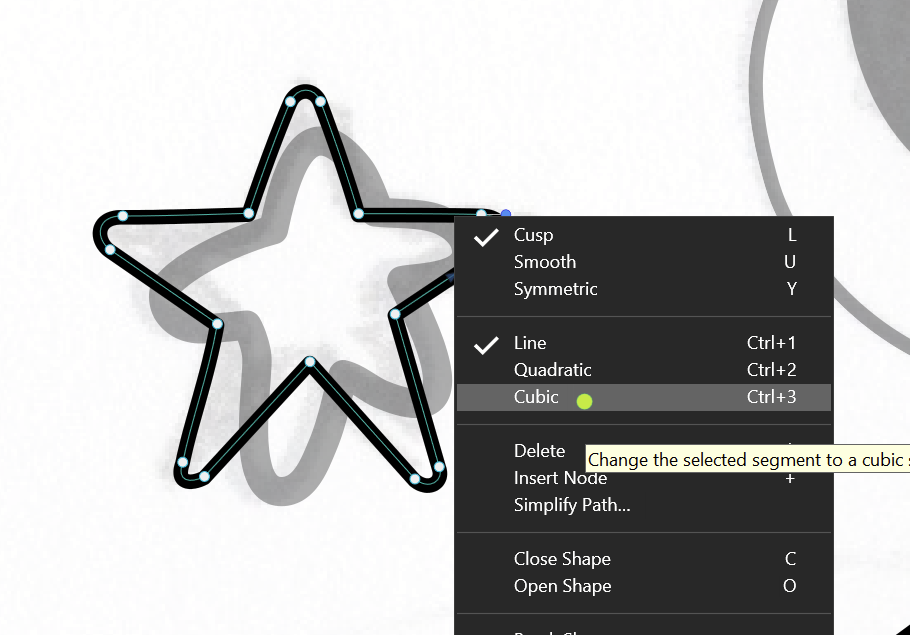
    @Raaskot A solved-note for myself and the audience. Be aware to choose mode of line segment. Then it works [image: 1717074906230-d84d446a-b688-413e-b426-4b426483d4a3-billede.png]
  • How do I turn off stroke scaling for objects pasted into a VS document?

    4
    0 Votes
    4 Posts
    4k Views
    S
    @Boldline you're welcome, I'm glad it was helpful perhaps it's possible to create an Action out of it? I agree, it's a bit hidden
  • 0 Votes
    2 Posts
    2k Views
    VectorStylerV
    @Boldline Were these panels docked or floating? It seems that the workspace file resets for some reason (it does that for some key presses at startup)
  • Snapping seems different when using shift and option/alt

    3
    2 Votes
    3 Posts
    4k Views
    BoldlineB
    @VectorStyler one thing I like in Affinity is that an obvious indicator appears when the selected shape is completely snapped flush with the first shape. In this example screenshot below, the three squares to the right side of the green line were dragged over to touch the original three squares on the left side. When they touched, an obvious green line appeared to let the user know they were exactly flush Here is a gif of what I am talking about [image: 1716830613706-cdb149a5-1ab8-40ad-9c2c-40e0053635b2-cleanshot-2024-05-27-at-13.21.34.png]
  • This topic is deleted!

    1
    0 Votes
    1 Posts
    1 Views
    No one has replied
  • Saving Text Styles

    6
    1
    2 Votes
    6 Posts
    5k Views
    K
    @VectorStyler Thank you for this feature. Works well in the latest 12.025 update.
  • Does the style picker not reference from locked items?

    2
    0 Votes
    2 Posts
    3k Views
    VectorStylerV
    @Boldline This could be a bug. I will try to replicate it.
  • about the movement distance

    3
    1
    1 Votes
    3 Posts
    3k Views
    M
    @VectorStyler Or add a unit and let the user choose one, which would be better.
  • Transformed Clipping Shape distorts clipped content

    5
    1
    0 Votes
    5 Posts
    4k Views
    W
    @VectorStyler thank you. This method is perfect!
  • 0 Votes
    4 Posts
    4k Views
    VectorStylerV
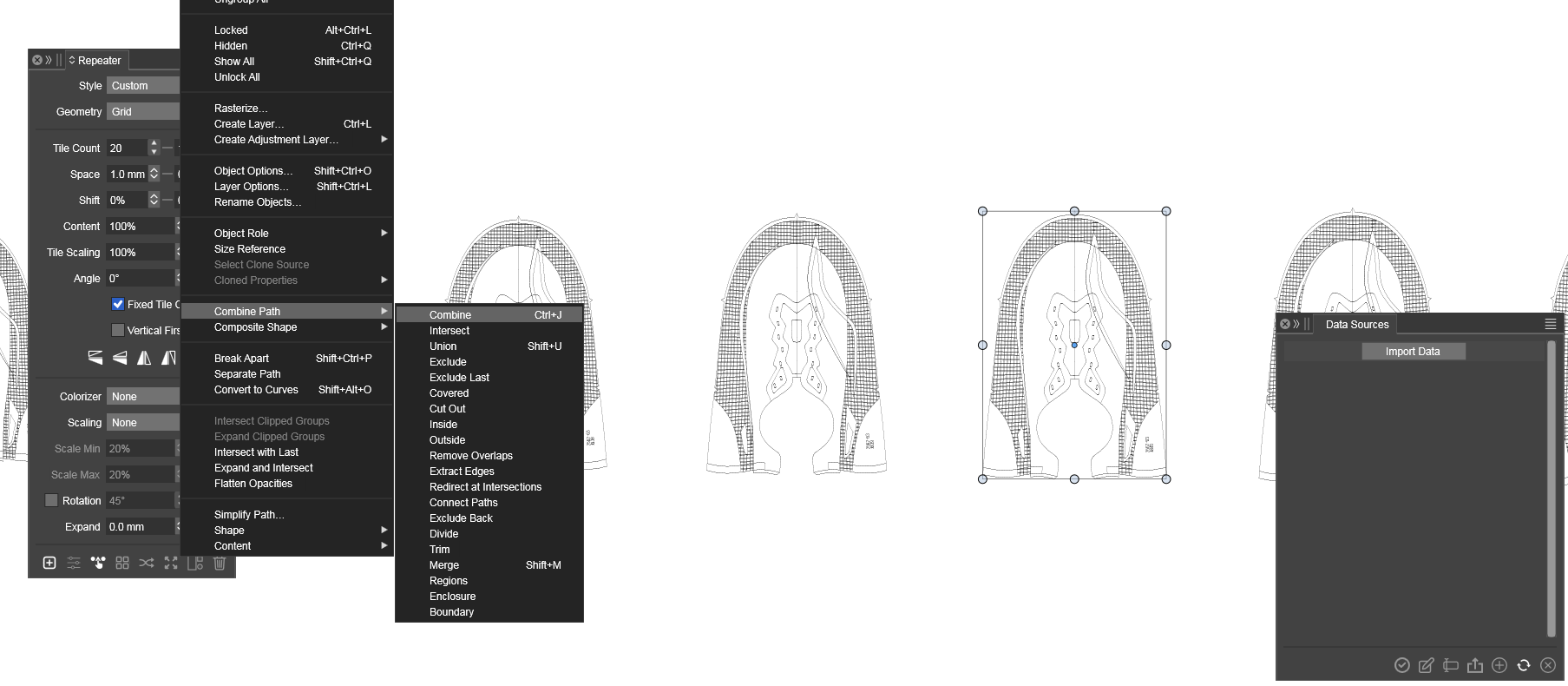
    @Boldline said in How do I use the Split Object Shape - "inside split schemes" and "cut split schemes"?: If I understand it correctly, the divide can be created with an open-ended path or the interior of a fill? Yes. In case of open-path the object will be split along the path. Is this the way it's supposed to work? Yes, for a single shape this is the result, it cuts the part inside the star. I think the repeater can also be used to create a grid of shapes for a "split scheme", but regular duplication and grouping will also do.
  • Object with spot colors disappears/change in pdf-output

    2
    1
    0 Votes
    2 Posts
    4k Views
    VectorStylerV
    @Raaskot It seems to be that Acrobat can open the resulting file but other apps have problems. I will try to find a solution for this before the next build.
  • Monospaced numbers, how?

    2
    1
    0 Votes
    2 Posts
    3k Views
    RaaskotR
    @Raaskot Solved it on my own Choose Tabular Figures under "Character Options/Typography/OpenType" [image: 1715942094345-79e66020-d3ca-4d54-9588-e4c10b821c06-billede-resized.png]
  • Confusing style-editing in VS

    2
    0 Votes
    2 Posts
    3k Views
    VectorStylerV
    @Raaskot Seems to be a bug. Removing the default character styles causes this. The fix is to set a color for the text (it is missing). I will fix this ASAP.
  • Question regarding floating panel behavior when using other applications

    3
    1 Votes
    3 Posts
    3k Views
    debraspicherD
    @VectorStyler I'm probably just not used to it. I'd have to spend more time with it on daily tasks to know for sure, but other than it being different, so far I'm not inclined to say it needs a Preference option. Users who prefers to spread panels across displays likely benefit most from the behavior. Whereas in my case, it's just a matter of being able to read items while staring at another application, which I can do simply by clicking the window active. It's no biggie.
  • How to copy text via clipboard and paste in VS with new appearance?

    3
    1 Votes
    3 Posts
    4k Views
    VectorStylerV
    @Ingolf said in How to copy text via clipboard and paste in VS with new appearance?: I think VS' lacks a paste without format in text contexts I will check this as it should not be an issue. But yes, by default text i pasted with formatting.
  • Grid display oddity

    5
    0 Votes
    5 Posts
    5k Views
    debraspicherD
    I've seen this happen, but it's sporadic. Lots of fun UI glitches occurring on the Windows side. It will take some reporting to catch them all, I suspect.
  • This topic is deleted!

    1
    1
    0 Votes
    1 Posts
    2 Views
    No one has replied
  • One Day Experience

    6
    1 Votes
    6 Posts
    6k Views
    M
    @VectorStyler Look back at history, regarding question 1, this is a very important function. VS is a very powerful software. When I completely use VS as the mainstream work software in the future, there will be a lot of daily work documents. It will be very difficult to find files without a preview graphic window. Although I am looking forward to the emergence of the multilingual function, the function of the preview window should have a higher priority. Hope for reference.