Subcategories

  • These features and ideas have been implemented in VS as suggested

    180 Topics
    1k Posts
    VectorStylerV
    @Ayo said in About the Snap feature: Wouldn't it be better to change "Snap to Visible Only" to "Snap to View Extend Only" or shorter "Snap to Viewport Only" or even shorter "Snap to View Only" ? There is a big chance of confusion with the term 'visible' which is mainly linked to the layer system. I added this to the backlog.
  • Adding tool like...

    5
    0 Votes
    5 Posts
    6k Views
    B
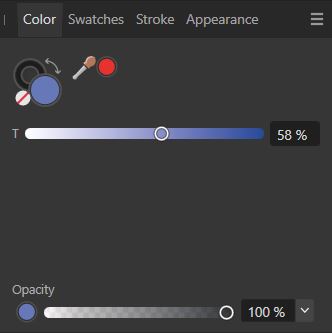
    @VectorStyler I meant in the colour sub-panels of the contour panel. It's not a priori easy to know where to control the various parameters of the contour tool. The pipet icon disappears before the screenshot but I meant there : [image: 1688649751718-pipet.jpg]
  • Artboard edges: always visible

    3
    3
    1 Votes
    3 Posts
    4k Views
    B
    @VectorStyler yes, set to show: [image: 1688496035333-vs3-resized.jpg] Edit: ok
  • Set new Width Nodes Indicator Idea

    6
    2 Votes
    6 Posts
    6k Views
    S
    I just like to say how much I appreciate the little + sign that now indicates when it is possible to set a Width Node much more better than before [image: 1688301240735-stroke-width-plus-sign.png]
  • Could print panel settings be made sticky?

    2
    0 Votes
    2 Posts
    3k Views
    VectorStylerV
    @Boldline The printing options can be saved as presets, both into the document or as global presets (Presets dropdown). Also, if the document is saved after printing, the printing options are saved with the document and are used next time. (and there is the Print Again command, that uses these last options).
  • Set and Save customized view locations in the navigator panel

    4
    1
    2 Votes
    4 Posts
    5k Views
    BoldlineB
    @Subpath cool! Illustrator might also have it but I wouldn't know since I stopped buying it at Cs6. I like the way Affinity tucks the saved viewpoints away and you can click to get a dropdown of others
  • Copy-paste when the...

    7
    0 Votes
    7 Posts
    7k Views
    VectorStylerV
    @Pat said in Copy-paste when the...: It would also be interesting to be able to CtrlC-CtrlV any object selected through the Layer panel In the Layers panel menu -> Panel Options (last item) enable the Object Pasteboard option. By default, the layers panel ctrl+c/ctrl+v is to copy / paste the object name (think of batch renaming from a text editor). But object copy/paste can also be enabled.
  • Alternative method to align objects

    4
    0 Votes
    4 Posts
    5k Views
    S
    @Boldline as i came from Coreldraw, which also has options for aligning nodes but I can say that VS is far more superior here can only recommend to experiment with it
  • Paragraph styles panel

    14
    3
    1 Votes
    14 Posts
    12k Views
    B
    @VectorStyler I've just tried out text styles again in VS and so far it's difficult to use them for a page layout. In a DP app, the style of a paragraph includes, of course, the specifications of the paragraph but also the font and its characteristics (light, bold, regular, size, etc.) In VS, unfortunately, it seems that the font itself is considered to be an override of the paragraph style. This should not be the case. Only a defined character style should be considered an override.
  • 0 Votes
    2 Posts
    3k Views
    VectorStylerV
    @Boldline Added this to the backlog.
  • Adobe's Save for Web Feature

    2
    1 Votes
    2 Posts
    3k Views
    VectorStylerV
    @gotanidea Added this to the backlog.
  • Add swap option to VS top horizontal tool bar?

    3
    1
    0 Votes
    3 Posts
    4k Views
    BoldlineB
    @b77 I occasionally use shift-x for this but it is a little different when I am using the stylus because the fill and stroke indicators at the top of the screen are not far from where I'm usually working. So when using the stylus it can be easy to pop up and click there. From what I see, they don't really serve a great purpose up there right now as is - since you can only adjust one at a time. To me, adding the switcher there would add value
  • Faster option for scaling brushes and eraser/path brush tool

    2
    0 Votes
    2 Posts
    3k Views
    VectorStylerV
    @Boldline Added to the backlog.
  • 0 Votes
    4 Posts
    4k Views
    BoldlineB
    @VectorStyler said in Could the escape key be an alternative way to close out isolation mode?: @Boldline I added this to the backlog. Have to make sure that it does not conflict with some other key. There is also a new full screen mode in 1.2 (no menu, or panels) which uses escape to exit. Great! This will be a very useful feature, especially on smaller screens. Lots of room to complete a task.
  • Join Nearest Nodes

    3
    1 Votes
    3 Posts
    3k Views
    VectorStylerV
    @gotanidea Added this to the backlog.
  • Second Modifier Key

    9
    0 Votes
    9 Posts
    8k Views
    G
    @William-Kansepa Actually, the problem is not the Proportional Object Scaling. But the inability to use Alt key as the modifier key of the Centered Adjustment option, because of the reason the Admin mentioned above
  • Paragraph panel: mouse wheel and values...

    2
    1
    0 Votes
    2 Posts
    3k Views
    VectorStylerV
    @Pat Added this to the backlog.
  • Button for Select > Options > Allow Locked Objects

    6
    1 Votes
    6 Posts
    6k Views
    VectorStylerV
    @Boldline said in Button for Select > Options > Allow Locked Objects: all of the folders on the left side are named "Folder". Yes, these were not named as the name is not used anywhere else in the UI. I will add some default names for these.
  • Brush Format Options

    3
    1
    1 Votes
    3 Posts
    4k Views
    F
    I see! So cool! Thanx [image: 1686404457650-e24ca035-8f3a-4aeb-81b6-b248c4c9d056-image-resized.png]
  • Streamlined VS Workspace

    1
    1
    1 Votes
    1 Posts
    2k Views
    No one has replied
  • Ergonomics

    3
    1 Votes
    3 Posts
    3k Views
    R
    EDIT: actually in full screen mode (and tablet mode for the future), these kind of things might help. I agree. "Would this be the right click menu?" There will be no need for context menu, toolbar icons will be what is in context, remaining toolbar items will be hidden. Toolbar is activated with context tool icons, trigger by what the user does ( trigger by selection e.g.) I hope I am clear, pardon me it is just a small idea to have more focus on the canvas and tools are in the background, and called in the UI when needed. Makes sense?