Subcategories

  • These features and ideas have been implemented in VS as suggested

    180 Topics
    1k Posts
    VectorStylerV
    @Ayo said in About the Snap feature: Wouldn't it be better to change "Snap to Visible Only" to "Snap to View Extend Only" or shorter "Snap to Viewport Only" or even shorter "Snap to View Only" ? There is a big chance of confusion with the term 'visible' which is mainly linked to the layer system. I added this to the backlog.
  • 1 Votes
    1 Posts
    3k Views
    No one has replied
  • Gap Tool ideas

    7
    1
    1 Votes
    7 Posts
    6k Views
    BoldlineB
    @b77 said in Gap Tool ideas: Preferences > Editing Options 2 > Show Editor Popups displays the moving distance. So here is an example of where the popups being active would interfere in my work. I would turn this one off specifically and leave others on
  • Possible confusion finding preferences settings

    9
    1
    0 Votes
    9 Posts
    7k Views
    F
    @Igull it is hardly original - it has been in use for several years now: https://www.google.com/search?q=ipadification
  • Tying the font size to the transform scaling of live text

    3
    2
    1 Votes
    3 Posts
    4k Views
    BoldlineB
    @VectorStyler Yes, the "direct shape transformation" is checked on. I also restarted VS fresh and had the same issue. [image: 1686160139731-dd91de10-a9c9-4d95-b4c2-326b7e7410d0-bld-2023-06-07-at-13.39.23-resized.png]
  • Aesthetic guideline for using shift modifier

    2
    1
    2 Votes
    2 Posts
    4k Views
    VectorStylerV
    @Boldline Added this to the backlog of features.
  • Text wrap

    2
    1
    2 Votes
    2 Posts
    2k Views
    VectorStylerV
    @Pat Added this to the backlog (the first request )
  • Margins & grids

    3
    0 Votes
    3 Posts
    3k Views
    B
    @VectorStyler Good to know. Maybe new/other layout features will be in VS 1.2 but it would be nice to be able to setup grids according to the margins. Thanks
  • Bleed, activate by default when selected

    2
    2 Votes
    2 Posts
    3k Views
    VectorStylerV
    @Pat Yes, (2) is in the backlog. Added (1) also.
  • Smart node deletion

    2
    0 Votes
    2 Posts
    3k Views
    VectorStylerV
    @Boldline Added this to the backlog. Whether the curve moves or not it also depends on its shape and if it can be approximated with a single curve.
  • Adding the option for "auto close" for pencil tool

    4
    1
    0 Votes
    4 Posts
    4k Views
    BoldlineB
    I want to clarify that I meant to say I would NOT set it as the default. But instead let it be an easy check to make on the contextual menu
  • Ten points for VectorStyler, my experience and ideas

    9
    4
    4 Votes
    9 Posts
    8k Views
    Victor VectorV
    @b77 I love your idea for the node Indicator Shapes preferences! So fast and easy to see!
  • Request: Non-blocking sliders in color selection dialogs

    11
    5
    4 Votes
    11 Posts
    9k Views
    IngolfI
    @Victor-Vector said in Request: Non-blocking sliders in color selection dialogs: @Ingolf, indeed, a strange anomaly. On my Win11 machine I do not have this occurring. I noticed in your post's footer you list both a Mac and a Win11 OS. Are you running VectorStyler on both OSs? Do you get the same anomaly on both? My intuition was right that it was a configuration issue, so I didn't check before Csaba gave the above advice. I only turn on my (fast) Windows machine when I have no other choice.
  • Copying and pasting path segments

    11
    0 Votes
    11 Posts
    11k Views
    VectorStylerV
    @William-Kansepa said in Copying and pasting path segments: I am thinking that the Shape Editor Tool exhibits the same traits as the Direct Selection Tool in AI? Similar, yes. And for pasting a copied path section: select a node (preferably an ending node) and the path is pasted as a continuation there. Otherwise, it is pasted as a new object.
  • 2 Votes
    3 Posts
    4k Views
    VectorStylerV
    @Boldline I tested this, and unless the image is embedded, the file name should be the first in the tooltip.
  • Interesting way to quickly create a grid of shapes

    7
    2 Votes
    7 Posts
    6k Views
    S
    I think i mentioned this somewhere before Magix Graphics Designer (Xara) also have an interesting way to create a grid of shapes here a video
  • Should the "x" lock symbols color correspond to the layer color?

    3
    1
    0 Votes
    3 Posts
    4k Views
    BoldlineB
    @VectorStyler Following up on this topic. Sometimes I've noticed the "x's" being the same color as the layer color - but more often than not, they are always black, even when I adjust the layer color.
  • A set of new icons for the context panel

    31
    3 Votes
    31 Posts
    43k Views
    S
    @b77 for the Quick Panel Icons i like that the Combine Icon (from Boolean) and the Composite Icon are a bit different and find the "Select and transform members of grouped Objects" Icon very well made [image: 1685559218660-members-of-a-group.png]
  • Icon option for named Panel Tabs?

    2
    1 Votes
    2 Posts
    3k Views
    VectorStylerV
    @Victor-Vector Docking too many panels into one place can be problematic. I will try to improve this.
  • "Select and Transform" Context Panel Icons - Idea.

    12
    1
    3 Votes
    12 Posts
    9k Views
    Victor VectorV
    @VectorStyler You have my permission, of course! Here is the file attached. I am a bit embarrassed, as I used Photoshop as a shortcut to create the icon transparency. I did this to keep the assets non-destructive so I could change stroke weights, object arrangements, etc., in case fixes were needed. If you wish, I can finalize them, expanding the strokes, combine them so the vector versions have the transparency, just let me know! Selection Icons 2.vstyler
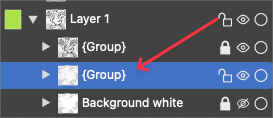
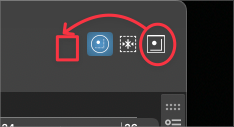
  • Unlock icon symbol idea for the layers panel

    11
    1
    3 Votes
    11 Posts
    9k Views
    S
    @Igull said in Unlock icon symbol idea for the layers panel: I might borrow the house TV and see how that goes ... I might borrow the house TV and see how that goes ... would say it works well i use actually a 40-inch Samsung TV Monitor ... but can sometimes be a little over-crisp for general line drawing ... That is the reason why I came up with this idea. While my eyesight is ok, I found this combination a little more relaxing to work with vector curves and nodes.