Subcategories

  • These issues have been resolved and closed

    863 Topics
    5k Posts
    VectorStylerV
    @Raaskot said in Transform: Up-dwn-keys act strange on stepping values i value fields: Is it supposed to act in that way? No, this looks like a bug, but I cannot replicate it here. Could be caused by some changes in the workspace or settings.
  • Everyone makes mistakes. Help us correct ours. Let us know how to improve VectorStyler.

    10 Topics
    41 Posts
    VectorStylerV
    @jpsimmons Yes, this can be replicated and it is a bug. I will try to fix it for the next build.
  • Everyone makes mistakes. Help us correct ours. Let us know how to improve VectorStyler.

    579 Topics
    3k Posts
    G
    @VectorStyler said in Slow Typing Performance: @gotanidea I'm testing these issues with slow typing performance. The new document has no issue with speed (the old is till slow). What configuration you use for these tests? and which text is edited in the new document. I'm trying to replicate as close as possible. Can you please click the first text box ("Before rigging any character geometry ....") at the top-left region of the new document using the Text Tool, then hold the "a" key? I use: VectorStyler v1.3.001 Windows 11 Home 64-bit AMD Ryzen 7 5800H with Radeon Graphics (16 CPUs) ~3.2GHz 16384MB RAM NVIDIA GeForce RTX 3060 Laptop GPU
  • Bug reports on the 1.2 beta of VectorStyler

    282 Topics
    2k Posts
    W
    This issue has been resolved in the latest update. Thank you!
  • These bugs were posted for 1.2 and should be resolved

    228 Topics
    1k Posts
    XRAYX
    @VectorStyler Hi, this is on Windows 11 24H2 and the settings are "checked" inside of performance settings such as !"Direct Preview of Changes" or "GPU for Mesh" and "GPUfor Distortion" but don't seem to actually be working. Selecting ok seems to fix "Direct Preview of Changes" but no way to be sure about the GPU settings.
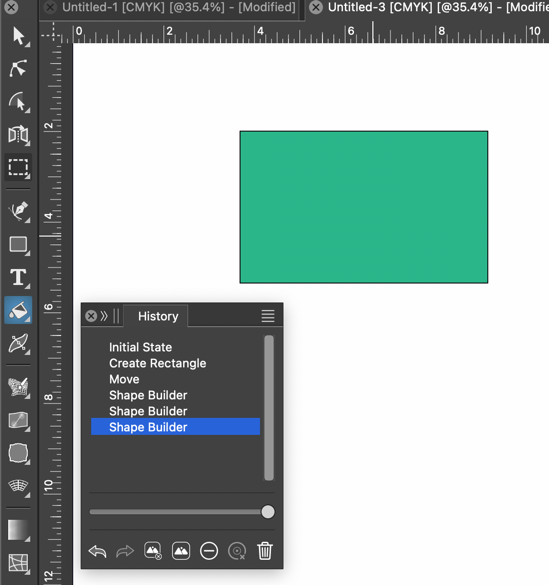
  • Bucket Fill tool registers as "Shape Builder" in History panel

    3
    1
    1 Votes
    3 Posts
    4k Views
    VectorStylerV
    @Boldline This issue should be fixed in build 1.2.046
  • Toolbar repetition

    4
    1
    0 Votes
    4 Posts
    4k Views
    VectorStylerV
    @monsterfox This issue should be fixed in build 1.2.046
  • Issue with alignment of objects along a stroke

    5
    2
    1 Votes
    5 Posts
    5k Views
    VectorStylerV
    @B-Vs-V Alignment on path with rotation inside transformed groups will remain an open issue for now. But without rotation it should work.
  • dashed lines.

    3
    1 Votes
    3 Posts
    3k Views
    VectorStylerV
    @monsterfox This issue should be fixed in build 1.2.046
  • 1 Votes
    3 Posts
    4k Views
    BoldlineB
    @VectorStyler Am I not seeing it? I was just beginning a reply post to let you know I did not see in when the auto-update offered me a new build update. and I see it there now. thanks!
  • Angle/Rotation in contex bar seems buggy

    5
    1 Votes
    5 Posts
    5k Views
    S
    @VectorStyler It is indeed a little confusing, especially when you use it with grouped objects
  • Wrong type size value display in SVG import

    3
    1 Votes
    3 Posts
    3k Views
    AyoA
    @VectorStyler said in Wrong type size value display in SVG import: Is the text in a layer or group that has been scaled ? All imported is grouped. Transform panel says that objects are 24% scaled. Didn't do any editing in VS, just imported.
  • The Wave Grid and Zigzag Grid Spacing Issue

    3
    1 Votes
    3 Posts
    4k Views
    L
    Fixed. thanks
  • History issue with cloned objects (?)

    7
    2
    1 Votes
    7 Posts
    6k Views
    VectorStylerV
    @Pat said in History issue with cloned objects (?): Although they are clones, I don't understand the chaotic distribution of objects It calculates the movement and rotation of each clone relative to its original. But the original will be transformed by then. The effect is the accumulation of two transforms (wrong) with a wrong rotation center. I will fix this in the next build: the alignment tool has to take into account that the objects are clones. A similar thing will occur with aligning sizes, or when working with references.
  • angle display box

    2
    1
    1 Votes
    2 Posts
    3k Views
    VectorStylerV
    @monsterfox Will be fixed
  • Using Adobe PDF (and Microsoft Print to PDF) as a virtual printer

    2
    1 Votes
    2 Posts
    4k Views
    VectorStylerV
    @Arde said in Using Adobe PDF (and Microsoft Print to PDF) as a virtual printer: Another issue with Adobe PDF virtual printer is that it seems that it is not available in macOS version of VectorStyler. This might be available only on Windows (depending on the drivers provided by Windows). I will open a bug on the printing issues on Windows. The common PDF virtual printing mode of VS should be named "PDF File", this is available on both Windows and MacOS
  • Miss labeling and missalignement of labels

    2
    2
    1 Votes
    2 Posts
    3k Views
    VectorStylerV
    @Mismo Some previous resource files were not replaced by the update. Please remove VectorStyler and reinstall as a clean install.
  • An error occurred while exiting the mixed state.

    8
    0 Votes
    8 Posts
    9k Views
    M
    @VectorStyler https://youtu.be/bQ_DdwRosxg?feature=shared The cloning property of "Duplicate" should be removed, otherwise a lot of abnormal errors will occur.
  • graphic replacement any Reference

    7
    1 Votes
    7 Posts
    6k Views
    M
    @VectorStyler That is the left - side graphic replacement tool.
  • ShapeBuilder and Divide Boolean have heavy lags

    8
    1
    1 Votes
    8 Posts
    11k Views
    S
    @VectorStyler The video here shows how I did it Again the Boolean Merge before Boolean Divide works a bit better
  • PDF missing font window prevents VS from starting.

    4
    0 Votes
    4 Posts
    5k Views
    VectorStylerV
    @encart In the new build, the splash screen should close before any of the documents are opened (or the missing fonts view is shown). Is this the case for you also?
  • {UX} Editing Hidden Object in Appearance Panel

    2
    1
    1 Votes
    2 Posts
    3k Views
    VectorStylerV
    @debraspicher If I understand correctly: the object gets deselected immediately after the change is applied. I will try to fix this for the next build.
  • Data Sources - VS freezes when importing single column text data

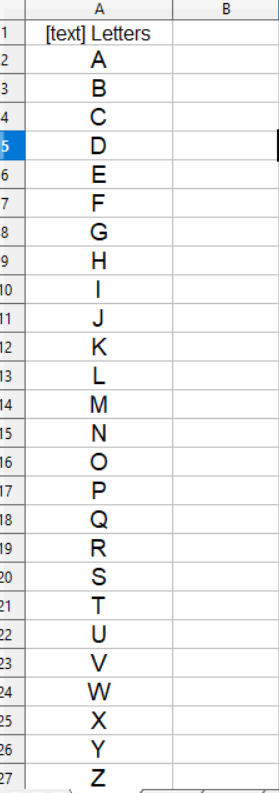
    4
    1
    1 Votes
    4 Posts
    5k Views
    VectorStylerV
    @Harry Can be replicated here also, the fix will be in the next build.
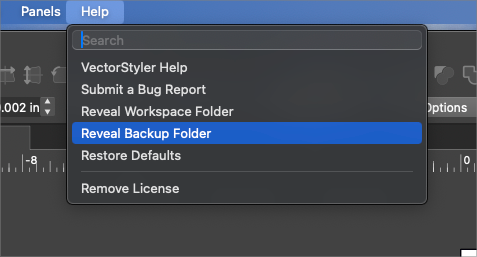
  • "Reveal Backup Folder" not working

    4
    1
    1 Votes
    4 Posts
    4k Views
    P
    This seems to be working fine for me. If I delete the "backups" folder and restart the app, a new "backups" folder will be created and shown.
  • Text scaling bug

    2
    1 Votes
    2 Posts
    3k Views
    VectorStylerV
    @encart Could be some option in the text, or a previous transform getting in the way. BTW: is the layer (in which the text is) transformed? Send me the VS file, I will try to find out what can cause this.