• Not able to access the rotate option from the corners of a shape

    Moved
    10
    0 Votes
    10 Posts
    9k Views
    BoldlineB
    @VectorStyler said in Not able to access the rotate option from the corners of a shape: nevertheless, this "more quirky as the work day progresses" part needs to be addressed by me. I will try to remember and share the quirky things that repeat over time One of the common things to go wonky as the VS session progresses in the day is the "flip horizontally" tool. I usually use it with the alt key shortcut to make a flipped copy of the selection. It will start placing the flipped version far off the artboard, usually to the far right or left side and I have to go search for it and bring it back to the main artboard (only using one artboard at the time). Refreshing VS and worst case restarting VS fixes this issue and it will return to keeping the flipped version nearby the original location again
  • Copy from one file into the other does not work correct

    Moved
    3
    3
    0 Votes
    3 Posts
    4k Views
    M
    @VectorStyler got it. all the cloned shapes are missing.
  • Distortion of Spirals and Polygonal Spirals

    Moved
    4
    2
    0 Votes
    4 Posts
    5k Views
    VectorStylerV
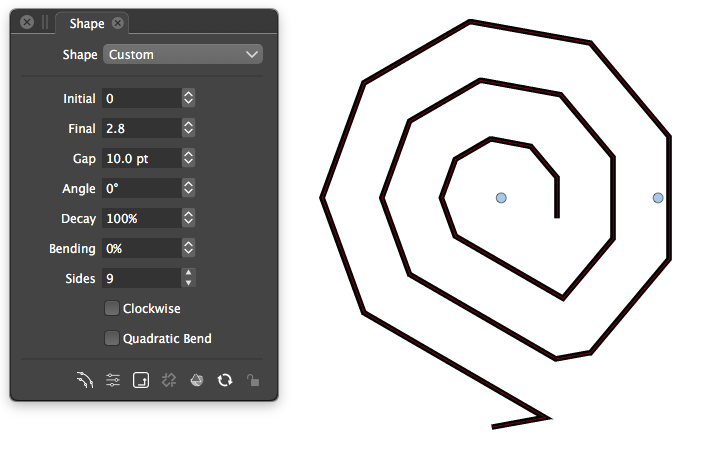
    @Raven This is by design. The problem is that trying to increase each side smoothly will result in uneven spacing.
  • 0 Votes
    5 Posts
    5k Views
    G
    I don't have that file anymore (I thought I saved, but then my PC crashed for reasons unrelated to VS). I tried again, with a similar shape, and now it works as expected. If it happens again, I'll make sure to save the file.
  • 0 Votes
    3 Posts
    4k Views
    G
    @VectorStyler Yes, it happens to the font size field on the top bar as well. After changing the font size in the field by pressing Enter key, the font size field is still in focus. This makes us unable to press a hotkey to use the Pan View Tool. In my opinion, it would be better to stop the focus on any dropdown, button or field after we use it, as in Adobe software
  • Strange rectangle resize bug.

    Moved
    7
    1 Votes
    7 Posts
    7k Views
    VectorStylerV
    @Igull said in Strange rectangle resize bug.: Just sent files Got it. I will try to replicate with these.
  • Text Object's Tab Problems

    Moved
    4
    3
    1 Votes
    4 Posts
    4k Views
    G
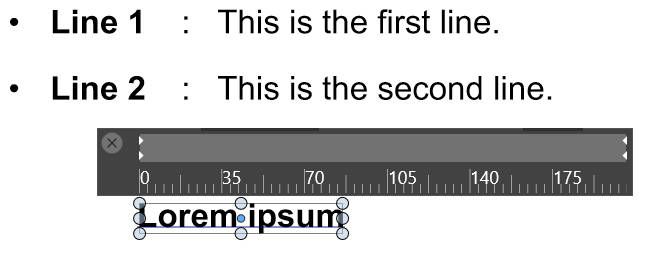
    @Boldline Yes, triple-clicking in other text editors and Adobe Illustrator will select one line. I will edit my post
  • windows Resizes

    Moved
    2
    0 Votes
    2 Posts
    3k Views
    VectorStylerV
    @Jayanta-Das Added this to the backlog.
  • Tracking seems to reset before overall word tracking occurs

    Moved
    2
    1 Votes
    2 Posts
    3k Views
    VectorStylerV
    @Boldline Added this to the backlog.
  • Artwork with Gradient Mask Effect applied fail to export

    Moved
    3
    0 Votes
    3 Posts
    3k Views
    W
    Will do so. Thank you @VectorStyler!
  • Transformed Stroke Option Automatically Scales Stroke Width

    Moved
    7
    1 Votes
    7 Posts
    8k Views
    G
    @VectorStyler Thanks Admin. The Scale Strokes & Effects checkbox in Adobe Illustrator is essential for scaling a complex object that consists of various stroke widths
  • Eraser shape

    Moved
    2
    0 Votes
    2 Posts
    3k Views
    VectorStylerV
    @Harry This is a bug, and it can be replicated. Will be fixed ASAP.
  • Delay when moving items with keyboard arrows

    Moved
    15
    1 Votes
    15 Posts
    13k Views
    BoldlineB
    @VectorStyler ok I turned off the "Show Position in Ruler" , saved and closed and reopened the file itself and now it's working correctly.
  • Three-finger drag, tap-to-click unreliable (macOS)

    Moved
    25
    1 Votes
    25 Posts
    40k Views
    VectorStylerV
    @tudor said in Three-finger drag, tap-to-click unreliable (macOS): Now I've just updated VS on an M1 Mac mini and the bug is still present Does this problem with the trackpad still present?
  • splash screen says "restoring state" and freezes up

    Moved
    4
    0 Votes
    4 Posts
    4k Views
    BoldlineB
    @b77 @VectorStyler Thanks for your help. When I first tried to just roll back to Build 68, I still got the same issue with it stalling out on the splash screen with the message "restoring state" (crash report was sent at this point when I force-quit VS) Next I removed the settings.xml and workspace.xml files and then installed build 68 again and it worked properly with no issues or freezes. It then prompted me to upgrade to Build 71 and I was able to also do that successfully - so all is good again!
  • Not easy to activate the snapping options icon to adjust settings

    Moved
    17
    1
    0 Votes
    17 Posts
    19k Views
    BoldlineB
    I was thinking about this as it relates to the potential future addition of a button to hide all panels and open menus to allow for unobscured full screen work. If that was added to the far right side, that would move the snap options button over to the left a little bit and might solve the issue I have with it now.
  • some AI files open off the artboard in VS

    Moved
    2
    1
    0 Votes
    2 Posts
    3k Views
    VectorStylerV
    @Boldline This is an issue in VS in the AI format import code. I will try to improve it, but this one is a bit difficult.
  • Vertical and Horizontal Scaling Distorts Strokes

    Moved
    3
    1 Votes
    3 Posts
    4k Views
    W
    @VectorStyler I reset my preference settings and uniform stroke scaling with Transformed Stroke enabled is now working as expected. Perfect. Thank you so much.
  • Stroke width tool defaults to zero width using stylus

    Moved
    5
    1
    0 Votes
    5 Posts
    5k Views
    S
    @Boldline I'm posting here some finds I found while experimenting with the Width Tools a while ago. Maybe it is helpful for you or anybody else. See this Video here this is just a pic from the video with the Stroke Width Panel on the left [image: 1671357210502-stroke-width.png]
  • Vertical and Horizontal Scaling Distorts Strokes

    Moved
    4
    3
    1 Votes
    4 Posts
    4k Views
    BoldlineB
    @VectorStyler This thread seems to be related to the similar issue I brought up here My request was for the shape tools to not perform this altered stroke effect because they are not technically a path tool (as far as I view it) - this does not change until convert to curves is applied. The shape tools are more like building blocks to creating more complex shapes