• Comments and questions about panel 'Color' > Variations

    6
    3 Votes
    6 Posts
    5k Views
    AyoA
    @VectorStyler I checked Affinity at this point. They call it 'Color Chords'. Nice name by the way. "A color chord is a spread of harmonious colors which can be used in conjunction with each other to produce appealing designs" (from the manual) and that is true. They only preview names. In their case perhaps a better solution than a random fixed color preview if unable to show a correct dynamic color-based preview.
  • What should happen if I tap 'Create Color Scheme'

    4
    1
    1 Votes
    4 Posts
    4k Views
    VectorStylerV
    @Ayo said in What should happen if I tap 'Create Color Scheme': I feel like Create Color Variation (single) would fit better here than Create Color Scheme. This could be indeed. Do I have to select the color from the Styles window? yes, since it is a style. can be found in the Color window There is also a Color Variations panel.
  • Using Canvas in the workflow

    22
    1
    0 Votes
    22 Posts
    33k Views
    VectorStylerV
    @Pat said in Using Canvas in the workflow: So it makes more sense to work with presets for everything Only if you want to use it in other documents also, and you do not want to link to the original, that is no automatic update if the original symbol or style definition changes.
  • 0 Votes
    3 Posts
    3k Views
    BoldlineB
    @VectorStyler thank you! that solved it
  • The shape rotates arbitrarily with transform panel

    11
    2
    0 Votes
    11 Posts
    10k Views
    RaaskotR
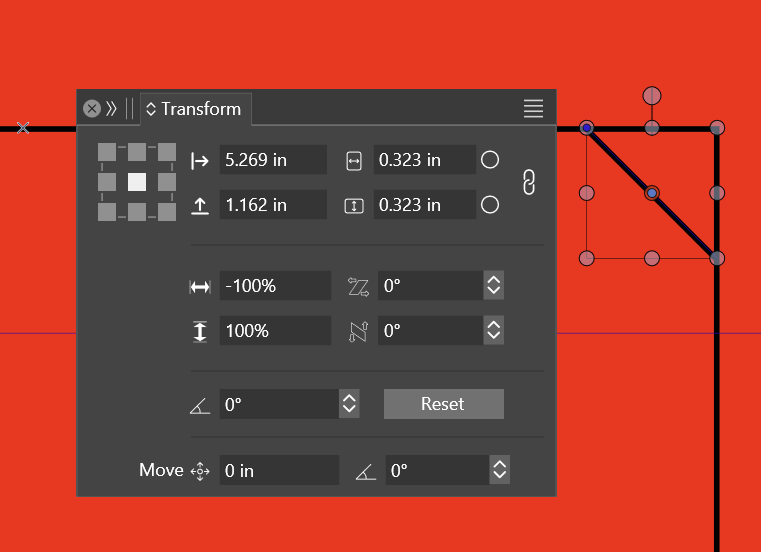
    @VectorStyler The turning knob is determined by the order of tool selections. I've mailed the workspace data to VS-support separately [image: shape-rotate-arbitrarily-2.gif]
  • Blending & Image effect

    6
    3
    0 Votes
    6 Posts
    5k Views
    L
    @VectorStyler A crash occurred during testing, and finally, the steps to reproduce the crash were identified. 0_1720112738118_Blend Crash.vstyler https://youtu.be/ZaajOxtZMIE
  • Export PDF Artboards, how to get rid of the free canvas?

    3
    1
    1 Votes
    3 Posts
    4k Views
    VectorStylerV
    @Ayo This is a regression from the last build, one artboard was added into the canvas category, which was not needed. It is fixed and the fix will be in the next build
  • Image import jaggy woes

    6
    1
    1 Votes
    6 Posts
    5k Views
    VectorStylerV
    @debraspicher said in Image import jaggy woes: Pixel Preview isn't looking quite right either, whether it's 100% or not: I will look into this.
  • How to keep layer contents buildup when duplicating artboard

    7
    3 Votes
    7 Posts
    9k Views
    VectorStylerV
    @Ayo A fix will be in the next build, it will affect the move tool only (for now). Copy paste has different options (similar to AI).
  • Export Artboard to PNG with a bleed?

    4
    1 Votes
    4 Posts
    4k Views
    debraspicherD
    I did have to work around this for printing off an illustration. Printing off the bleed would've been more straightforward, but the nice thing about being able to export a whole Canvas, is even though I have a lot of white space in the end, I was able to crop it down in PS, I could still get a bleed. In this case, I was printing to media that wasn't quite the original document size, so having that extra information in the bleed gave me some extra room to chop around the main art area: [image: 1719593774504-37f43669-0d55-4ccb-b0a1-6ea8ad6c8d44-image.png] Just thought I would share this for informational purposes.
  • Tiny transform dot – what is the purpose?

    2
    1
    0 Votes
    2 Posts
    2k Views
    VectorStylerV
    @Raaskot Something is shown at the wrong position when rotated (supposed to be at the center). I will fix this.
  • Double click selecting shape text

    2
    1 Votes
    2 Posts
    2k Views
    AyoA
    @Ayo Beeped too early. Must have been a hiccup. After restart it works again.
  • Faster way to do this? Simple drag & drop

    2
    1 Votes
    2 Posts
    3k Views
    VectorStylerV
    @debraspicher In the Layers panel options (panel menu -> Panel Options) enable the "Object Pasteboard" option to copy paste.
  • Mesh Gradients as styles

    4
    1 Votes
    4 Posts
    4k Views
    VectorStylerV
    @Kumr said in Mesh Gradients as styles: AI displays the following message when I open PDF (VS exported) and opens the mesh gradients as image objects. I will try to find out what can cause this.
  • File>Export one pixel less

    2
    3
    0 Votes
    2 Posts
    2k Views
    VectorStylerV
    @debraspicher I will try to replicate this. Could be some rounding error
  • Layer bar signaling

    5
    1
    0 Votes
    5 Posts
    4k Views
    VectorStylerV
    @Ayo said in Layer bar signaling: move (drag & drop) artboard selected object(s) from one layer to another without unfolding and digging into stacks I will look into if this can be brought forward from the features list.
  • Poor copy operation speed

    3
    1 Votes
    3 Posts
    3k Views
    M
    @VectorStyler That method is effective. After experimenting for a long time, this setting is the most perfect, and it can also be copied to the AI software [image: 1719141195977-mmexport1719140962505-resized.png]
  • 2 Votes
    8 Posts
    8k Views
    VectorStylerV
    @debraspicher I will try to find a solution for this.
  • Troubles with Layer Creation, Layer naming (on creation)

    2
    2 Votes
    2 Posts
    3k Views
    VectorStylerV
    @debraspicher I will try to improve this (fixing the bugs first).
  • Was erase mode removed from the pen tool?

    2
    0 Votes
    2 Posts
    3k Views
    VectorStylerV
    @Boldline It is in the Pencil tool, but before starting to draw, check the "Eraser" option in the context panel.