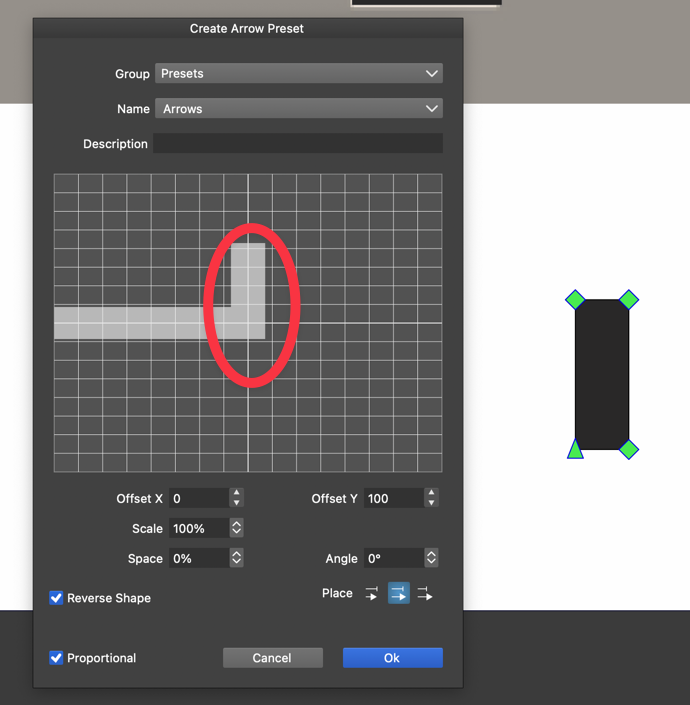
• Change of color in text on path is not possible ...

    6
    0 Votes
    6 Posts
    5k Views
    RaaskotR
    @VectorStyler Ah, wonderful. Now I got it .. also I must activate fill-button i "Appearances" [image: 1710332059569-678828c1-d362-4d82-9312-57ce0fb56199-billede.png]
  • 0 Votes
    5 Posts
    6k Views
    S
    @Boldline changing only the setting in "Layer Option" is working here [image: 1710308881227-stroke-scaling.png]
  • Find/Replace: How to swap a text symbol with a line break?

    6
    1
    0 Votes
    6 Posts
    7k Views
    RaaskotR
    @Subpath Nope, but many thanks anyway [image: 1709904124539-1c2e6579-2413-4126-8cb0-608484552d17-billede-resized.png]
  • How to confine text in multiple lines on a path?

    5
    1
    0 Votes
    5 Posts
    6k Views
    RaaskotR
    @VectorStyler Cool, thanks! [image: 1709746459602-05a38e63-c739-4b38-abd6-05314c0d44a7-billede.png]
  • Two quick questions

    3
    0 Votes
    3 Posts
    3k Views
    S
    Hi @LoginError and welcome to the VS forum You can find tutorials from me in the tutorial section of the forum. They deal with symmetrical graphics in different ways and also show some tips and tricks. In my experiments with symmetrical graphics I mostly use clones, maybe because I'm more used to them :). Anyway, maybe you'll find something helpful. Have fun with VectorStyler
  • Creating a Transparency Group - how to do that?

    5
    1
    0 Votes
    5 Posts
    6k Views
    RaaskotR
    @VectorStyler Follows ... 0_1709374497017_transparent-masking-issue.vstyler
  • Question about the stroke width

    2
    0 Votes
    2 Posts
    3k Views
    VectorStylerV
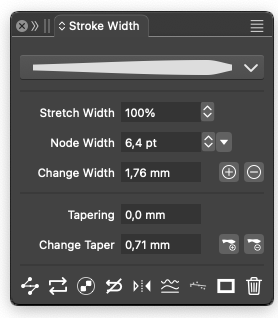
    @Yaoif Yes, but first you have to set the width profile to asymmetric. This can be done by unchecking the Symmetric box in the width profile editor (accessed from the stroke panel), or the third button in the Stroke Width panel icon row.
  • 0 Votes
    5 Posts
    5k Views
    VectorStylerV
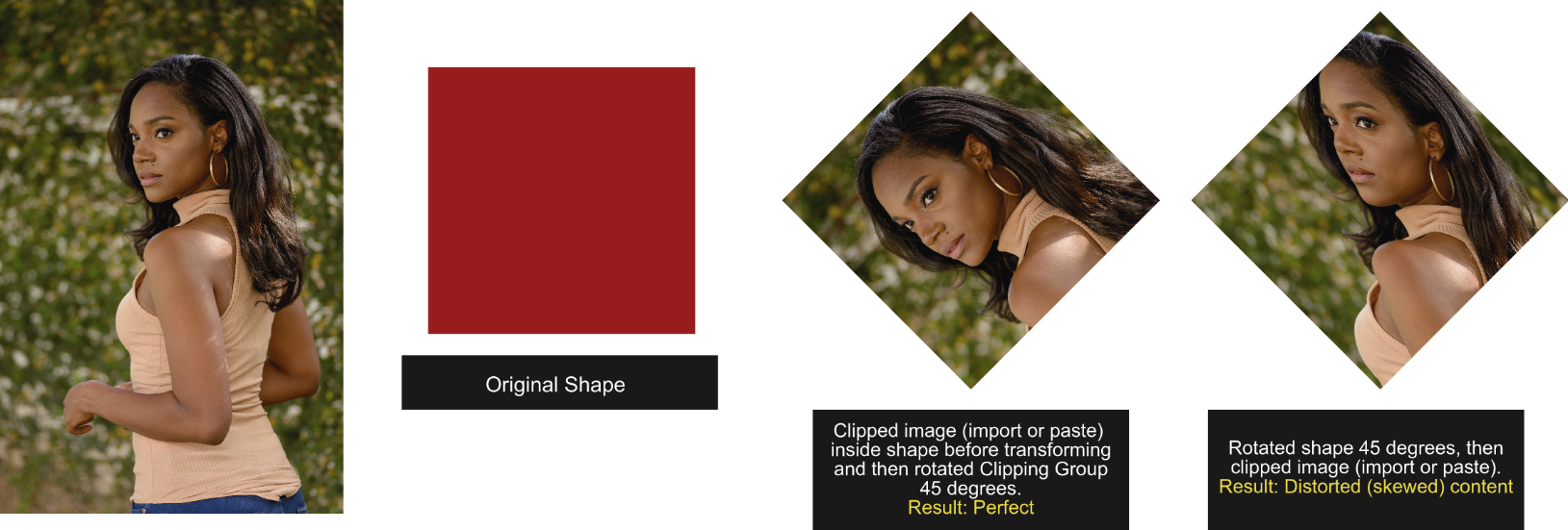
    @Boldline You can also drag the shape over the clipping group in the Layers panel and it will place inside.
  • Unwanted buckling when warping with bulge shape

    3
    1
    1 Votes
    3 Posts
    4k Views
    VectorStylerV
    @Boldline Changing the Warp options as suggested by @b77 should fix this. I will check if the defaults can be improved.
  • Can’t change dark colors in imported raster artwork

    5
    0 Votes
    5 Posts
    5k Views
    S
    @Raaskot , your welcome always nice when it was helpful I also learned something new too
  • I have lost my license

    3
    1 Votes
    3 Posts
    3k Views
    visualrevoltV
    Thanks, It works
  • How do I make the transform tool move text along a path?

    5
    0 Votes
    5 Posts
    5k Views
    BoldlineB
    @b77 ok thanks that was it! Once I unchecked that, it all moved easily. I wish there was a way to have the best of both options
  • VectorStyler for type design

    2
    1 Votes
    2 Posts
    2k Views
    VectorStylerV
    @Yaoif It should be, depending on the task of course. VectorStyler aims to have all the features of a high-end vector illustration application. It supports variable and color fonts and has advanced typography features. What are the specific features you are looking for?
  • 1 Votes
    3 Posts
    3k Views
    VectorStylerV
    @gotanidea I will try to fix this issue.
  • Maths operation in panels

    14
    0 Votes
    14 Posts
    12k Views
    Devil DinosaurD
    @VectorStyler Works fine now, thanks.
  • Pdf export: All text turns into gibberish

    5
    1
    1 Votes
    5 Posts
    6k Views
    VectorStylerV
    @Raaskot said in Pdf export: All text turns into gibberish: Typesetting is incredible cumbersome, unpredictable and very unstable I have to replicate this. The Leading attribute set in the Character panel is applied only to the highlighted characters. There is also a leading property in the Paragraph panel for whole paragraphs.
  • How can I scale type and line space proportionally?

    4
    0 Votes
    4 Posts
    4k Views
    RaaskotR
    Uploaded sample file. Im scaling the box with Alt-Shift-drag The textboxes just acts completely unexpected in this video: Sample video 0_1707132471295_tekstvalg-03.vstyler.zip
  • How do I generate screen dots from blurred shapes?

    6
    1
    0 Votes
    6 Posts
    6k Views
    S
    @Raaskot I know you can create something like this and more with the Repeater. As you can see in this thread, for example. https://www.vectorstyler.com/forum/topic/2295/repeater-halftone-problem-on-rasters/53 . . But anyway, here is a little Online Tool that also has something to offer. The result can be saved/downloaded as SVG. https://labs.adobe.com/experiments/hello-halftones/ Here yet a old Thread of mine about that Tool. https://www.vectorstyler.com/forum/topic/1089/tip-halftone-generator-bitmap-to-vector-graphics-svg/4
  • Pen tool behaviour when extending an open path

    2
    0 Votes
    2 Posts
    3k Views
    VectorStylerV
    @Raven said in Pen tool behaviour when extending an open path: Is there a preference or modifier key that governs the behaviour? In the context panel, uncheck "Adjustments" Cannot seem to get the node being moved with the spacebar method to snap to the segments or nodes of the same path (if snapping is enabled). Yes, there seems to be an issue here, I opened a bug on this one.
  • How do I see brush stroke pressure profile in real-time?

    14
    3 Votes
    14 Posts
    11k Views
    ?
    @VectorStyler: I am using VS 1.1. I reckon it is in 1.2 Beta? Don't answer that: I found it! Thanks to @Subpath and @Boldline's screenshots!