Subcategories

  • These features and ideas have been implemented in VS as suggested

    180 Topics
    1k Posts
    VectorStylerV
    @Ayo said in About the Snap feature: Wouldn't it be better to change "Snap to Visible Only" to "Snap to View Extend Only" or shorter "Snap to Viewport Only" or even shorter "Snap to View Only" ? There is a big chance of confusion with the term 'visible' which is mainly linked to the layer system. I added this to the backlog.
  • Auto-return to last used tool after rotation

    3
    0 Votes
    3 Posts
    6k Views
    VectorStylerV
    @b77 and @b77 This can be done, but it still needs a trackpad. For those who have a touch tablet, the rotate view works with the two finger rotating gesture. There is a Spacebar+Shift (pressed in this order) and the click and drag to rotate the view. And Spacebar+Command click and drag to zoom.
  • Art gallery section on forum

    2
    1 Votes
    2 Posts
    4k Views
    VectorStylerV
    @Boldline I opened a Tutorials top level category. Also possible to post links there to external files.
  • Eraser cut with ability to not affect line attributes

    3
    0 Votes
    3 Posts
    5k Views
    BoldlineB
    It sounds like we're on the same page. Basically, I'd love the ability to cut a tapered stroke and have the option to not have it change it's remaining shape automatically. So if I had a stroke width selected that featured a taper at both ends, after I lay the stroke down, I could use the erase to cut it in the middle and the two resulting smaller strokes would then only have one end each still tapered and the other would be thick with a flat edge resulting from the cut. If you're getting another cool idea that is not what I'm suggesting that is all good! But For sake of clarity I made a diagram to show what I meant: [image: 1623341589458-9249b36b-7a79-4710-aacd-0e89df1a0a21-image.png] Diagram 1 - shows how the tapered stroke reacts after being cut - this is not bad - but would love the next option I show as well. Diagram 2 - the black circle shape is the initial stroke - the green stroke over top is the new crossover stroke. If I cut that stroke with the pencil eraser option, the red line shows what happens - it tapers at both ends adjusting to the new size. The purple line shows the alternative option for cutting that I would like to see. where both ends retain the original taper width effect where cut. At the risk of beating a dead horse - I wanted to be sure I was clear in the first diagram - in the pic below - you see the dual tapered stroke - then part 2, shows after it's cut in two pieces, the line adjusts automatically - the third part shows the option I'd like to see [image: 1623341975596-06b33fd1-e00d-4aa3-b177-f9cff5ed47a4-image.png]
  • Pen and brush symmetery tool

    3
    0 Votes
    3 Posts
    5k Views
    BoldlineB
    @vectoradmin cool! I like the potential. I was able to follow your directions and the video also helped. I hope a dedicated gets added into VS at some point. Clip Studio Pro (raster app) has a good way of doing it with a symmetrical tool. Maybe it gets bundled with an advanced perspective tool? [image: 1623199640514-35797141-ced5-40f6-b9f4-4474ee118bbd-image.png]
  • Retaining transparency when cutting shapes which include negative spaces

    8
    0 Votes
    8 Posts
    11k Views
    VectorStylerV
    @Kyriakos I keep the issue open.
  • Multiple saved items accessible

    2
    0 Votes
    2 Posts
    5k Views
    VectorStylerV
    @Boldline There is a task in the backlog for having multiple items in clipboard. The easiest way to do the same now, is to use the Presets panel and save / reuse the objects as Symbols.
  • 0 Votes
    7 Posts
    15k Views
    VectorStylerV
    @zorglup Yes of course, thank you! But there are about 17800 UI text resources, as it is not just the menu, but texts in views and tool tips. I'm not sure if partial translation would be sufficient. Maybe these text resources could be made public in the near future. For now, the main issue is that these are frequently changed.
  • Add a Contour Gradient type

    3
    1
    1 Votes
    3 Posts
    5k Views
    V
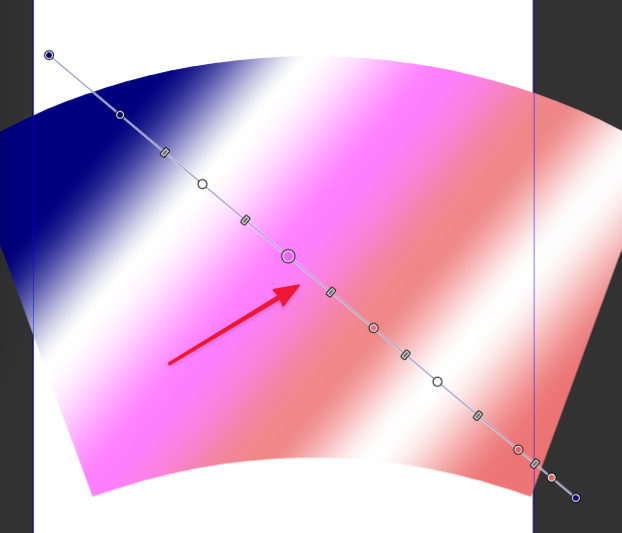
    @vectoradmin. I wish I knew how the FreeHand engineers/coders handled the open issue challenges you describe. They worked it out somehow. Thankfully we have a wizard like you to figure it out, ha, ha It would make for a nice addition to VectorStyler if you could make it happen. I'm confident you'll solve the puzzle and "wow" us!
  • Some evolutions of Formation snapping

    3
    1 Votes
    3 Posts
    5k Views
    861475_VctSt8
    @vectoradmin Please, thanks. I patiently wait.
  • Stroke align percentage control - so cool!

    1
    1 Votes
    1 Posts
    4k Views
    No one has replied
  • Creation of tints from swatches, etc.

    6
    3
    0 Votes
    6 Posts
    10k Views
    VectorStylerV
    @Arde I will keep this issue open.
  • boolean operation auto-closes open stroke?

    2
    1
    0 Votes
    2 Posts
    5k Views
    VectorStylerV
    @Boldline Depends on the boolean operation. For example intersection works differently on open shapes (cuts the open shape). Union (and merge) could do the closing. I add this to the backlog.
  • 0 Votes
    10 Posts
    13k Views
    V
    @vectoradmin said in Allow for “incrementally” increasing/decreasing unit values in Dialog Boxes/Panels: @Vector-Rock Some small improvements will come in the next build. In keep the up/down scroll button idea open for the build after that. Technically it is not an issue, just have to find the right arrangement. Sounds good. I look forward to what you come up with.
  • Distortion tools worfklow suggestion

    2
    0 Votes
    2 Posts
    4k Views
    VectorStylerV
    @Kyriakos Got to think this one over.
  • Simultaneous use of the zoom in/out and pan using the mouse scroll wheel.

    4
    0 Votes
    4 Posts
    8k Views
    VectorStylerV
    @encart So if I understand correctly. When holding the middle button, it would zoom in/out when scrolling the wheel, and if not holding the button it would pan when scrolling? If so, this can be done. EDIT: got it now. would it be panning when holding the button and moving the mouse, and zooming with the wheel at the same time?
  • Spring tool?

    2
    0 Votes
    2 Posts
    4k Views
    VectorStylerV
    @valak Welcome to VectorStyler. A set of parametric shapes are scheduled after version 1. Maybe this type of shape can be added as long as it fits well into the 2D model.
  • Pattern fill to edges and word art fill option

    4
    2
    0 Votes
    4 Posts
    7k Views
    F
    If you happen to be on a Mac, for a single shape being used to fill the outer shape (so not the collection of words, but maybe for the clover above it), you can get something somewhat similar to this using Vectoraster from lostminds.com (though perhaps not quite exactly the same)
  • More shape guides

    4
    1
    0 Votes
    4 Posts
    6k Views
    VectorStylerV
    @Boldline It is not possible to modify these custom shapes in that way, they are just (editable) paths, without any parameters. I'll think of a way to add parametric shapes in the future, without creating a complex toolbox. I add this to the future goals backlog.
  • VS Team Rocks!

    3
    3 Votes
    3 Posts
    5k Views
    badcatB
    Here here! Not only the app and all the support but also all the documentation, website and videos. It's really amazing. Thank you.
  • Screen capure video

    1
    1 Votes
    1 Posts
    4k Views
    No one has replied