Subcategories

  • These features and ideas have been implemented in VS as suggested

    180 Topics
    1k Posts
    VectorStylerV
    @Ayo said in About the Snap feature: Wouldn't it be better to change "Snap to Visible Only" to "Snap to View Extend Only" or shorter "Snap to Viewport Only" or even shorter "Snap to View Only" ? There is a big chance of confusion with the term 'visible' which is mainly linked to the layer system. I added this to the backlog.
  • Page layout: columns guides & gutters

    10
    1 Votes
    10 Posts
    9k Views
    B
    @Subpath Thanks to take the time to give a feedback Yes I know this but the idea is to organize an artboard for page layout with specific guides for that purpose While waiting for this feature (hopefully) I’ll organize guides & grids.
  • Reshape vector paths

    2
    0 Votes
    2 Posts
    3k Views
    VectorStylerV
    @Boldline Something like this already exists: try the Outline ZigZag for zigzag and wave shape overlays. try the Overlay shape filter to use custom shape overlays. the only issue here is that you need to define your own custom shape profiles. Here is an example of using custom overlay shapes: Select the waving ellipse, and in the Shape Effects panel, open the Overlay shape filter options. Here (among other options) it is possible to change the Shape to any open shape that has the "Shape" role. Two examples are on the top of the artboard, and listed in the Shape drop down. 0_1675235597572_overlayshape1.vstyler
  • Align Centre

    4
    0 Votes
    4 Posts
    4k Views
    S
    @Igull would like to mention that it is also possible to delete single steps in an action recording
  • File -> Open recent : option to delete from the list

    5
    0 Votes
    5 Posts
    5k Views
    IngolfI
    @Pat said in File -> Open recent : option to delete from the list: I didn't want to refer to Affinity yet, but I also like the way these applications handle missing files. It would suit me perfectly. This one thing they did right. The most common scenario here is that I actually want to clean the list from now irrelevant files and removed files. Then I open the one or two files I want to stay there, clear the list, and make a minor change then undo it to the two open files… then save them. A few seconds of manual work. I also wanted to suggest a feature similar to that in Affinity, when a file in the list cannot be opened but forgot. It would be a great supplement to the total destruction method behind clear list.
  • Add "expand live text" checkbox to export panel?

    3
    1
    0 Votes
    3 Posts
    3k Views
    BoldlineB
    @b77 thanks! Apparently I was not doing enough investigating prior. i'll be sure to use that more going forward
  • Clarification in a Warning panel

    2
    1
    1 Votes
    2 Posts
    3k Views
    VectorStylerV
    @Boldline Will rename to "Save As"
  • Bleed, margins: an option to link the values

    3
    1
    2 Votes
    3 Posts
    3k Views
    B
    @VectorStyler of course, it would be great
  • Arbitrary pen nib shape

    7
    2
    3 Votes
    7 Posts
    7k Views
    VectorStylerV
    @Raven The bristle brush shape editor has a bug, fix will be in the next build.
  • From Apple Store

    9
    1 Votes
    9 Posts
    7k Views
    A
    Good, you're great!
  • "Reset" option in Transform panels/menus

    2
    1 Votes
    2 Posts
    4k Views
    VectorStylerV
    @Pat Added this to the features backlog.
  • Link content warning improvements

    2
    1
    3 Votes
    2 Posts
    3k Views
    VectorStylerV
    @Boldline Added this to the backlog.
  • Smooth Tool like in Illustrator

    3
    5 Votes
    3 Posts
    4k Views
    IgullI
    @VectorStyler said in Smooth Tool like in Illustrator: @Boldline Added this to the backlog. Neil
  • How to see long names for selected images

    5
    1
    0 Votes
    5 Posts
    5k Views
    VectorStylerV
    @b77 said in How to see long names for selected images: @VectorStyler The full name could be shown in a tooltip when you hover the selection info area in the context panel. Added this to the backlog.
  • Corner tool possibilities

    7
    2 Votes
    7 Posts
    7k Views
    BoldlineB
    @Subpath said in Corner tool possibilities: so mission accomplished Yes the immediate mission was accomplished! Hoping @VectorStyler can address the minor but important suggestion for improvement and the error with the top row far right example that seemed to overinflate
  • 1 Votes
    3 Posts
    4k Views
    G
    @VectorStyler Thanks Admin
  • Adobe Illustrator's Quick Preview When Moving Complex Object Around

    5
    1
    0 Votes
    5 Posts
    5k Views
    G
    @VectorStyler Thanks Admin
  • Option to switch from text shape to text frame

    3
    1 Votes
    3 Posts
    3k Views
    BoldlineB
    @VectorStyler Thanks for pointing out where it already existed in VS as a menu option/shortcut. I assume that is the "convert to frame" option? Knowing the shortcut to do this is probably a better option than adding it as a handle on the text frame. I agree it's not something commonly used too often. [image: 1673379744338-a66ab328-2a98-4608-b083-03791c51ba54-bld-2023-01-10-at-14.42.16.png] I did notice when trying it out, that it shrunk the text box down considerably when used. Is there something I would need to do to keep the text the same size when switching to area type? This is a different video I found that relates to it. He approaches it from the other way - creating area type and then wanting to control it as text shape and switching between them. I was intrigued by the "area text panel" in illustrator in the video I linked. Seems to allow for control of spacing between lines of text, etc while maintaining it within an area text selection. I also know there's a high chance this already exists in VS and I just didn't see it yet lol [image: 1673380198245-82b0af0c-5447-4a31-be11-5b02229aac50-bld-2023-01-10-at-14.49.26-2x.png]
  • Improving search options in Preferences

    2
    2
    3 Votes
    2 Posts
    3k Views
    VectorStylerV
    @Boldline Added this to the backlog for 1.2
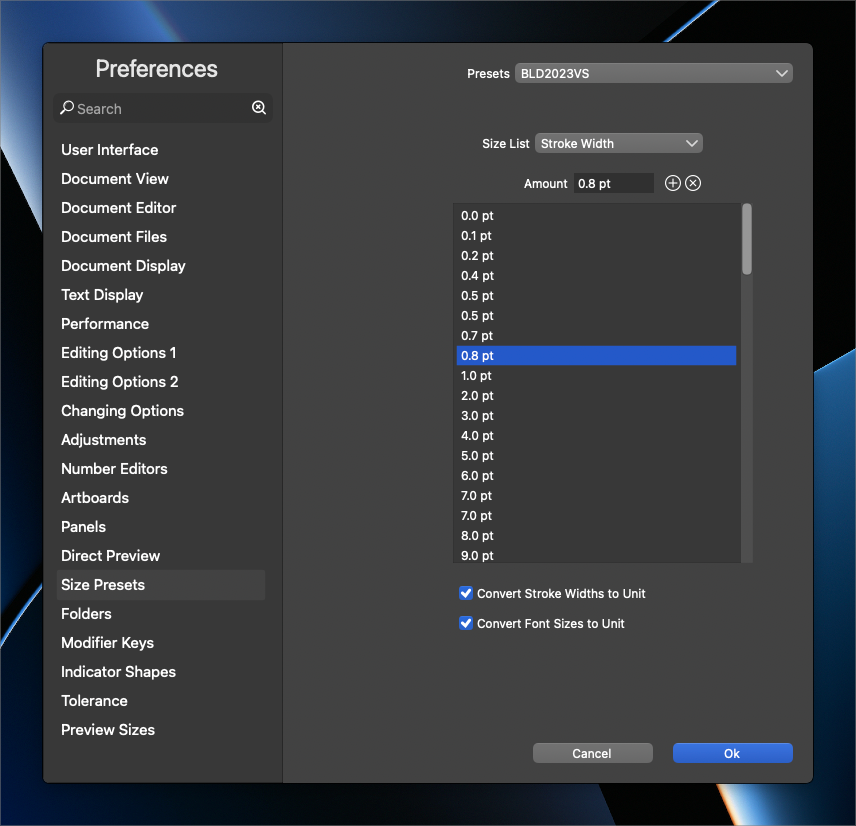
  • Setting Text Size Unit & Other Object Size Unit Differently

    4
    0 Votes
    4 Posts
    4k Views
    VectorStylerV
    @gotanidea Added this to the backlog, will try to replicate and fix ASAP.
  • select tool open all the tools inside the group

    3
    1
    2 Votes
    3 Posts
    3k Views
    J
    Also there is an option in AI, ALT +click the group swap the tools. Here is a recording