VectorStyler
    • Categories
    • Unread
    • Recent
    • Tags
    • Popular
    • Register
    • Login
    1. Home
    2. Bugs in VectorStyler
    3. Resolved Issues
    Log in to post
    Load new posts
    • Recently Replied
    • Recently Created
    • Most Posts
    • Most Votes
    • Most Views
    • F

      Insert graphic from clipboard

      Watching Ignoring Scheduled Pinned Locked Moved
      4
      0 Votes
      4 Posts
      5k Views
      VectorStylerV
      @freggern This issue should be fixed in the new build 1.1.002 (beta)
    • W

      Clipped blend lines disappearing

      Watching Ignoring Scheduled Pinned Locked Moved
      4
      4
      0 Votes
      4 Posts
      4k Views
      VectorStylerV
      @William-Kansepa This issue should be fixed in the new build 1.1.002 (beta)
    • encartE

      VS crashes while using Alt-key to duplicate.

      Watching Ignoring Scheduled Pinned Locked Moved
      4
      0 Votes
      4 Posts
      5k Views
      VectorStylerV
      @encart This issue should be fixed in the new build 1.1.002 (beta)
    • A

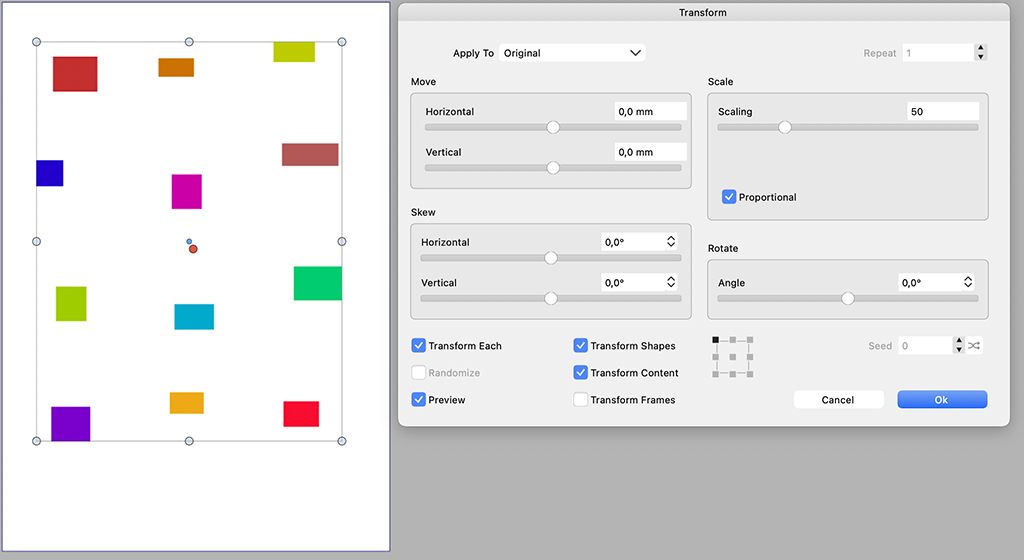
      Reference point in Transform dialog not honored in "Each" mode

      Watching Ignoring Scheduled Pinned Locked Moved
      3
      2
      0 Votes
      3 Posts
      4k Views
      VectorStylerV
      @Arde This issue should be fixed in the new build 1.1.002 (beta)
    • Victor VectorV

      Win 10 - Dual Screens Bug - Switching Maximized VectorStyler Window Using WIN + SHIFT + Left or Right Arrow key

      Watching Ignoring Scheduled Pinned Locked Moved
      3
      0 Votes
      3 Posts
      5k Views
      VectorStylerV
      @Victor-Vector This issue should be fixed in the new build 1.1.002 (beta)
    • BoldlineB

      Option key to flip pull down guide not working for me

      Watching Ignoring Scheduled Pinned Locked Moved
      3
      0 Votes
      3 Posts
      4k Views
      VectorStylerV
      @Boldline This issue should be fixed in the new build 1.1.002 (beta)
    • BoldlineB

      Paste Below Not Working

      Watching Ignoring Scheduled Pinned Locked Moved
      4
      0 Votes
      4 Posts
      5k Views
      VectorStylerV
      @Boldline Paste Below should also work if nothing is selected (from build 1.1.002 beta)
    • BoldlineB

      Artboard disappeared right after pasting vector from Illustrator

      Watching Ignoring Scheduled Pinned Locked Moved
      3
      1
      0 Votes
      3 Posts
      5k Views
      VectorStylerV
      @Boldline This issue should be fixed in the new build 1.1.002 (beta)
    • BoldlineB

      Imported vectors revert to initial size when copied inside VS

      Watching Ignoring Scheduled Pinned Locked Moved
      3
      0 Votes
      3 Posts
      4k Views
      VectorStylerV
      @Boldline This issue should be fixed in the new build 1.1.002 (beta)
    • BoldlineB

      Node handle jumps and locks when shift is held

      Watching Ignoring Scheduled Pinned Locked Moved
      4
      1
      0 Votes
      4 Posts
      5k Views
      VectorStylerV
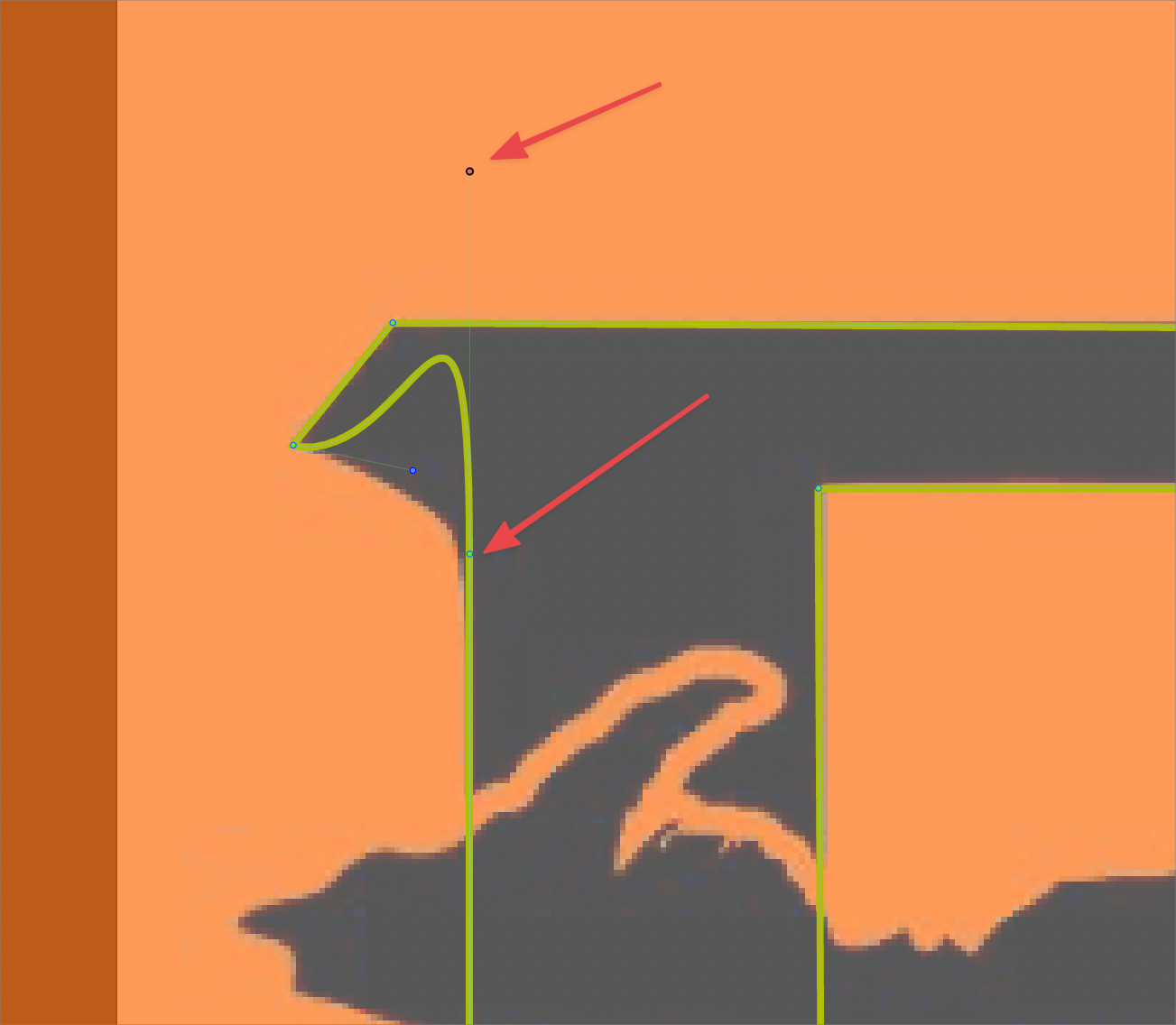
      @Boldline Checked the file, it seems that the node next to the line is set to be symmetric. Control points of symmetric nodes next to a line will have fixed positions. To fix this, set the node type to smooth or cusp.
    • BoldlineB

      New Brush Preset Panel empty

      Watching Ignoring Scheduled Pinned Locked Moved
      10
      1
      0 Votes
      10 Posts
      9k Views
      BoldlineB
      @vectoradmin I just emailed you back - it seems when I opened the AI brush set file in VS and it was not visible - when I closed out VS and logged out, but then logged back in, the brushes were suddenly visible in the brush preset panel! I sent you the workspace.xml file just in case it helps with anything
    • encartE

      The text whose size we set with Alt/Option is light-gray by default.

      Watching Ignoring Scheduled Pinned Locked Moved
      2
      0 Votes
      2 Posts
      3k Views
      VectorStylerV
      @encart Yes, it is the default fill color. Default color can be set from the color panel.
    • encartE

      [Beta 1.1] [Pen Tool] Pressing Alt while dragging does not create a corner point.

      Watching Ignoring Scheduled Pinned Locked Moved
      6
      0 Votes
      6 Posts
      6k Views
      VectorStylerV
      @encart yes, the key has been disabled for this purpose, and this is a regression. will be fixed in the next build.
    • IngolfI

      Beta 1.1 - Shortcut (Control+Shift+K) to find and highlight selected object in the Layers panel

      Watching Ignoring Scheduled Pinned Locked Moved
      6
      0 Votes
      6 Posts
      6k Views
      IngolfI
      @vectoradmin said in Beta 1.1 - Shortcut (Control+Shift+K) to find and highlight selected object in the Layers panel: @Ingolf It could be again a settings conflict issue from the previous version. Try resetting the app (Shift+Option+Command) Worked
    • S

      My mouse wheel no longer works - in VS Beta 1.1

      Watching Ignoring Scheduled Pinned Locked Moved
      13
      0 Votes
      13 Posts
      12k Views
      S
      @vectoradmin Problem solved. Scrolling with the mouse wheel seems to work now. I decided to reinstall VectorStyler. Was going to install the program to a different folder anyway. And after the reinstallation the mouse wheel scrolling works as usual.
    • IngolfI

      Free floating toolbox aligns to bottom at every program start

      Watching Ignoring Scheduled Pinned Locked Moved
      4
      1
      0 Votes
      4 Posts
      5k Views
      IngolfI
      Fixed in beta 1.1
    • IngolfI

      Export of lines changes colors

      Watching Ignoring Scheduled Pinned Locked Moved
      7
      0 Votes
      7 Posts
      7k Views
      IngolfI
      Fixed in first beta
    • BoldlineB

      Using keyboard shortcut to "Save As" Causes Immediate Crash of VS

      Watching Ignoring Scheduled Pinned Locked Moved
      28
      0 Votes
      28 Posts
      51k Views
      BoldlineB
      @Jono I think we've figured out the issue for now. thanks for your help!
    • IngolfI

      Union issues

      Watching Ignoring Scheduled Pinned Locked Moved
      6
      0 Votes
      6 Posts
      6k Views
      VectorStylerV
      @Ingolf Got the file: and yes the issue here is that an expand stroke will be needed first. I'm not sure how this could be handled better, I will consider comments by @b77 but at the end of the day, if it is just some shapes that the user wants to merge, it cannot be blocked based on some attributes.

    • BoldlineB

      Normalize Winding does not seem to work

      Watching Ignoring Scheduled Pinned Locked Moved
      5
      0 Votes
      5 Posts
      6k Views
      VectorStylerV
      @Boldline Leave that setting on (BTW: I have to fix that name of the settings). The information is the direction of the various parts of the path. In this example there are 3 paths: using even-odd fill rule. winding mode rule, both paths are clockwise (merged with Normalize Winding). winding rule, one path is clockwise, the other is counterclockwise (stays the same with Normalize Winding). 0_1638533723544_windingmode.vstyler 1. using even-odd fill rule. (it should be the same as in AI).