• Does not work on Windows 10

    Moved
    14
    0 Votes
    14 Posts
    15k Views
    IngolfI
    @vectoradmin said in Does not work on Windows 10: @Ingolf Thanks for letting me know. I will fix the OpenCL issue, and will look into the monitor profile problem also. Meanwhile, the Display color settings of VS can be set in the Styles -> Color Settings menu, if that helps. Thank you for ultra-fast and competent help! Vectorstyler looks extremely interesting - and bizarrely feature rich already! You should really stabilize, mature and polish VS now. I can only say WHOW. Prepare for a bombardement of suggestions, bug reports and usability suggestions.
  • Bounding box and stabilizer disappear during file use

    Moved
    7
    1 Votes
    7 Posts
    9k Views
    BoldlineB
    @vectoradmin I just emailed you the library files you requested. next time I play around with the brush and settings and it has the same issue, I'll save that file and send it over as well
  • Invisible strokes drawn at certain zoom levels

    Moved
    9
    0 Votes
    9 Posts
    11k Views
    VectorStylerV
    @postdes It is possible to store presets (including brushes) in a separate folder using preset groups. If a reset is needed the folder is kept, only the group needs to be selected again.
  • Curious Tooltip

    Moved
    4
    0 Votes
    4 Posts
    6k Views
    F
    @vectoradmin said in Curious Tooltip: @vectoradmin THis should be fixed in the new build 201 Confirmed, thank you!
  • "Open Recent" reporting

    Moved
    3
    0 Votes
    3 Posts
    5k Views
    VectorStylerV
    @badcat This should be fixed in the build 201.
  • Artboard Export Filetypes Ordering

    Moved
    12
    1
    1 Votes
    12 Posts
    14k Views
    VectorStylerV
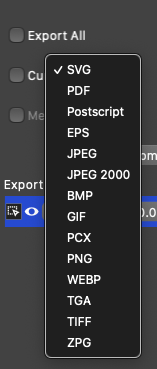
    @badcat This should be fixed in the build 201
  • Cannot align overflow text to tab

    Moved
    3
    0 Votes
    3 Posts
    5k Views
    VectorStylerV
    The tab stop bug has been fixed in the new build 200. When inserting a tab as the first character of the line, make sure that the tab does not fit at the previous line end. This requirement is similar to other app. The Interval field in the Paragraph Options -> Tabstops view can be used to increase the default tabstop extent.
  • Guidelines Panel - Groups and Active Guide deletion

    Moved
    3
    0 Votes
    3 Posts
    5k Views
    VectorStylerV
    The new build (200) contains improvements on the guideline panel and editor integration. Selected guidelines are highlighted and if highlighted in the panel will also select on the canvas.
  • Artboard Export Selection defaults

    Moved
    3
    1
    0 Votes
    3 Posts
    5k Views
    VectorStylerV
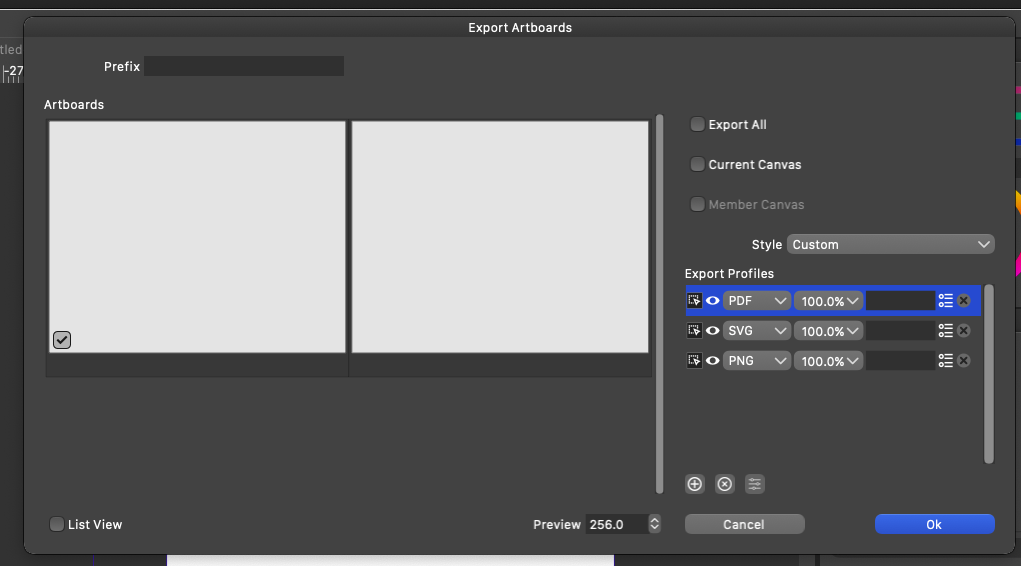
    In the new build (200), selecting Export All will not require Current Canvas or Member Canvas selection. In preview mode, the checkbox is visible only when the artboard is marked.
  • Export Option input fields for SVG & PostScript

    Moved
    3
    1
    0 Votes
    3 Posts
    5k Views
    VectorStylerV
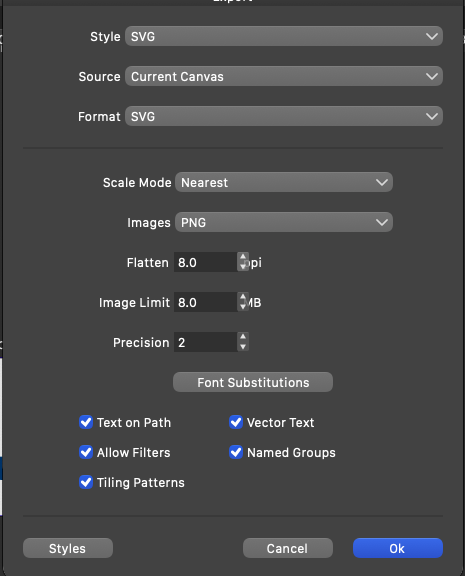
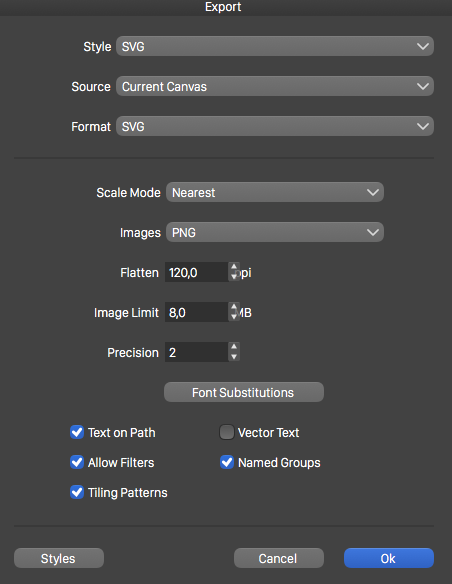
    The new build (200) fixes these layout issues.
  • Convert corner to cusp

    Moved
    2
    0 Votes
    2 Posts
    4k Views
    VectorStylerV
    @Boldline The corner seems to be cusp already (see change in button highlight when the corner is selected). Maybe you were thinking about setting one or the other segment to line (the next 3 icon group)?
  • SVG export is broken

    Moved
    4
    3
    0 Votes
    4 Posts
    6k Views
    P
    wow, so fast!
  • Transparency Panel - 3 issues

    Moved
    7
    1
    0 Votes
    7 Posts
    9k Views
    VectorStylerV
    @badcat Most of the issues described in the video are fixed in build 198. The only remaining open issues are: using grey preview in gradient and pattern modals when selecting transparency, and defaulting to grayscale sliders in color modal.
  • Panel Snapping

    Moved
    3
    0 Votes
    3 Posts
    5k Views
    VectorStylerV
    There are improvements on panel docking in build 194, when docking at the main window sides. For the horizontal panels (and direction change) to dock into vertical mode, still must be moved from their title area (that double line under the close icon). The reason to keep this, is to allow the movement of horizontal panels, when moving from inside, to locations that would change them to vertical mode otherwise.
  • Values in sliders are hard to control

    Moved
    4
    2 Votes
    4 Posts
    6k Views
    VectorStylerV
    The new build (194) adds non linear sliders for most of the UI. Let me know if something is missing
  • Knife tool -> context button to break shape apart?

    Moved
    2
    0 Votes
    2 Posts
    4k Views
    VectorStylerV
    In build 194: The context panel should contain a Break Apart button, when the knife tool is active.
  • Gray fill trail when using eraser tool

    Moved
    5
    0 Votes
    5 Posts
    9k Views
    VectorStylerV
    @Boldline The gray marker of the eraser tool shows the area that will be erased after the mouse is released. The eraser tool uses the same curve smoothing as the pencil tool, and if this smoothness value is set to large, the whole erased paint may change slightly as the mouse is moved. This is indicated by the gray marker. Erasing occurs only after the mouse is released, and it is all done as a vector operation. And only the selected objects are affected (that is, the object that were selected when the erase tool was activated). If no objects were selected, an object is selected (for erasure) when the mouse is pressed. Other objects are not affected by the erase tool.
  • Color slider mode changes when I edit colors with color wheel

    Moved
    4
    0 Votes
    4 Posts
    6k Views
    P
    I will send you the screenrecording by email. I noticed this behaviour in a CMYK document, but I will check if the same thing happens in RGB. I did not have "keep color mode" activated (I thought I had acvtivated this, but perhaps this setting was lost in a crash?). I will see if setting this on will cure this behaviour.
  • Pattern fills do not export

    Moved
    6
    0 Votes
    6 Posts
    8k Views
    P
    @vectoradmin Oh yes, now I see, I did not look at this option, thanks!
  • UI/UX - Shape Draw tools - return to Transform tool

    Moved
    2
    0 Votes
    2 Posts
    4k Views
    VectorStylerV
    Will check this