VectorStyler
    • Categories
    • Unread
    • Recent
    • Tags
    • Popular
    • Register
    • Login
    1. Home
    2. Bugs in VectorStyler
    3. Resolved Issues
    Log in to post
    Load new posts
    • Recently Replied
    • Recently Created
    • Most Posts
    • Most Votes
    • Most Views
    • syllieS

      Context menu/submenu presentation issue

      Watching Ignoring Scheduled Pinned Locked Moved
      4
      0 Votes
      4 Posts
      6k Views
      syllieS
      Thanks - That works now as expected and I can see all options offered.
    • P

      Bend distortion seems broken

      Watching Ignoring Scheduled Pinned Locked Moved
      3
      0 Votes
      3 Posts
      5k Views
      VectorStylerV
      @postdes Moving the center point of the bend shape editor should work in the new build.
    • P

      Shape menu text is cut off

      Watching Ignoring Scheduled Pinned Locked Moved
      3
      1
      0 Votes
      3 Posts
      5k Views
      VectorStylerV
      @postdes This layout issue occurred when opening the shape view first time in El Capitan to High Sierra versions. The issue is fixed in the new build.
    • syllieS

      Pen tool - delete last segment

      Watching Ignoring Scheduled Pinned Locked Moved
      9
      0 Votes
      9 Posts
      11k Views
      syllieS
      @vectoradmin Jeez - so sorry about that. It was quite late over here and apparently I had an absolute dumb moment. It is all working as expected! Thanks for the fix!
    • BoldlineB

      indicators still disappear after a certain amount of time

      Watching Ignoring Scheduled Pinned Locked Moved
      10
      1 Votes
      10 Posts
      12k Views
      P
      I am glad you found a cause, as this bug makes working in VS rather imporssible atm.
    • S

      Palette content scrolls too fast

      Watching Ignoring Scheduled Pinned Locked Moved
      6
      0 Votes
      6 Posts
      9k Views
      VectorStylerV
      @statestreet Only the color palette scrolling speed was changed. I will review the other lists also.
    • S

      Dragging blend into mask shape causes blend to disappear, breaks undo

      Watching Ignoring Scheduled Pinned Locked Moved
      6
      1 Votes
      6 Posts
      7k Views
      VectorStylerV
      Both the crash and the broken blend are fixed in build v1.0.013 RC1
    • S

      Three-point circle tool creates duplicate objects

      Watching Ignoring Scheduled Pinned Locked Moved
      3
      0 Votes
      3 Posts
      5k Views
      VectorStylerV
      @statestreet This issue is fixed in build v1.0.013 RC1
    • BoldlineB

      Pen tool line breaks when holding shift in mid-use

      Watching Ignoring Scheduled Pinned Locked Moved
      5
      1 Votes
      5 Posts
      7k Views
      BoldlineB
      @syllie @vectoradmin There's always the danger of wanting something to be too much like illustrator, or affinity, or corel, etc... We don't want to just do it like them for the sake of keeping things the same. We want innovation and new ideas to make their way in. I like the concept of being able to break a line like that with a keystroke, but I think it needs to be one not automatically associated with another more commonly used feature. Certain keys are just always going to be muscle memory use - control-v, control-c, z, shift... they've established themselves as consistent over countless software apps.
    • syllieS

      Reset Default Workspace - Win10 build 209

      Watching Ignoring Scheduled Pinned Locked Moved
      4
      0 Votes
      4 Posts
      6k Views
      syllieS
      @vectoradmin All good for Win10 - works as expected now.
    • BoldlineB

      Sections of work disappear, pen tool still having the restart issue

      Watching Ignoring Scheduled Pinned Locked Moved
      13
      0 Votes
      13 Posts
      15k Views
      syllieS
      The pen tool behaviour is much improved. The experience in itself is much smoother and this definitely looks like a step forward.
    • IngolfI

      Constantly refreshing pointer (Win10)=

      Watching Ignoring Scheduled Pinned Locked Moved
      5
      0 Votes
      5 Posts
      6k Views
      IngolfI
      Excellent - fixed in 210!
    • BoldlineB

      Magnetic close of a path seems to not work now - unless I missed a new setting

      Watching Ignoring Scheduled Pinned Locked Moved
      3
      0 Votes
      3 Posts
      5k Views
      BoldlineB
      @vectoradmin this worked again when I made a new document
    • IngolfI

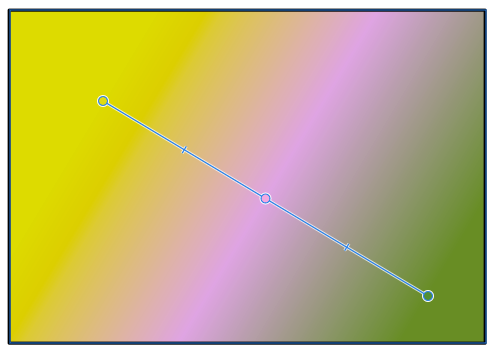
      Gradient tool - bug and usability suggestions

      Watching Ignoring Scheduled Pinned Locked Moved
      3
      1
      0 Votes
      3 Posts
      5k Views
      IngolfI
      Gradient tool looks so much better now - and is easier to understand.
    • syllieS

      Fill colour selection, quality of mouse pointers, squashed menu text - Win10

      Watching Ignoring Scheduled Pinned Locked Moved
      3
      1 Votes
      3 Posts
      5k Views
      syllieS
      Just checked out build 209 and I can see the fixes and improvements there. Thank you! The menu reads perfect now and the palette bar does what it should do. I think the crispness of the pointers can be improved further but they are much better now. I like the new application icon too!
    • BoldlineB

      Source jpeg that is locked shakes when traced over

      Watching Ignoring Scheduled Pinned Locked Moved
      2
      0 Votes
      2 Posts
      4k Views
      VectorStylerV
      @Boldline There is some minor image positioning issue, opened a bug on this one.
    • D

      Two panels instead of one

      Watching Ignoring Scheduled Pinned Locked Moved
      2
      1 Votes
      2 Posts
      4k Views
      VectorStylerV
      @danegeld I added this issue to the backlog as a bug
    • P

      Problems with preview of installed fonts

      Watching Ignoring Scheduled Pinned Locked Moved
      3
      0 Votes
      3 Posts
      5k Views
      VectorStylerV
      @Petar_MK Font preview can be disable in Preferences -> Text Display section with Preview Fonts in Menu for the menu, and Preview Fonts in Lists for other font lists. It would be nice to have a quick video to see what is going on.
    • badcatB

      Layers > Object Options Opacity Slider Preview

      Watching Ignoring Scheduled Pinned Locked Moved
      1
      0 Votes
      1 Posts
      4k Views
      No one has replied
    • IngolfI

      New document - click and drag tab results in crash

      Watching Ignoring Scheduled Pinned Locked Moved
      4
      0 Votes
      4 Posts
      6k Views
      IngolfI
      @vectoradmin said in New document - click and drag tab results in crash: @vectoradmin This issue is fixed in build 208 Indeed fixed, thanks.