VectorStyler
    • Categories
    • Unread
    • Recent
    • Tags
    • Popular
    • Register
    • Login
    1. Home
    2. Popular
    Log in to post
    • All Time
    • Day
    • Week
    • Month
    • All Topics
    • New Topics
    • Watched Topics
    • Unreplied Topics

    • All categories
    • DanielD

      XLS for features and ideas - Megathread

      Watching Ignoring Scheduled Pinned Locked Moved Features and Ideas
      191
      2 Votes
      191 Posts
      570k Views
      DanielD
      @VectorStyler: I tried this too. Didn't note down how it affected performance. Will report back. Thanks!
    • B

      WIP - Testing Blending: not yet a tutorial but soon for beginners

      Watching Ignoring Scheduled Pinned Locked Moved Tutorials
      123
      2
      7 Votes
      123 Posts
      474k Views
      B
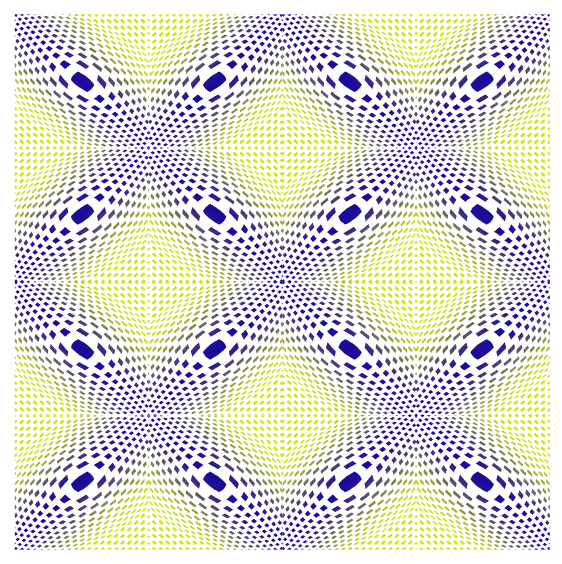
      @Subpath Thank you clicking on the image enlarges it. Here some close up with different settings, very easy to change the overall appearance: [image: 1745604733248-f1-resized.jpg] [image: 1745604739452-f2-resized.jpg]
    • M

      Detail optimization and function enhancement

      Watching Ignoring Scheduled Pinned Locked Moved Questions and Support
      87
      2 Votes
      87 Posts
      97k Views
      VectorStylerV
      @monsterfox said in Detail optimization and function enhancement: However, selecting "Show All" results in the same entry appearing five consecutive times — is this a bug? Yes, this is a bug.
    • L

      Regarding the halftone repeater types

      Watching Ignoring Scheduled Pinned Locked Moved Features and Ideas
      76
      1
      3 Votes
      76 Posts
      205k Views
      L
      @VectorStyler Sorry, I've been a bit busy lately. I didn't explain clearly. I meant multiple blended shapes, not a single blended shape. I couldn't find the files I make on before. I'll redo them when I have some time and send them to you.
    • F

      VectorStyler Manual | PDF

      Watching Ignoring Scheduled Pinned Locked Moved Tutorials
      70
      7 Votes
      70 Posts
      241k Views
      debraspicherD
      @freggern Thank you for this!
    • DazmondoD

      Draw tool sticky settings?

      Watching Ignoring Scheduled Pinned Locked Moved Questions and Support
      68
      0 Votes
      68 Posts
      194k Views
      S
      would also plead for a way where this option can be switched on and off in a quickly accessible way e.g. Brush panel or something similar
    • B

      Affinity Designer vs VectorStyler

      Watching Ignoring Scheduled Pinned Locked Moved General Discussion
      68
      0 Votes
      68 Posts
      168k Views
      E
      @VectorStyler said in Affinity Designer vs VectorStyler: Plus: select multiple colors and drag over a selection of objects that's a really cool (hidden) feature !
    • M

      Bug List for Version 1.3

      Watching Ignoring Scheduled Pinned Locked Moved Bugs in VectorStyler
      64
      3
      1 Votes
      64 Posts
      18k Views
      VectorStylerV
      @monsterfox said in Bug List for Version 1.3: When selecting multiple objects by holding down the Shift key, clicking on an empty area will deselect all objects . I will fix this
    • D

      Scale Strokes and Effects

      Watching Ignoring Scheduled Pinned Locked Moved Questions and Support
      63
      2 Votes
      63 Posts
      158k Views
      VectorStylerV
      @gotanidea I will try to find a solution for this
    • DazmondoD

      Repeater halftone problem on rasters

      Watching Ignoring Scheduled Pinned Locked Moved VectorStyler 1.1 Bugs
      56
      0 Votes
      56 Posts
      138k Views
      S
      @Boldline said in Repeater halftone problem on rasters: Sometimes it helps me to see a working example and then I can reverse engineer it and learn from it to make my own creations. @Boldline said in Repeater halftone problem on rasters: Sometimes it helps me to see a working example and then I can reverse engineer it and learn from it to make my own creations. Thanks too, I feel the same way; learning through reverse engineering is very helpful. Interesting designs. I think Repeater still has a lot to offer. What I like about it is that you can use symbols, repeat them, and still continue editing.
    • M

      Queries Regarding VectorStyler 1.3

      Watching Ignoring Scheduled Pinned Locked Moved Questions and Support
      54
      1
      1 Votes
      54 Posts
      11k Views
      VectorStylerV
      @monsterfox said in Queries Regarding VectorStyler 1.3: @VectorStyler I enabled the skew option in the Repeater, but the skew angles of the repeated shapes are very inconsistent and messy—this should be a bug, right? The Skew adjustment was set to Randomized mode in the Geometry Adjusments. You should select Backdrop Content.
    • Victor VectorV

      Best way to Crop an Image?

      Watching Ignoring Scheduled Pinned Locked Moved Questions and Support
      53
      0 Votes
      53 Posts
      143k Views
      ambrosA
      @VectorStyler . Got it thank you works very well.. did exactly what I hoped it would do
    • IngolfI

      Remove selection info from the toolbar please - can be seen in the status bar

      Watching Ignoring Scheduled Pinned Locked Moved Features and Ideas
      52
      1
      2 Votes
      52 Posts
      122k Views
      F
      @b77 said in Remove selection info from the toolbar please - can be seen in the status bar: (Btw, do you need to use the 125% UI scaling with that low screen resolution? Is it something commonly done on Windows?). I tried the 100% but than it's unreadable on my 14 inch screen. And yes with smaller screens Windows recommends even greater UI scaling.
    • B

      Repeater : what do I do wrong ?

      Watching Ignoring Scheduled Pinned Locked Moved Questions and Support
      51
      9
      0 Votes
      51 Posts
      124k Views
      B
      @VectorStyler as I found it easier to define a symbol through the Symbol panel, I understand why I could rarely get the expected results... a somewhat tricky bug [image: 1676979766796-95ee532b-7cdf-40c5-81c5-1191fa52985b-image-resized.png]
    • BoldlineB

      Exporting Final Art from VS for others including non-VS users

      Watching Ignoring Scheduled Pinned Locked Moved General Discussion
      50
      1 Votes
      50 Posts
      134k Views
      S
      @Boldline said in Exporting Final Art from VS for others including non-VS users: @Subpath Awesome! I'll have to play around with it. I think I found the website https://concepts.app/en/ Yes, that is the Website. Have to say that the Windows Version is a bit limited, no Watercolor Brush and a few other things i dont remember. But has the Airbrush and the Pencil. You could try the free Demo. I own the iPad Version. Also if you deciced to buy the App, look carefully it seems subscription based. But there is also an Non-subscription version (i own this Version). I have this: Essentials 14,99 € (the non Subcription Version) PDF-Essentials 4,99 € ( for PDF Export ) Shape Library 1,99 € ( Kind of Clipboard/Asset Browser )
    • J

      Understanding pen tool

      Watching Ignoring Scheduled Pinned Locked Moved Questions and Support
      50
      0 Votes
      50 Posts
      140k Views
      J
      @vectoradmin Here is a video of pen tool drawing two curve. First Curve: First node is simple click and second node is drag Second Curve: First node is drag and second node is click Should not those be same(mirror)?. If I create this in other program the two curve are same(mirror). As I already discussed about first node created in VS with pen tool in this thread. What would you say about this? I would really want to know.
    • AyoA

      Ideas to improve the Vectorstyler Layers Panel

      Watching Ignoring Scheduled Pinned Locked Moved Features and Ideas
      50
      5 Votes
      50 Posts
      125k Views
      AyoA
      @VectorStyler I don't quite understand. It's all about moving an object(s) from one layer to another, right? As long as it is a possibility, that is important. If there is an option to disable the feature and what should be the default? I would say default on, option off.
    • B

      Paragraph style - can't be changed through the panel

      Watching Ignoring Scheduled Pinned Locked Moved VectorStyler 1.2 beta
      49
      1
      0 Votes
      49 Posts
      113k Views
      VectorStylerV
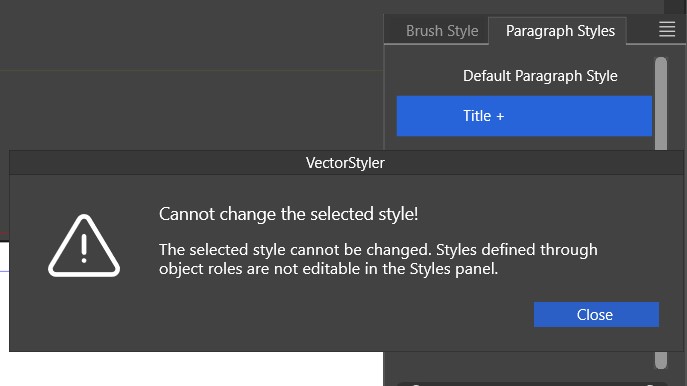
      @Pat said in Paragraph style - can't be changed through the panel: when I create a new style and the cursor remains on the modified text from which I created it, this specific new style is never selected in the styles panel but always the previous style with the "+" sign This is by design. Creating a style (in general) from a selection does not automatically apply that style.
    • M

      list of errors

      Watching Ignoring Scheduled Pinned Locked Moved Bugs in VectorStyler
      46
      1 Votes
      46 Posts
      33k Views
      M
      @VectorStyler The outline effect is fine. I just realized I accidentally turned off the eye icon while operating.[image: 1760625721249-mmexport1760625669307-resized.jpg] By the way, could you help me figure out why this function in my workspace isn’t working?
    • L

      Affinity Designer Now FREE with All features can be used, except for AI.

      Watching Ignoring Scheduled Pinned Locked Moved General Discussion
      46
      -4 Votes
      46 Posts
      22k Views
      T
      @monsterfox I agree with this wholeheartedly. We desperately need VectorStyler tutorials on YouTube. This will also help drive new users to this tool.