Subcategories

  • These issues have been resolved and closed

    863 Topics
    5k Posts
    VectorStylerV
    @Raaskot said in Transform: Up-dwn-keys act strange on stepping values i value fields: Is it supposed to act in that way? No, this looks like a bug, but I cannot replicate it here. Could be caused by some changes in the workspace or settings.
  • Everyone makes mistakes. Help us correct ours. Let us know how to improve VectorStyler.

    10 Topics
    41 Posts
    VectorStylerV
    @jpsimmons Yes, this can be replicated and it is a bug. I will try to fix it for the next build.
  • Everyone makes mistakes. Help us correct ours. Let us know how to improve VectorStyler.

    579 Topics
    3k Posts
    G
    @VectorStyler said in Slow Typing Performance: @gotanidea I'm testing these issues with slow typing performance. The new document has no issue with speed (the old is till slow). What configuration you use for these tests? and which text is edited in the new document. I'm trying to replicate as close as possible. Can you please click the first text box ("Before rigging any character geometry ....") at the top-left region of the new document using the Text Tool, then hold the "a" key? I use: VectorStyler v1.3.001 Windows 11 Home 64-bit AMD Ryzen 7 5800H with Radeon Graphics (16 CPUs) ~3.2GHz 16384MB RAM NVIDIA GeForce RTX 3060 Laptop GPU
  • Bug reports on the 1.2 beta of VectorStyler

    282 Topics
    2k Posts
    W
    This issue has been resolved in the latest update. Thank you!
  • These bugs were posted for 1.2 and should be resolved

    228 Topics
    1k Posts
    XRAYX
    @VectorStyler Hi, this is on Windows 11 24H2 and the settings are "checked" inside of performance settings such as !"Direct Preview of Changes" or "GPU for Mesh" and "GPUfor Distortion" but don't seem to actually be working. Selecting ok seems to fix "Direct Preview of Changes" but no way to be sure about the GPU settings.
  • Old files & activated fonts with...

    2
    1 Votes
    2 Posts
    2k Views
    VectorStylerV
    @B-Vs-V said in Old files & activated fonts with...: an old design made with an earlier version is no longer correct (blending feature). yes, this might have happened with 1.2 (about a year ago), if the file is older. Send me an example and I will try to figure it out. I opened a bug with the Fondbase case. Are these TTF or Type1 fonts?
  • Graphic replacement error

    4
    1 Votes
    4 Posts
    3k Views
    M
    @VectorStyler [image: 1744971871472-dd3941ef-0146-4b7f-9d06-d939df2ce8e1-image.png]
  • Graphics without color information

    2
    1 Votes
    2 Posts
    2k Views
    VectorStylerV
    @monsterfox Yes, I think this was by design. If there are no attributes (fill or color) then it might be skipped when exporting. I have to check if it is possible to export these.
  • Unit of measurement

    2
    2
    1 Votes
    2 Posts
    2k Views
    VectorStylerV
    @monsterfox If you previously typed a unit in some number editor, then that will be kept for that number editor. Also, some number fields default to specific units.
  • Issue with Contour

    14
    3
    1 Votes
    14 Posts
    9k Views
    B
    Since I don't want to change the W display scaling, I have to wait for the fix to proceed further...
  • The handle can control the anchor point

    4
    0 Votes
    4 Posts
    3k Views
    VectorStylerV
    @monsterfox said in The handle can control the anchor point: Why does this happen sometimes but not always?" Could be the issue with the box selection. I will check that.
  • Appearance panel - colour symbol

    6
    1
    0 Votes
    6 Posts
    4k Views
    VectorStylerV
    @B-Vs-V These should be in c:\Users<user name>\AppData\Roaming\NumericPath\VectorStyler1.2\vector\data\resources\ (the "Roaming" folder can also be "Local")
  • Appearance panel

    3
    2
    1 Votes
    3 Posts
    2k Views
    B
    @VectorStyler I already sent you the file.
  • Bug

    2
    1
    1 Votes
    2 Posts
    2k Views
    VectorStylerV
    @monsterfox I opened a bug on this.
  • Path lengthening tool

    3
    1
    0 Votes
    3 Posts
    3k Views
    VectorStylerV
    @monsterfox @Subpath I will try to improve this.
  • Symbol Stamp Tool / Symbol Spray Brush Bug

    2
    1 Votes
    2 Posts
    2k Views
    VectorStylerV
    @Harry I opened a bug on this.
  • 1 Votes
    4 Posts
    3k Views
    VectorStylerV
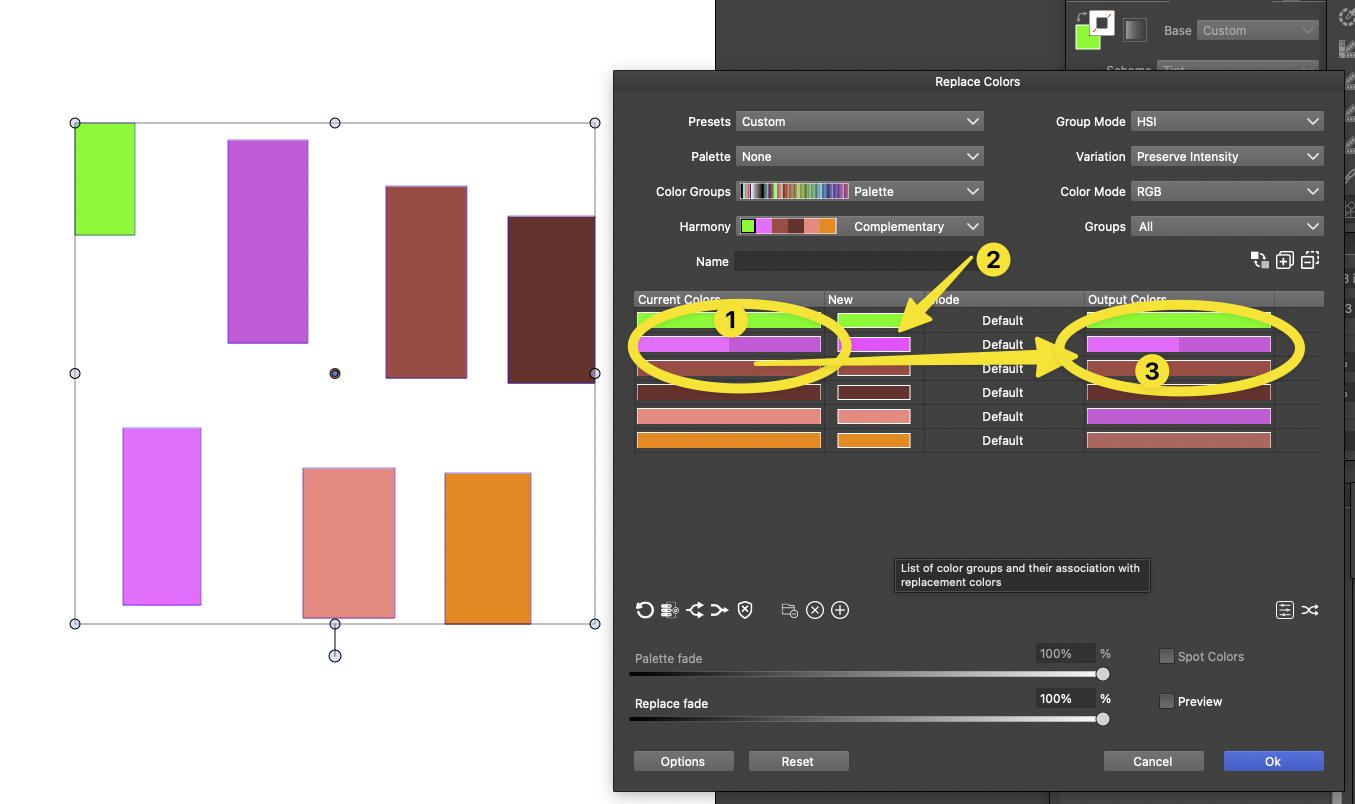
    @Boldline In the 3rd column select a replacement mode: in this case try "Exact".
  • Bug

    4
    0 Votes
    4 Posts
    3k Views
    VectorStylerV
    @monsterfox Now I get it. What happens here is that if a shape has closed parts (as in this case one circle remains closed), then the fill will be applied to the open part also.
  • Source

    8
    1 Votes
    8 Posts
    6k Views
    M
    @VectorStyler I've found a solution to the first cloning issue by selecting "Copy on Duplicate" in the Duplication Mode. However, the second issue (with the Shape Replacement Tool) remains unresolved. The two options you mentioned are still grayed out in my interface, and I'm unsure how to activate them.
  • Bug in ruler

    3
    2 Votes
    3 Posts
    2k Views
    F
    Sorry, I was fooled by the zoom level. If I zoom in closer, the ruler actually shows the value 2000. I was fooled by the full extension view, where it shows 1995 near the margin and not 2000
  • Bug

    2
    1 Votes
    2 Posts
    2k Views
    VectorStylerV
    @monsterfox I will try to fix this for the next build.
  • BUG

    2
    2
    1 Votes
    2 Posts
    2k Views
    VectorStylerV
    @monsterfox Yes, this can be replicated and it is a bug. Will be fixed for the next build.
  • Two Styles panels

    2
    1 Votes
    2 Posts
    2k Views
    VectorStylerV
    @monsterfox I will try to replicate this. (for some panels multiple instances are allowed by design, but maybe not in this way).
  • Opposite constrained move?

    4
    1 Votes
    4 Posts
    3k Views
    VectorStylerV
    @fdarnel Yes, there are some issues here caused by the transforms on the group. I will try to find out more about this.
  • Problem selecting layer name

    3
    1 Votes
    3 Posts
    2k Views
    VectorStylerV
    @fdarnel Got the recording, I will try to replicate and fix this.