VectorStyler
    • Categories
    • Unread
    • Recent
    • Tags
    • Popular
    • Register
    • Login
    1. Home
    2. Bugs in VectorStyler
    3. VectorStyler 1.2 beta
    Log in to post
    Load new posts
    • Recently Replied
    • Recently Created
    • Most Posts
    • Most Votes
    • Most Views
    • Victor VectorV

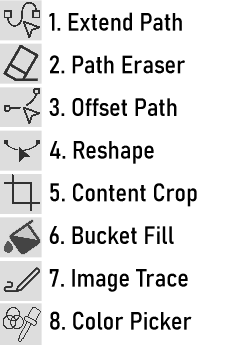
      The 8 Exciting New Tools

      Watching Ignoring Scheduled Pinned Locked Moved
      19
      1
      4 Votes
      19 Posts
      16k Views
      L
      @VectorStyler The Reshape tool and the Offset Path Tool have been fixed. thanks
    • L

      There are some issues with the align to shape

      Watching Ignoring Scheduled Pinned Locked Moved
      13
      0 Votes
      13 Posts
      11k Views
      VectorStylerV
      @Li-Xiao said in There are some issues with the align to shape: Please refer to the video Got it, it uses the original relative positions.
    • L

      The icon of the vector bucket fill tool is drifting

      Watching Ignoring Scheduled Pinned Locked Moved
      5
      1
      0 Votes
      5 Posts
      6k Views
      L
      @VectorStyler Fixed. thanks This tool is great!
    • BoldlineB

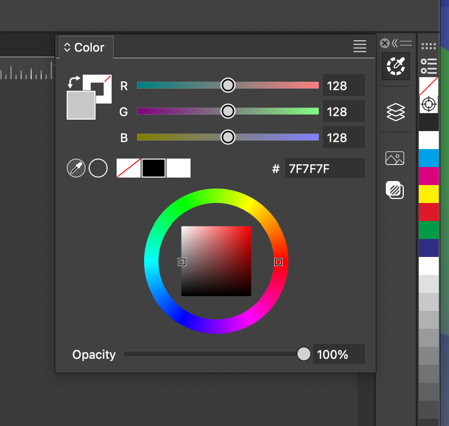
      Color panel does not auto-collapse when clicked away from

      Watching Ignoring Scheduled Pinned Locked Moved
      2
      1
      0 Votes
      2 Posts
      3k Views
      VectorStylerV
      @Boldline said in Color panel does not auto-collapse when clicked away from: Is this intentional or just a bug? The iconified panels stay open, until you click on the icon again. This did not change from before.
    • L

      There is an issue with the Shape Corner in Shape Effects

      Watching Ignoring Scheduled Pinned Locked Moved
      3
      1 Votes
      3 Posts
      4k Views
      L
      @VectorStyler Fixed. thanks
    • L

      The contour color is not working properly

      Watching Ignoring Scheduled Pinned Locked Moved
      3
      0 Votes
      3 Posts
      3k Views
      L
      @VectorStyler Fixed. thanks
    • L

      The issue with locking the ratio when resizing shapes.

      Watching Ignoring Scheduled Pinned Locked Moved
      4
      0 Votes
      4 Posts
      6k Views
      L
      @VectorStyler Fixed. thanks
    • L

      The issue with ungrouping after bending

      Watching Ignoring Scheduled Pinned Locked Moved
      8
      1 Votes
      8 Posts
      8k Views
      L
      @VectorStyler said in The issue with ungrouping after bending: @Li-Xiao Meanwhile I fixed the issue (partially, not yet the crash). It is caused by the use of object clones. Regular duplicated objects show work with bend ungroup. Fixed. thanks
    • L

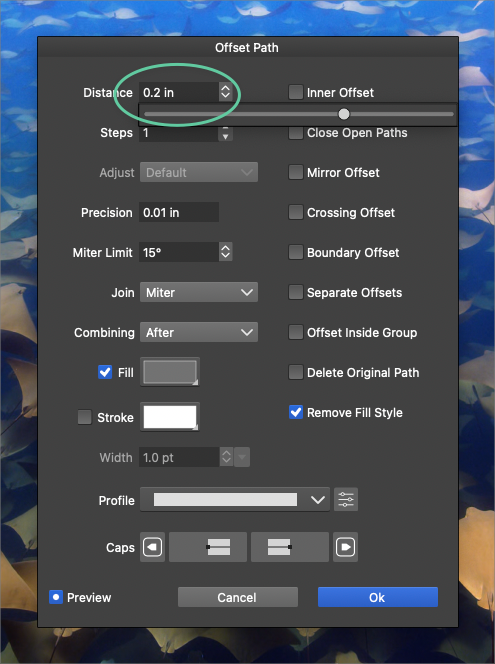
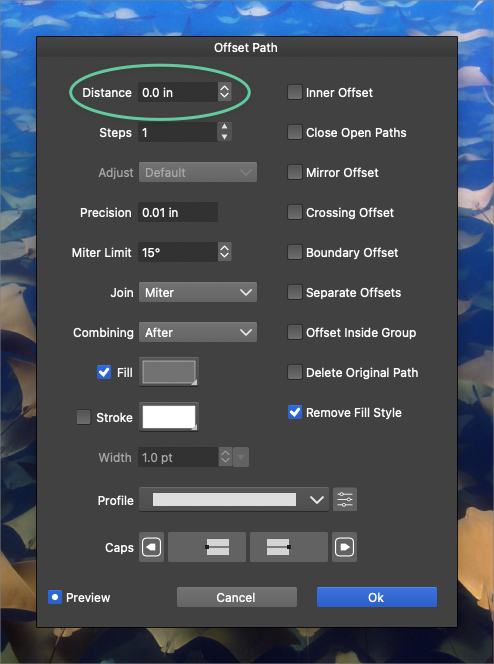
      There are some issues with the Offset Path

      Watching Ignoring Scheduled Pinned Locked Moved
      3
      1 Votes
      3 Posts
      4k Views
      L
      @VectorStyler Fixed. thanks
    • L

      There are some issues with the Contour

      Watching Ignoring Scheduled Pinned Locked Moved
      4
      1 Votes
      4 Posts
      4k Views
      L
      @VectorStyler Fixed. thanks
    • L

      The issue with clicking on text along a path

      Watching Ignoring Scheduled Pinned Locked Moved
      3
      0 Votes
      3 Posts
      4k Views
      L
      @VectorStyler Fixed. thanks
    • VectorStylerV

      beta 1.2.008

      Watching Ignoring Scheduled Pinned Locked Moved
      9
      12 Votes
      9 Posts
      8k Views
      BoldlineB
      @VectorStyler I appreciate the new update with all the bug fixes and improvements. Thank you!
    • BoldlineB

      "Open Recent" file is occasionally empty

      Watching Ignoring Scheduled Pinned Locked Moved
      2
      1
      0 Votes
      2 Posts
      3k Views
      VectorStylerV
      @Boldline This could happen after some workspace file selection.
    • AyoA

      Unwanted Textframe Movement

      Watching Ignoring Scheduled Pinned Locked Moved
      3
      0 Votes
      3 Posts
      3k Views
      AyoA
      @VectorStyler Ok, too bad, it's useful for fast positioning of small texts. Used to illustrator point text does recognize a blank line as content, both before and after.
    • Victor VectorV

      Remove Icon does not function

      Watching Ignoring Scheduled Pinned Locked Moved
      5
      2
      1 Votes
      5 Posts
      5k Views
      VectorStylerV
      @Victor-Vector I opened a bug on this.
    • BoldlineB

      Transform tool double click to switch to node tool does not seem to be working here

      Watching Ignoring Scheduled Pinned Locked Moved
      3
      1
      3 Votes
      3 Posts
      4k Views
      VectorStylerV
      @Boldline I opened a bug on this one.
    • Victor VectorV

      Toolbox Reconfigure creates a UI glitch

      Watching Ignoring Scheduled Pinned Locked Moved
      3
      2
      1 Votes
      3 Posts
      4k Views
      Victor VectorV
      @VectorStyler I tried adding another subgroup to the drawing group to make it an even 6 groups and it did not solve the issue. It appears that the Pen Tool, Line Drawing, Brush Tool, Pencil, and Path Sketch tool are not in a subgroup in the toolbox interface.
    • Victor VectorV

      Right-ward Panel Migration after Settings Change

      Watching Ignoring Scheduled Pinned Locked Moved
      3
      0 Votes
      3 Posts
      4k Views
      Victor VectorV
      @VectorStyler, my apologies, I should have been more thorough. It was Windows 11. Also, I noticed this is happening in version 1.1.116 of Vector Styler too.
    • Victor VectorV

      Show/Hide Grid and Guide - Needs a blue highlight?

      Watching Ignoring Scheduled Pinned Locked Moved
      2
      1
      0 Votes
      2 Posts
      3k Views
      VectorStylerV
      @Victor-Vector I added this to the backlog.
    • L

      When selecting only one corner for chamfering

      Watching Ignoring Scheduled Pinned Locked Moved
      6
      0 Votes
      6 Posts
      7k Views
      L
      @VectorStyler Thank you very much. It turns out that the issue is related to a mouse program called SpotOnTheMouse. The computer that didn't have any issues didn't have SpotOnTheMouse running, while the two problematic computers had SpotOnTheMouse running. After quitting SpotOnTheMouse, everything works fine. I purchased SpotOnTheMouse to record keyboard and mouse actions during screen recording, but I didn't anticipate this issue during testing.