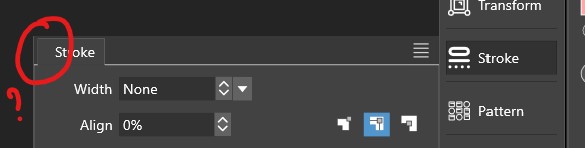
• Adding action to application toolbox crops the first column of icons

    Moved
    3
    1
    1 Votes
    3 Posts
    4k Views
    H
    @VectorStyler said in Adding action to application toolbox crops the first column of icons: It Could be caused by that single tool group at the bottom Could be, because after adding second action to this tool group, toolbox isn't cropped anymore
  • Panel gets narrower

    Moved
    8
    2
    0 Votes
    8 Posts
    8k Views
    VectorStylerV
    @Pat I will try to replicate this still. There is always some other condition for these.
  • Artboard "Show Size in Label" option changes artboards' dimensions

    Moved
    2
    0 Votes
    2 Posts
    4k Views
    VectorStylerV
    @Harry Yes, seems that the artboards retained their format (should not) after drawing. Will be fixed ASAP
  • Extended crosshairs still an issue in the new beta build

    Moved
    3
    1
    0 Votes
    3 Posts
    4k Views
    BoldlineB
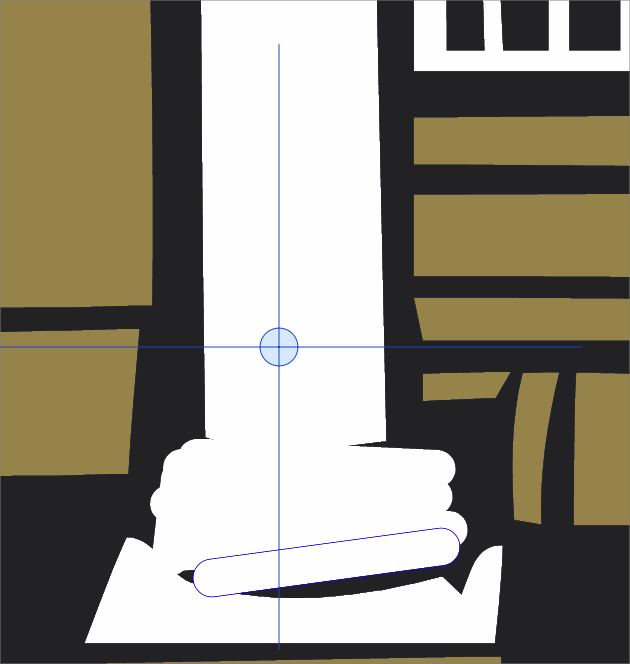
    @VectorStyler I didn't mind the crosshairs actually, just didn't want them to extend far beyond the size of the circle. Having it be an empty circle might be ok too
  • update 1.2.006

    Moved
    6
    8 Votes
    6 Posts
    5k Views
    G
    @VectorStyler There was an entry for VS 1.2.006 in the Windows App Uninstaller. I uninstalled both betas, downloaded it again, and the beta works now.
  • Shape effect, option panel

    Moved
    24
    1
    0 Votes
    24 Posts
    36k Views
    VectorStylerV
    @Pat said in Shape effect, option panel: the strokes suddenly disappeared and it was impossible to get them back. I will try to replicate this.
  • Little panel icon displaying options

    Moved
    2
    1
    0 Votes
    2 Posts
    3k Views
    VectorStylerV
    @Pat Can be replicated. Seems to work only of the panel is not iconified.
  • Select-menu out of line and can't find customize in view-menu

    Moved
    12
    0 Votes
    12 Posts
    11k Views
    F
    @Harry Thanks for your reply. 100% scaling or the mousewheel helped me for now to solve the problem with the 'customize' menu.
  • Search next/previous options for search bars

    Moved
    2
    1 Votes
    2 Posts
    3k Views
    VectorStylerV
    @Harry Thanks for the suggestion. I added this to the backlog.
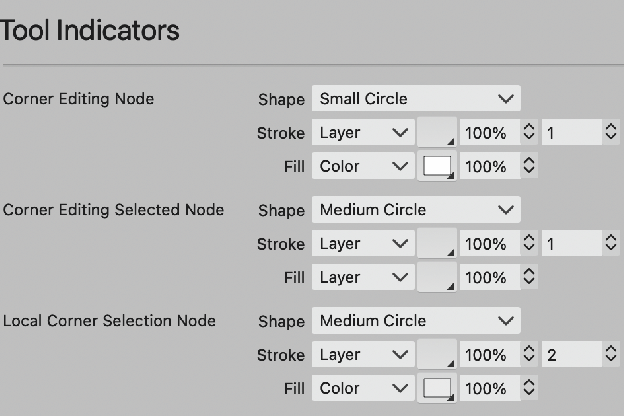
  • Tool Indicator setting revert to same Shape

    Moved
    4
    2
    1 Votes
    4 Posts
    5k Views
    VectorStylerV
    @Ayo Found the root cause of this issue, fix will be in the next build.
  • Textframe option do not work.

    Moved
    7
    0 Votes
    7 Posts
    6k Views
    861475_VctSt8
    @VectorStyler I see. I closed the Appearance panel and it worked. It's a bug.
  • Pattern - some issues (or not)?

    Moved
    5
    2
    1 Votes
    5 Posts
    5k Views
    VectorStylerV
    @Pat said in Pattern - some issues (or not)?: @VectorStyler I've sent you the file Got it, thanks!
  • Unable to use the rounded corners tool

    Moved
    10
    1
    0 Votes
    10 Posts
    9k Views
    VectorStylerV
    @Boldline This issue can be replicated on MacOS Sonoma. It is a compatibility issue with the new OS, I will try to have this fix in the next build.
  • Duplicate by option + drag

    Moved
    4
    0 Votes
    4 Posts
    4k Views
    861475_VctSt8
    @VectorStyler Thanks. I was able to solve it. Settings > Nudgig was set to Reference. I may have unintentionally changed it sometime ago.
  • toolbox settings and locks for panels do not seem to be working

    Moved
    4
    1
    0 Votes
    4 Posts
    6k Views
    VectorStylerV
    @Boldline Tested, and works here also. Look into the user settings folder (Help -> Reveal Workspace Folder), if any of the files change after setting a new toolbox and exiting. Could be some other customization or workspace issue.
  • There seems to be an issue with the Contour

    Moved
    5
    1 Votes
    5 Posts
    5k Views
    L
    @VectorStyler This bug has been fixed. Thank you.
  • About the two bugs related to selection

    Moved
    9
    0 Votes
    9 Posts
    8k Views
    L
    @VectorStyler two bugs has been fixed. Thank you.
  • Entering license key does not work.

    Moved
    3
    0 Votes
    3 Posts
    4k Views
    G
    Thanks, uninstalling everything and re-installing fixed it.
  • Drawing Place Icons

    Moved
    5
    0 Votes
    5 Posts
    5k Views
    VectorStylerV
    @Ayo it might be that the draw inside icon was not exported correctly. I will check this later.
  • Restored node size in settings

    Moved
    2
    0 Votes
    2 Posts
    3k Views
    VectorStylerV
    @Ayo said in Restored node size in settings: Still can not set 'Transform Selection Node' node size to small (or large) rectangle. Remains medium. This is probably a different bug, I will try to find out what causes this.